Table of Contents
This guide compares 10 leading Best Android Screen Lock Apps, Best for You, focusing on useful features, compatibility, ease of use, and overall value.

1. CM Locker application
Download link: https://play. google. com/store/apps/details? id=com. cmcm. locker

CM Locker is the most popular Android screen lock application with over 100 million downloads on the Google Play app store, the number has also confirmed the name and interest of users for this application. True to the screen lock, the CM Locker application helps to increase the level of security on your device. You can easily lock the screen, phone book, messages. to protect your privacy. Moreover, when someone intentionally enters your phone to enter the wrong password, the intruder auto-capture function will let you know that person's face.
2. Hi Locker application
Download link: https://play. google. com/store/apps/details? id=mobi. appplus. hilocker
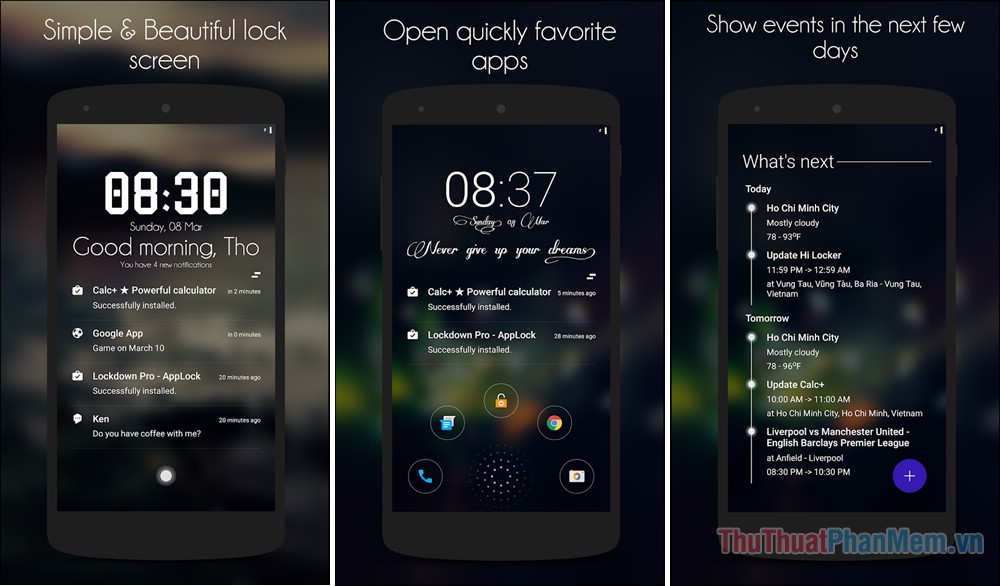
The application was developed by Vietnamese developers because it is very easy to use and also gives us a very nice interface. The advantage of this screen lock application is its good security capability that supports both fingerprint lock and smart lock. Hi Locker automatically offers greetings to help you feel friendly such as good morning, good evening. Hi locker shows notification right on the lock screen, you can easily view and delete by swiping. left, right, automatically change the background image after a period of time, customize to allow blurring of images when there are new notifications. Hi Locker has 2 modes of unlocking by password, you can choose to unlock by PIN or Drawing mode.
3. Application Next Lock Screen
Download link: https://play. google. com/store/apps/details? id=com. microsoft. next
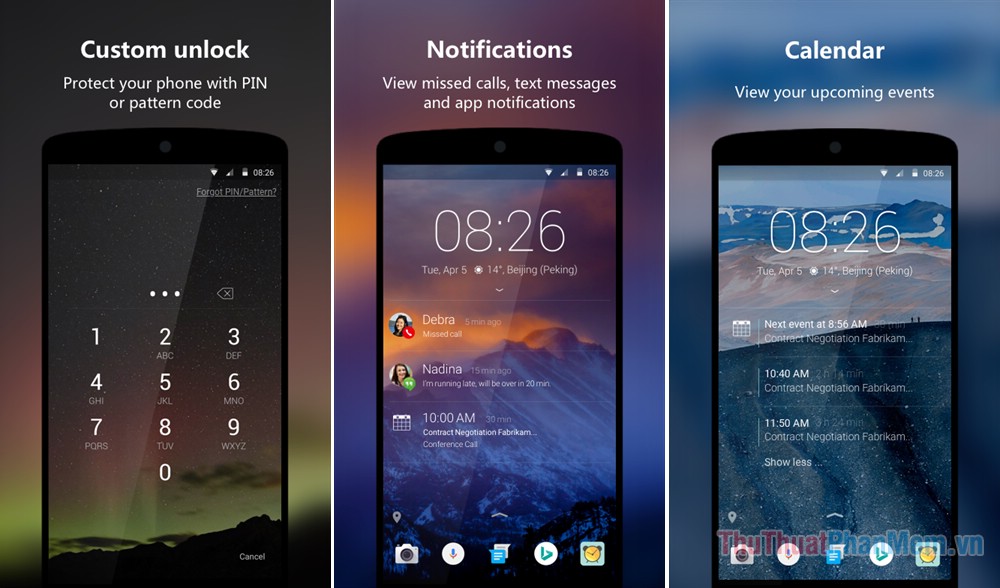
Next Lock Screen is a screen lock application for Android from the Microsoft software maker. It is designed for those who prefer simplicity and lightness. However, Next Lock Screen still has all the basic functions for a lock screen. You can choose an unlock pattern, unlock PIN and unlock it using your fingerprint with supported devices. In addition, quick contact, flashlight, calendar events, weather, shortcuts. and many different wallpapers are also integrated so you can freely customize your lock screen to your liking.
4. Floatify Lockscreen application
Download link: https://play. google. com/store/apps/details? id=com. jamworks. floatify
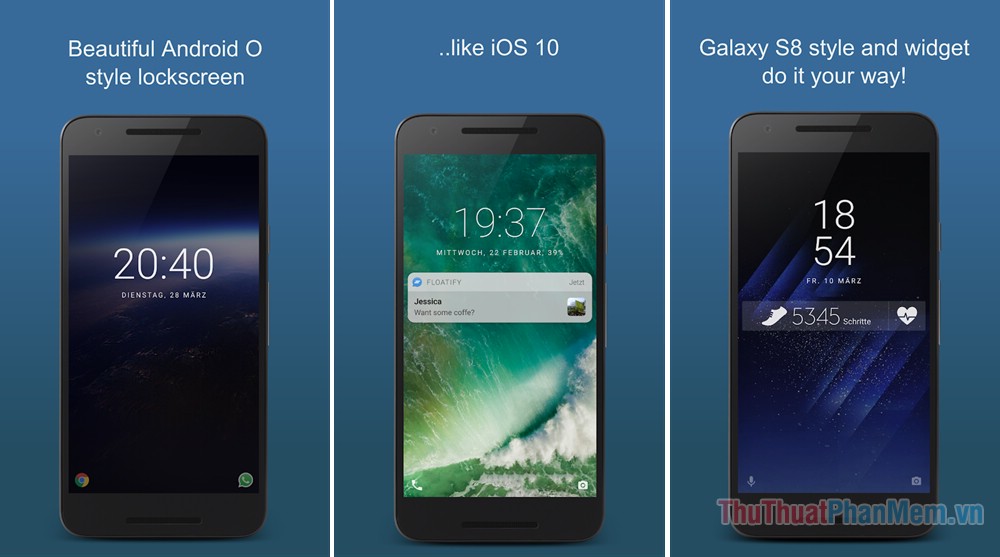
Floatify Lockscreen is a screen lock application for those who love the classic. The lock screen interface of this app is just a clock and a simple wallpaper. However, you can customize a lot of things as you like. You will own a lock screen similar to iOS on the iPhone or Galaxy S8 style lock screen easily. You can add things like weather, notifications and other data, as well as customize shortcuts at the bottom of the lock screen.
5. LokLok application
Download link: https://play. google. com/store/apps/details? id=co. loklok

LokLok is the most distinctive and interesting screen lock application of all the other screen lock apps. Why do we say that, because LokLok is like a combination of lock screen and Snapchat. With 'LokLok' you can freely draw on your lock screen then send it as a message to a friend. At this point, the message will become their lock screen and vice versa. But to use that exciting feature of 'LokLok', your friends also need to install this app.
6. Solo Locker application
Download link: https://play. google. com/store/apps/details? id=com. ztapps. lockermaster
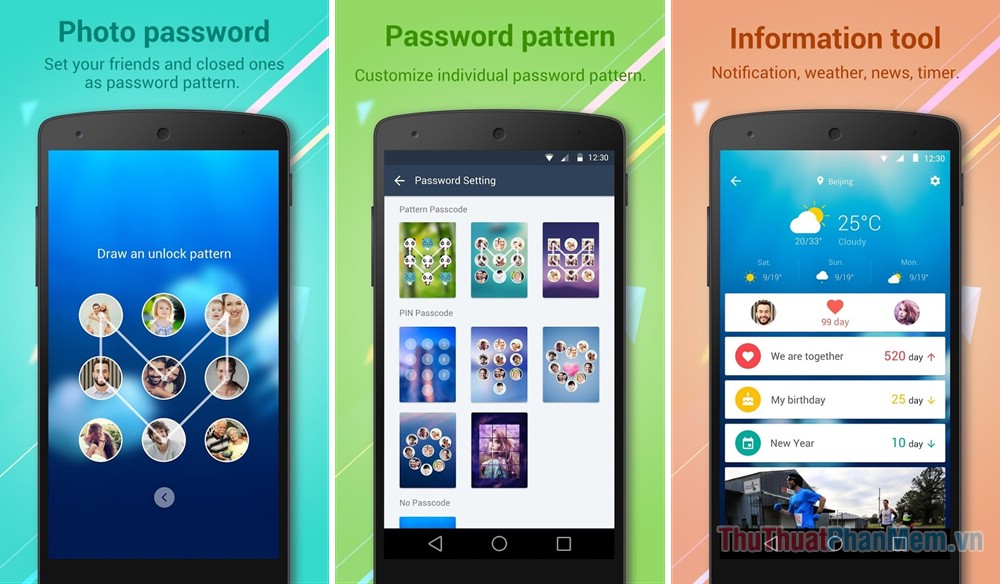
If you feel your default lock screen is too boring. Try changing the look of your phone with the Solo Locker lock screen application (DIY Locker). Solo Locker is a lock screen application with highly customizable capabilities, allowing users to lock the phone with their favorite images. Smooth, lightweight and bring the greatest security for you, there is no reason to refuse to choose this perfect tool. Lock your phone in various styles of Solo Locker now!
7. 3D Lock application
Download link: https://play. google. com/store/apps/details? id=theme. lock. cheetah
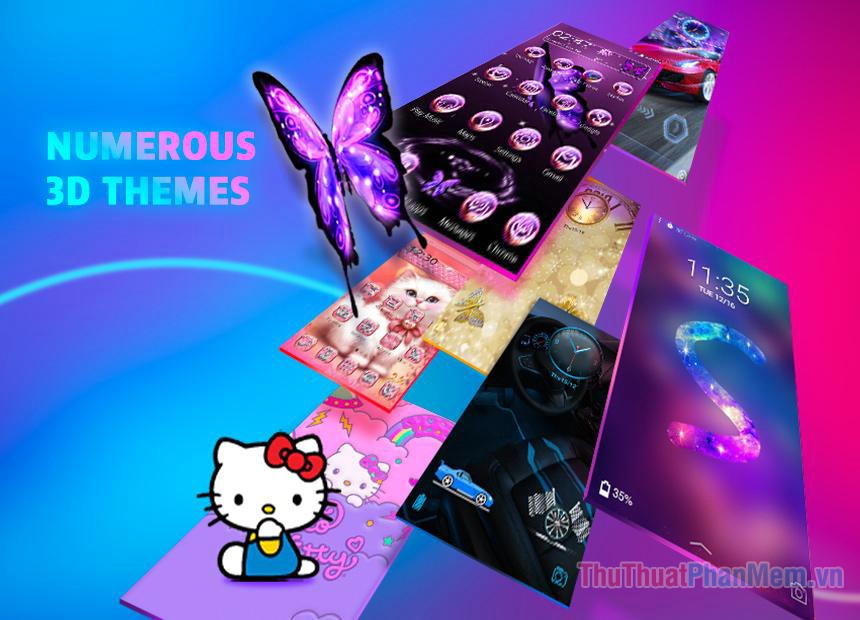
3D Lock is one of the most beautiful lock screen applications, providing beautiful 3D style lock screens, many attractive lock screen themes and a few interesting methods to unlock your device. You will be surprised every time you turn on the screen, along with a collection of beautiful HD wallpapers, which not only make you unable to take your eyes off and also help personalize your phone! 3D images will make your phone come alive a lot.
8. My Locker application
Download link: https://play. google. com/store/apps/details? id=net. headnum. kream. mylocker
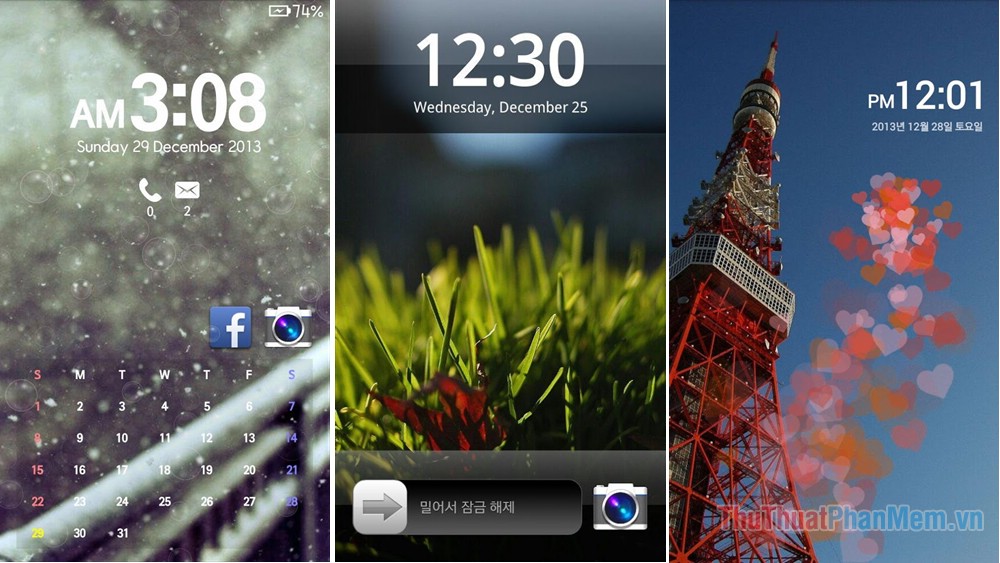
My locker application helps you personalize your Android device lock screen. There is also an option that lets you share the screen with your friends as a gift. The main features of My Locker are: Select the clock style, date, weather and place them wherever you want. Choose the font, color, wallpaper, icon of each gadget. Choose different unlock methods, use beautiful snowfall effects, send your photo lock screen to a friend or relative as a gift. My Locker PRO version lets you use unlimited widgets on one screen and there are many kinds of exciting unlocking methods!
9. DynamicNotifications application
Download link: https://play. google. com/store/apps/details? id=com. greatbytes. activenotifications

DynamicNotifications is an easy-to-see, sophisticated lock screen application for Android devices. By default, it has a simple black background and the notification only lights up the screen when the phone is not in the pocket or facing the screen. In fact, this app is not really a lock screen app. However, if you buy the premium version ($ 1.99) you can use the lock screen customization feature. In addition, users can set notifications and set night mode to not receive notifications when sleeping.
10. AcDisplay application
Download link: https://play. google. com/store/apps/details? id=com. achep. acdisplay

ACDisplay is one of the most popular Android screen lock applications. It will display the always-on lock screen similar to the Galaxy S. high-end devices. This helps you keep track of the latest notifications with a beautiful interface right on the lock screen without unlocking the device. Whenever you hear a notification, just pull your phone out of your pocket and all the notifications will appear in a simple and convenient way.
Thank you for watching the article!
FAQ
How should I choose among Best Android Screen Lock Apps, Best for You?
Compare compatibility, essential features, ease of use, security, support, and total cost rather than choosing only by popularity.
Are free options suitable for everyday use?
Free tools can be sufficient for basic needs, but advanced features, commercial use, or priority support may require a paid plan.
What should I check before installing or using one?
Verify the official source, system requirements, recent updates, privacy practices, and support for your device and file types.
Related Articles
 8 Best Lock Screen Apps for Android: Lock Screen App for Android7 minutes read
 14 Best Android Screen Lock Apps for Your Creativity11 minutes read
 Custom Android Lock Screen Tips You Shouldn't Overlook7 minutes read
 9 Android Phone Lock Screen Security Settings9 minutes read
 How to Lock Screen by Image on Android Phone5 minutes read
 4 Things to Do with Android // iOS Lock Screen7 minutes read
Reader Comments 0
Sign in with email or Google to join the discussion.