Table of Contents
Perplexity's Create files and apps feature can turn a natural-language request into a document, presentation, spreadsheet, PDF, or simple HTML app. The feature can research a topic, assemble the content, add citations, and provide a file preview that you can refine before downloading.
It is useful for producing a structured first draft, but it does not guarantee that every source, calculation, or design choice is correct. Treat the result as editable work: inspect citations, test formulas, and review the exported file before sharing it.
What Perplexity can create
According to Perplexity's asset-creation documentation, supported outputs include:
- documents in DOCX or PDF format;
- presentations in PPTX format;
- spreadsheets in XLSX format; and
- simple apps in HTML format.
Availability and usage limits depend on the account and subscription. If you do not see Create files and apps, check Perplexity's current plan information rather than assuming that ordinary Search mode will expose the same controls.
How to create a file in Perplexity
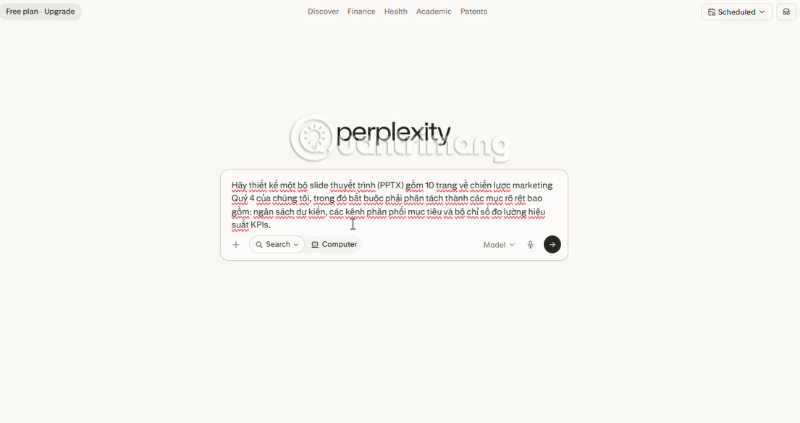
1. State the output format and purpose
Start by naming the file you want and what it will be used for. “Create a 10-slide sales presentation for a quarterly review” gives the system more direction than “Write about sales.” Include the intended audience, tone, and any non-negotiable requirements.
A useful prompt structure is:
Create a [file type] for [audience and purpose]. Include [required sections or columns]. Use [specified sources or attached files]. Apply [tone, length, and visual requirements]. Cite external facts and flag any missing information.
2. Describe the structure
Give Perplexity a clear outline rather than expecting it to infer one. For a document, name the sections and approximate length. For a slide deck, specify the number and purpose of slides. For a spreadsheet, list the columns, formulas, units, and data rules.
For example:
- Document: “Create a four-page DOCX briefing for department managers. Include an executive summary, three findings, risks, recommended actions, and a source list.”
- Presentation: “Build an eight-slide PPTX for a project kickoff. Include objectives, scope, milestones, responsibilities, risks, and next steps. Keep each slide concise.”
- Spreadsheet: “Create an XLSX budget tracker with Category, Owner, Planned, Actual, Variance, and Notes columns. Add formulas for totals and variance, and use USD.”
If your work must use internal information, attach the relevant files or choose an available connected source. Tell Perplexity which source should take priority when internal documents and web results conflict.
3. Preview and refine the draft
Review the generated asset in the side panel, then make targeted changes with follow-up prompts. Ask for one coherent change at a time so that it is easier to see what changed.
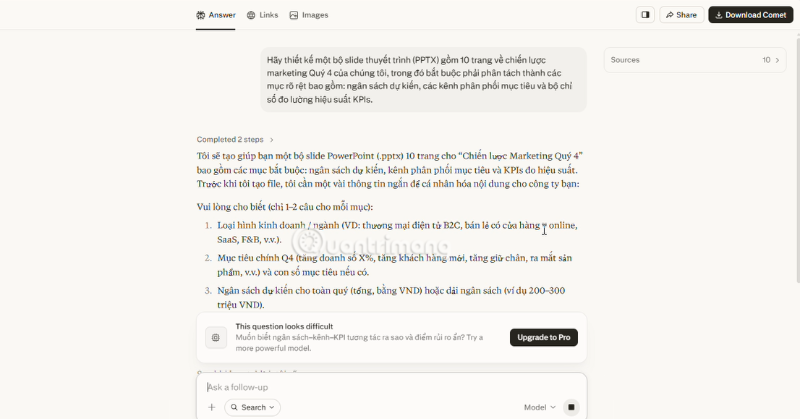
Effective follow-ups include:
- “Shorten the executive summary to 150 words without removing the recommendations.”
- “Add a final slide with decisions needed from the audience.”
- “Replace the estimated values in the Cost column with data from the attached budget.”
- “Add a formula to calculate percentage variance and handle division by zero.”
- “Use a neutral tone and remove unsupported promotional claims.”
Perplexity also provides version history for created assets, so you can return to an earlier version if a later edit makes the result worse.
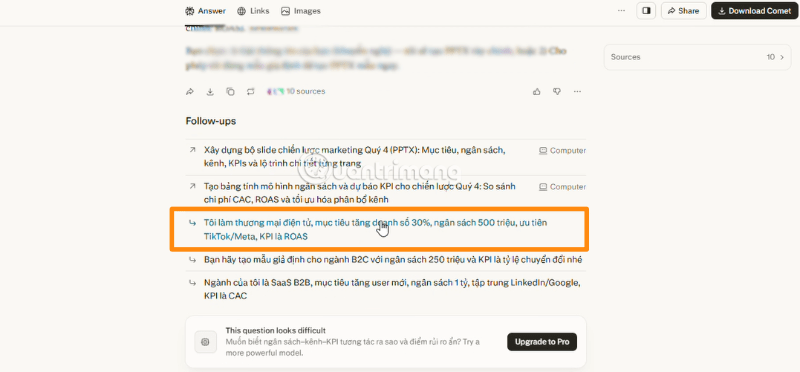
4. Check citations, data, and formatting
Citations make research easier to audit, but their presence does not prove that a claim is accurate. Open the cited pages and confirm that each source actually supports the sentence or data point. Prefer primary and current sources for prices, policies, product features, regulations, and statistics.
Use a format-specific review:
- DOCX or PDF: check heading order, page breaks, captions, footnotes, links, and whether every cited claim is traceable.
- PPTX: check text overflow, image rights, contrast, font consistency, speaker notes, and whether charts are readable on a screen.
- XLSX: inspect formulas instead of only displayed values; verify ranges, units, dates, percentages, filters, and error handling.
- HTML: test links, forms, responsive layout, keyboard navigation, and behavior in more than one browser before publishing.
5. Export the finished file
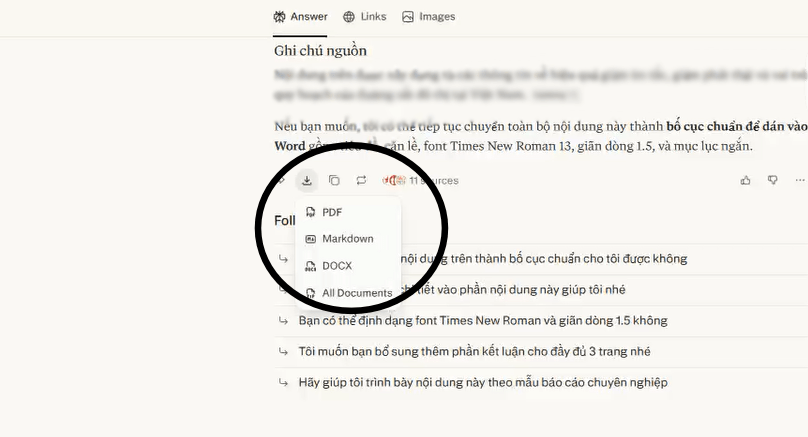
When the preview is satisfactory, use the download or export control for the requested format. Open the exported file in Word, PowerPoint, Excel, a PDF reader, or a browser and perform one final check; conversion can reveal layout or compatibility problems that were not visible in the preview.
Prompt examples for common file types
Research report
Create a DOCX report for a procurement team comparing the three attached vendor proposals. Include a one-page summary, a requirements matrix, pricing assumptions, risks, unresolved questions, and recommendations. Use only the attached files for vendor claims, cite the proposal and page for each claim, and mark missing information as “Not provided.”
This prompt limits the evidence base and specifies how uncertainty should be represented. That is safer than asking for a persuasive report with no source rules.
Presentation
Create a 10-slide PPTX for senior managers explaining the support team's quarterly performance. Use the attached CSV as the only source for metrics. Include a title slide, KPI overview, three trends, two operational risks, recommended actions, and a decision slide. Add concise speaker notes and do not invent targets that are absent from the data.
Spreadsheet
Create an XLSX project budget from the attached cost list. Use separate Inputs and Summary sheets. Preserve the original line items, add Planned, Actual, Variance, and Variance % columns, and include formulas rather than fixed totals. Highlight missing values but do not estimate them.
Common problems and how to correct them
- The output is too generic: add the audience, objective, source material, structure, and a concrete definition of success.
- The spreadsheet looks right but calculates incorrectly: ask Perplexity to explain each formula, then inspect cell references and recalculate the workbook in a spreadsheet application.
- The slide deck contains too much text: set a maximum number of bullets or words per slide and request speaker notes for supporting detail.
- A citation is weak or irrelevant: identify the exact claim, request a primary source, and verify it yourself before keeping the claim.
- The design does not match your organization: specify brand colors, fonts, logo placement, and example files where permitted, then finish the design in the destination application.
- The export option is unavailable: confirm that you are using Create files and apps and that your plan has remaining access. Product labels and limits can change.
Use generated files as drafts, not automatic proof
Perplexity can reduce the mechanical work of researching and assembling office files, especially when the prompt defines a precise structure. Its strongest workflow is iterative: provide trusted inputs, create a draft, request focused revisions, verify every important claim or calculation, and then export. That process is more dependable than assuming that citations or polished formatting make the output automatically correct.
Related Articles
 How to Create API Key Perplexity8 minutes read
 Tips for Creating Beautiful PowerPoint Slides6 minutes read
 Creating a Professional Presentation7 minutes read
 How to Create Presentation Slides on ChatGPT5 minutes read
 How to Create Presentation Slides Using ChatGPT4 minutes read
 How to Create Professional Presentation Slides with Kimi AI5 minutes read
Reader Comments 0
Sign in with email or Google to join the discussion.