Table of Contents
This updated guide explores snipping tool finally supports GIF files with practical details, clear explanations, and useful takeaways. This week, Microsoft has released a number of major updates to its built-in Windows 11 apps. Paint, Notepad, and Snipping Tool all got AI-powered new features like creating stickers, taking perfect screenshots, and composing text.
As spotted by tech blogger @phantomofearth, Snipping Tool is getting a feature that lets you save screen recordings as GIFs. Currently, the app only saves videos, but fast, lightweight GIFs are often more effective for illustrating on-screen actions. Along with the new format, Snipping Tool will also let you choose the output quality to reduce file size or make the image sharper. When the update rolls out, you'll see a GIF button in the upper-right corner of the window when saving a video, along with a Ctrl + G keyboard shortcut.
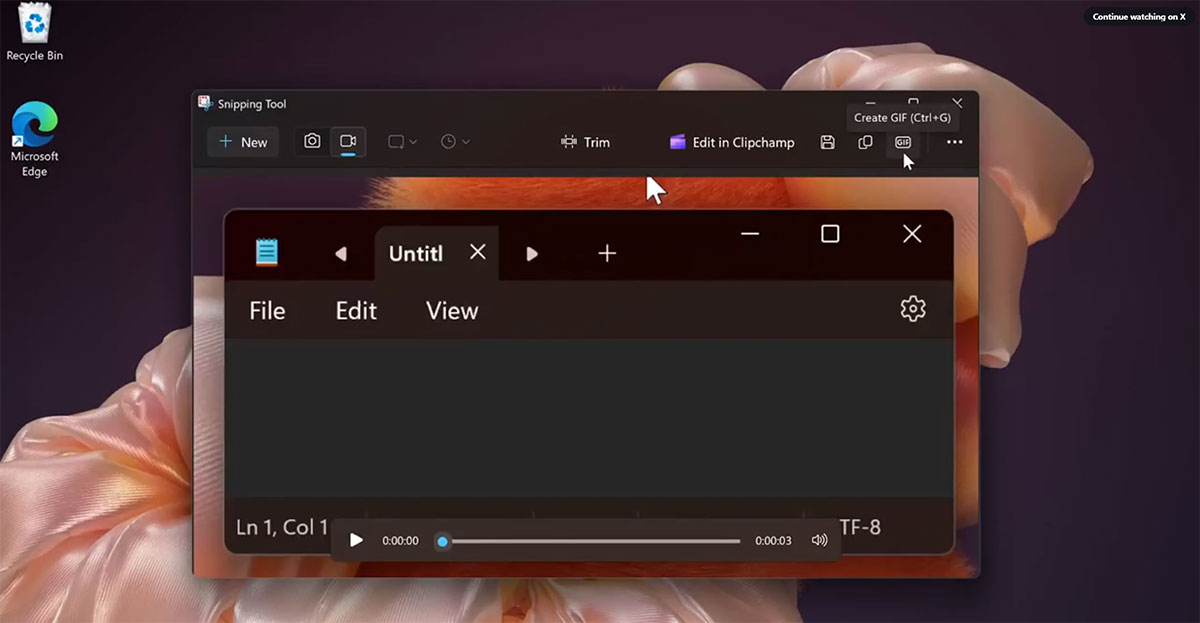
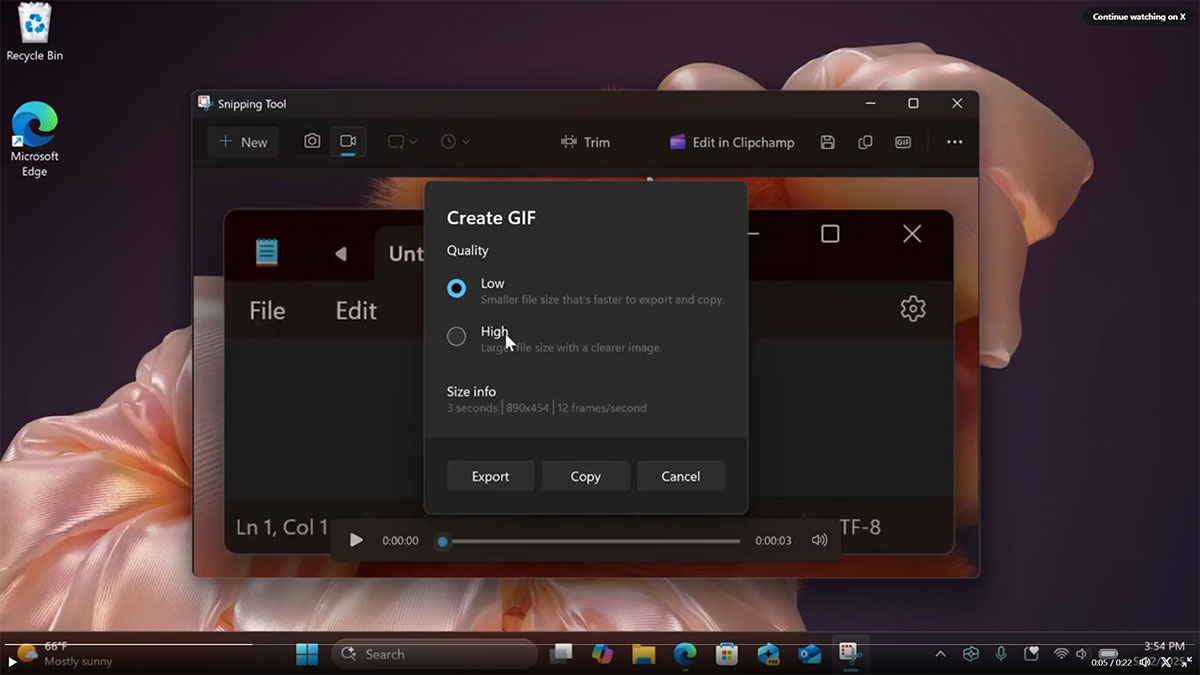
Microsoft hasn't officially announced the details yet, so information is limited. The ability to save screen recordings as GIFs may appear in Windows 11 Insider previews.
What other features would you like to see in the Snipping Tool? Share your thoughts in the comments below!
FAQ
What is the main takeaway about Snipping Tool Finally Supports GIF Files?
The key is to understand the core idea, compare the available options, and apply the practical guidance that matches your situation.
What should beginners know about Snipping Tool Finally Supports GIF Files?
Start with the essential steps and terminology. Avoid changing advanced settings until you understand how they affect performance, privacy, cost, or compatibility.
How can I use this information in practice?
Follow the relevant section in order, test one change at a time, and confirm the result before moving to the next step or recommendation.
Related Articles
 How to Use Snipping Tool on Windows 10 Full Set10 minutes read
 Steps to Fix Snipping Tool Not Working Error on Windows5 minutes read
 Cannot Find Snipping Tool on Windows 10? This Is How to Fix It8 minutes read
 How to Fix Snipping Tool Keeps Showing Error4 minutes read
 Snipping Tool Cannot Be Used, Summarize Effective Ways to Fix It Explained7 minutes read
 Instructions for Enabling or Disabling Snipping Tool in Windows3 minutes read
Reader Comments 0
Sign in with email or Google to join the discussion.