Table of Contents
This updated guide explains how to Standard YouTube Cover Image Size & How to Create Fast and through clear steps, practical examples, and important checks that help prevent common errors.
1. Standard YouTube Cover Image Size
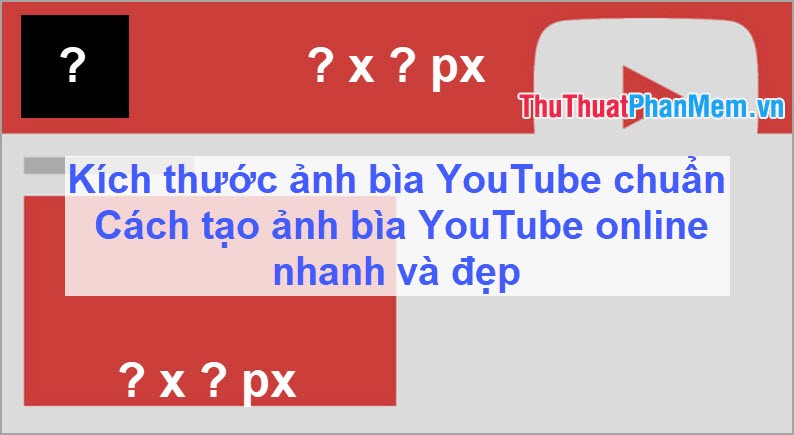
YouTube is like other social networks and also has different image sizes for the most consistent and beautiful. With YouTube, users can set 3 main types of photos: Avatar, cover photo, Thumbnail. In this article Software Tips will focus on talking about the cover image of YouTube.

YouTube cover photos will show when someone enters your YouTube wall. This is also the largest image size on YouTube and will display a lot of information. But when you make the cover image is not the right size, it will be displayed skewed or display incomplete information that you need.
The current standard YouTube cover image size is: 2560 x 1440 Pixel .
2. How to Create YouTube Cover Images Online Quickly and Beautifully
If you are a beginner to YouTube and do not have a lot of skills in professional image editing software such as Photoshop,. then it will be very difficult to make beautiful and standard covers. But do not worry, Software Tips will guide you how to create covers of YouTube Online quickly and beautifully.
Step 1: You access the following website to use the Online tool. Link: https://app. bannersnack. com/banner-creator/
Step 2: In the main interface, you proceed to Create New and select Single Banner .

Step 3: This site supports you to make a lot of different Banner. But this article we focus on YouTube. You choose YouTube Channel Cover to use.

Step 4: After the size of the cover image is finished, select the Template section to refer to the available templates and you can use it always. The website provides you with many different templates available to meet the needs of users.
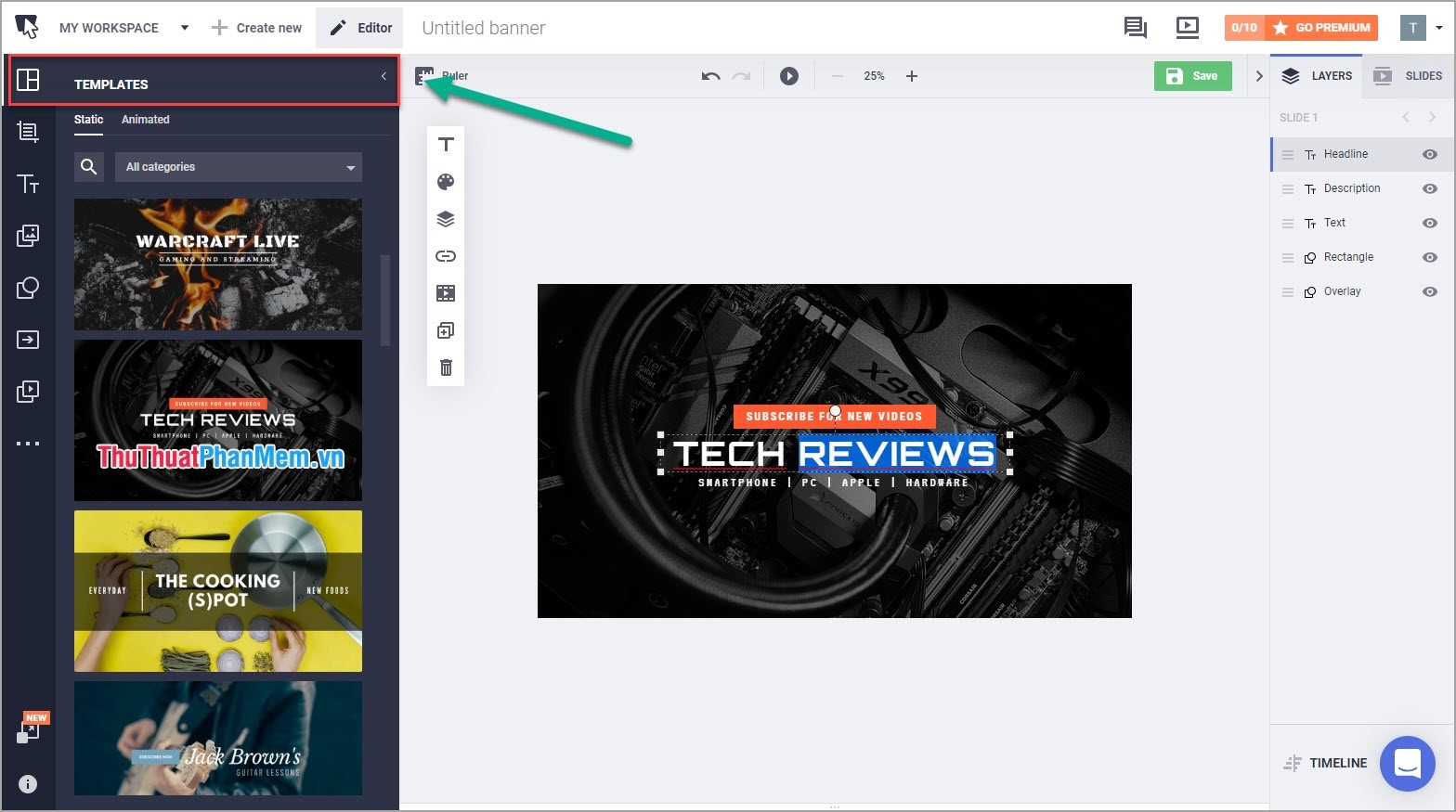
Step 5: Choose a template that you like and proceed to click the text to change according to your content.

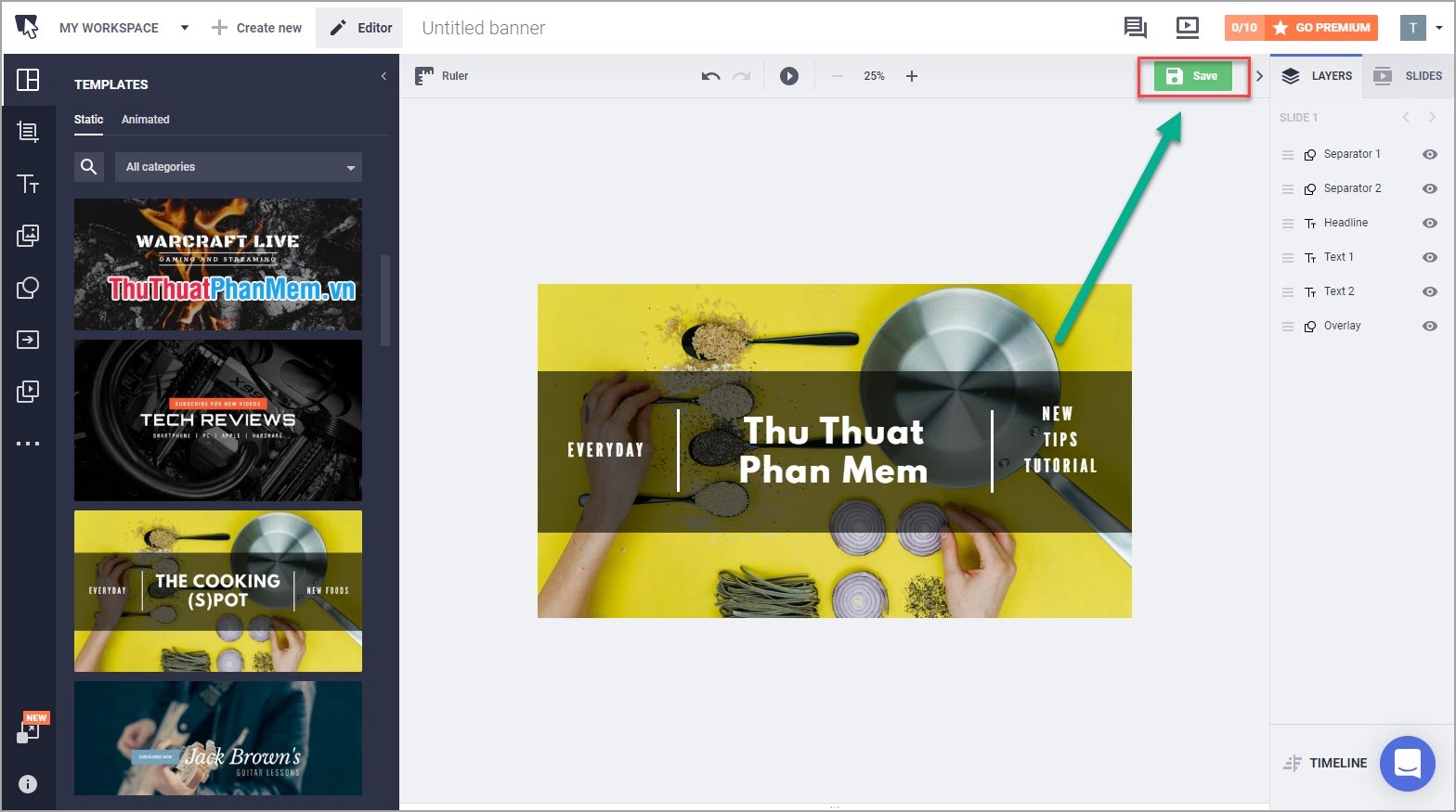
Step 6: After editing is complete, you click Save to save to your computer.
Step 7: You proceed to install the image just saved on the camera as a YouTube cover photo. So you guys have a nice, full-sized Facebook cover photo.
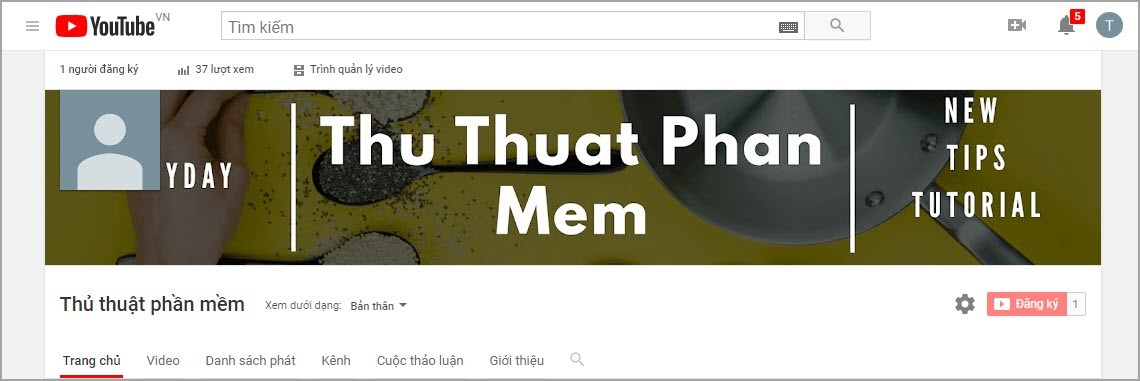
Thus, the Software Tips has answered for you the standard size of YouTube cover images and guide you to create YouTube Online cover images quickly and beautifully. Good luck!
FAQ
What is the easiest way to Standard YouTube Cover Image Size & How to Create Fast and?
Start with the requirements in this guide, then follow each step in order. Check the result after every major change so problems are easier to identify.
Can beginners follow these instructions?
Yes. The process is organized into practical steps, and you can repeat any step before moving forward.
What should I check if the method does not work?
Confirm your software or device version, permissions, settings, file format, and internet connection when the task depends on online services.
Related Articles
 What Is the Standard Size of YouTube Cover Photos?2 minutes read
 What Is the Size of Standard Cover Photo Zalo, Zalo OA?5 minutes read
 Size, Size of the Standard Image for Facebook Fanpage Is How Much?5 minutes read
 How to Create Facebook, Twitter, YouTube,… Covers Quickly6 minutes read
 What Is the Standard Twitter Image Size?: Twitter Standard Size4 minutes read
 Standard Zalo Cover Photo Size3 minutes read
Reader Comments 0
Sign in with email or Google to join the discussion.