Table of Contents
It's easy to forget about your subscriptions. You end up paying for something you don't even use. Luckily, there's a simple way to avoid wasting money on a recurring purchase before it even happens.
Cancel free trials in advance
Free trials from streaming services and others are one of the most common ways that subscriptions make more money than they intended. Because you have to enter your payment information to start the free trial, you can forget that your subscription will automatically renew after 30 days (or whatever period). In some cases, you may be automatically signed up for an annual subscription, which can be a huge expense.
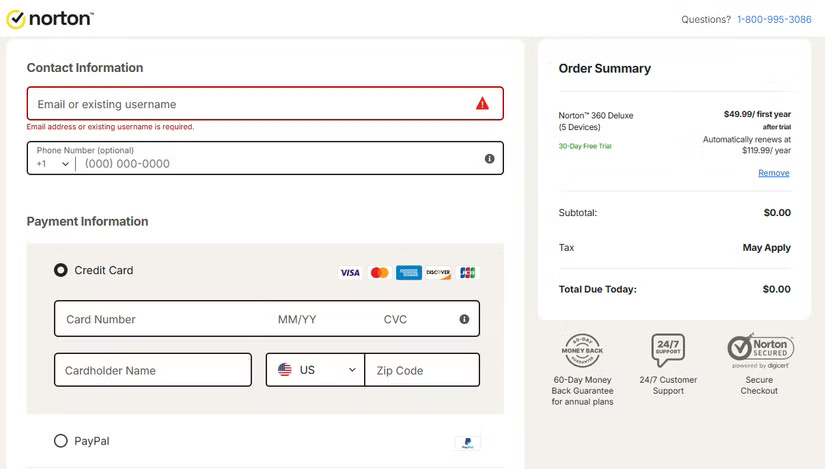
There's an easy way to fix this: Cancel any free trials as soon as you sign up. Most services allow you to cancel your free trial, then continue using the service until your renewal date.
That said, you should make sure to check the terms carefully before canceling your plan.
Most services are subject to the terms of the rest of your plan, with the exception of Apple services. If you accept a free trial of Apple Music, Apple Arcade, or similar services, canceling before your renewal date will immediately terminate your access. This is annoying; the best option is to set a cancellation reminder a few days before the trial ends.
Tip : Always cancel your subscription at least 24 hours before it renews; waiting until the last minute may result in you being charged.
How to cancel free trial
How you do this depends on where you signed up for the trial. For web subscriptions, log in to your account and look for a page titled Payment , Subscription , Plan, or something similar. There, you'll see options for managing your subscription, including canceling your free trial.
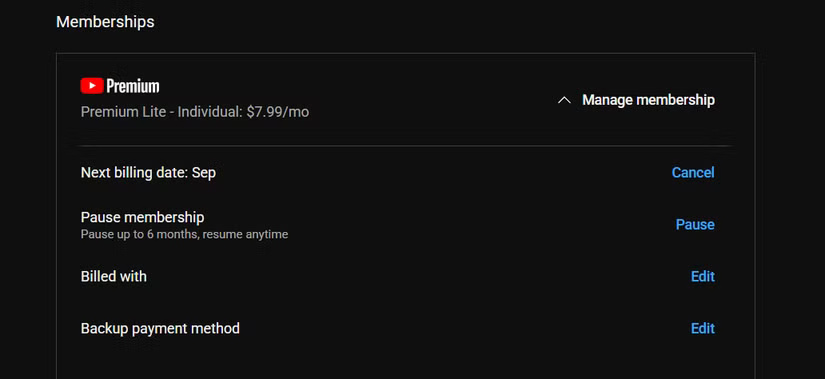
You can find all of your subscriptions on your iPhone by opening Settings , tapping your name at the top, and selecting Subscriptions . Select a subscription, then tap Cancel Free Trial .
On Android, open the Play Store, tap your profile icon in the top-right corner, and select Payments & subscriptions . Then tap Subscriptions to check if necessary, with a Cancel subscription button at the bottom.
With this setup, after your free trial expires, you can re-subscribe if you find the service useful. However, you won't be charged any unwanted fees if you don't use it.
Tip : This advice also applies when you realize you don't want your subscription anymore. Cancel the plan as soon as you think about it, and you won't be charged on renewal. It's much better than having to remember in the first place.
Budgeting for Subscription Packages
The above steps are important to avoid being taken advantage of by free trials, but there's more to avoiding subscription fees you don't use. It's important to know where your money is going.
People have talked about not realizing they paid for two Netflix subscriptions, or having a subscription that went unnoticed for a year, and wondering how that could have happened. Some people even continue to pay for subscriptions that aren't worth it.
Many people have been using YNAB (You Need a Budget) to manage their money for over a decade. They link all their bank accounts and credit cards so every purchase is accounted for. Allocating money to different categories each month helps you avoid paying for subscriptions you don't need or use.
When you re-budget about a year ago, create two categories for Monthly Expenses and Yearly Expenses . This lets you track which subscriptions you pay for monthly (including YouTube Premium Lite, iCloud, and Spotify Premium) and which you pay for annually (including 1Password, Google One, and Amazon Prime).
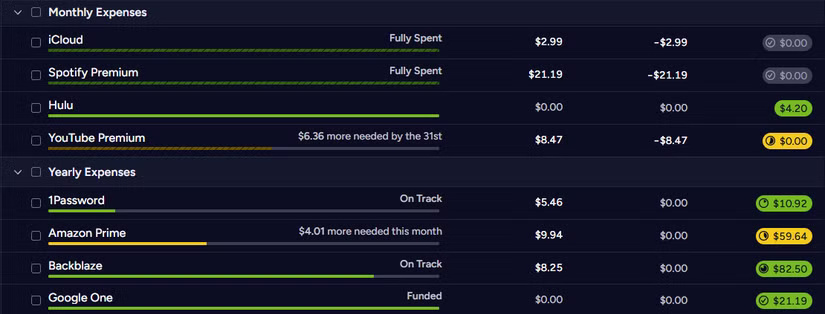
Since you've budgeted for these subscription categories each month, nothing can fall through the cracks. Using historical data from YNAB, you can review when and how often subscription prices increase to make sure they're still worth it. This information also highlights long-term monthly subscriptions where you can save money by switching to an annual plan, or even a shared group plan.
There are cheaper alternatives to YNAB; no matter which plan you use, you should still track and plan your spending. It takes some time to set up and get used to, but it means you won't have to worry about how much money you're spending on subscriptions.
Contact support if subscription is canceled
Sometimes, an unwanted subscription gets renewed despite our best efforts to cancel. In these cases, you may be able to get a refund if you contact the company quickly enough — especially for annual subscriptions, where the few days of use are only a fraction of what you paid.
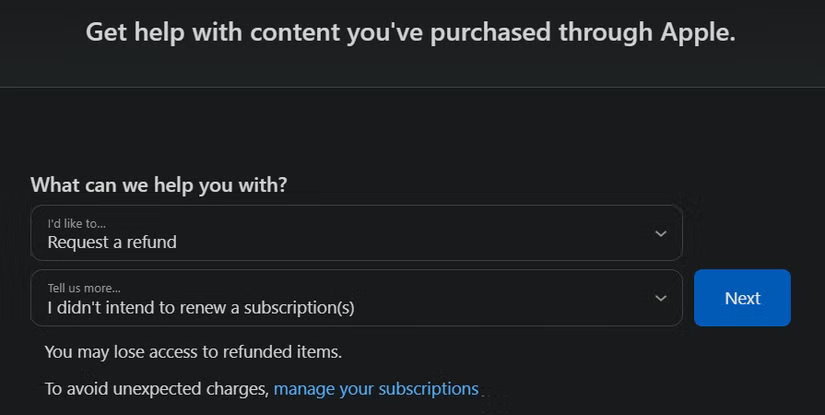
If this happens with a subscription paid through Apple, visit Apple's Report a Problem page, sign in with your account, then select Request a refund . In the next drop-down box, select I didn't intend to renew a subscription(s) and submit your request. With any luck, Apple will refund your payment method and cancel your subscription.
For subscriptions made through Google Play, visit the Play Store refund page, sign in, and follow the steps to select the item you want to refund. If that doesn't work, try requesting a refund directly from the developer. Open the app's page on the Play Store, look for the Developer contact section, and use the email address listed to contact them and request a refund.
For web registrations, visit the company's support page. This page may have a specific email address or contact form for refunds. Otherwise, contact general support.
There's no guarantee you'll get a refund through this method, but it's worth a try. Act quickly, though — the sooner you ask, the more likely support is to understand that it was an accidental error.
Subscriptions are inevitable, but at least you can make sure your money is being spent wisely. Don't get burned by auto-renewing free trials, and take the time to proactively plan your spending so you don't get carried away.
Final Thoughts
The development covered in this article is worth following, but specifications, dates, and feature details may change until the relevant company or organization publishes an official confirmation.
FAQ
What is the main development covered in this article?
It's easy to forget about your subscriptions. You end up paying for something you don't even use. Luckily, there's a simple way to avoid wasting money on a recurring purchase before it even happens.
What should you know about Cancel free trials in advance?
Free trials from streaming services and others are one of the most common ways that subscriptions make more money than they intended.
Is every reported detail officially confirmed?
Not necessarily. Product leaks, preview builds, research reports, and early announcements can change. Confirm important specifications, dates, and availability through an official source before making a decision.
Related Articles
 How to Avoid Paying York University Parking Tickets5 minutes read
 Roku's New Subscription Feature Is Making Users Forget About Google TV5 minutes read
 Tips to Save Time and Avoid Risks When Working with Computers14 minutes read
 10 Absolutely Useless Things to Eliminate Right in Your Life7 minutes read
 5 Free AI Tools That Will Save You a Lot of Money on Service7 minutes read
 Tips to Clean Laptop Screen to Avoid Scratches Extremely Simple7 minutes read
Reader Comments 0
Sign in with email or Google to join the discussion.