Table of Contents
Windows 11 is not designed to run on low-end systems (at least according to the official hardware requirements on Microsoft's website). In addition to the significantly higher hardware requirements, there are also TPM and Secure Boot issues that prevent Windows 11 from running on older systems. Worse still, there are a lot of useless apps built into Windows 11.
Is it possible to create a lightweight copy of Windows 11 without the aforementioned bloatware? Developer NTDEV has released Tiny11 Builder, which allows you to create a customized lightweight Windows 11 ISO. Let's find out!
How to prepare your computer to create a lightweight Windows 11 image
Repeat the following methods to prepare your computer before creating a custom Windows 11 ISO file using Tiny11 Builder.
1. Download ISO and Tiny11 Builder
First, you need a Windows 11 ISO file (build 22621.525, 22621.1265, or 25300). You can download the ISO file from the official Windows website. You can use UUP Dump to download Insider build 25300 without signing up for the Insider program. Then, go to the Tiny11 Builder GitHub page and download the tool. Extract the tool to a convenient location on your drive.
2. Mount ISO file
Here's how to mount an ISO file on Windows 11:
- Open File Explorer and navigate to the location of the downloaded Windows 11 ISO file.
- Right-click the ISO file and select the Mount option from the context menu. Windows may prompt you with a security warning before opening the ISO file.
- Click the Open button to continue.
- Make a note of the drive letter of the mounted ISO file: this will be useful later.
How to create a lightweight Windows 11 ISO file with Tiny11 Builder
Repeat the following steps to run Tiny11 Builder and create a lightweight Windows 11 image:
1. Press Win + E to open File Explorer. Navigate to the location of the Tiny11 Builder tool.
2. Right-select the tiny11creator.bat file and select the Run as administrator option. If you want to modify build 25300, run the tiny11 creator 25300.bat file.
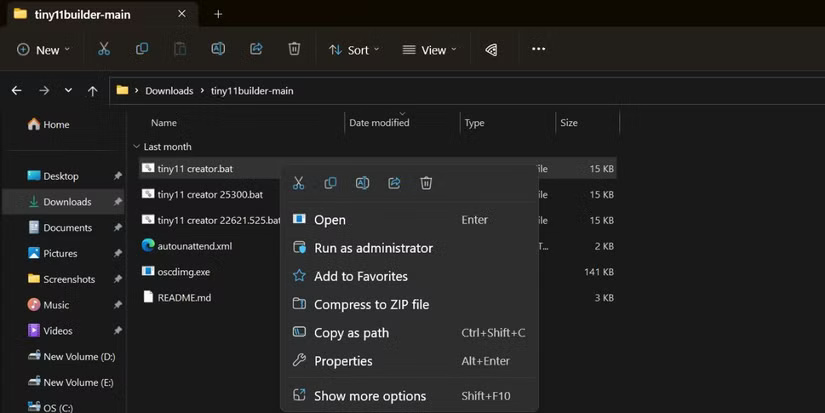
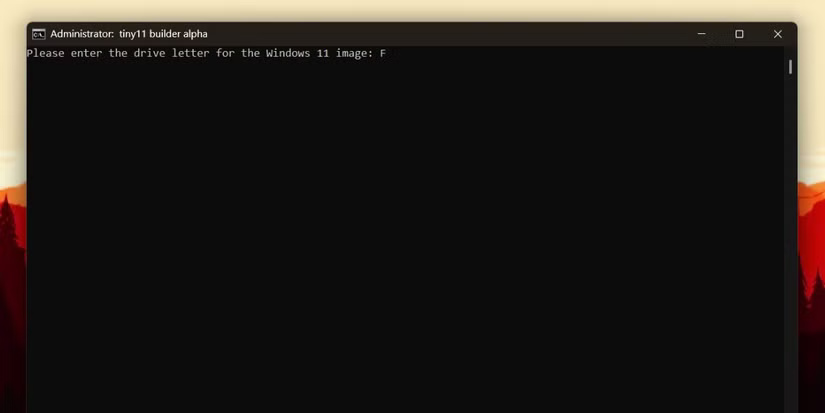
3. The tool will open in the Command Prompt window. Enter the drive letter of the mounted ISO file and press Enter key. The tool will start copying the image file.
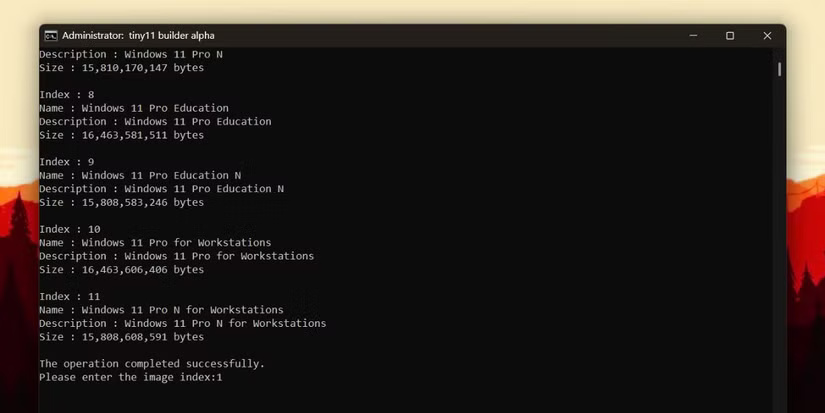
4. If you are using a Windows ISO file that contains multiple builds, the tool will list all the versions with their respective index numbers. Enter the index number of the version you want to modify and press Enter .
5. The tool will start mounting and modifying the file. It will take a while to remove all the junk, apply registry tweaks and prepare the file.
6. Once the tool finishes creating the ISO file, press any key on the keyboard to close the Command Prompt window.
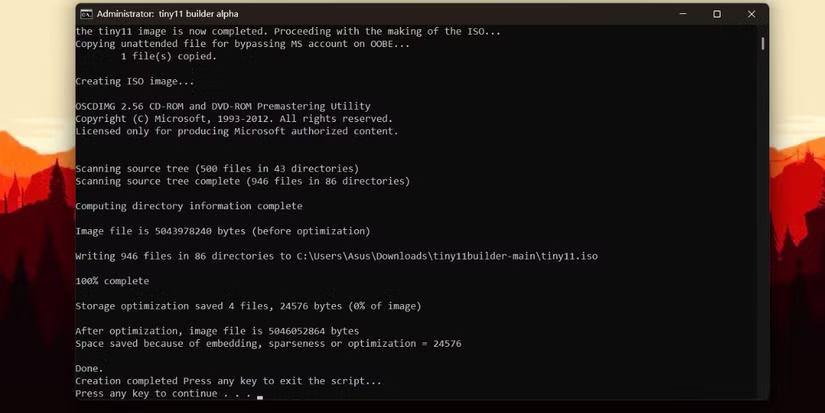
7. Tiny11 Builder will save the modified ISO file in the same folder that contains all the tool files. Navigate to the folder and you will see an ISO file named tiny11.iso .
To install this custom Windows 11 ISO image, you need to create a bootable USB. There are many tools to do this, but A practical option is to using Rufus as it is a pretty good tool.
Then, plug the USB drive into the target system and open the boot device menu. Select the USB boot drive and boot from it. Then, proceed to install Windows and boot to the desktop.
Is Tiny11 Builder ISO file safe?
When NTDEV released Tiny11, people speculated about what it was doing in the background other than removing bloatware. But after looking at the batch file, all it did was strip out all the unnecessary components, add a few registry tweaks to bypass some prompts and OOBE settings, and then create a smaller ISO than the original. Still, this is a fun DIY project that Microsoft doesn't endorse, so you can install it on a spare system or create a virtual machine to try it out.
Create Custom Windows 11 ISO Easily
Tiny11 Builder is a perfect freeware for creating custom Windows 11 ISO files. However, you can only convert the 3 latest builds of the operating system from Microsoft. Hopefully the developer will add support for future builds. If you don't want to go through this hassle, just install the Tiny11 ISO file.
Final Thoughts
Following the steps in order and checking version-specific settings should make it easier to Create Windows 11 ISO Image Using Tiny11 Builder. If an option looks different, verify the device, app, or operating-system version before changing additional settings.
FAQ
What is the best way to Create Windows 11 ISO Image Using Tiny11 Builder?
Start with the requirements described in the article and follow the steps in order. Windows 11 is not designed to run on low-end systems (at least according to the official hardware requirements on Microsoft's website).
What should you know about How to prepare your computer to create a lightweight Windows 11 image?
Repeat the following methods to prepare your computer before creating a custom Windows 11 ISO file using Tiny11 Builder.
What should you do if the instructions do not match your screen?
Check the device, software version, account permissions, and regional settings. Interfaces can change after updates, so use the closest matching option and consult the official support documentation when necessary.
Related Articles
 Instructions for Completely Removing the 3D Builder Application6 minutes read
 Tiny11 Core, Windows 11 Version Weighs Only 2GB, Runs Smoothly on PC with 4GB6 minutes read
 Top Most Effective and Easy-to-Use AI Tools for Creating Websites9 minutes read
 Create a Bootable USB for Windows XP14 minutes read
 Successfully Installed Windows 11 on IPhone 15 Pro3 minutes read
 6 Problems to Solve When Installing a Custom Windows ISO Like Tiny11: Expert7 minutes read
Reader Comments 0
Sign in with email or Google to join the discussion.