Table of Contents
This updated guide examines Send Anonymous Anonymous Emails with These 18 Great Websites and organizes the essential facts, background, and practical takeaways in clear American English.
- Top free email services
Therefore, if you want to avoid your email from prying eyes, this article will introduce you some options to send and receive email anonymously.
Note: Anonymity on the internet is impossible if you do not hide your IP address, so you must use Tor or other proxy and VPN services before using the services below to remain anonymous on the Internet..
- Instructions on how to hide IP address
Encrypted / anonymous email service
Here are some anonymous email services that allow you to send and receive anonymous emails online. Some of them have encryption features, others are disposable or will self-destruct after a certain period of time.
1. Torguard.net
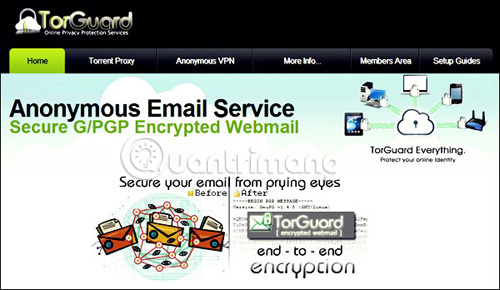
This service provides you with an anonymous mailbox with many security and password features. You will receive 10MB of storage and terminal security using SSL encryption to connect and encrypt G / PGP to protect messages.
2. Tormail.org
Tor Mail is a Tor Hidden service that provides anonymous email services. It runs on the hidden service network of The Tor Project so you must use Tor to access and use this service. Tor Mail is developed for the purpose of great anonymity. When built on the Tor network, it cannot be traced easily.
3. GuerrilaMail.com
GuerrillaMail provides you with a temporary disposable email address, self-destruct, to send and receive anonymous emails on the Internet. The message will automatically delete after an hour, you just need to select an email address and no need to provide personal data.
4. Secure-email.org
This anonymous email service encrypts your mail with a 4096-bit key, no one can read it except you. It does not require personal information or IP address to register. They also have a zero-tolerance policy for spam.
5. Theanonymousemail.com
With this anonymous email service, you can create an account to send and receive email by registering with your real email. When registering an account you do not need to enter personal information.
Anonymous email service does not require registration
Sometimes you just want to send an email without registering first and don't even need to receive a reply. Here are 7 services to send email without registration, just enter the recipient's email address. However, one thing to keep in mind is that you will not receive email replies from recipients.
6. Anonymousemail.me
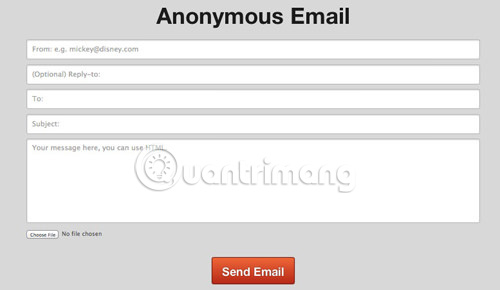
On this website, you will only see a simple form to enter recipient email addresses, headlines and email content (you can also send attachments if needed). To receive a reply, fill in the reply email address otherwise this is a one-way letter to send an email anonymously.
7. 5ymail.com
Send and receive beautifully formatted messages using the rich text editor of this service without revealing your identity. You will have to use a real email to receive 5ymail mailbox information. If you use the paid version you will get more features.
8. Cyberatlantis.com
This anonymous email service provides a simple interface to provide the recipient's email address, subject and message content. It removes the IP address from your mail, and therefore you cannot be accessed easily. And it also does not require your personal information.
9. W3 Anonymous Remailer (gilc.org/speech/anonymous/remailer.html)
With this service, you can email anonymously to anyone by entering the recipient's email address, subject and email content.
10. Sendanonymousemail.net
This anonymous email service has a simple interface to enter the sender's address, recipient, subject and email content. When sending an email with this service, you do not need to provide any personal information.
11. Send-email.org
You only need to enter the email address, subject and content required for the recipient with this anonymous email service. It can send over 100,000 anonymous emails for free every day.
12. Anonymouse.org/anonemail.html
With AnonEmail, you can send an email anonymously without revealing any information about your identity.
Anonymous email service receiving mail
If you just want to receive a link or a letter once and don't want someone to send you a message at this address, the following 7 email services will definitely be helpful to you. It will automatically create an account when receiving email from that address.
13. Hidemyass.com/anonymous-email
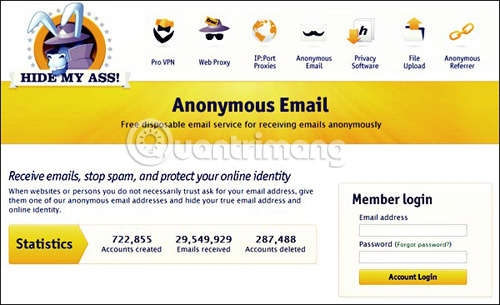
Hide My Ass! provides an anonymous anonymous email account, used to receive (but not send) emails. You can choose to receive new email notifications sent to your real email or even set a mailbox to "cancel" yourself with a certain time.
14. myTrashMail.com
With this anonymous email service, you can receive open and public email accounts created when you receive mail or register for a personal account and are password protected to receive mail. These accounts are temporary and will be automatically deleted after a while.
15. Mailnesia.com
In addition to creating mailboxes when receiving emails, Mailnesia even has a system to automatically click on the confirmation link, which is useful if you make multiple subscriptions on web services.
16. Mailinator.com
This anonymous email service allows you to create email mailboxes quickly and even automatically. You can only receive emails that cannot send emails to it.
17. Tempr.email
Spambog provides you with a temporary, anonymous, 7-day mailbox on the internet. You can receive, reply and forward emails but cannot send emails. You can secure anonymous email with a password.
18. Tempinbox.com
This is an automated, temporary, disposable email inbox service. It provides anonymous email and checks the mailbox on the internet to see if there are upcoming messages.
:
- 8 best secure email services ensure your privacy
- Top 10 webmail services today
- 2 ways to hide your email address on a website
FAQ
What is Send Anonymous Anonymous Emails with These 18 Great Websites about?
It provides a structured overview of anonymous email service, explains the main context, and highlights practical takeaways for readers.
Why does this topic matter?
Understanding the main concepts helps readers evaluate the issue, avoid common mistakes, and make better-informed decisions.
How should readers use this information?
Use the guidance as a practical starting point, confirm details that may have changed, and follow current product, safety, or security recommendations.
Related Articles
 5 Methods of Emailing Are Completely Anonymous10 minutes read
 How to Use Mailspre to Send Anonymous Emails4 minutes read
 How to Send Emails Using Gmail: Complete Guide6 minutes read
 How to Send Anonymous Messages: Practical Guide10 minutes read
 How to Send Emails with Attachments on iPhone5 minutes read
 Hackers: The Way Hacker Uses to Remain Anonymous7 minutes read
Reader Comments 0
Sign in with email or Google to join the discussion.