Table of Contents
Google Assistant is pretty useful for setting reminders, answering questions, or playing music, all with just your voice. But it can work on the lock screen, and anyone can access your phone without a passcode. That's why you should disable Google Assistant when your phone is locked. This adds an extra layer of security, ensuring that only you can use voice commands after unlocking your device. Here's how to disable Google Assistant on the lock screen.
How to turn off Google Assistant on lock screen
Step 1:
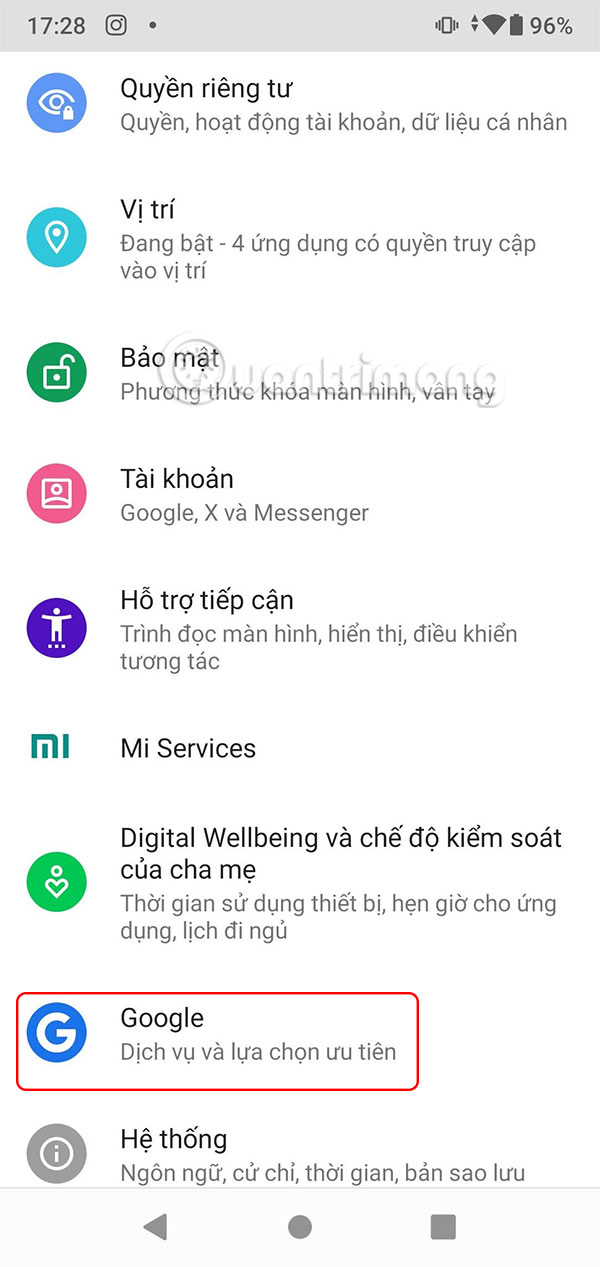
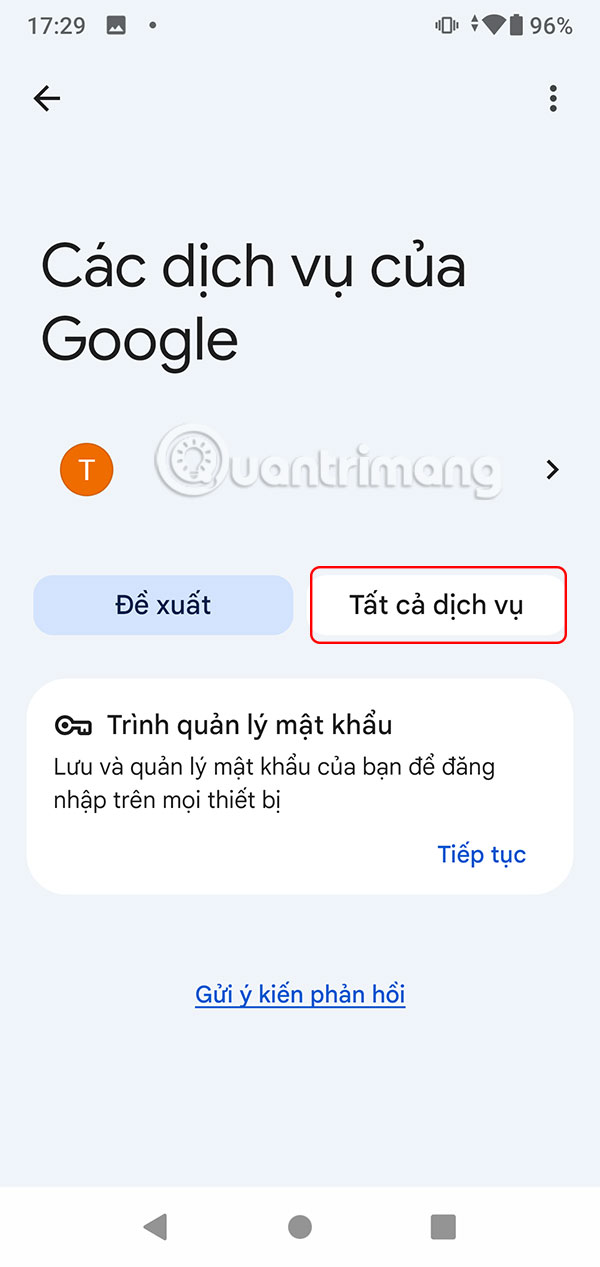
First, go to Settings on your phone, then tap Google in the displayed list. Next, select All Services .
Step 2:
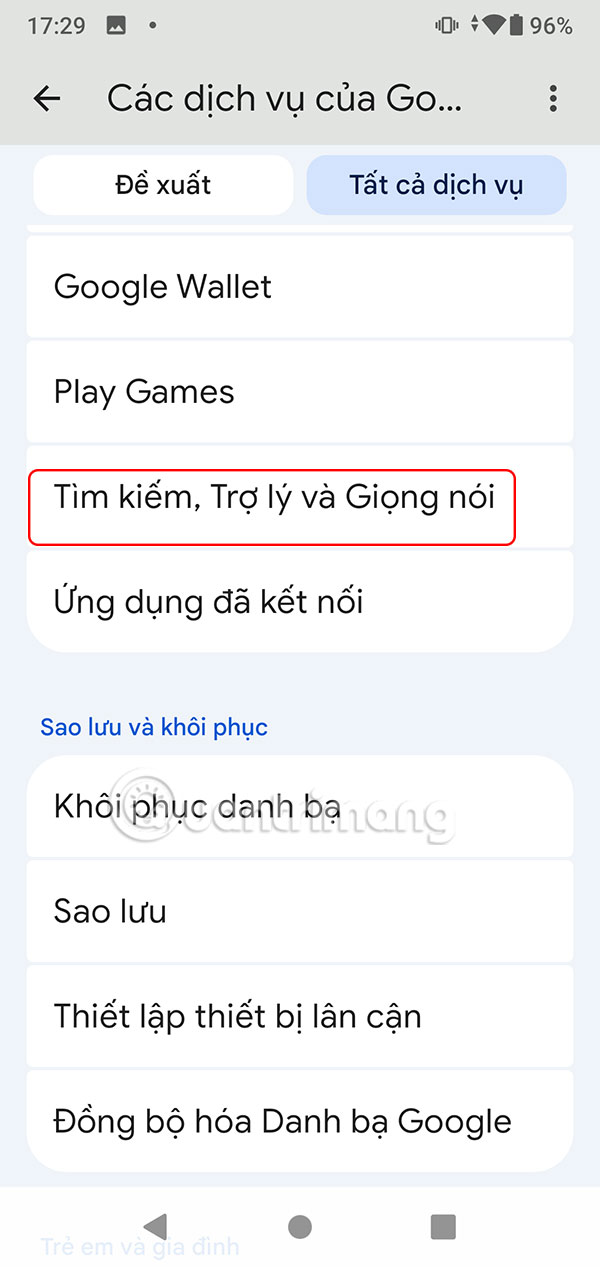
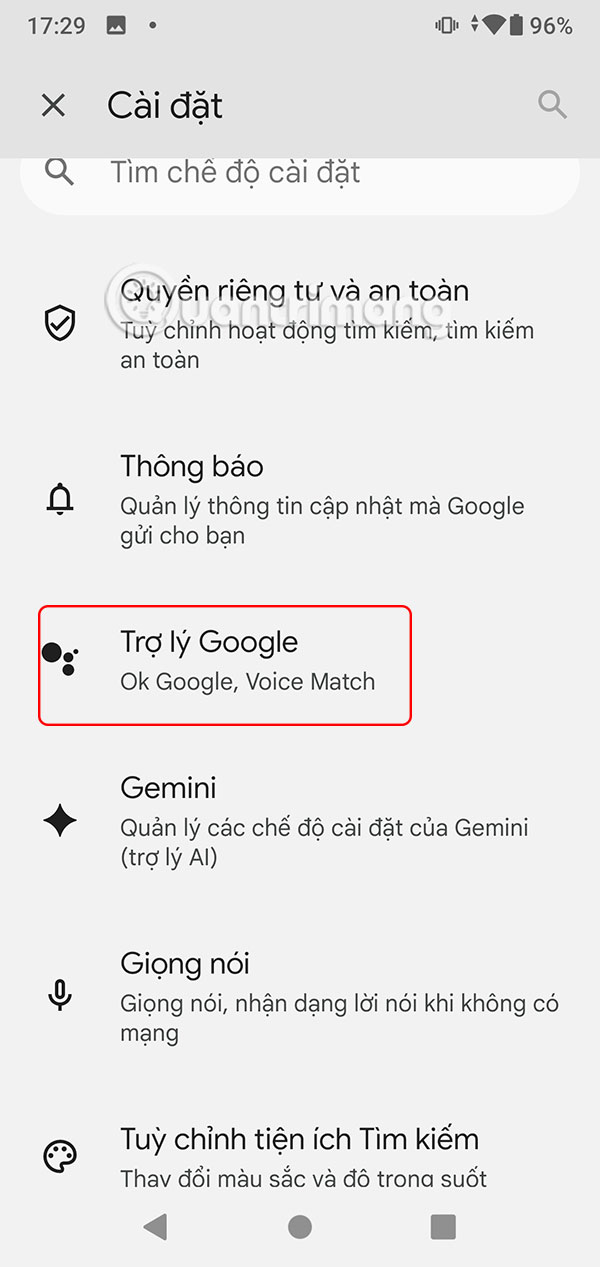
Switch to the new interface as shown, the user clicks on Search, assistant and voice . Now you choose Google Assistant to proceed with the adjustment.
Step 3:
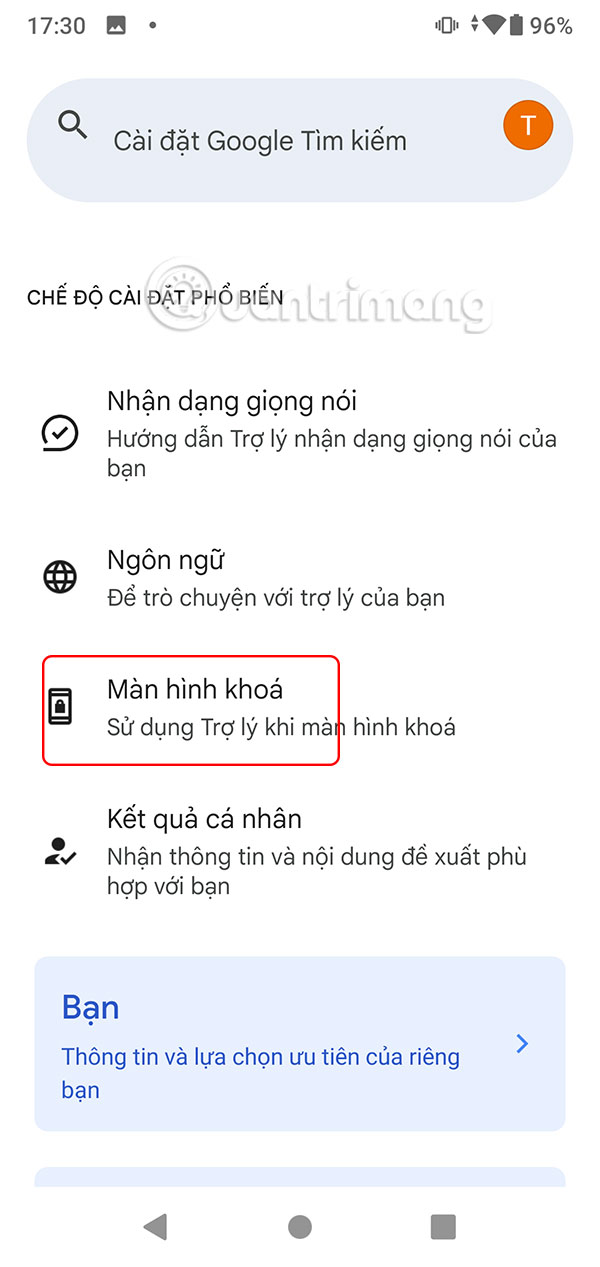
Tap Lock screen to adjust whether Google Assistant works on your phone's lock screen.
Step 4:
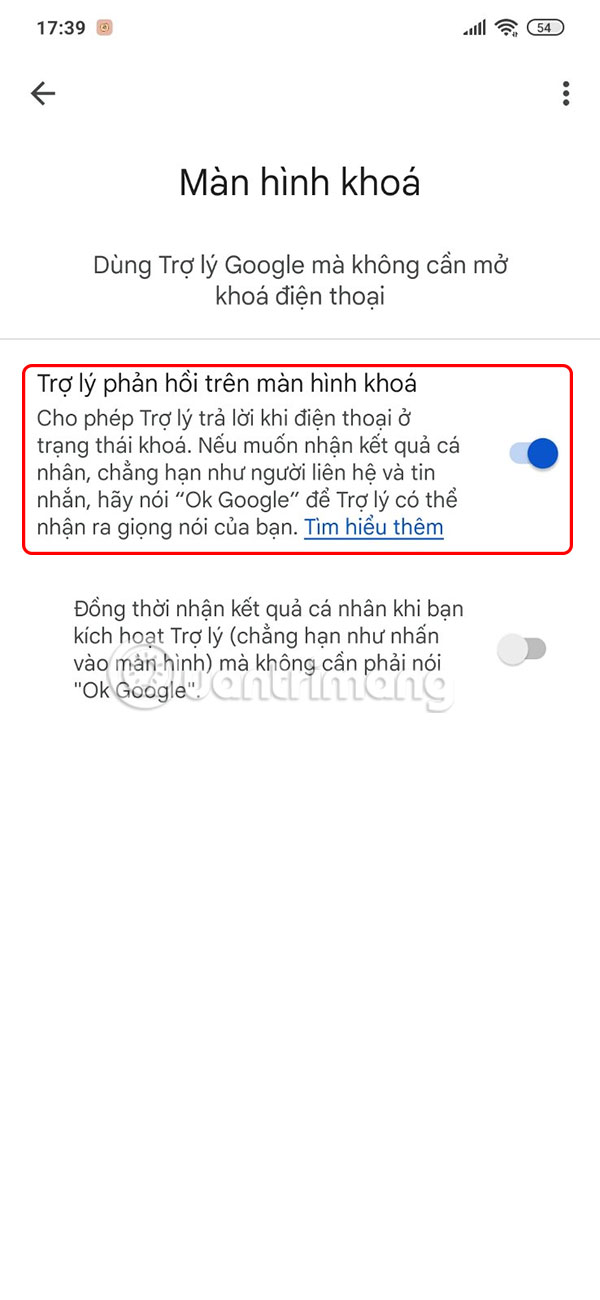
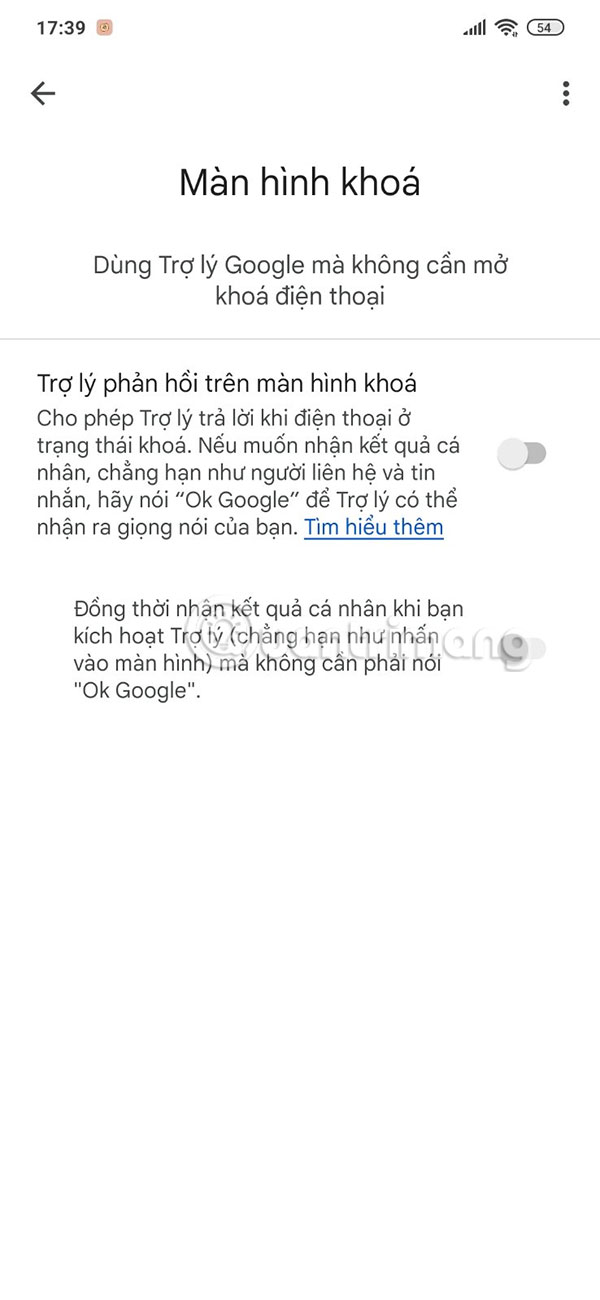
Here you will see the Assistant responds on lock screen is enabled. Let's turn this setting off so that Google Assistant doesn't work on the lock screen anymore.
Final Thoughts
Following the steps in order and checking version-specific settings should make it easier to Turn Off Google Assistant on Lock Screen. If an option looks different, verify the device, app, or operating-system version before changing additional settings.
FAQ
What is the best way to Turn Off Google Assistant on Lock Screen?
Start with the requirements described in the article and follow the steps in order. Google Assistant is pretty useful for setting reminders, answering questions, or playing music, all with just your voice. But it can work on the lock screen, and anyone can access your phone without a passcode.
What should you know about How to turn off Google Assistant on lock screen?
First, go to Settings on your phone, then tap Google in the displayed list. Next, select All Services.
What should you do if the instructions do not match your screen?
Check the device, software version, account permissions, and regional settings. Interfaces can change after updates, so use the closest matching option and consult the official support documentation when necessary.
Related Articles
 Guide to Lock and Unlock Android Screen with Virtual Assistant4 minutes read
 How to Turn Off the Hey Google Command on Google Assistant3 minutes read
 How to Turn on the Search Box on the Lock Screen on Windows 105 minutes read
 What Is Google Assistant? How to Use It?8 minutes read
 How to Translate a Conversation on Google Assistant3 minutes read
 How to Turn Off Screen Lock Sounds for iPhone and iPad5 minutes read
Reader Comments 0
Sign in with email or Google to join the discussion.