Table of Contents
Prompt templates for diagnosing complex code errors emerged as an effective support tool, leveraging the power of AI to analyze, infer, and hypothesize about…
In software development, simple errors are usually easy to detect and fix, but complex code errors – involving multi-layered logic, module interactions, or edge cases – pose a significant challenge even for experienced programmers. Reading and tracing the code flow to find the root cause can be very time-consuming, especially when the system has grown to a large scale.
Therefore, prompt templates for diagnosing complex code errors were created as an effective support tool, leveraging the power of AI to analyze, infer, and hypothesize about the cause of errors. Instead of asking general questions, structured prompts guide the AI to focus on critical aspects such as data flow, dependencies, system state, and potential bug locations.
This article will help you build 'focused' prompts, thereby not only shortening debugging time but also improving your in-depth understanding of the system. This is a crucial step in transforming AI into a true 'technical assistant' in complex software projects.
Prompt Templates Help Diagnose Complex Code Errors
English example textBest suited for: GPT-5, Claude 4 Sonnet
How to Use Sample Prompts
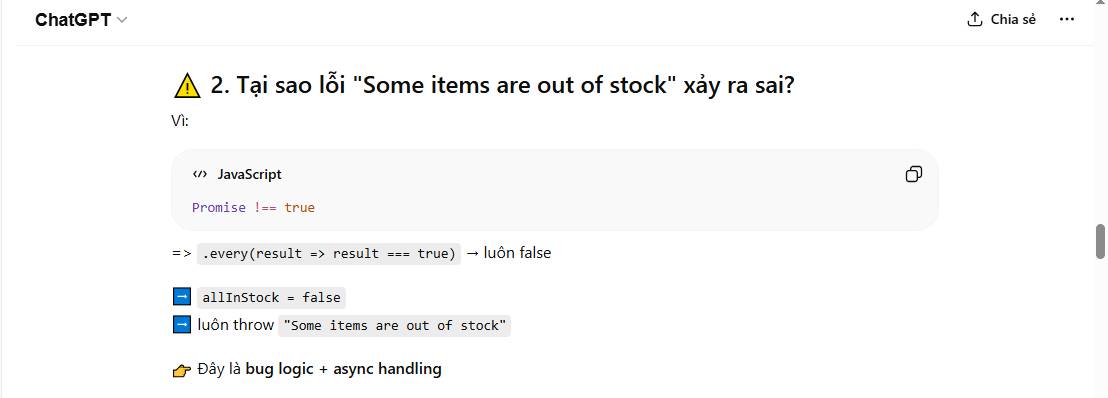
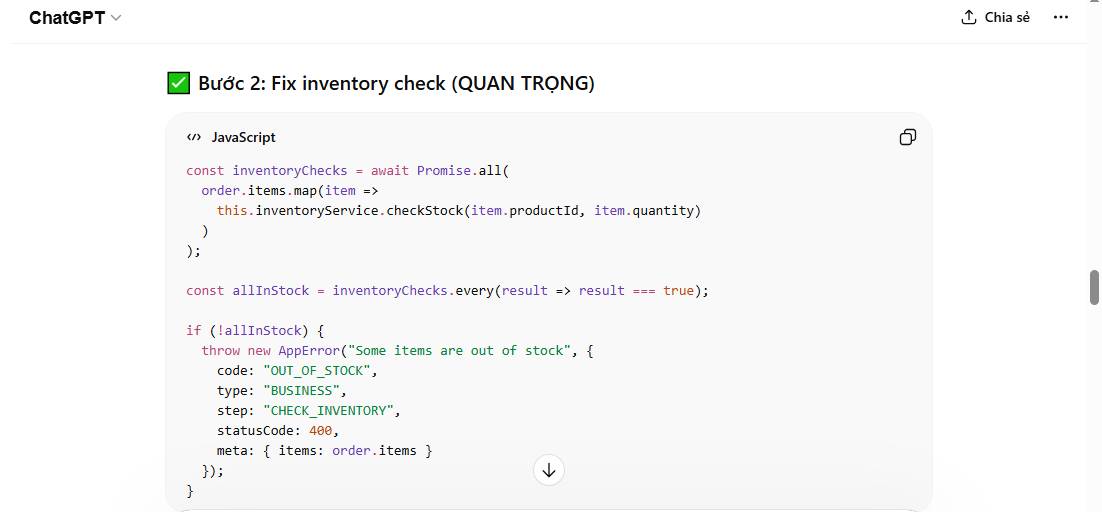
- The error message should be: Some items are out of stock
- The code context is:
// services/orderService.js class OrderService { constructor(paymentService, inventoryService, notificationService) { this.paymentService = paymentService; this.inventoryService = inventoryService; this.notificationService = notificationService; } async processOrder(order) { try { // 1. Validate order if (!order.userId || !order.items || order.items.length === 0) { throw new Error("Invalid order data"English example text"Some items are out of stock"English example text"Payment failed"English example text"Order successful"); return { status: "success", total }; } catch (error) { console.error("Order processing failed:", error.message); return { status: "failed", error: error.message }; } } } module.exports = OrderService;- Language/Framework: JavaScript
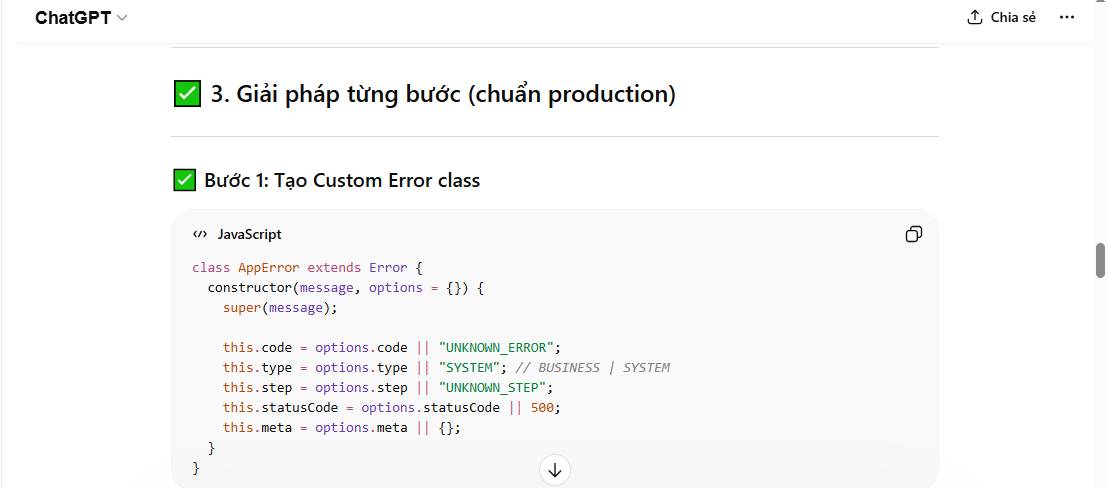
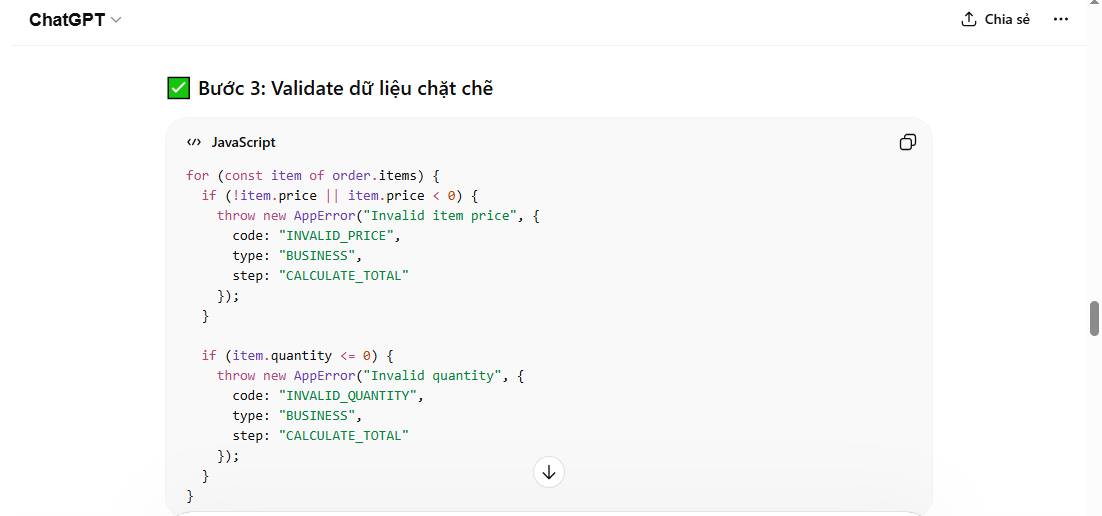
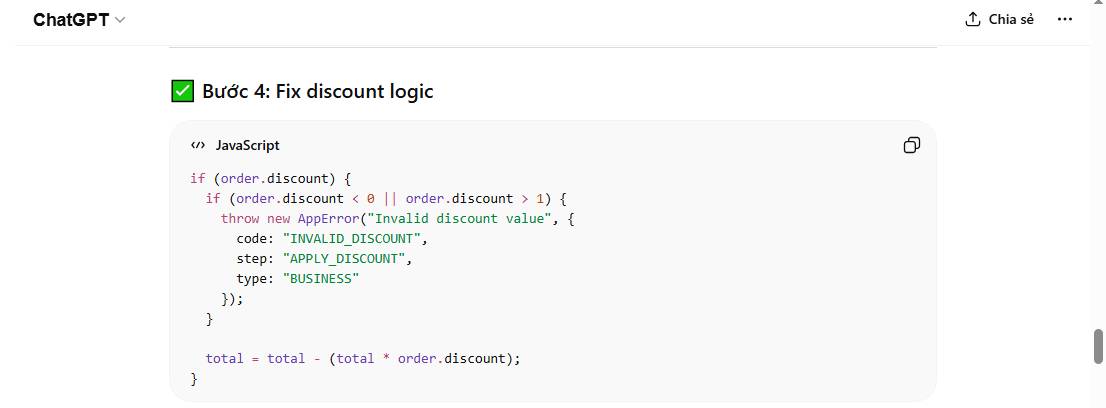
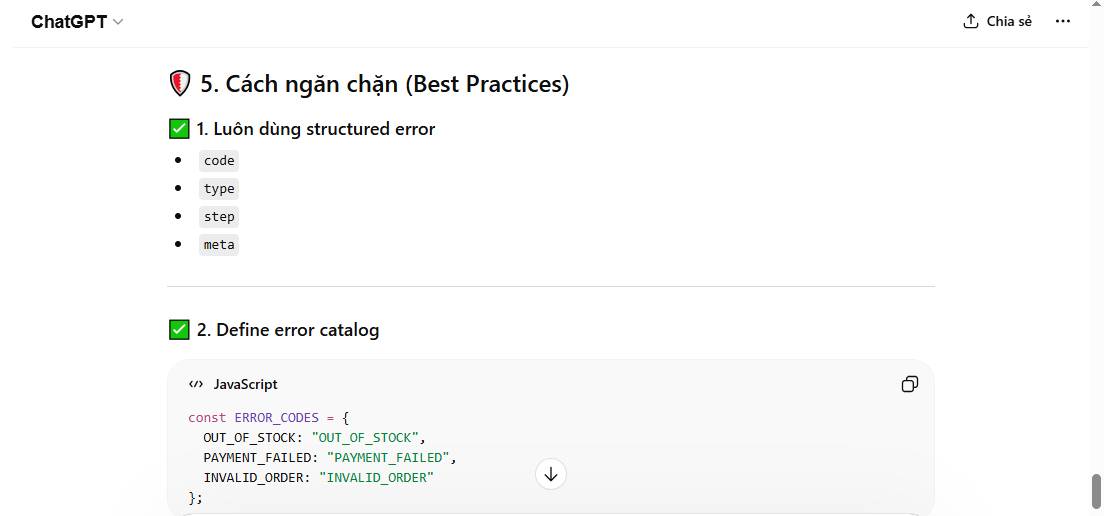
- The expected behavior is: Display an error code to indicate at which step the error occurred and to easily categorize the error.
- What happened:
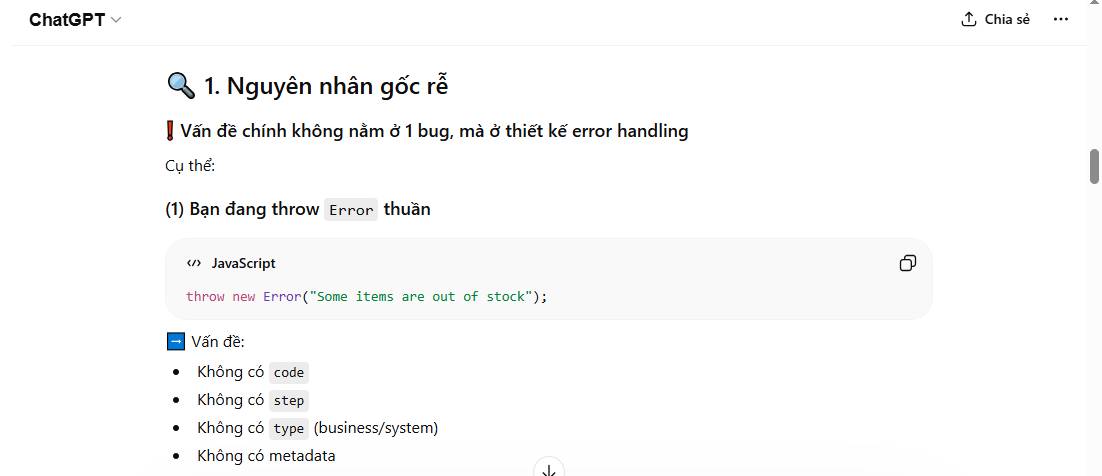
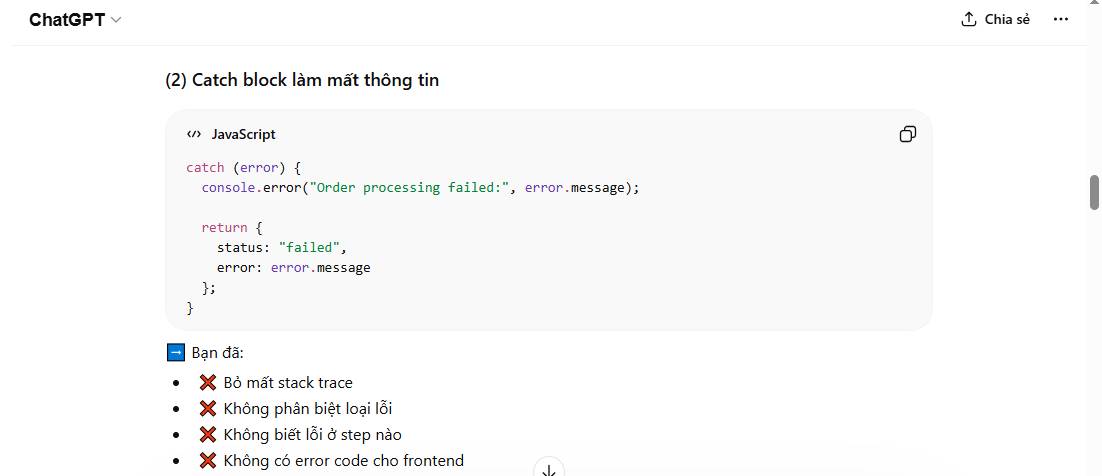
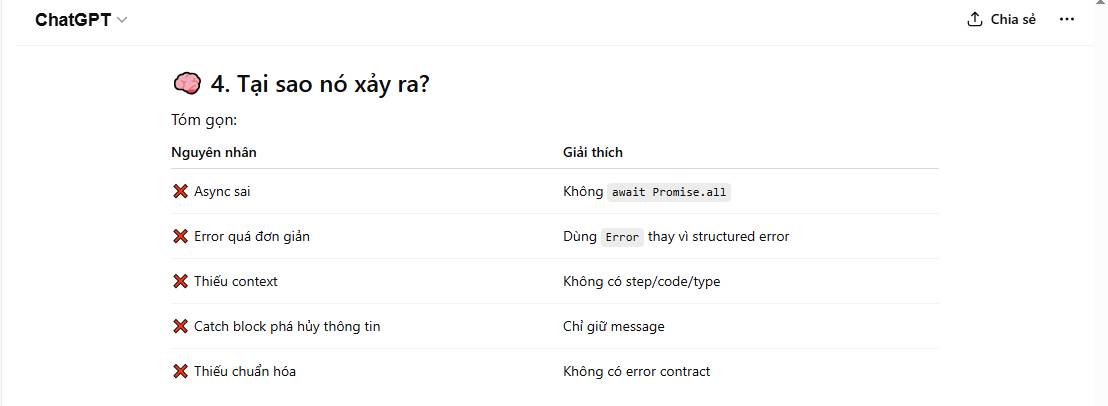
- Returning only error.message → lacks context (doesn't know at which step the error occurred)
- No error code → difficult to handle on the frontend.
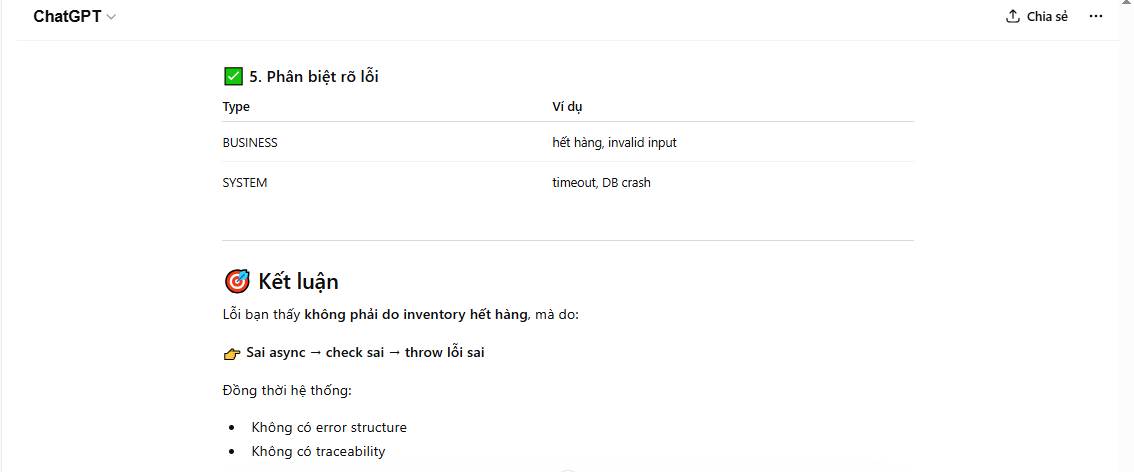
- No fault classification (business vs system)
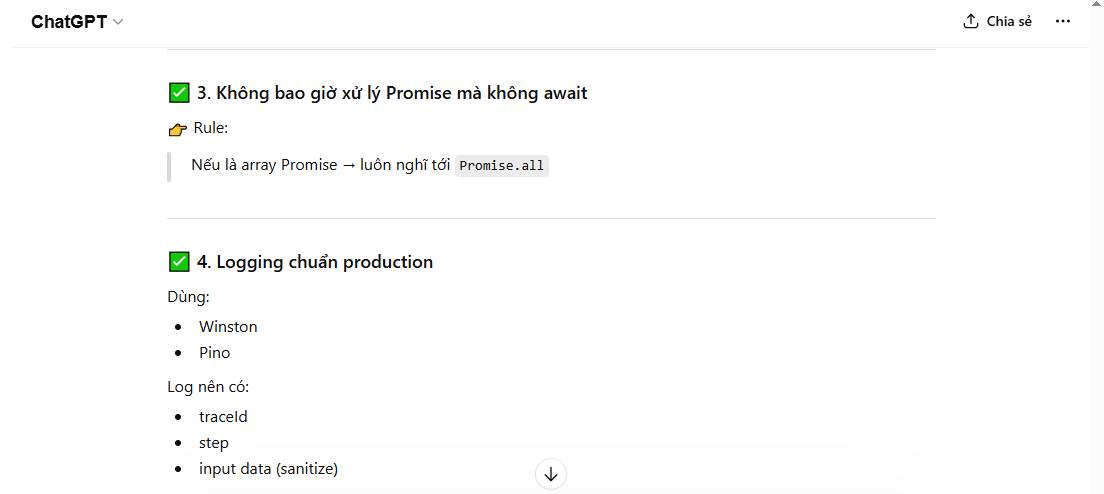
- console.error is not sufficient for production (a logger like Winston should be used instead).
- What I tried: Refactored the entire error handling system to meet production standards (Node.js).
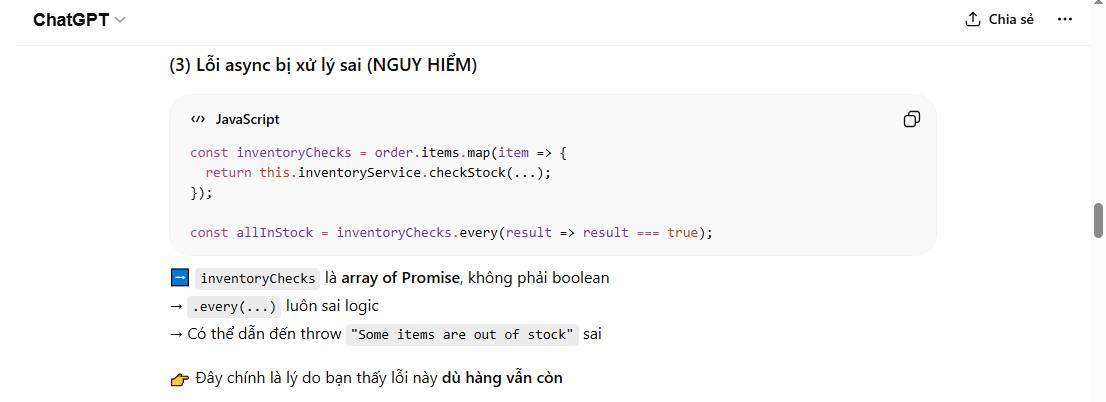
The Sample Prompt Results Were Obtained Using Gpt-5
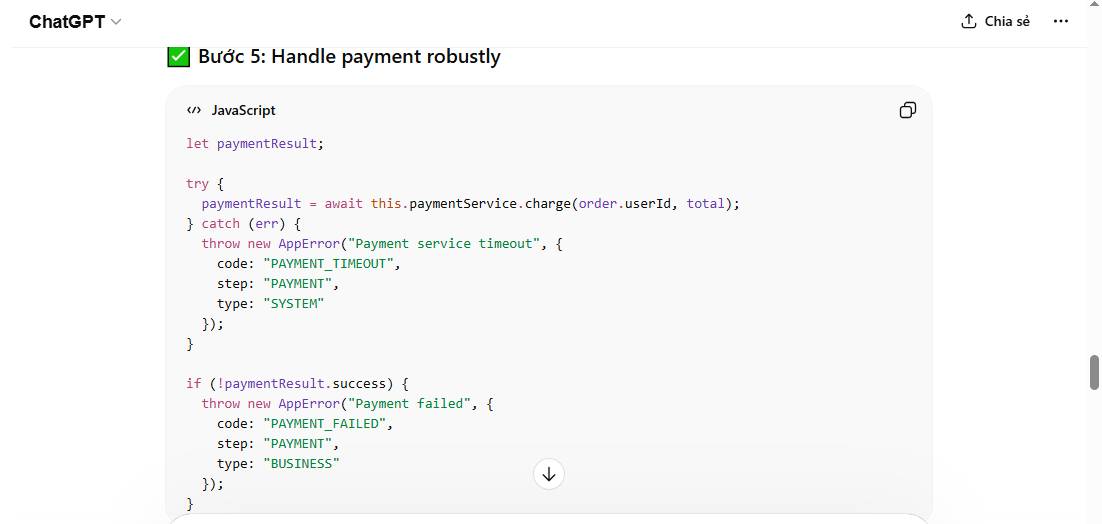
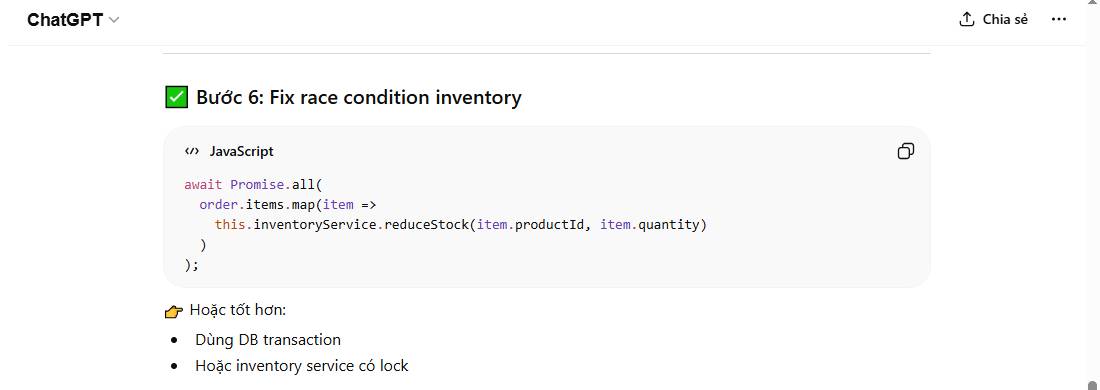
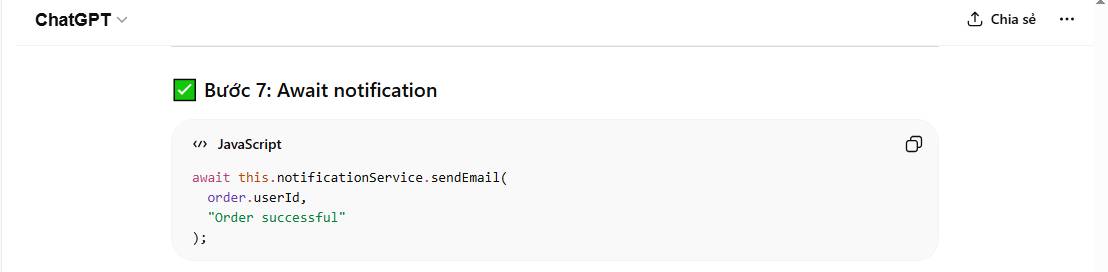
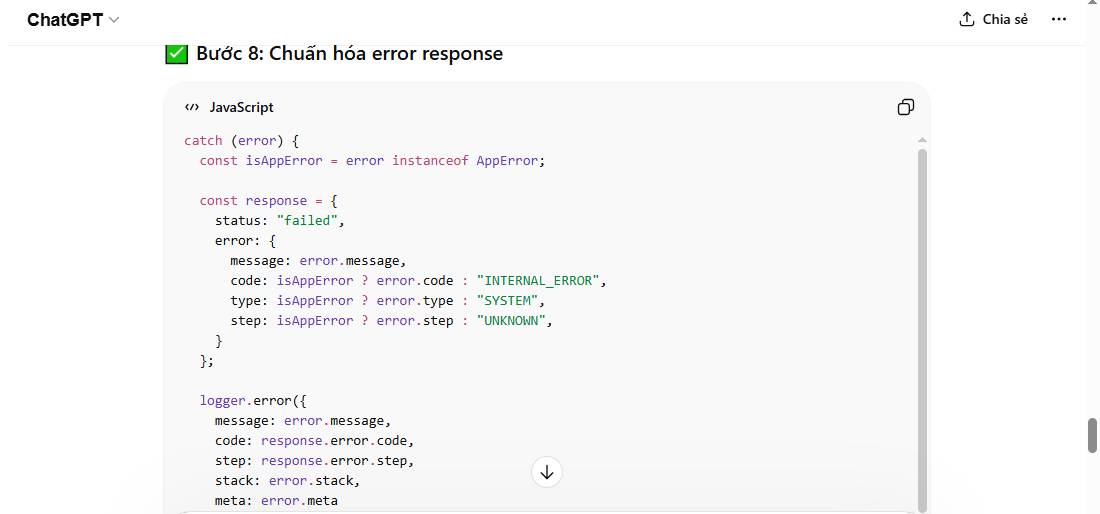
FAQ
What is the main point of prompt templates help diagnose complex code errors?
Prompt templates for diagnosing complex code errors emerged as an effective support tool, leveraging the power of AI to analyze, infer, and hypothesize about...
Why is this development important?
Key takeaway: Prompt templates for diagnosing complex code errors emerged as an effective support tool, leveraging the power of AI to analyze, infer, and hypothesize about...
What are the key takeaways?
In software development, simple errors are usually easy to detect and fix, but complex code errors – involving multi-layered logic, module interactions, or edge cases – pose a significant challenge even for experienced programmers.
Related Articles
 Prompt Templates: Explained8 minutes read
 Debugging Prompt: Explained11 minutes read
 Code of Air Conditioner Error, Daikin Air Conditioner: How to23 minutes read
 How to Fix How to Enter BIOS on Laptop: Troubleshooting Guide17 minutes read
 minutes read
 Reasons Why the Claude Code Should Be Replaced by the Codex8 minutes read
Reader Comments 0
Sign in with email or Google to join the discussion.