Table of Contents
Redeem Kiếm Hiệp Auto Chess gift codes through SohaGame’s official portal. Sign in with the method you use in the game, select the right server and character, and look for the Giftcode section. Check in-game mail after a successful redemption.
Previously listed codes
These codes come from an earlier list. Their current availability and rewards are unverified. Check SohaGame’s game site for current event announcements.
| Code | Status |
|---|---|
KIEMHIEP888 | Previously listed. Current validity unverified. |
SVIP888 | Previously listed. Current validity unverified. |
SVIP999 | Previously listed. Current validity unverified. |
LENHHOXUNG666 | Previously listed. Current validity unverified. |
HIEMHIEPVODICH | Previously listed. Current validity unverified. |
KIEMHIEPAUTOCHESS | Previously listed. Current validity unverified. |
Redeem a code
- Start with SohaGame’s gift-code instructions and follow its link to the portal. Choose the server and character where you want the reward.
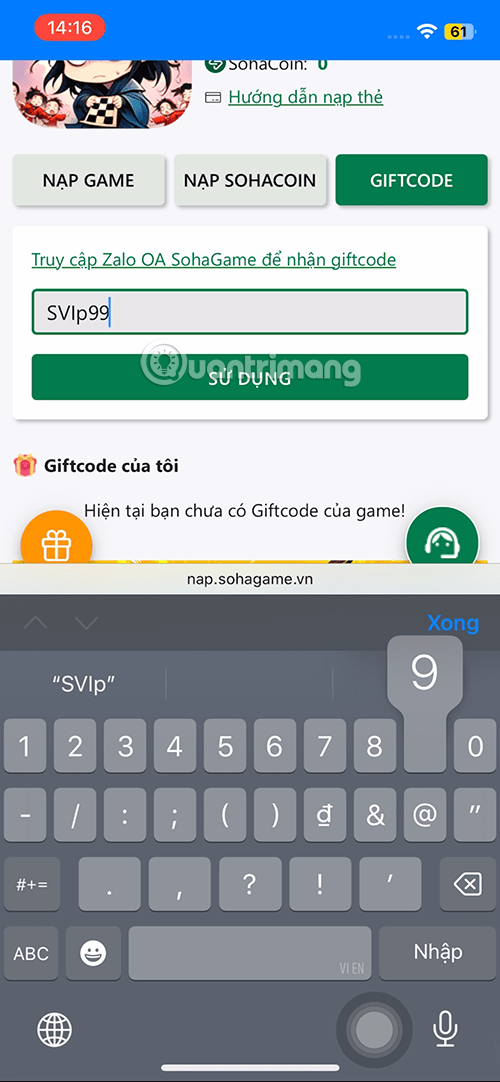
- Open Giftcode, paste the code without extra spaces, and confirm in the gift-code section. You should not need to purchase currency to redeem a code.
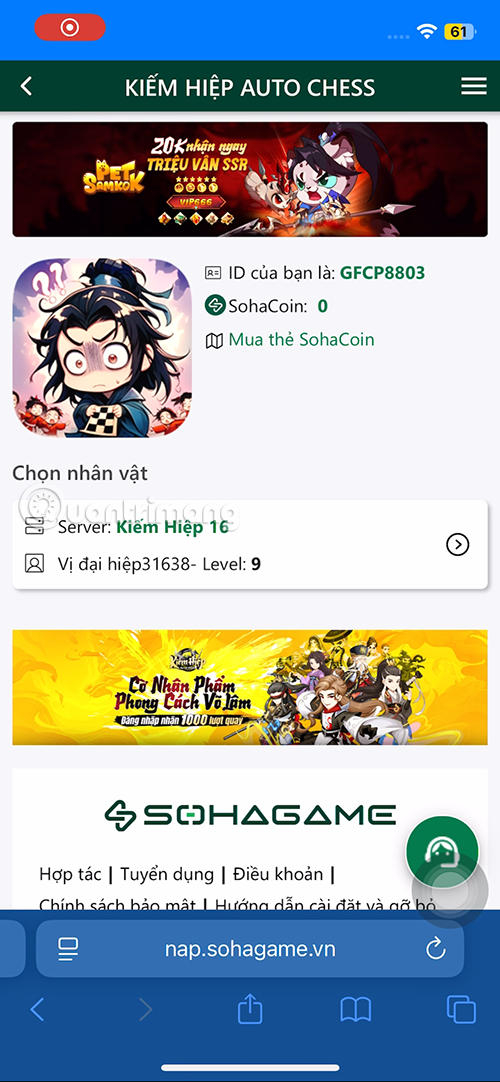
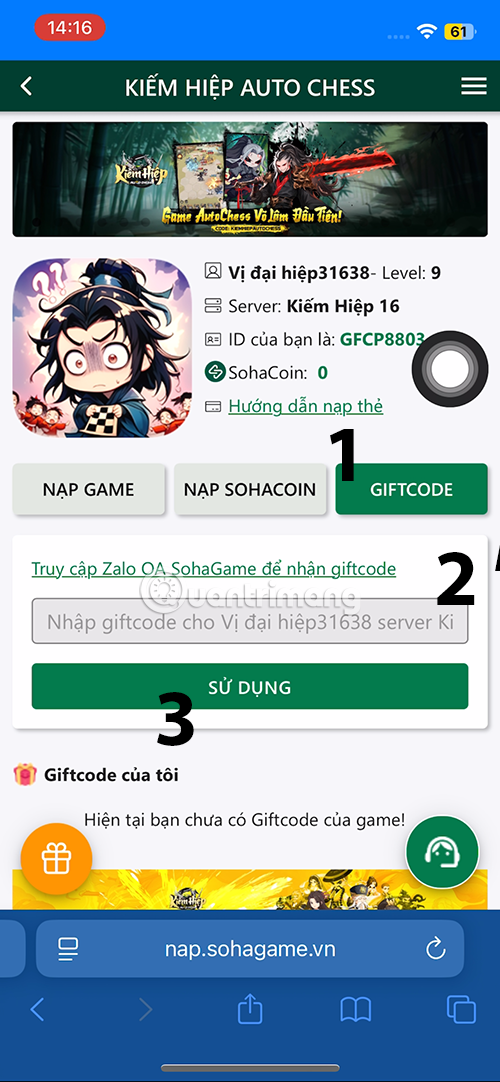
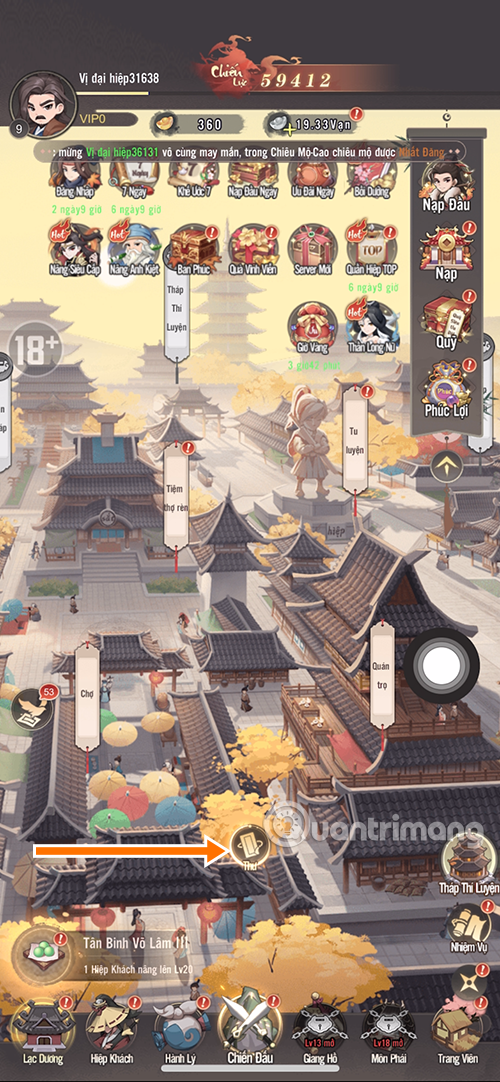
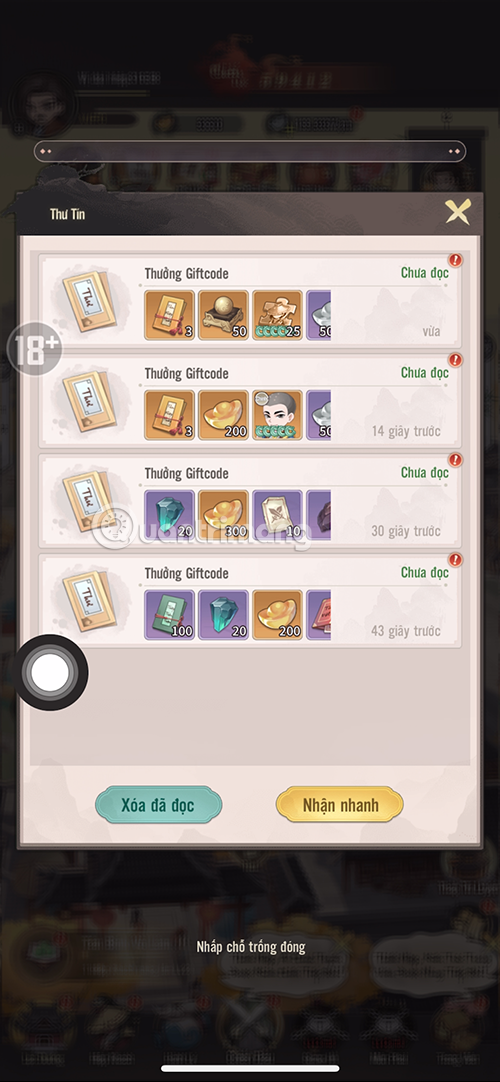
- Check the confirmation, then open your in-game mail to collect the reward.
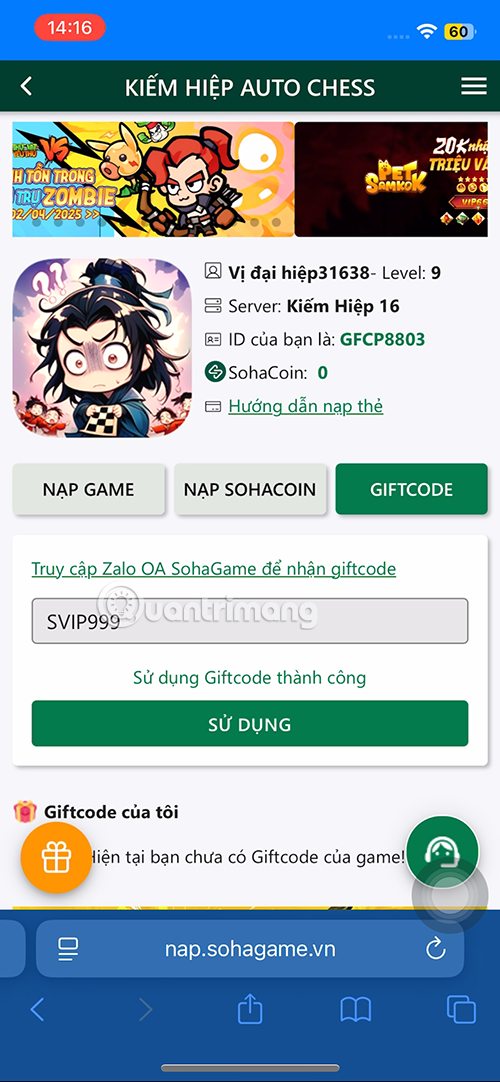
If a code fails
Check spelling, expiration, event eligibility, and whether you already claimed it on that account. If the portal confirms redemption but mail is empty, verify the server and character before contacting SohaGame support.
Related Articles
 Dota Auto Chess May 2019 Patch Notes: Assassin and Unit Changes
 Some Auto Chess Mobile strategies and tactics
 How to Set Dota 2 and Dota Auto Chess to Vietnamese in Steam
 Dota Auto Chess: Rank the up line combo currently the most meta
 Dota Auto Chess Positioning Guide for Early and Mid Game
 5 Dota Auto Chess Mistakes That Waste Gold and Lose Rounds
Reader Comments 0
Sign in with email or Google to join the discussion.