Table of Contents
Quick Overview
Microsoft Store : Get a clear, practical overview of Microsoft Store.
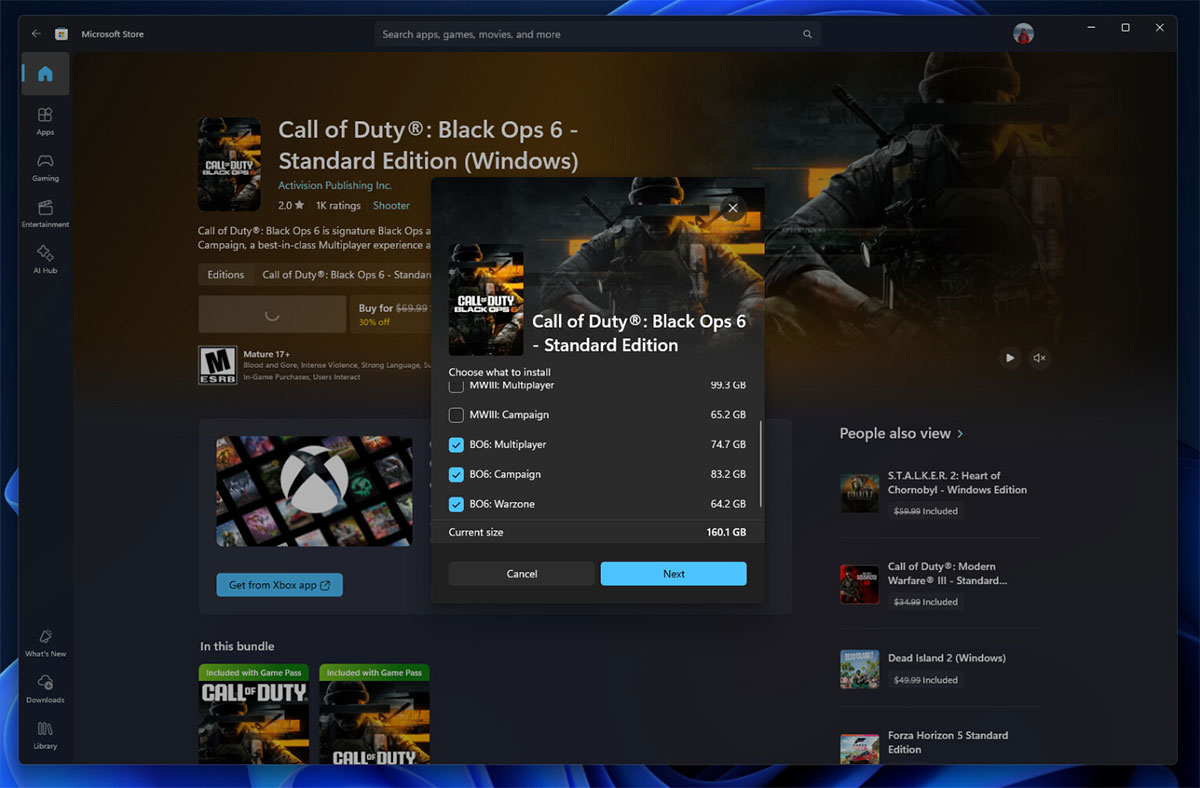
Microsoft Store version 22501.1401 is now available for early access, and it comes with a new feature that lets users choose which parts and components of a game they're about to download to save to their local system, similar to the Xbox app for Windows. This update will be useful for games that offer additional content like high-resolution texture packs or campaign missions. Say you want to get into multiplayer as quickly as possible, to avoid the high-resolution texture requirements. Of course, users can always go back to the game's product page in the Microsoft Store and download any missing content at any time.
Microsoft describes this new feature on the Microsoft Store as follows:
Windows Insiders in Canary and Dev Channels running Microsoft Store version 22501.1401. xx or later will see the following improvements rolled out:
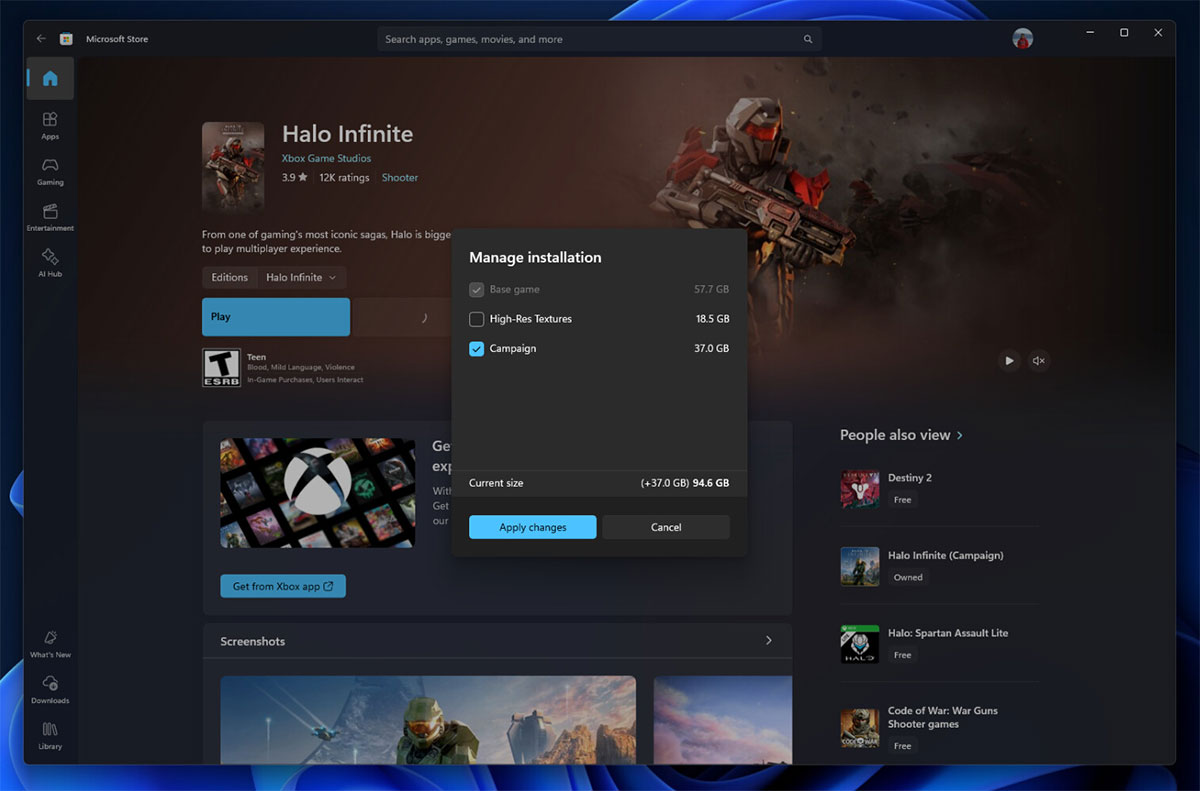
Improved game installation options: We're adding a new ability for some games to allow you to install individual components. For example, Call of Duty and Halo can allow you to install (or not install) high-resolution textures or individual campaigns. This gives you more control over your gameplay experience and the game's install size.
Once your game is installed, you can go back to the game's product page, click the new Manage button, and modify the installed components.
What do you think about this new Microsoft Store feature? Leave a comment!
FAQ About Microsoft Store
What is Microsoft Store?
Microsoft Store version 22501.1401 is now available for early access, and it comes with a new feature that lets users choose which parts and components of a game they're about to download to save to their local system, similar to the Xbox app for Windows
Why is Microsoft Store important?
Microsoft Store version 22501.1401 is now available for early access, and it comes with a new feature that lets users choose which parts and components of a game they're about to download to save to their local system, similar to the Xbox app for Windows
How can you use or manage Microsoft Store effectively?
Microsoft describes this new feature on the Microsoft Store as follows: Windows Insiders in Canary and Dev Channels running Microsoft Store version 22501.1401. xx or later will see the following improvements rolled out: Improved game installation options: We're adding a new ability for some games to
Related Articles
 Fix Microsoft Store Not Downloading Apps and Games: Key Facts17 minutes read
 Microsoft Announces List of Best Microsoft Store Apps and Games3 minutes read
 How to Play Games on Microsoft Store Without Downloading: Step-by-Step Guide4 minutes read
 How to Download Applications, Games for iPhone and iPad8 minutes read
 Microsoft Store on Windows 11/10 No Longer Allows Turning Off App3 minutes read
 8 Free Microsoft Store Apps That Make Windows Better: Practical Guide6 minutes read
Reader Comments 0
Sign in with email or Google to join the discussion.