Table of Contents
Use this guide to understand Microsoft released flash patches in Windows 8 and the factors that affect it. The information is organized to make the topic easier to apply in practice.
How Microsoft Released Flash Patches in Windows 8 Works
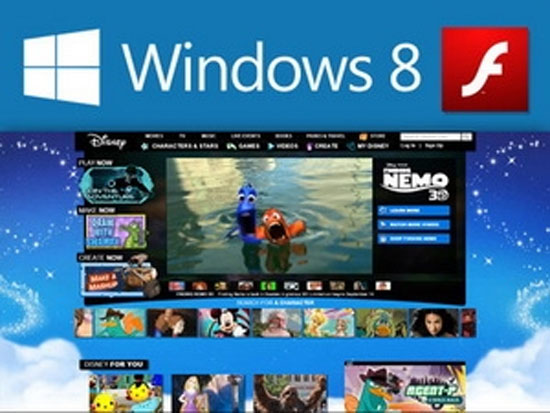
Like the Chrome web browser of the company that provides Google information search service, IE10 browser on Windows 8 operating system is integrated by Microsoft Flash Player software.
According to Dean of the IE group, Dean Hachamovitch, this Flash version is also capable of updating via Windows Update like IE, to help "make security updates more convenient for customers."
However, while Adobe released two security updates and patched eight vulnerabilities in August, Windows 8 RTM started to come to users (unofficially) without two fixes..
One of the eight Flash bugs has been exploited by hackers, probably for months. With the above update mechanism, the responsibility of updating Flash belongs to Microsoft, not Adobe.
Flash update version September 21, 2012 for users of Windows 8 RTM and Windows 8 Release Preview versions, can be downloaded for free until January 31, 2013.
This version will upgrade IE10's Flash Player on Windows 8 RTM to version 11.3.374.7. Adobe confirmed Flash 11.3.374.7 is the version that patched the eight vulnerabilities it released on August 14 and 21.
FAQ
What is the main benefit of Microsoft released flash patches in Windows 8?
The main benefit is a clearer understanding of the topic and a practical way to apply the information covered in this guide.
What should I check before using Microsoft released flash patches in Windows 8?
Confirm compatibility, review the required settings, protect important data, and use the latest supported version whenever possible.
What should I do if the result is different?
Repeat the steps carefully, verify permissions and version differences, and consult the product's official support documentation for changes not shown in the article.
Related Articles
 Microsoft Released Critical Patches That Existed from Windows 954 minutes read
 Microsoft Released a Patch for 75 Critical Vulnerabilities on2 minutes read
 Adobe Released an Emergency Patch of Flash's Security Vulnerability4 minutes read
 Microsoft Released Patches for More Than 100 Security Holes on Windows3 minutes read
 Why Does Microsoft Only Release Monthly Windows Patches on Tuesdays4 minutes read
 Microsoft Released an Important Update to Fix High CPU Error on2 minutes read
Reader Comments 0
Sign in with email or Google to join the discussion.