Table of Contents
This guide provides a clear, practical overview of "Microsoft Officially Reveals Detailed Performance Evaluation Results". It organizes the most useful details, explains important considerations, and highlights the steps or choices that matter most.
By 2024, Microsoft continued to emphasize the performance difference through a sponsored study that demonstrated Windows 11 was significantly faster. However, like most of the general claims before, the data was not presented clearly.
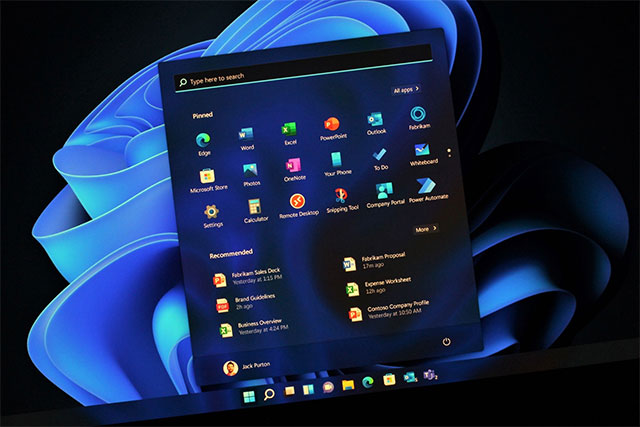
This week, Microsoft shared new numbers based on December 2024 testing in a support document. Here are Microsoft's official performance claims for Windows 11 versus Windows 10:
- Windows 11 PCs can get up to 2.7 hours more battery life than Windows 10 PCs
- Windows 11 PCs are up to 2.3x faster than Windows 10 PCs
- Windows 11 PCs are up to 3.2 times faster at browsing than Windows 10 PCs
- Windows 11 PCs perform up to 2x faster with Microsoft Office than Windows 10 PCs
So if you ask Microsoft, they'll say Windows 11 is better than Windows 10 in every way, from web browsing, to Office usage, to battery life, to overall performance. The company notes that these results are "based on 95% confidence intervals" for each operating system across multiple tests. Microsoft has also ruled out outliers.
To achieve these numbers, Microsoft used the following testing criteria:
- Battery life: Tested playing a 1080p 24 fps MP4 video file locally in Windows Media Player until the battery drained 90%. During the test, all settings were left at default except for the screen brightness which was set to 150 nits and the Auto-Brightness feature was disabled. Wi-Fi was connected to the network.
- Regarding the "2.3 times faster" claim: Using results from Geekbench 6. For web browsing, Speedometer is used, although Microsoft does not mention the version. And finally, for Office, the Procyon Office productivity tool is used.
Interestingly, Microsoft is only using Intel CPUs (the company also recently recommended Intel chips for Windows 11 Pro PCs).
This time, Microsoft got "smarter" by "testing the performance, battery life, and app capabilities of some Windows 11 PCs against some Windows 10 PCs," with Windows 10 PCs using 6th, 8th, and 10th generation Intel Core chips and Windows 11 PCs using 12th and 13th generation Intel Core chips.
So Microsoft is essentially admitting that the underlying hardware does play a big role in their claims. But to be fair, there's also no way to run Windows 11, at least officially, on unsupported PCs to make a direct comparison.
You can find support documentation with full battery test results in this article on the Microsoft website.
FAQ
What does this guide cover?
This guide explains Microsoft officially reveals detailed performance evaluation results, including the main steps, important details, and practical considerations.
Who is this guide for?
It is designed for readers who want a clear, practical overview and a reliable process they can follow without unnecessary complexity.
What should you check before getting started?
Review the requirements, confirm that your software or device is up to date, and save any important data before changing settings.
Related Articles
 Ubuntu 21.10 Outperforms Windows 10/11 in Various3 minutes read
 Evaluating Agent Performance in Microsoft Copilot Studio15 minutes read
 Will the Performance of Big.little X86 Cpus Increase4 minutes read
 How a Clean Windows 11 Install May Improve Performance4 minutes read
 Run the Test and View the Agent Evaluation Results9 minutes read
 AI Benchmark Scores Are Meaningless: Pay Attention to the Following!12 minutes read
Reader Comments 0
Sign in with email or Google to join the discussion.