Table of Contents
This guide provides a clear, practical overview of "Microsoft Reveals Why Computers Are Blocked from Upgrading from". It organizes the most useful details, explains important considerations, and highlights the steps or choices that matter most.
In addition, the Redmond company has also published another helpful article, this time focusing on the problems that can occur when users try to upgrade from Windows 10 to Windows 11.
Accordingly, the system may display a "What needs your attention" message if it detects a compatibility issue. Microsoft said there are many reasons why the upgrade process is blocked.
This message can appear through the KB5001716 update - which Microsoft automatically installs on Windows PCs periodically. The latest version, released at the end of June, has changed the way it works: it no longer forces new feature updates.
Microsoft says the "What needs your attention" message may appear when the device has a conflict with one of the following components:
- Driver (device driver)
- Hardware
- Application is being installed
- Features available in Windows
These compatibility issues can cause an unwanted experience, and so Windows will not recommend an upgrade at that time.
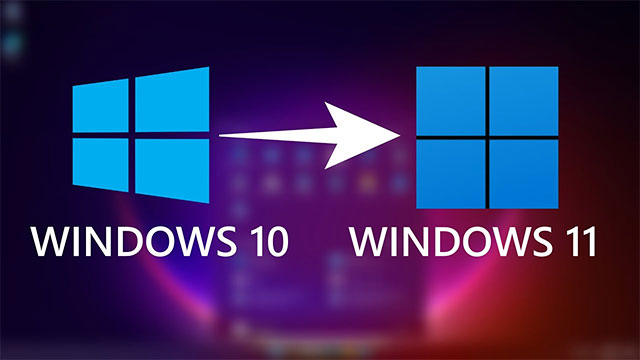
Microsoft's public explanation of the upgrade protections (safeguard holds) is a positive sign, especially when Windows 11 24H2 still has many compatibility limitations despite being announced nearly a year ago. It was not until July 2024 that some serious bugs were fixed.
In addition to explaining the reason, Microsoft has also shared some troubleshooting methods for users. You can see detailed instructions on Microsoft's official support page here.
FAQ
What does this guide cover?
This guide explains Microsoft reveals why computers are blocked from upgrading from, including the main steps, important details, and practical considerations.
Who is this guide for?
It is designed for readers who want a clear, practical overview and a reliable process they can follow without unnecessary complexity.
What should you check before getting started?
Review the requirements, confirm that your software or device is up to date, and save any important data before changing settings.
Related Articles
 How Does Windows 7, 8 Not Automatically Upgrade to Windows 10?7 minutes read
 Windows 10 Computers with Coc Installed Are Temporarily3 minutes read
 Steps to Fix 'This App Has Been Blocked for Your Protection'6 minutes read
 Microsoft Will Allow Windows 11 to Be Installed on Computers4 minutes read
 Senior Microsoft Official Reveals Key Ideas3 minutes read
 Managing Computers with Windows Intune -- Part 3: Managing14 minutes read
Reader Comments 0
Sign in with email or Google to join the discussion.