Table of Contents
This guide provides a clear, practical overview of Microsoft explains why Windows 11 requires a high-spec PC, with useful context, important details, and straightforward takeaways for everyday readers.
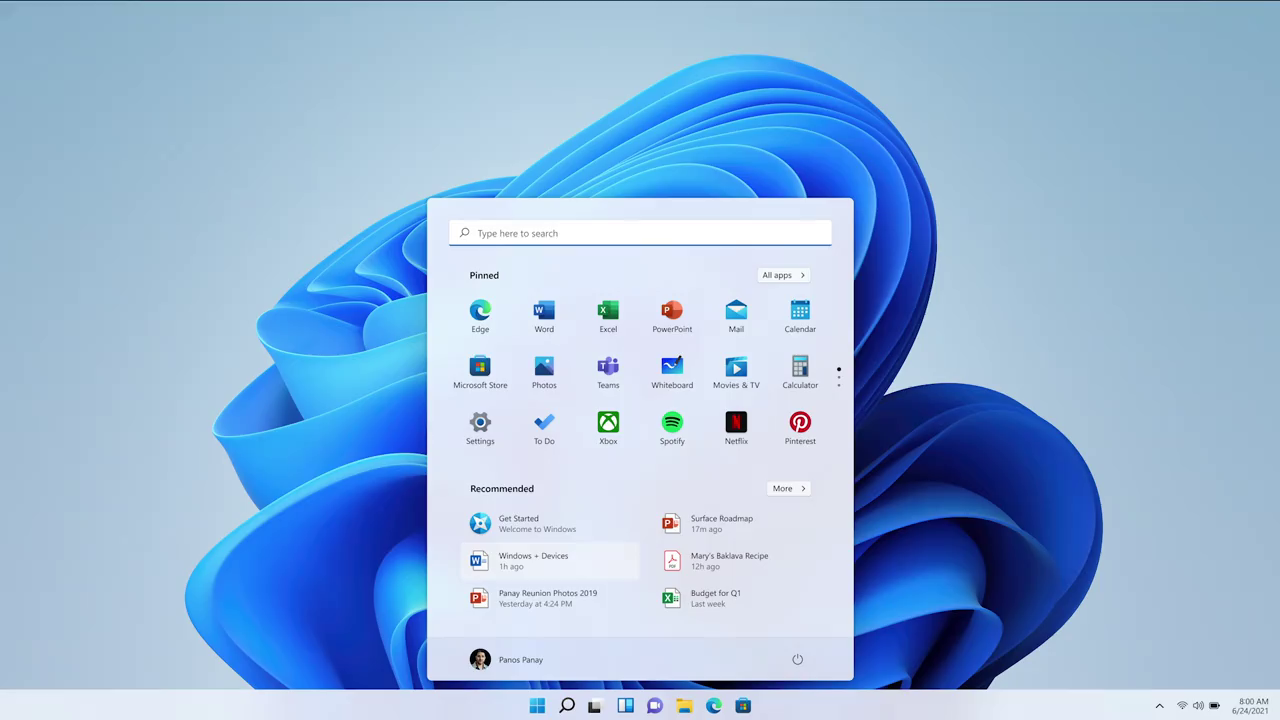
However, to get these features, Windows 11 also requires very demanding hardware. Besides the basic requirements such as dual-core 1Ghz 64-bit chip, 4GB RAM, 64GB hard drive. Windows 11 also requires TPM 2.0 security chip. More specifically, according to Microsoft's official announcement, only 8th generation Intel chips and above, or AMD Ryzen 2000 series or higher, will officially support Windows 11.
This hardware request of Windows 11 immediately received many reactions from users. Because, with Windows 10 being able to run well even on many PC models released more than 10 years ago with "Song Dynasty" chips like Core 2 Duo, Windows 11 requires users to own a PCs produced in the last 2-3 years must be a very confusing thing.

Many users receive the message that their PC is not eligible to upgrade to Windows 11 when using Microsoft system checker software
Therefore, Microsoft recently had an official explanation for why Windows 11 requires such high hardware requirements. Here's the full post from Microsoft:
Windows 11 is designed to give users a complete experience and unlock the full power of their PC, covering areas such as security, reliability, compatibility, conferencing, multitasking, and so on. entertain, create, build, learn and more.
A minimum hardware requirement allows us to tailor our software and hardware to meet people's expectations and needs, and harness the value and power of your PC to deliver the best experience, at the right time. present and in the future. To do that, we have set the following principles:
Security. Windows 11 elevates security standards by requiring hardware that supports enabling features like Windows Hello, Device Encryption, virtualization-based security (VBS), code integrity assurance ( HVCI) and Secure Boot. The combination of these features reduces malware by up to 60% on the devices tested. Therefore, all Windows 11 supported CPUs must include a TPM chip, secure boot support, and VBS.
Reliability. Devices upgraded to Windows 11 will be in a trusted state. By choosing CPUs based on new driver platforms and supported by hardware partners, the rate of stable operation and no crash is 99.8%.
Compatibility. Windows 11 is designed to be compatible with the applications you use. The basic requirements are CPU with 2 cores and clocked higher than 1GHz, 4GB RAM and 64GB SSD, enough to meet the minimum system requirements with some applications like Office or Microsoft Teams.
With these principles in mind, PCs with Intel 8th Gen CPUs, AMD Zen 2 as well as Qualcomm 7 and 8 Series will meet our security, reliability, and system requirements. minimum system for Windows 11. While Windows 11 is in beta, we'll continue to evaluate whether PCs with Intel 7th Gen CPUs and AMD Zen 1 can meet these guidelines.
Thus, it can be seen that the most important reason that Microsoft removed a series of old chips from the support list is not because of performance, but because of security. With Windows 11, it seems that Microsoft is very focused on stability and security, so the US technology corporation was forced to make a very bold decision that will make a large number of PCs impossible. upgrade to the new operating system. Choosing "quality" instead of "quantity" is clearly a completely opposite direction of Microsoft, when just a few years ago, Microsoft itself used to find ways to "force" users to upgrade to Windows 10.
Key Takeaways
Use the information above as a practical reference for Microsoft explains why Windows 11 requires a high-spec PC. Review each step carefully, confirm any requirements, and choose the option that best fits your situation.
FAQ
What does this guide explain about Microsoft Explains Why Windows 11 Requires a High-spec PC?
It explains the main concepts, practical considerations, and useful steps related to Microsoft explains why Windows 11 requires a high-spec PC without requiring advanced knowledge.
Who can benefit from learning about Microsoft Explains Why Windows 11 Requires a High-spec PC?
This information is useful for readers who want a clear overview, practical guidance, and reliable steps related to Microsoft explains why Windows 11 requires a high-spec PC.
What should I check before applying this information?
Review the requirements, confirm that your device, software, or situation matches the instructions, and back up important data before making major changes.
Related Articles
 Microsoft Explains Why Windows 11 Requires TPM 2.03 minutes read
 Windows 11 Copilot+ PC Advantages Over Windows 104 minutes read
 Former Microsoft Engineer Explains the Old 'Super-fast' Windows Restart Trick: Interesting but Full of Bugs6 minutes read
 How to Enable High-dpi Support for Windows 10 Applications3 minutes read
 Microsoft Posted an Explanation of the Design of Windows 114 minutes read
 Microsoft Explains Why Folding Phones Will Be the Next Big Innovation of Technology4 minutes read
Reader Comments 0
Sign in with email or Google to join the discussion.