Table of Contents
This guide provides a clear overview of tls 1.0, including the main concepts, practical steps, and common questions. Use it to understand the topic, compare the available options, and make a more informed decision.
'To enhance security for Windows customers and encourage adoption of a more modern protocol, TLS versions 1.0 and 1.1 will soon be phased out by default on the operating system, starting with Windows 11 builds. Insider Preview in September 2023, as well as future Windows releases'.
Previously, Microsoft also disabled TLS versions 1.0 and 1.1 on Edge as well as on Internet Explorer. Pulling the same move from popular web browser platforms like Firefox, Chrome.
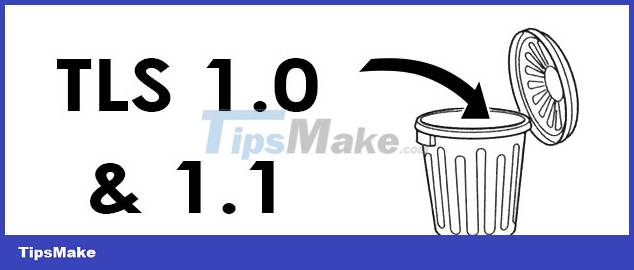
TLS (Transport Layer Security) is a protocol used for encryption between online network connections. It is widely used on the Internet to protect data communications between computers and servers, including websites, email, and other network services. For example, this protocol creates an encrypted channel so that data sent and received to websites is encrypted and inaccessible to third parties. TLS 1.0 and 1.1 are outdated versions (appearing 20 years ago), no longer suitable for current usage needs, and contain many security holes that can be exploited.
Statistics also show that most websites no longer use this protocol, instead, newer TLS versions such as TLS 1.2, TLS 1.3. So the end user won't face any major problems.
Conclusion
Understanding TLS 1.0 makes it easier to compare options, avoid common mistakes, and apply the information in this guide more effectively. Review the relevant requirements before making changes or choosing a solution.
FAQ
What is TLS 1.0?
TLS (Transport Layer Security) is a protocol used for encryption between online network connections.
Why is TLS 1.0 important?
Understanding TLS 1.0 helps you evaluate features, compatibility, performance, and potential limitations before you choose a product or follow a procedure.
What should you consider when using or choosing TLS 1.0?
Consider your specific goal, compatibility requirements, available features, cost, security, and the practical recommendations described in this guide.
Related Articles
 Microsoft Confirms Windows 10X Is Dead3 minutes read
 Microsoft Confirms That Recent Windows 11 Updates Cause Taskbar4 minutes read
 Microsoft Confirms Extending Edge Support on Windows 103 minutes read
 Enable the Quick Removal Feature to Quickly Remove USB Drives on Windows3 minutes read
 Microsoft Officially Removed the VBScript Language from Future Versions of5 minutes read
 Microsoft Revealed Windows 8 Versions4 minutes read
Reader Comments 0
Sign in with email or Google to join the discussion.