Table of Contents
This guide provides a practical overview of Maintain & Optimize the Supported Operating Systems with PC Reviver, including its main features, benefits, limitations, and important considerations.
To know how to maintain Windows effectively with PC Reviver, follow the article below:
Step 1: You need to download and install PC Reviver software on the system, the program interface after installation is as follows:

The main interface of PC Reviver includes the main software options, along with Supported operating systems information and computer configuration.
Step 2: In the Repair tab, it will analyze and check the Driver Updater, Registry Cleanner, Disk Cleanner, Windows Updater. To check, just check the box before the Scan options to start testing.

The analysis and testing process is finished, the program will display information for you to know. If you want to know more details, click View Results . After viewing the detailed results of the problems, click Repair to start solving the problems.

Step 3: In the Maintain tab include system diagnostic and customizing tools. You can use the tools in the Maintain tab to better understand the status of Windows.

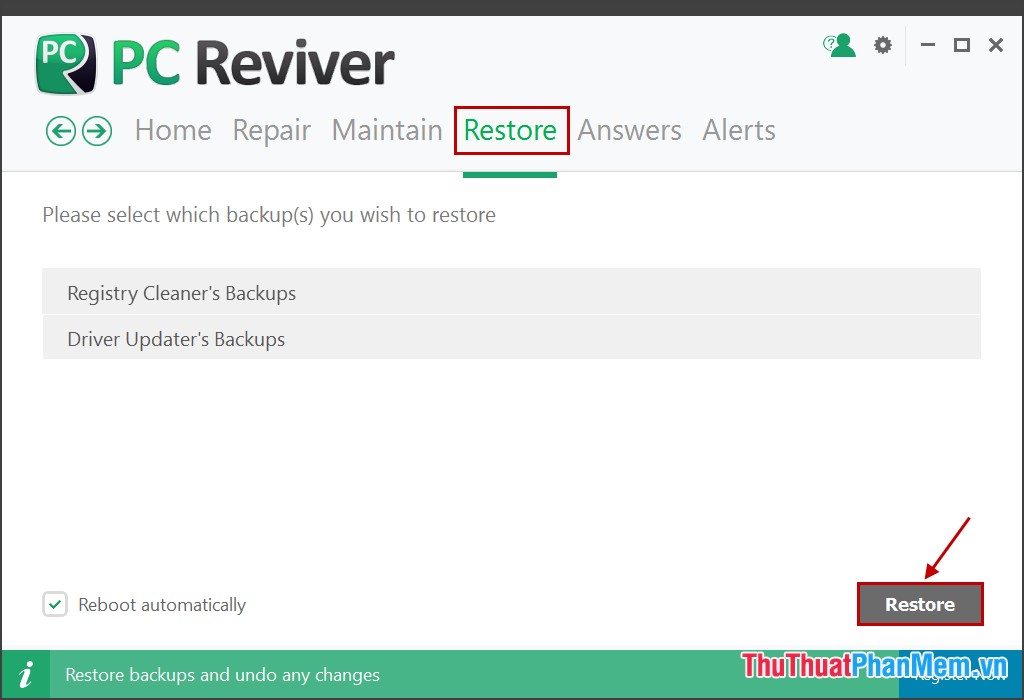
Step 4: Select the Restore tab Restore if you want to restore the original state that software provided when you encounter problems while working with PC Reviver .
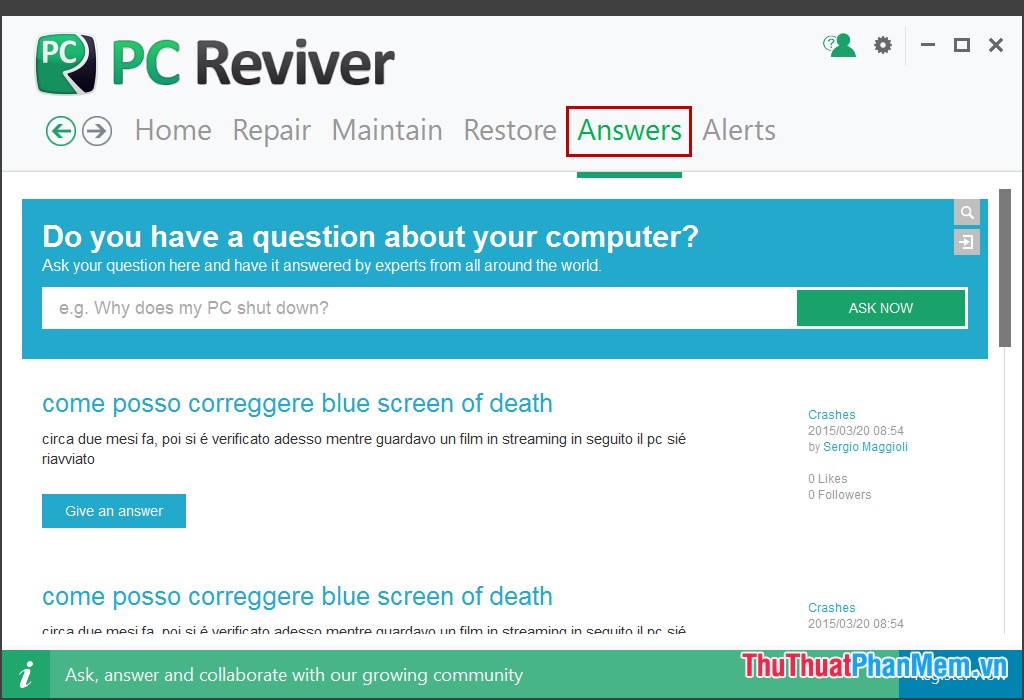
Step 5: If you have any questions when using PC Reviver, you can ask the PC Reviver support team in the Answers tab. Your questions will be answered quickly and displayed right on the Answers tab.
Now that you have complete control of the Windows status of your computer and maintain Windows quickly and effectively with PC Reviver software.
FAQ
What should I know about Maintain & Optimize the Supported Operating Systems with PC Reviver?
Focus on the key features, requirements, limitations, and practical use cases explained in this guide.
How do I get the best results with Maintain & Optimize the Supported Operating Systems with PC Reviver?
Follow the recommended steps, use current software or information, confirm compatibility, and review settings before major changes.
Are there any risks or limitations?
Potential limitations depend on compatibility, data quality, cost, privacy, support, and how the product or method is used.
Related Articles
 How to Optimize Windows 83 minutes read
 Why Can't Windows 8 'Block' Windows 7?6 minutes read
 15 Ways to Optimize Windows 11 to Make Your Computer Run Faster: Top Picks and12 minutes read
 Compare 4 Current TV Operating Systems5 minutes read
 Optimize Windows 10 for Maximum Performance When Operating8 minutes read
 What Is the OS (Supported Operating Systems)? Overview of the Supported6 minutes read
Reader Comments 0
Sign in with email or Google to join the discussion.