Table of Contents
This guide provides a practical overview of Instructions to Join, Join Videos by Format Factory, including its main features, benefits, limitations, and important considerations.
Currently there are many software that supports you to join video files together, one of which is Format Factory software. Format Factory besides helping you convert video formats, it also supports you to join video files quickly and effectively.
The following article shows you how to join video files with Format Factory software.
Step 1: If your computer has not installed the software, you can download and install Format Factory on the system. After installation is complete, launch the Format Factory program.
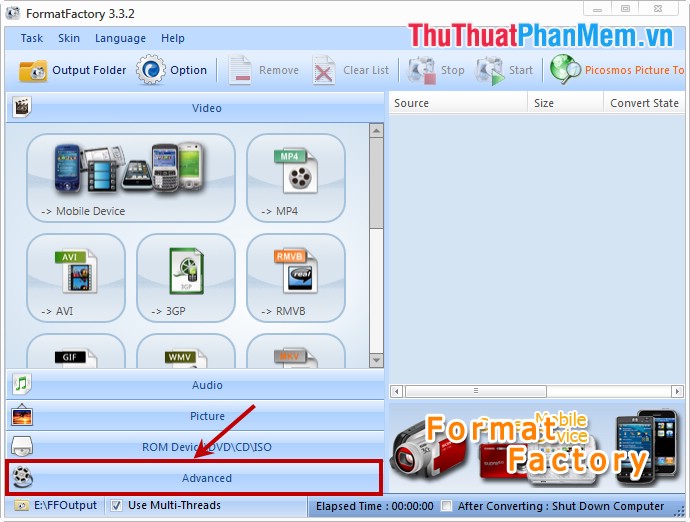
On the main interface of the program, select Advanced in the lower left.
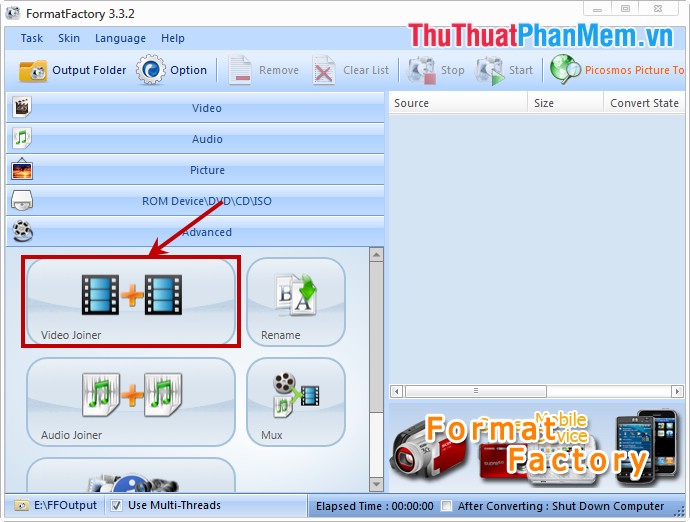
Step 2: Next, select Video Joiner in the Advanced section.
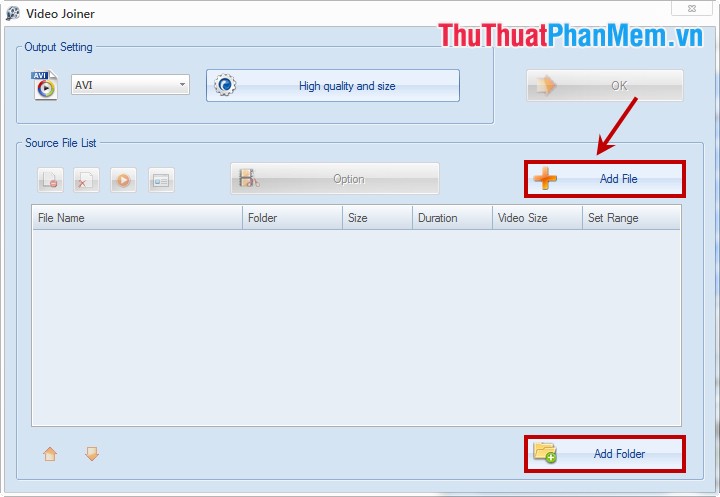
Step 3: The Video Joiner dialog box appears, select Add File on the interface if you want to add the merge files (if you want to merge all the files in the folder, select Add Folder ).
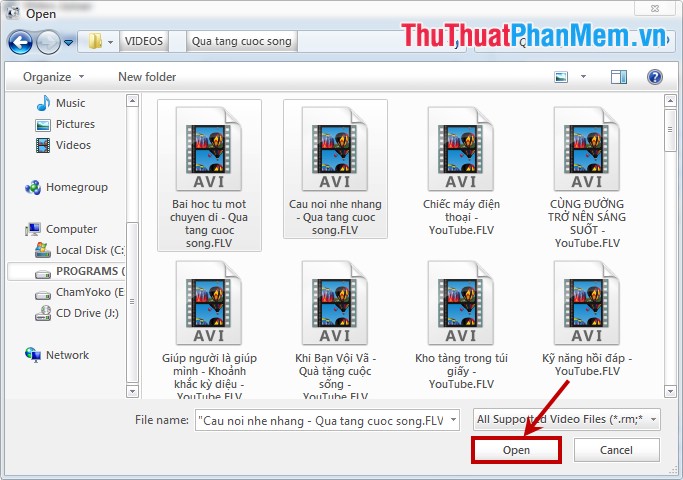
Then you find and select the files or select the folder to pair and click Open to add files to the program.
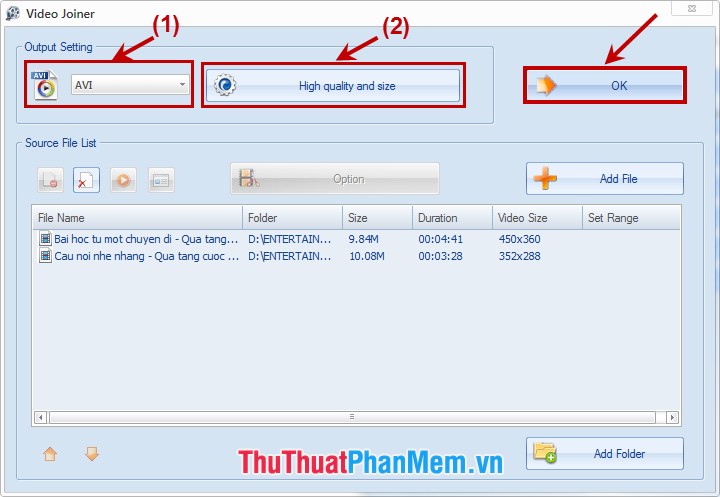
Step 4: The files you select will be displayed on the interface, you choose the format (1) , resolution (2) for the video after transplanting in the Output Setting . Then click OK to continue.
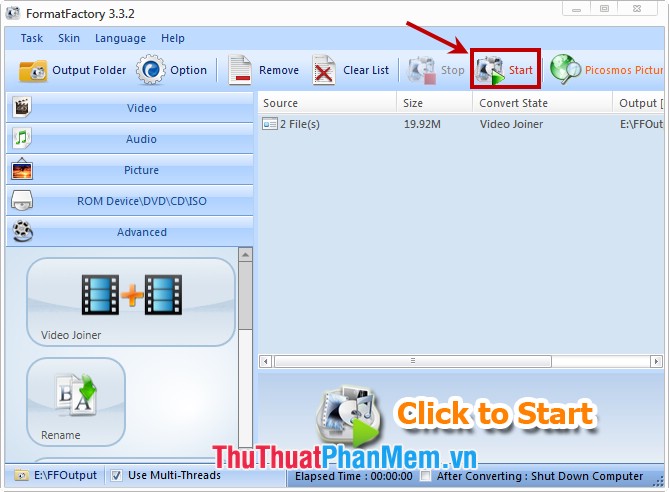
Step 5: Finally, click Start on the interface to start the process of joining video files.
With easy operation, you will quickly join video files together completely. Good luck!
FAQ
What should I know about Instructions to Join, Join Videos by Format Factory?
Focus on the key features, requirements, limitations, and practical use cases explained in this guide.
How do I get the best results with Instructions to Join, Join Videos by Format Factory?
Follow the recommended steps, use current software or information, confirm compatibility, and review settings before major changes.
Are there any risks or limitations?
Potential limitations depend on compatibility, data quality, cost, privacy, support, and how the product or method is used.
Related Articles
 How to Pair Video Files with Format Factory3 minutes read
 Instructions for Cutting Videos by Format Factory3 minutes read
 Convert Videos with Format Factory3 minutes read
 How to Compress Video Capacity by Format Factory6 minutes read
 How to Combine Multiple Videos into One with Format Factory3 minutes read
 How to Merge Subtitles into Videos with Format Factory7 minutes read
Reader Comments 0
Sign in with email or Google to join the discussion.