Table of Contents
Learning how to check if APK file contains virus or not doesn't have to be complicated. This updated guide presents a clear workflow, practical checks, and troubleshooting advice you can use while completing the process.
Key Takeaways
- Follow the steps to scan APK file for viruses before installing.
- Follow the recommended steps in order to avoid common mistakes with check if APK file contains virus or not.
- Review compatibility, settings, or requirements before making changes.
How to Scan APK File for Viruses Before Installing
You can check APK files using online tools or using specialized antivirus software. Here are some popular and effective ways.
Metadefender
Home page address: metadefender.com.
Metadefender allows you to upload APK files up to 140 MB and scan them with a variety of antivirus engines to check if the APK files contain viruses. All compressed APK files will be unpacked and scanned one by one. Here is an example of the results you will get after scanning a safe APK file:

NVISIO APK Scan
Home page address: apkscan.nviso.be.
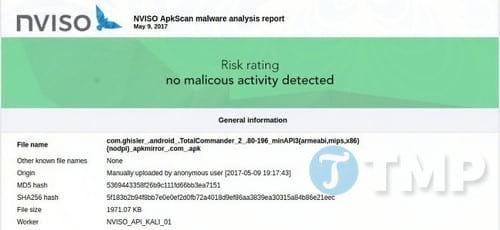
Similar to Metadefender, NVISIO APK Scan allows you to upload APK files via a web browser to scan files without any size restrictions. All you need to do is select the APK file via the operating system's file selection window and click Scan. Wait patiently until the scan is complete, a report will be displayed on the screen for you to check if the APK file contains viruses or not. In addition, if you want, you can also send the scan results via email after the scan is complete.
VirusTotal
Home page address: virustotal.com.
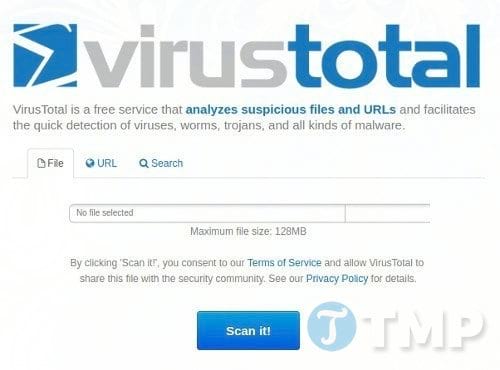
VirusTotal is a free service that works similarly to the above two. It checks APK files for viruses using its powerful analysis and testing capabilities. The only drawback is that it limits the maximum APK file size to 128 MB - which is a lot for apps, but not enough for some games.
Hopefully this article helps you check the safety of APK files before installing, limiting the risk of being attacked by malware. Prioritize reputable websites and scan for viruses before using if you need to download applications from external sources.
Final Thoughts
The most reliable way to handle check if APK file contains virus or not is to follow the process in order, verify each important setting, and test the result before moving on. Use the guidance above as a practical reference, then adjust the details for your device, software version, or specific goal.
FAQ
What should I check before I check if APK file contains virus or not?
Use the latest available software, confirm that your device meets the requirements, and make sure you have the necessary permissions, account access, or backup before changing anything.
Why might I be unable to check if APK file contains virus or not?
Common causes include outdated software, missing permissions, incompatible settings, incomplete setup steps, or a temporary network problem. Recheck the process from the beginning and restart the app or device if needed.
Is it safe to check if APK file contains virus or not?
It is generally safe when you use official tools, review every permission, and back up important data before making system-level or account-level changes.
Related Articles
 How to Scan Virus Files Downloaded on Chrome4 minutes read
 Check the Safety of Files from Windows 10 Desktop Easily with4 minutes read
 Instructions on How to Open Word Files, Excel Suspects Infection4 minutes read
 3 Ways to Identify a Mac Infected with a Virus9 minutes read
 What Is Svchost.exe? How to Check If Svchost.exe Contains a9 minutes read
 5 Ways to Tell If Your Mac Is Infected with a Virus15 minutes read
Reader Comments 0
Sign in with email or Google to join the discussion.