Table of Contents
No. The BOOYAH! Live account-linking process in this guide is no longer a current Free Fire feature. The former BOOYAH! livestreaming service and its official account pages are no longer available, so you cannot safely follow the old mobile or desktop steps to connect Free Fire or claim BOOYAH! rewards.
Do not install a BOOYAH-branded APK from an archive, enter Free Fire credentials on a copycat site, or pay anyone to “restore” an old link. “Booyah” is also the name of a victory in Free Fire and appears in current game events, but that does not mean the discontinued BOOYAH! Live platform has returned.
What the old linking process looked like
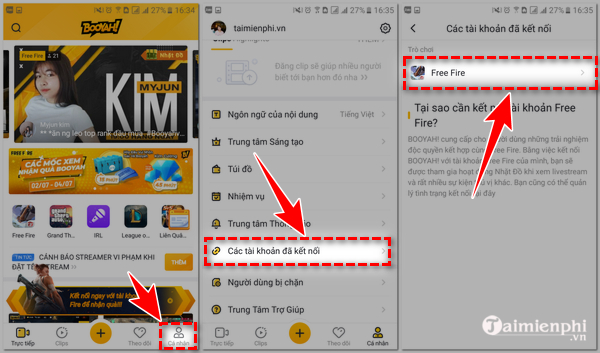
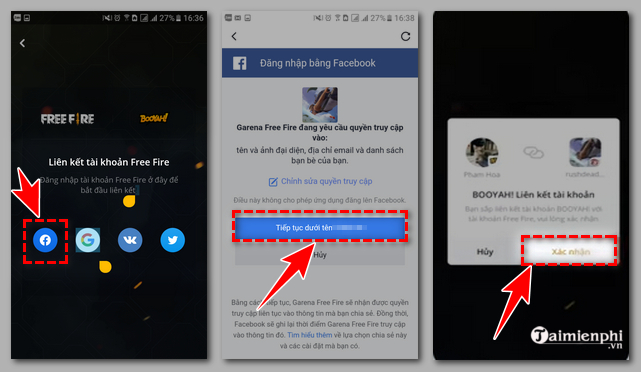
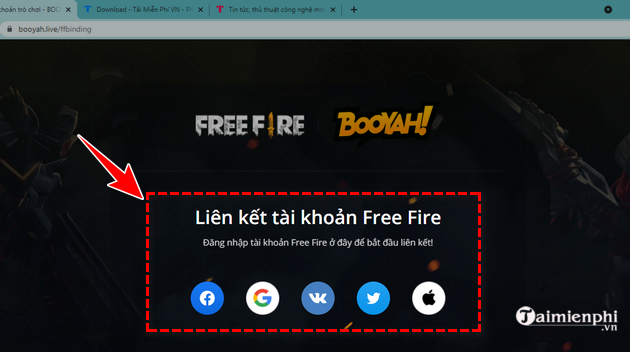
When BOOYAH! Live was operating, its mobile app included a Connected accounts area. A player could choose Free Fire and authenticate with a supported provider such as Facebook or Google. The following screenshots are preserved for historical reference only; the buttons and account pages they show should not be expected to work now.
The former desktop workflow
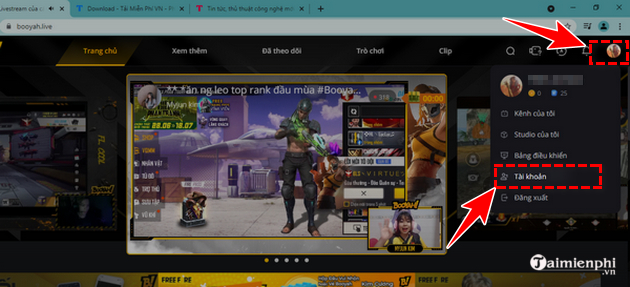
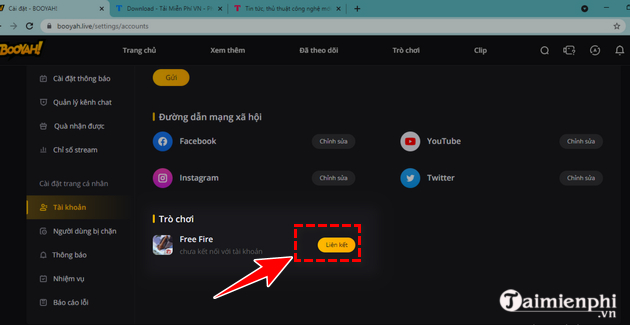
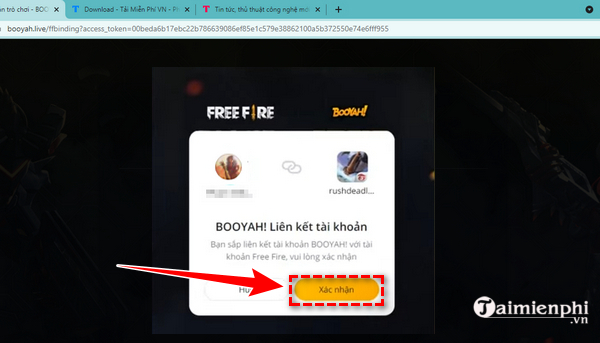
The BOOYAH! website also once offered an account page with a Games section. Players selected Free Fire, signed in through their existing provider, and confirmed the connection. These screens document that retired workflow; they are not instructions to use a mirror of the old website.
What to do if your Free Fire account was linked
An old BOOYAH! connection is separate from the login method you use to enter Free Fire. Before changing anything, open Free Fire from its official app and note which provider currently signs you in. Depending on the account and region, that may be a platform account such as Facebook, Google, Apple, VK, or another option shown by the game.
- Do not unlink or delete the login provider impulsively. It may be the only credential that gives you access to the game account.
- Secure that provider. Use a unique password, enable its two-step verification, and review active sessions and connected apps.
- Record your Free Fire player ID. Keep a screenshot of the profile page and legitimate purchase receipts in a private place; they can help when contacting support.
- Remove suspicious third-party access. If an unfamiliar app still appears in the provider's connected-app list, revoke it and change the provider password.
- Use official support. If you cannot sign in, start with the Garena Free Fire Help Center for your region. Do not share passwords, verification codes, recovery codes, or full payment-card details in a support request.
A guest account that was never bound to a supported login provider may be stored only on the original device. Avoid clearing app data, resetting the phone, or uninstalling the game until you have checked the current account options and contacted official support.
Old BOOYAH! rewards cannot be claimed through a new link
The original article promised diamonds, weapon crates, and other items for BOOYAH! viewing challenges. Those were time-limited promotions. There is no current BOOYAH! account-linking step that unlocks those expired rewards, and websites or apps that ask for a password to deliver “free diamonds” should be treated as phishing risks.
Use only event pages opened from the official Free Fire app, the official Free Fire website, or verified regional Free Fire channels. Legitimate redemption systems may ask for a player ID or require an authenticated session, but they should not ask you to send a password or one-time code to another person.
For current gameplay information, check TipsMake's Free Fire update guide. The guide to using launchpads in Free Fire covers a game mechanic rather than any BOOYAH! Live service.
If you entered credentials on a BOOYAH copycat
- Change the password for the Facebook, Google, Apple, or other provider used to access Free Fire.
- Sign out of sessions you do not recognize and enable two-factor authentication.
- Review connected apps and remove the suspicious service.
- Check the email account associated with that provider and secure it as well.
- Open Free Fire from the official store installation and look for unexpected profile or inventory changes.
- Contact Garena through the official Help Center if access or items are missing.
Do not download an “account recovery tool,” remote-access app, or unofficial BOOYAH client offered by someone who contacts you. Account recovery should happen through the login provider and Garena's support channels, not through a retired livestreaming service.
Related Articles
 How to Create a Booyah! Live Account5 minutes read
 5 Tips to Play Chrono Free Fire Characters to Have Booyah4 minutes read
 How to Make Money by Livestreaming on Booyah!6 minutes read
 Rich Free Fire Account Photos7 minutes read
 Free Fire Vk: How to Register for a Vk Free Fire Account3 minutes read
 Instructions to Receive the Burning Leo Package in Free Fire5 minutes read
Reader Comments 0
Sign in with email or Google to join the discussion.