Table of Contents
Promotional emails you receive on your iPhone may contain tracking pixels. There's a Mail Privacy Protection setting built into your iPhone to block this type of tracking.
Promotional emails you receive on your iPhone may contain tracking pixels, also known as marketing pixels, that inadvertently share details like your IP address, location, and even the exact time you viewed the email. There's a Mail Privacy Protection setting built into your iPhone to block this type of tracking. Here's how to turn on Mail privacy protection on iPhone.
How to Turn on iPhone Mail Privacy Protection
Step 1:
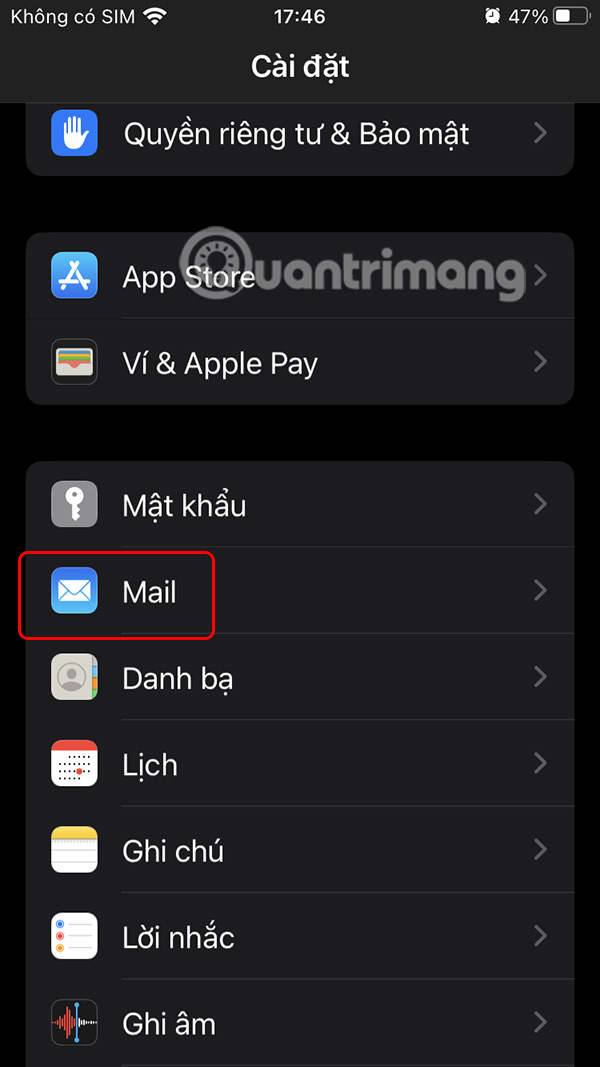
You access Settings on iPhone then tap on The Mail app To make adjustments.
Step 2:
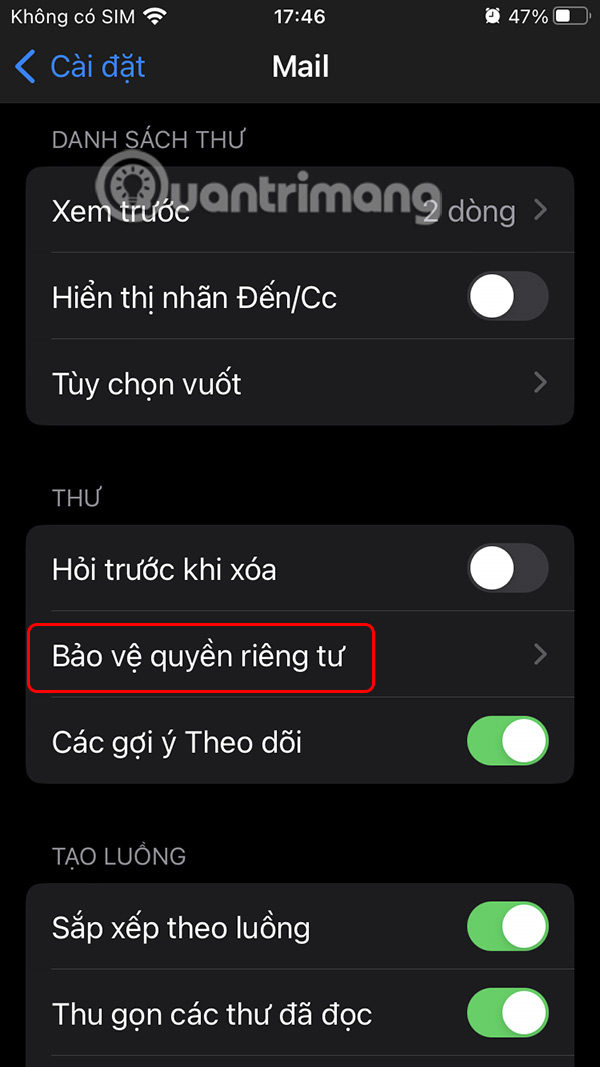
Switch to the custom settings interface for the Mail app, scroll down and select Privacy protection .
Step 3:
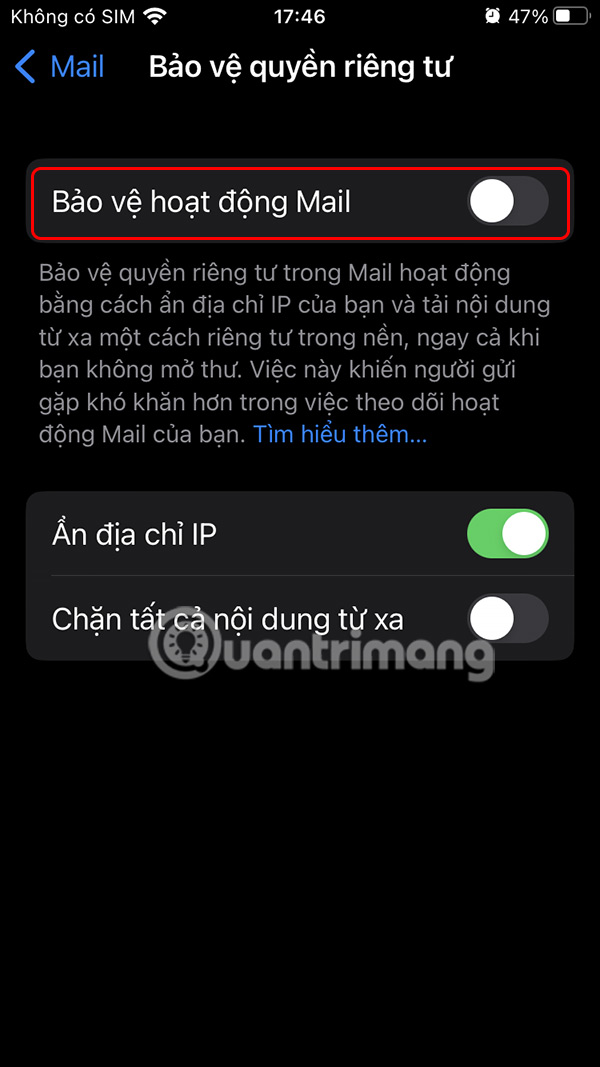
Now you will see that The Mail activity protection setting Is turned off, please Enable this setting To enhance Mail security on iPhone.
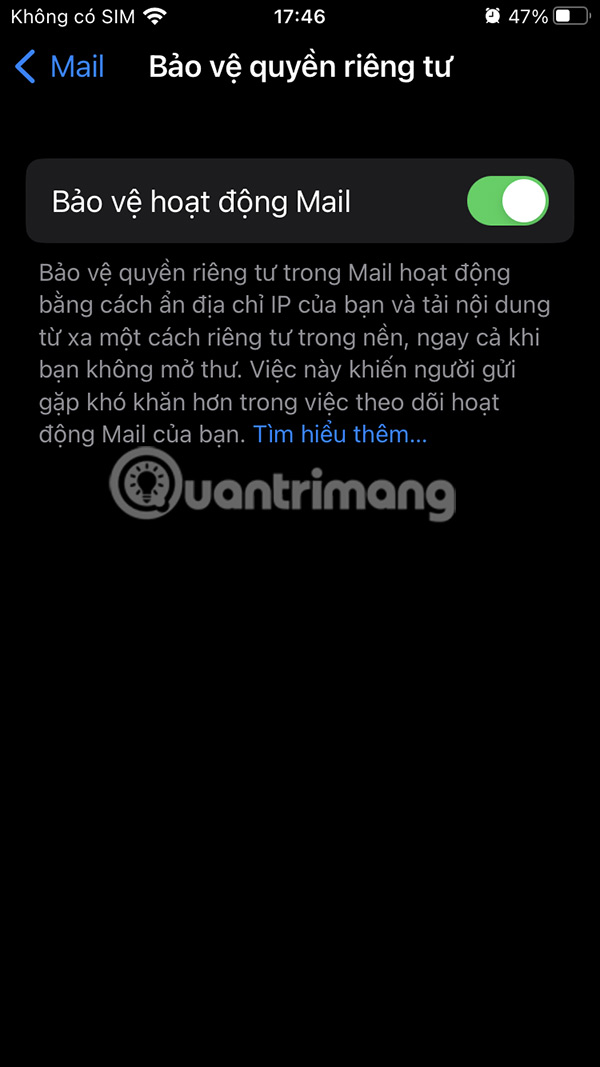
Enabling this feature is a simple yet effective step to protecting your privacy. It works silently in the background, ensuring your email activity is always secure.
While this tool blocks most common forms of email tracking, you should still be careful.
FAQ
How do you enable iPhone mail privacy protection?
In practical terms, promotional emails you receive on your iPhone may contain tracking pixels. There's a Mail Privacy Protection setting built into your iPhone to block this type of tracking.
What should you check before getting started?
Review the requirements, compatible device or software version, and any warnings described in the guide before making changes.
What should you do if the steps do not work?
Repeat the steps in order, confirm that your app or system is up to date, and review the troubleshooting details provided above.
Related Articles
 How to Manage Email and Mailboxes in the Mail Application on iPhone9 minutes read
 Apple Will Change the Way Email Works on the New iOS4 minutes read
 How to Enable Private WiFi on iPhone3 minutes read
 How to Log Out of Mail on iPhone4 minutes read
 How to Use Mail Drop on iPhone to Send Large Files3 minutes read
 Tips for Security for Email: Email Protection3 minutes read
Reader Comments 0
Sign in with email or Google to join the discussion.