Table of Contents
Siri has an Improve Siri & Dictation setting so Apple can save and review snippets of your voice interactions to train Siri more accurately.
Siri has an Improve Siri & Dictation setting so Apple can save and review your voice interactions to train Siri better. However, if you don't want to save your personal voice, you can also turn off Improve Siri & Dictation. Here's how to stop Apple from storing Siri recordings on your iPhone.
How to stop Apple from storing Siri recordings
Step 1:
Go to Settings on your iPhone then select Privacy & Security To adjust.
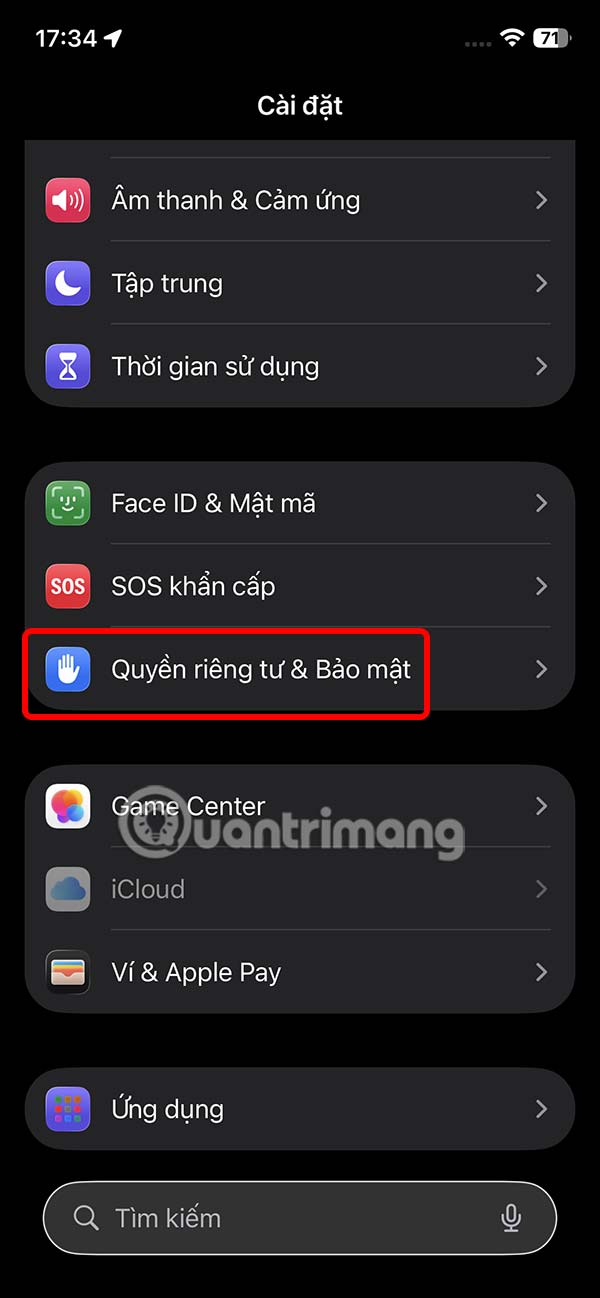
Step 2:
Switch to the privacy customization interface for iPhone, we click on Analysis and improvements .
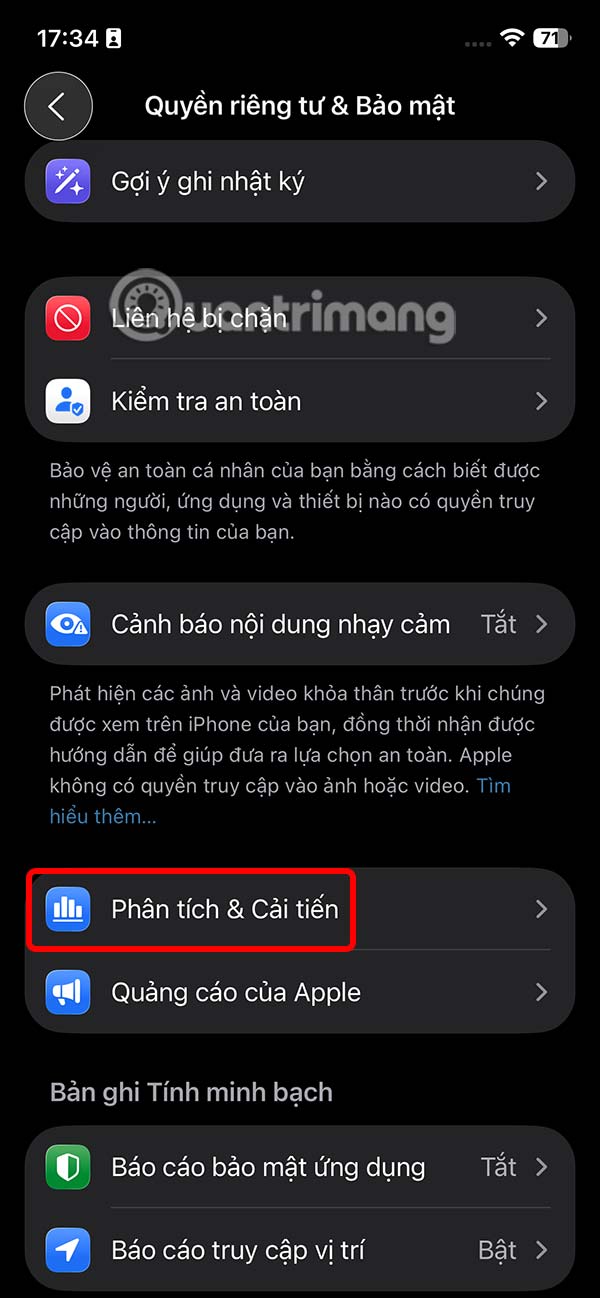
Step 3:
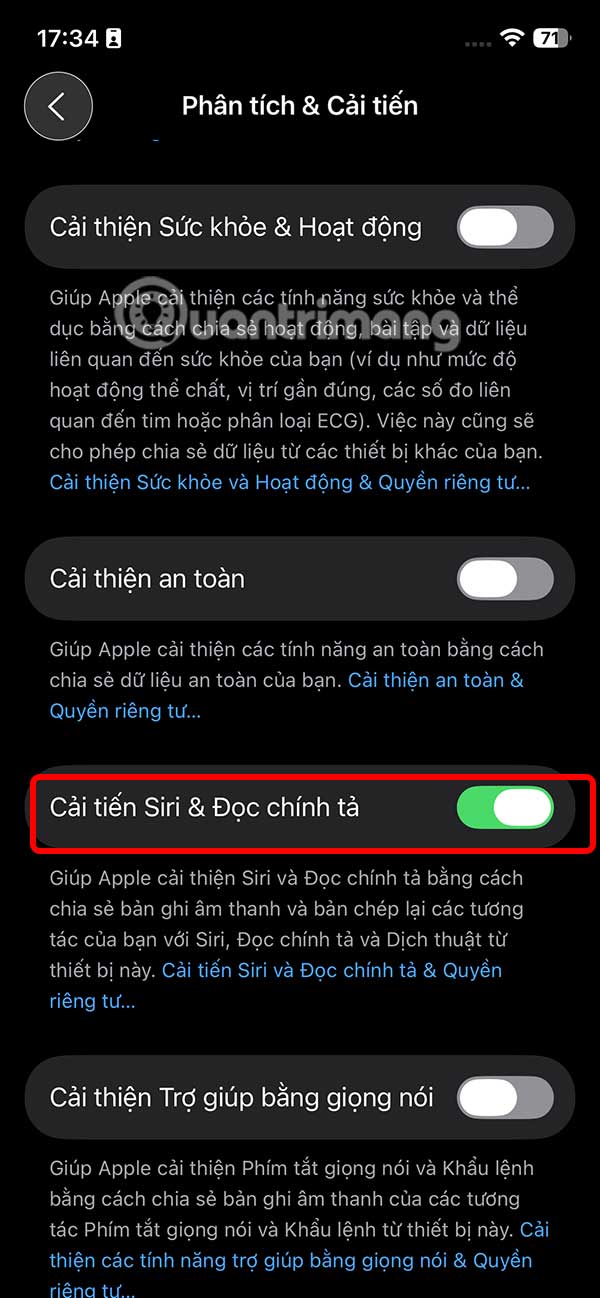
In the next interface, you drag down The Siri & Dictation Improvements section that is on to turn it off .
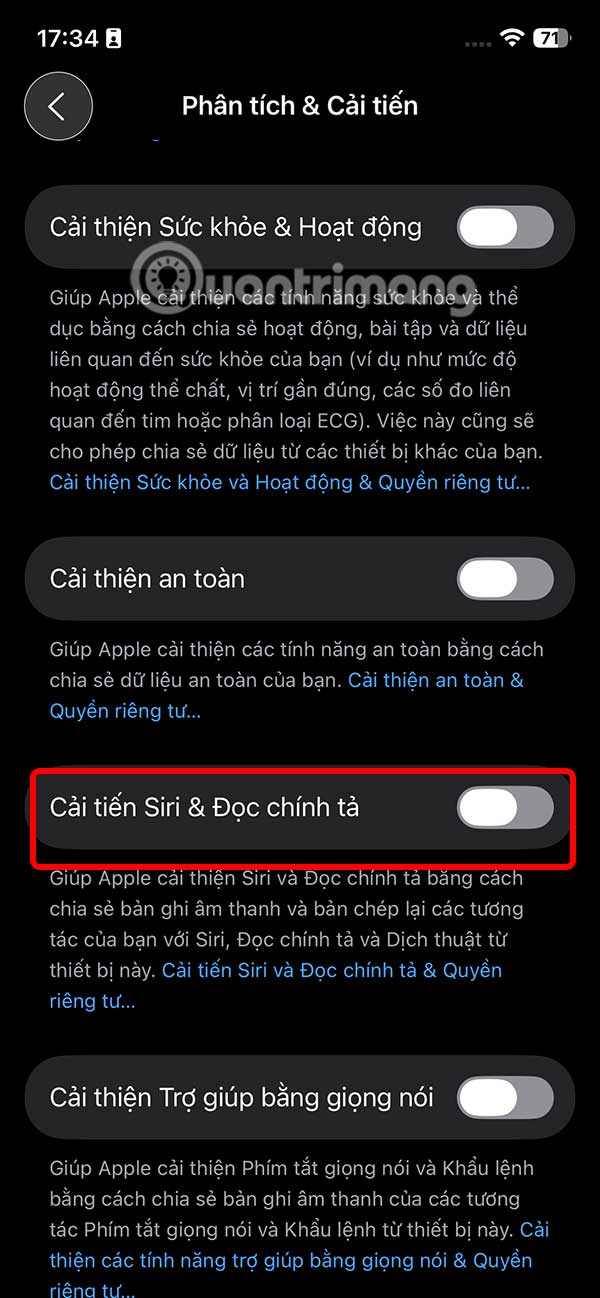
Turning this feature off ensures that your interactions with Siri and Dictation are solely between you and your device, without any external review process. While this may mean your contributions don't help train the algorithms, it does improve user comfort and personal safety.
FAQ
How do you stop apple from storing siri recordings on iPhone: step-by-step guide?
In practical terms, siri has an Improve Siri & Dictation setting so Apple can save and review snippets of your voice interactions to train Siri more accurately.
What should you check before getting started?
Review the requirements, compatible device or software version, and any warnings described in the guide before making changes.
What should you do if the steps do not work?
Repeat the steps in order, confirm that your app or system is up to date, and review the troubleshooting details provided above.
Related Articles
 Everything Apple users need to know about Siri AI on iPhone11 minutes read
 How to Block Siri from Showing App Suggestions on iPhone6 minutes read
 How to Turn Off Siri on iPhone, iPad, Mac, and Apple Watch5 minutes read
 What's New in Siri on iOS 158 minutes read
 Apple Faces $95 Million Siri Eavesdropping Settlement4 minutes read
 Do You Know Why the Virtual Assistant on the iPhone Is Called Siri?3 minutes read
Reader Comments 0
Sign in with email or Google to join the discussion.