Table of Contents
This practical guide explains how to create document signature on iPhone. Follow the steps in order, review the requirements first, and use the troubleshooting notes when a setting or option does not work as expected.
How to create a document signature on iPhone
Step 1:
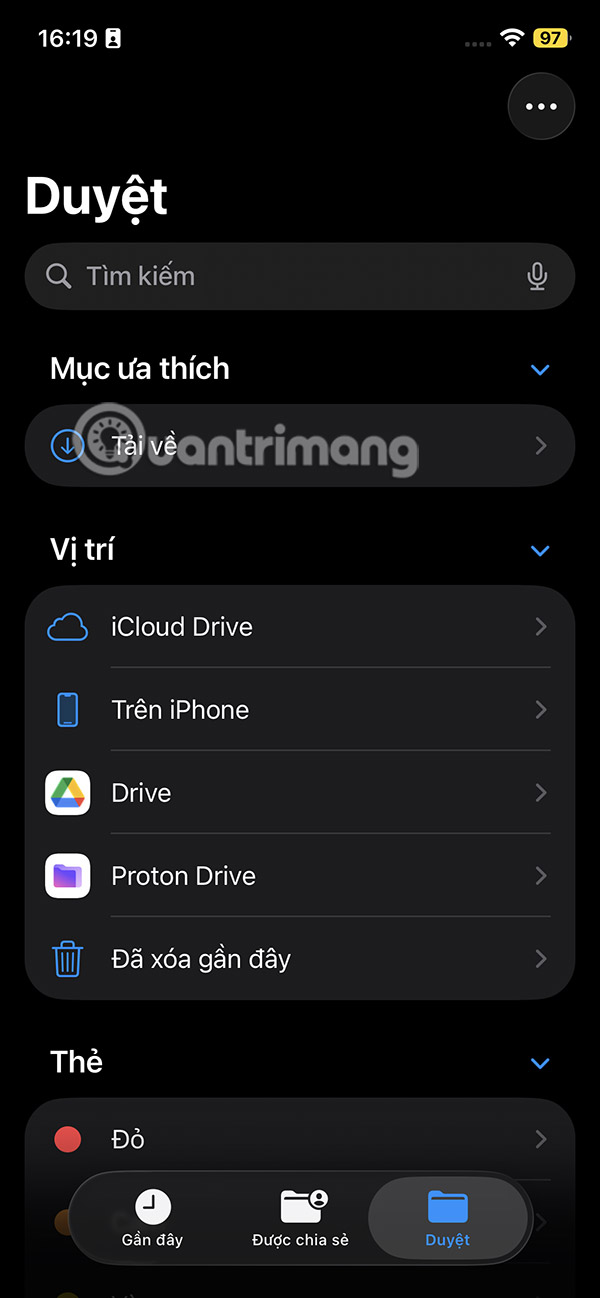
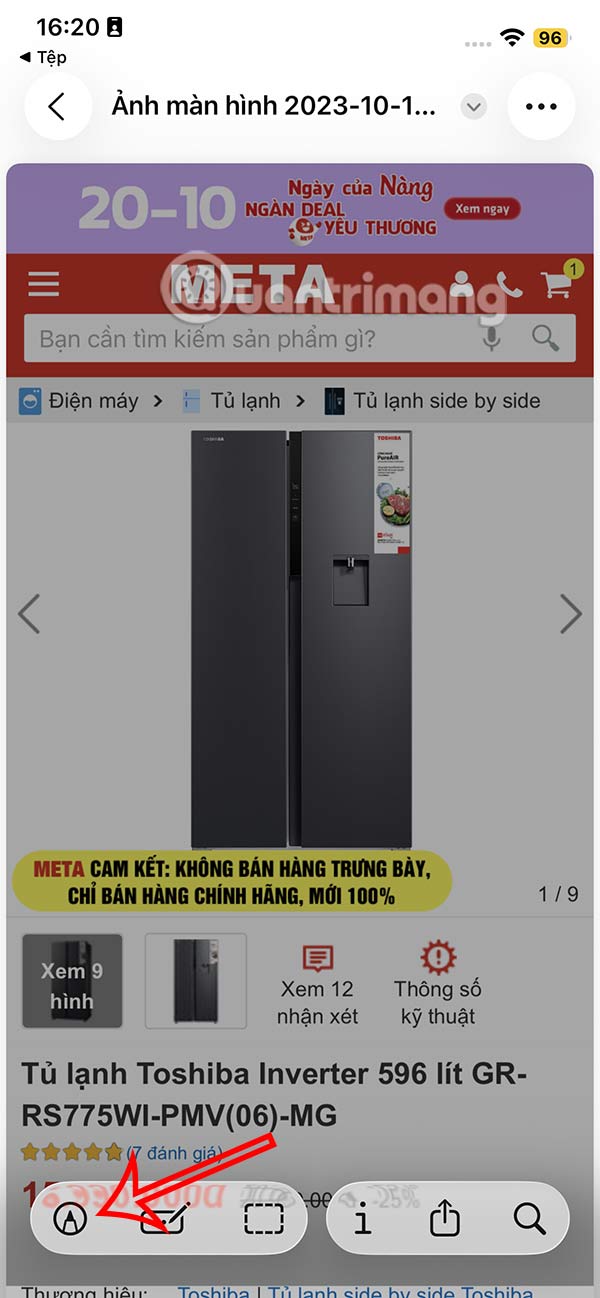
Go to the Files app , then tap the pen icon to open the mode for adding content to the document.
Step 2:
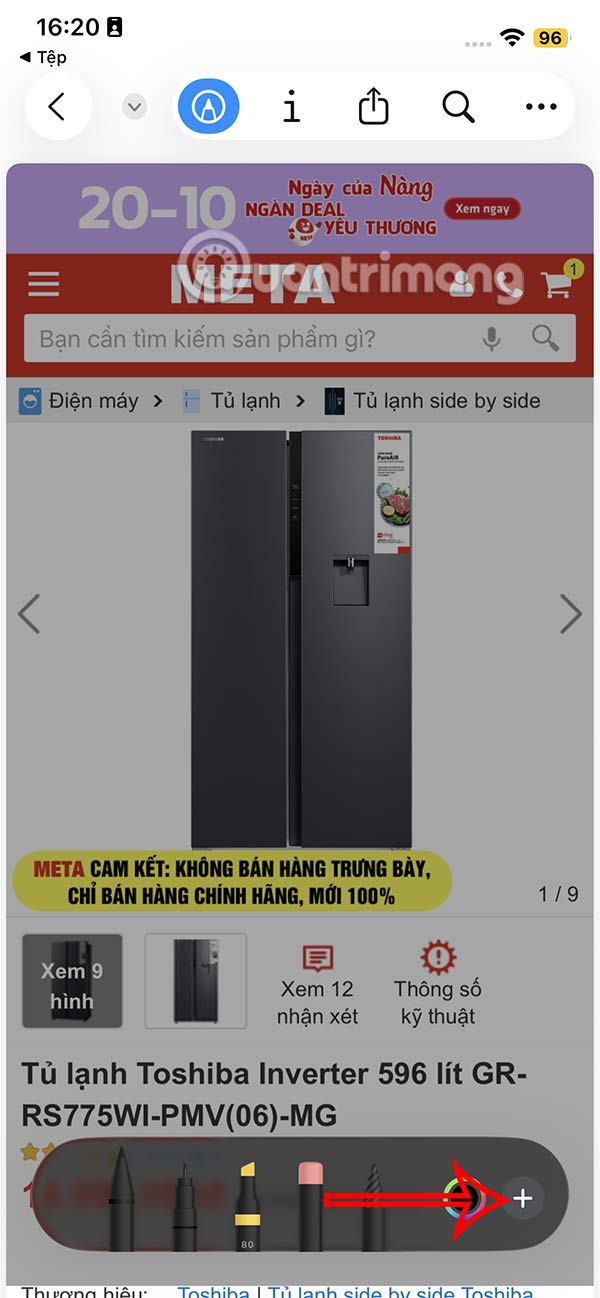
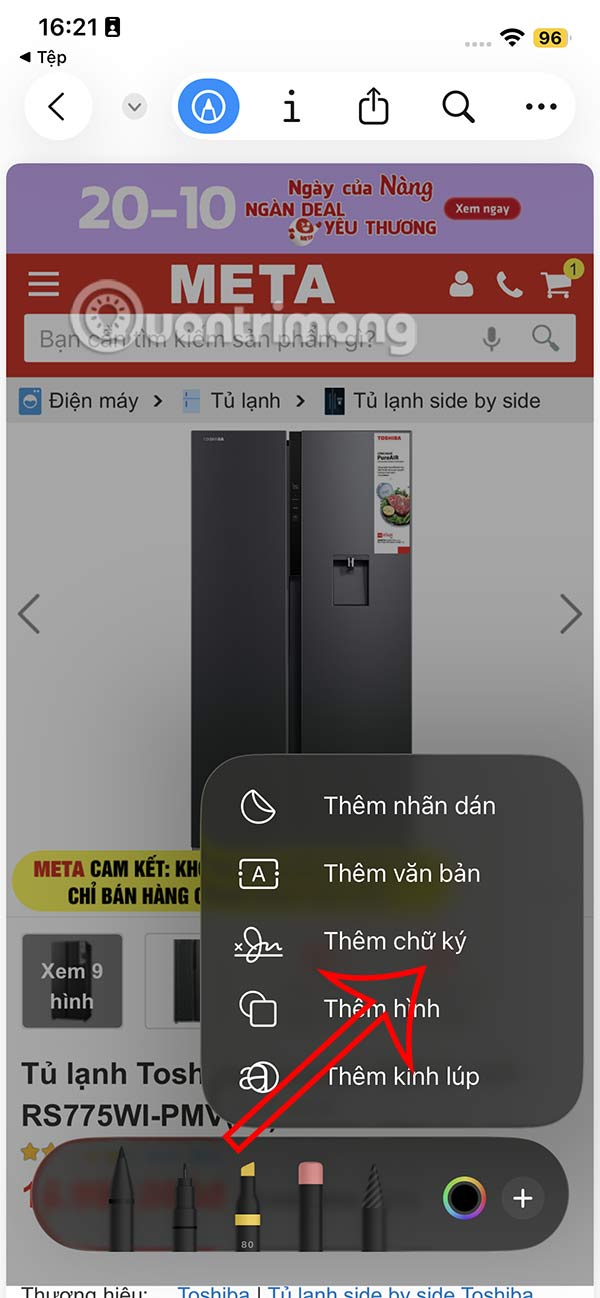
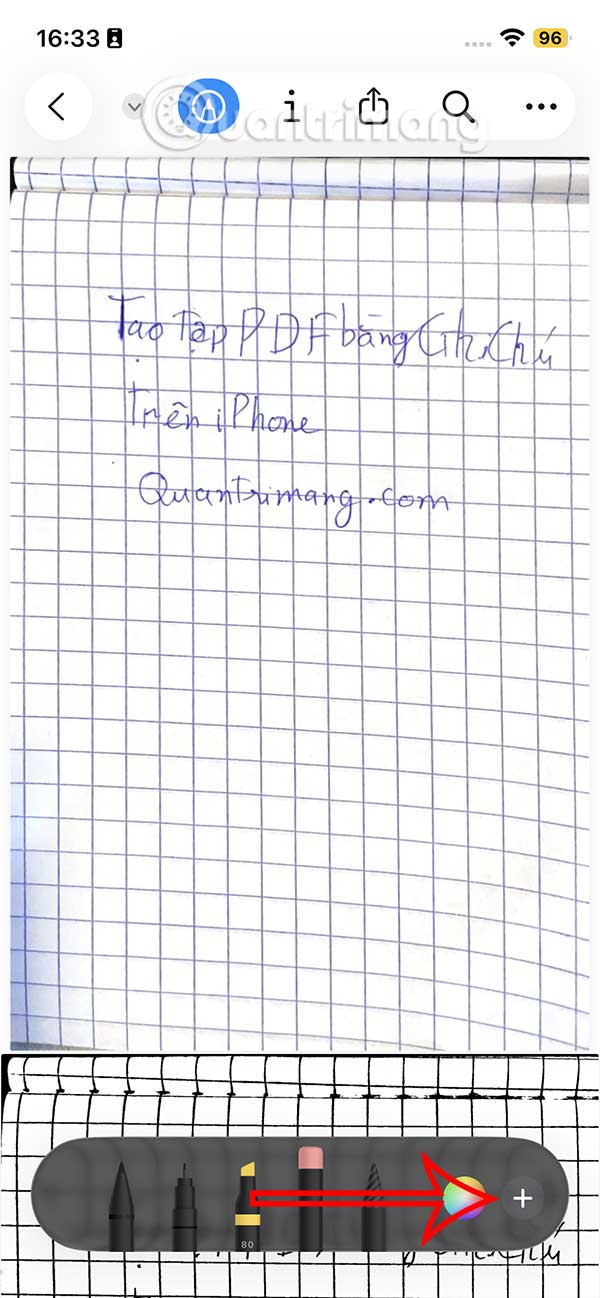
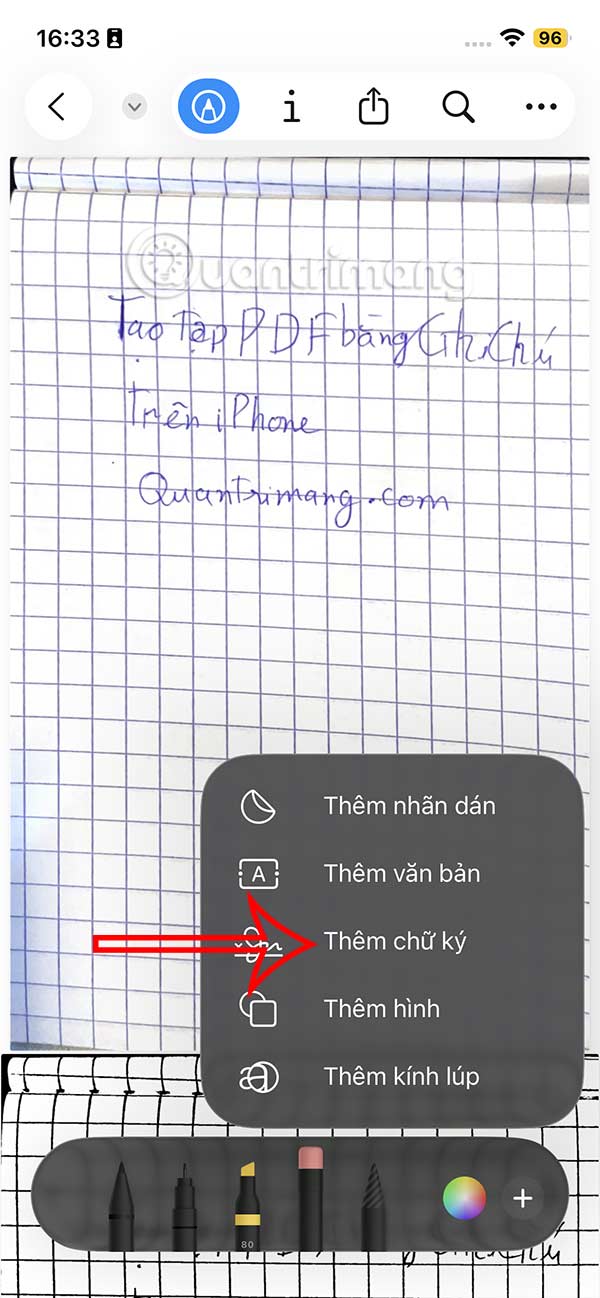
Now you will see the pen mode displayed, select the plus icon in the bottom right corner. Continue to click Add signature to perform.
Step 3:
Displays the interface for you to write the signature you want to add to the document on iPhone. If you are not satisfied with this signature, tap Delete below to create a new signature. Then tap the green check mark to save the signature and insert it into the document.

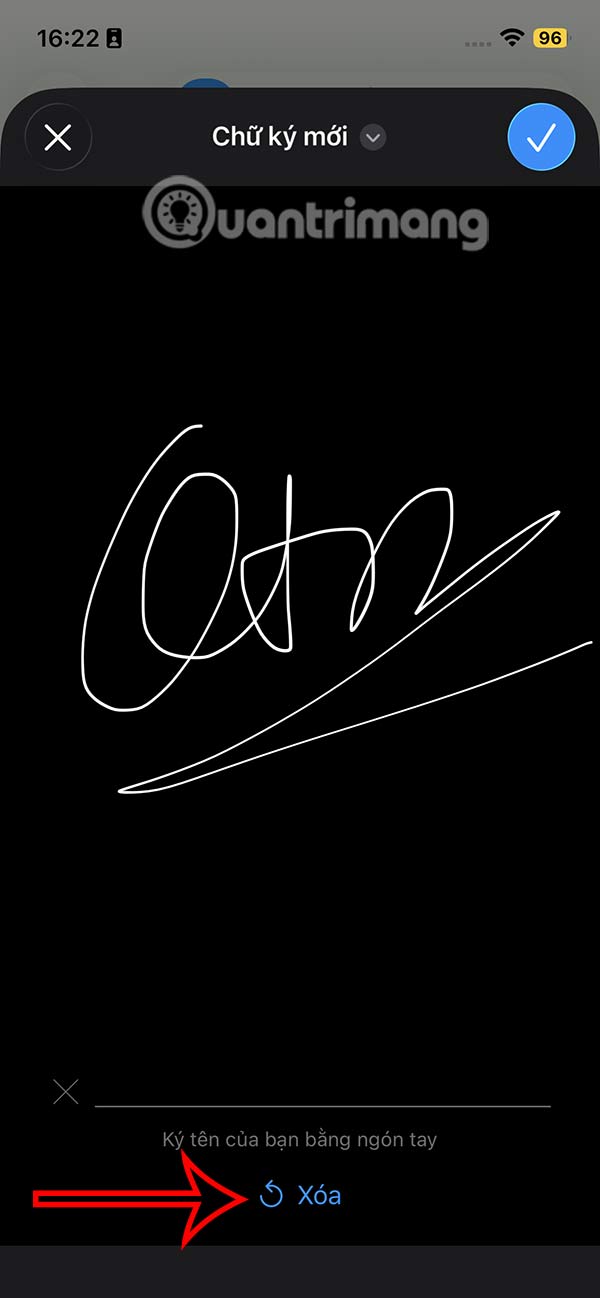
Step 4:
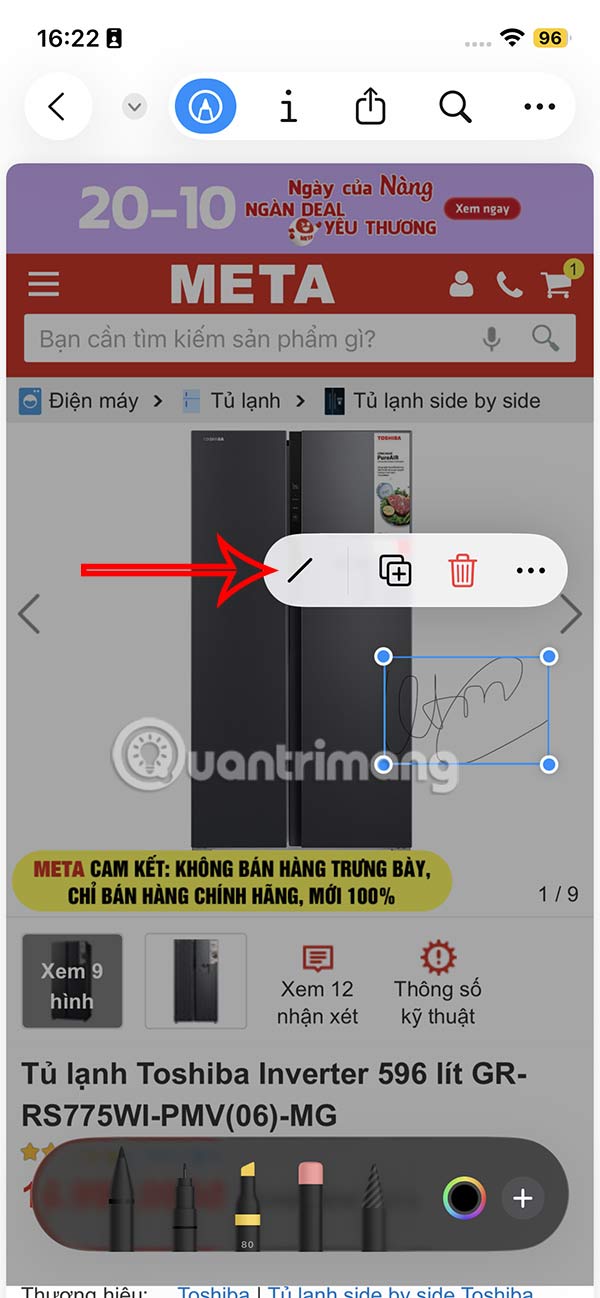
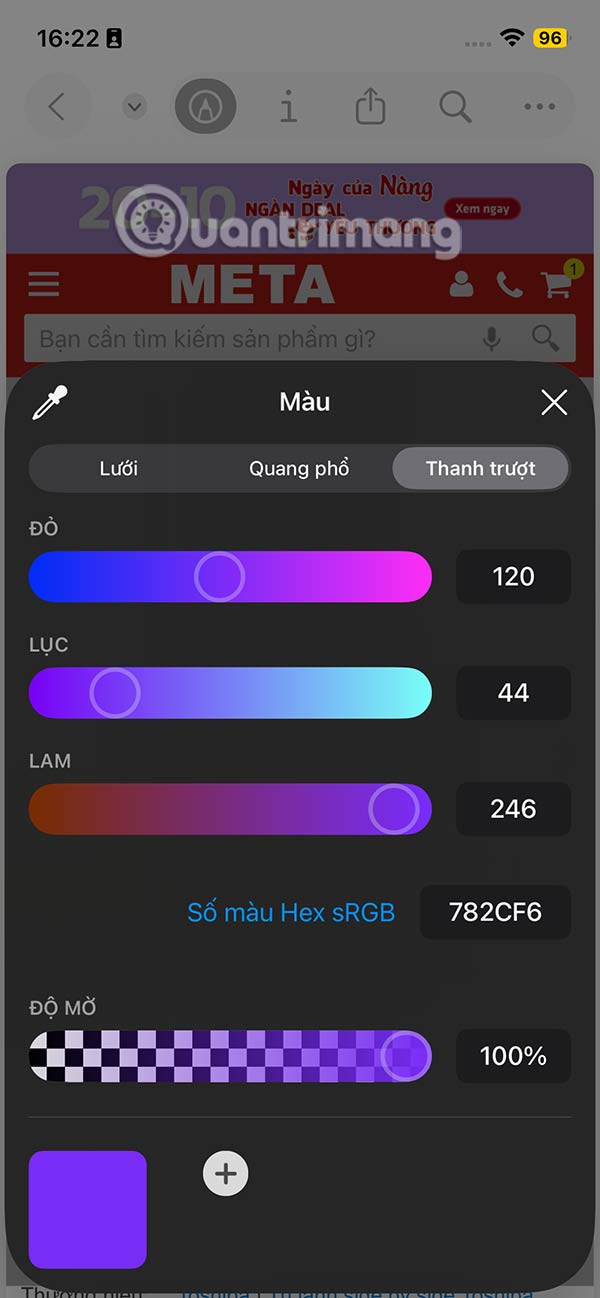
The signature inserted into the document on iPhone will have options as shown, you select the / icon to choose the color for the signature . Here you choose the color for the signature and increase the boldness of the signature in the document.
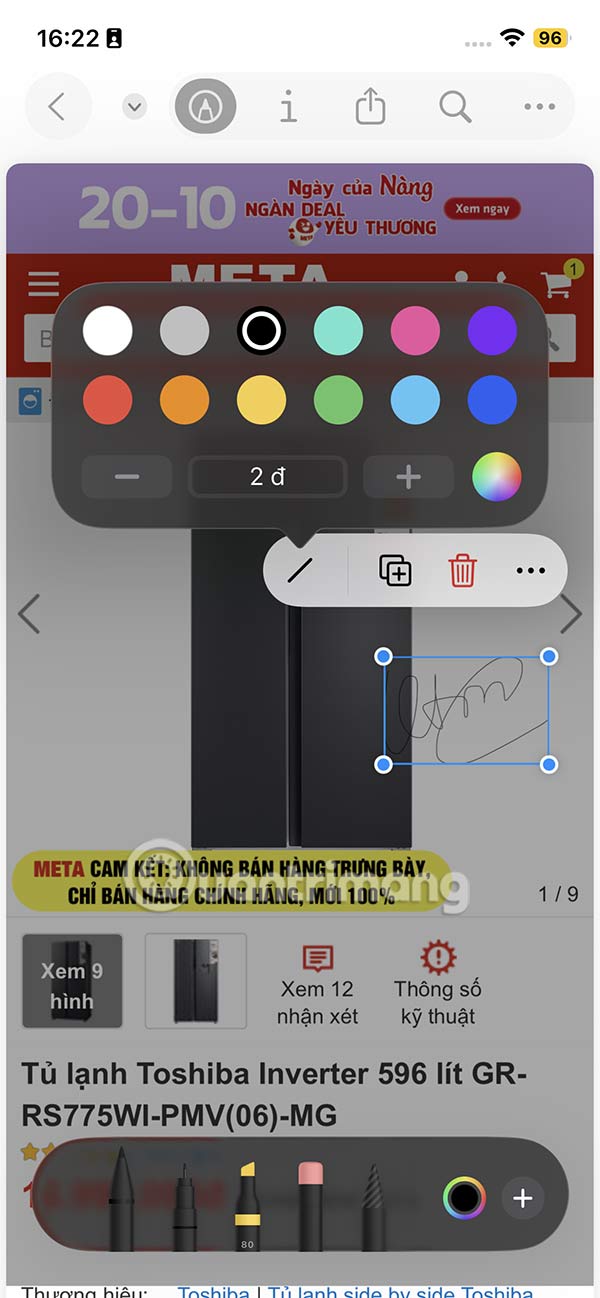
If you want more colors, click the color circle icon and adjust the color gamut you want. You can also use the + and - signs to increase the darkness of the signature.
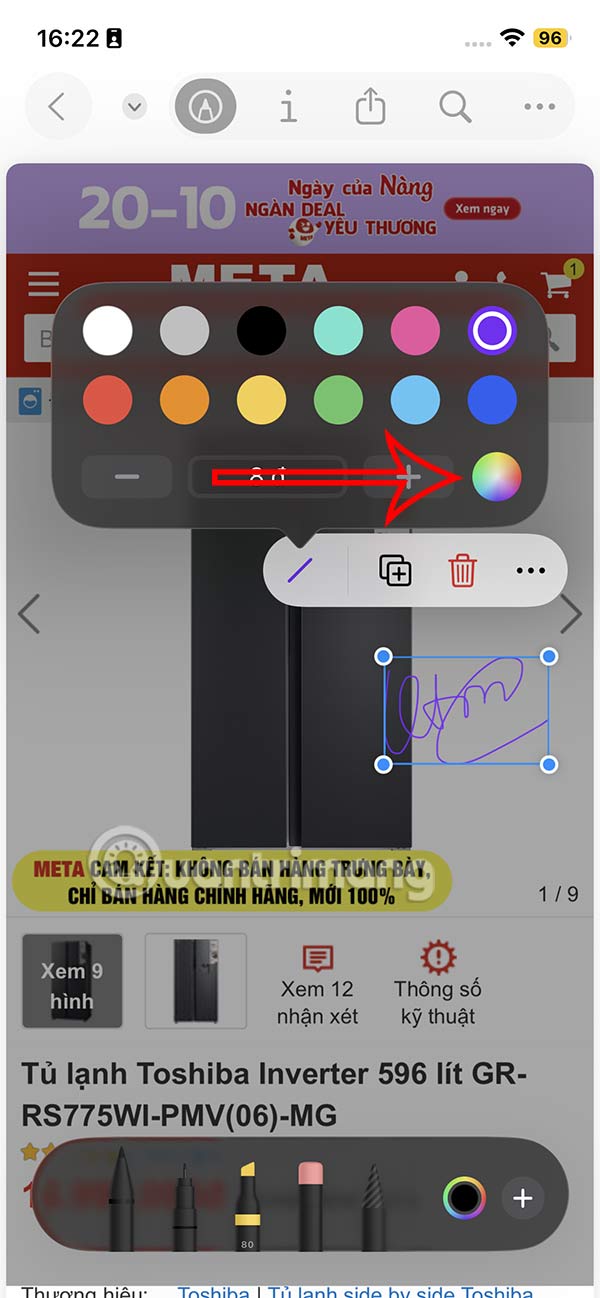
Step 5:
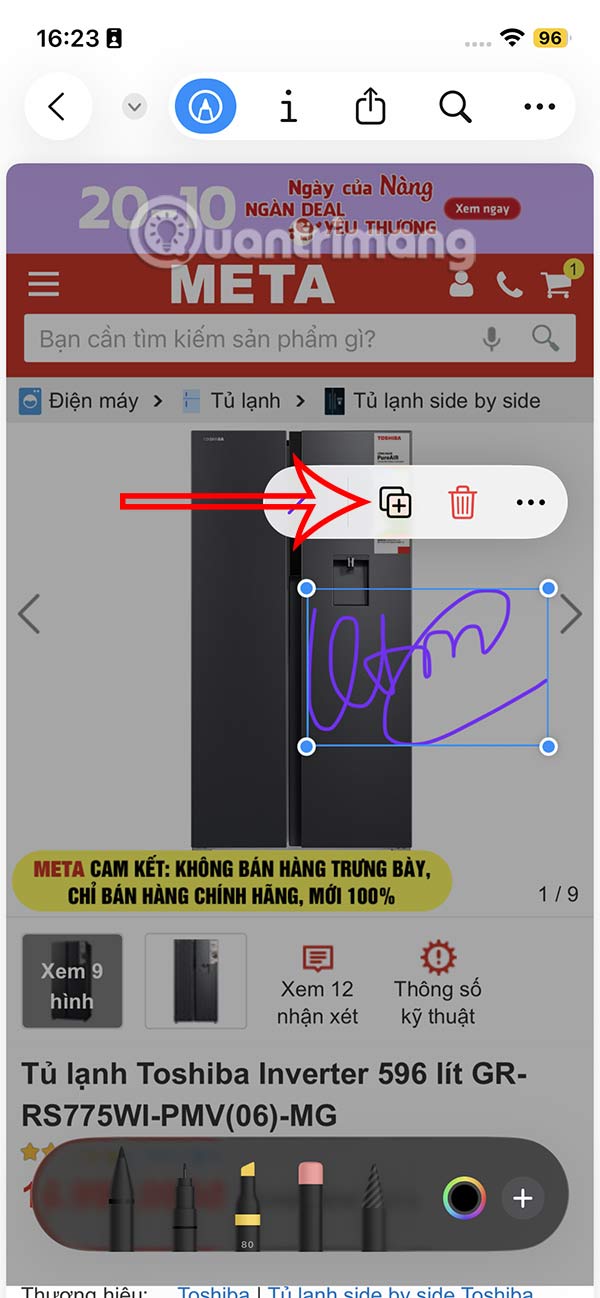
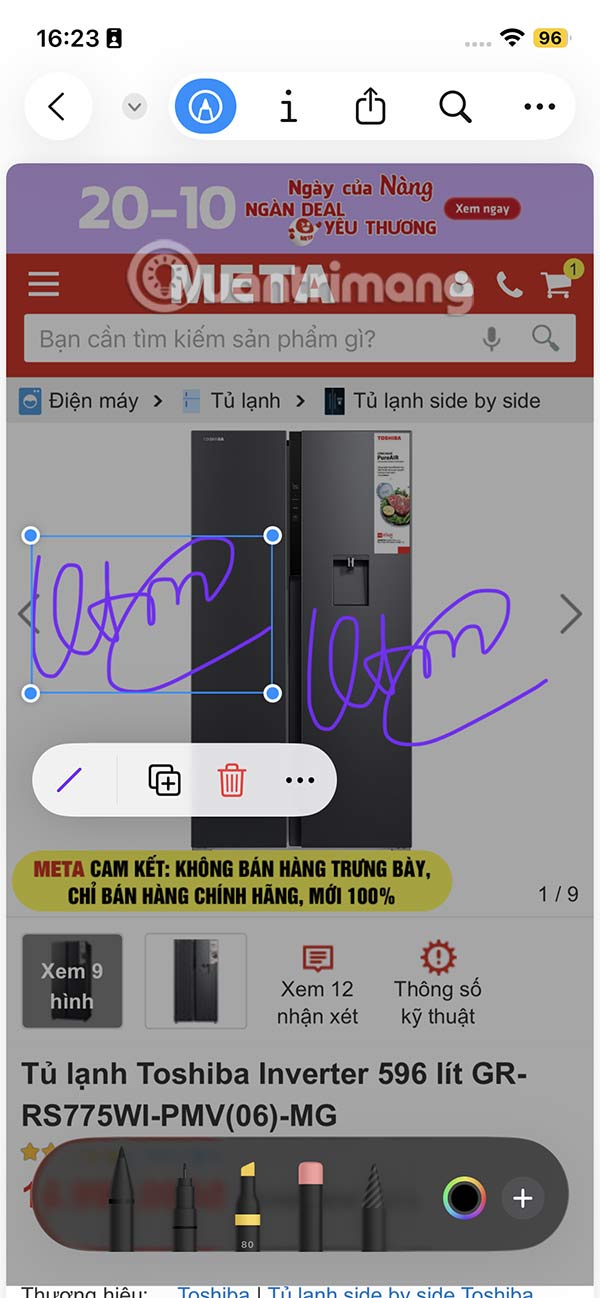
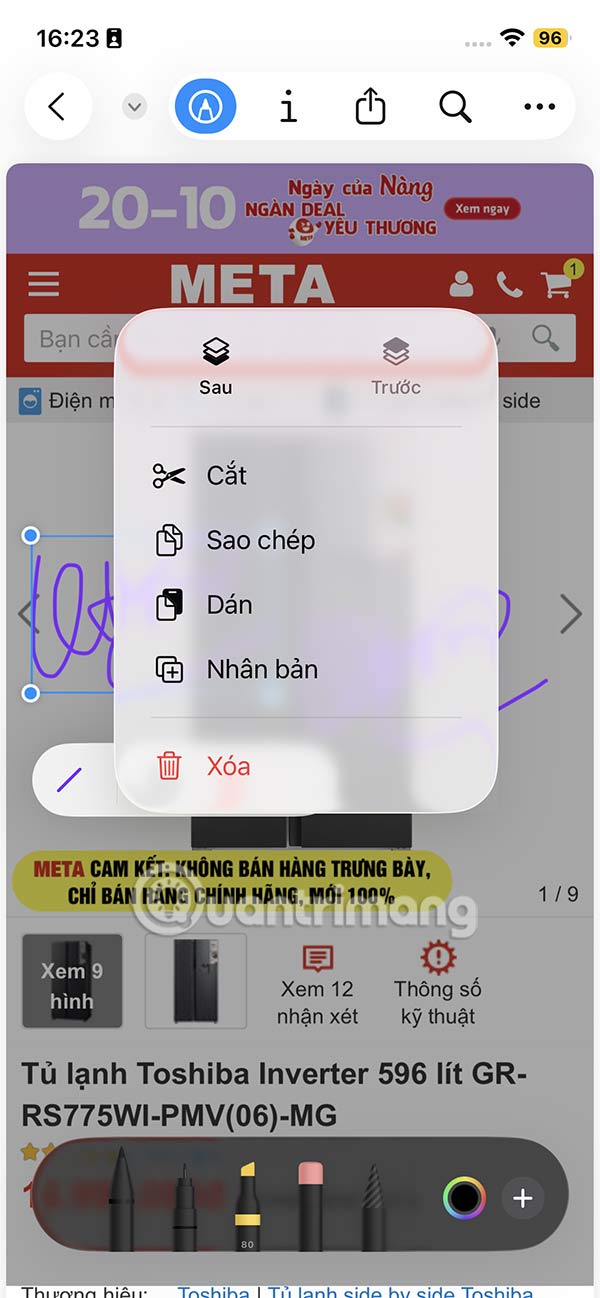
You can tap the plus sign to duplicate the signature in the document. Tap the 3 dots icon to get a few more options for the signature.
Step 6:
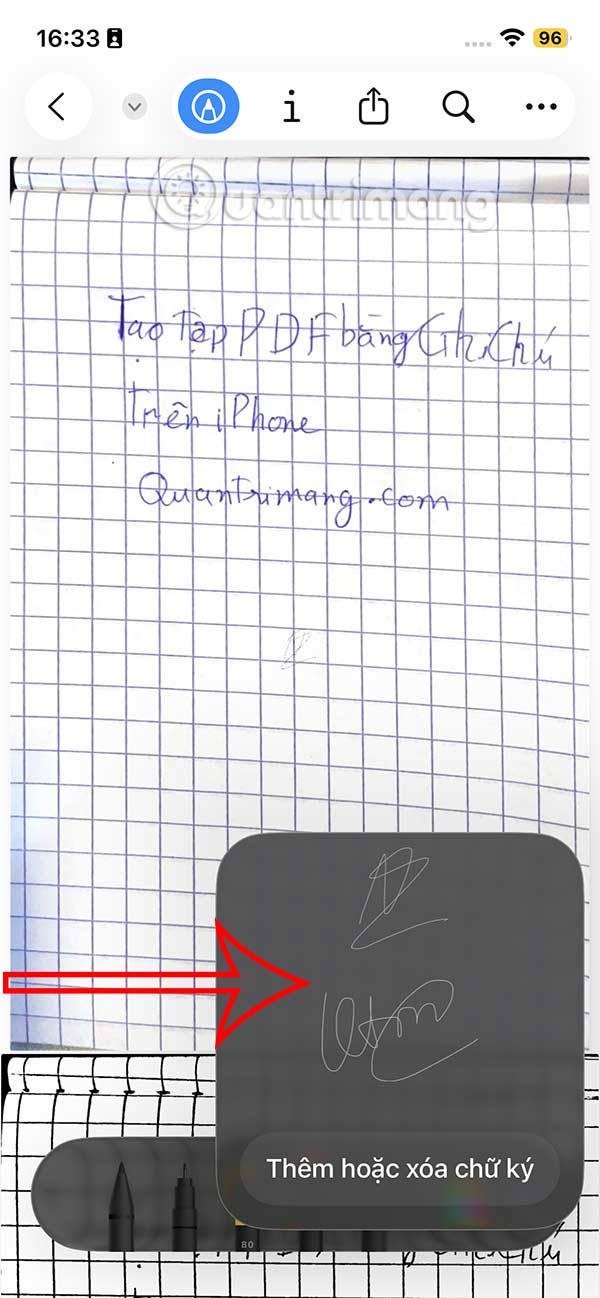
The signature you create will be saved for use in documents. When you add a signature to a new document, you will see the signature you created before. If you want to add a new signature, click Add or delete signature .
Step 7:
To add a new signature, press the plus icon, to delete, press the red circle. So every time you add a signature to a document on your iPhone, you will quickly select the signature you want to use to insert into the document.

FAQ
How to create a document signature on iPhone?
Go to the Files app, then tap the pen icon to open the mode for adding content to the document.
What does this guide cover?
This guide explains create document signature on iPhone, including the main steps, important details, and practical considerations.
Who is this guide for?
It is designed for readers who want a clear, practical overview and a reliable process they can follow without unnecessary complexity.
Related Articles
 How to Create a Signature for PDF Documents on iPhone3 minutes read
 How to Create an Email Signature Generator Using ChatGPT8 minutes read
 How to Add a Digital Signature in an MS Word Document12 minutes read
 How to Insert a Signature in Pages on Mac4 minutes read
 How to Create a Beautiful Online Signature3 minutes read
 How to Add a Digital Signature to an MS Word Document: Practical Guide6 minutes read
Reader Comments 0
Sign in with email or Google to join the discussion.