Table of Contents
A Google Pixel can be worth buying if you value long software support, Google’s camera tools and an Android interface built around Google services. Compare the exact model and local price. Features can differ even between phones from the same generation.
Start with remaining software support
Google’s Pixel update policy lists seven years of OS and security updates for Pixel 8 and later, measured from when the model first went on sale through the U.S. Google Store. A used phone keeps the original update timetable. Check the specific model’s support before comparing its price with a new one.

Compare camera results in the conditions you use
Night Sight can help in low light, and supported models can take night-sky photos when held steady. The original Pixel 4a example shows why those tools appealed to people who wanted quick handheld shots. If you photograph sports, pets or distant subjects, compare movement and zoom samples from the exact model. Those are different tests from a still nighttime scene.

Check which Pixel software features you can use
Pixel’s interface includes Google’s launcher and tools such as Recorder, Now Playing and calling assistance on compatible models. Features such as Call Screen or Hold for Me can depend on language, country and device. Look up availability in your region before choosing a phone because of one feature.


Compare the hardware and total price
Try the screen size and grip, check battery and charging reviews, and compare the cameras and storage you will actually use. On a used Pixel, check battery condition and screen damage, and make sure the seller has removed their account. If photography matters most, these Android night photography tips give you test shots to try on each phone.

Related Articles
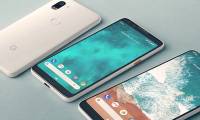 The prototype image shows the back of Google Pixel 3 XL completely with glass, huge rabbit ears
 Google officially launched 2 mid-range smartphones Pixel 3a and Pixel 3a XL
 Be happy to pay for these 6 PC apps because they are really worth it!
 Instructions on how to activate Google Pixel and Pixel XL
 These special features are only available on Google Pixel phones
 4 reasons not to buy Google Pixel
Reader Comments 0
Sign in with email or Google to join the discussion.