Table of Contents
These features have made WhatsApp an irreplaceable app in the list of best Android Auto apps today.
You can find many good messaging apps out there, but most of them prevent users from reading or replying to messages while driving. This is actually a good thing, as paying attention to driving is essential for the safety of yourself and others. However, this causes people to miss important messages from the office, family, loved ones, and friends.
This often leads to problems that people want to avoid, such as not being able to update their friends about their location while driving. That's where WhatsApp sets itself apart with its amazing set of features built into Android Auto. These features have made WhatsApp an irreplaceable app in the list of the best Android Auto apps today.
Access chat
Know who texted you at a glance
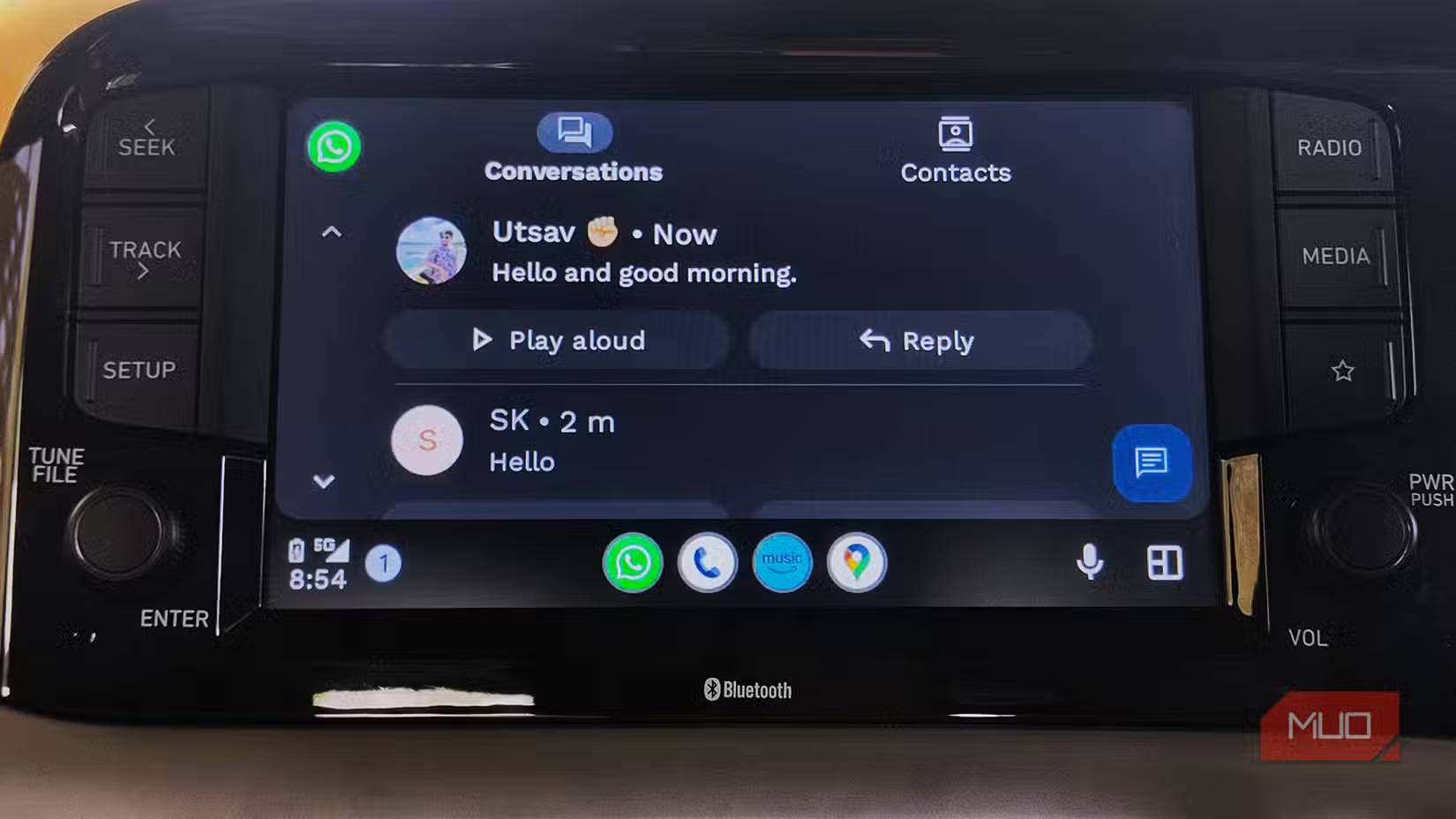
WhatsApp integrates seamlessly with Android Auto, allowing you to access your chats directly on your car's dashboard, increasing convenience and safety while driving. WhatsApp displays all your chats in a clean, simple list, along with message previews, quick replies, and profile pictures, making it easy to see who sent you a message at a glance.
Send messages using voice commands
Just speak to convey your message
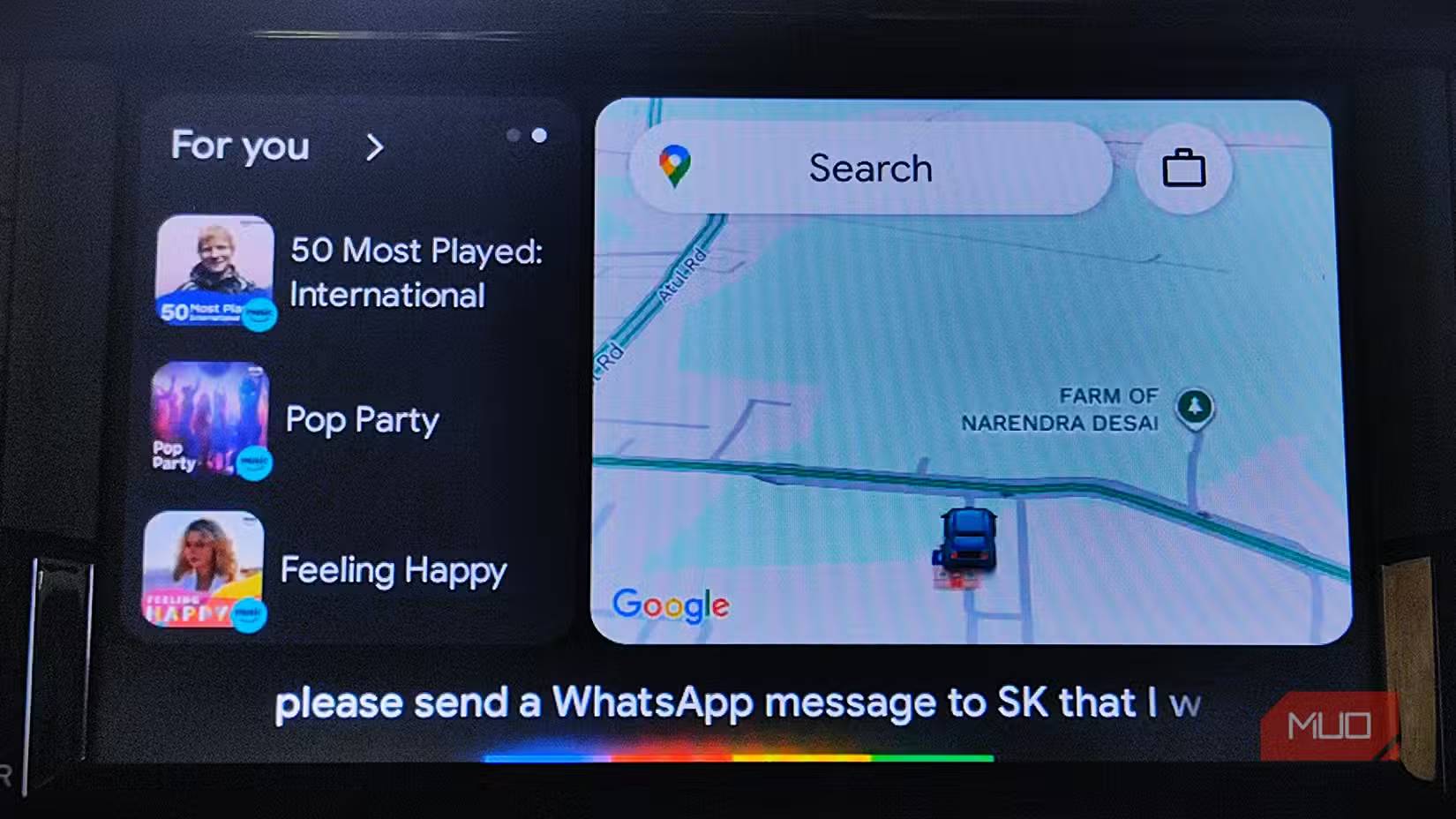
Google 's latest Android Auto update brings a significant upgrade by more closely integrating WhatsApp and other key apps supported by Android Auto, allowing you to stay connected on the road without touching your phone. Hands-free messaging with Google Assistant is all you need, keeping you focused on the road and driving safely.
Real-time notifications
Never miss any WhatsApp updates or calls while driving
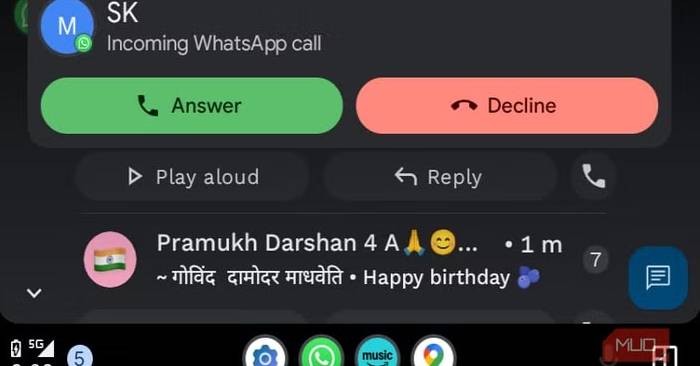
When you receive a WhatsApp notification or call, it will instantly be projected onto the Android Auto interface, allowing you to see the details right on your car's screen. This feature, like the others on this list, is especially useful while driving, as it lets you stay up to date with your latest messages and calls without having to take out your phone.
Listen to the content
Listen to what your friends say while driving
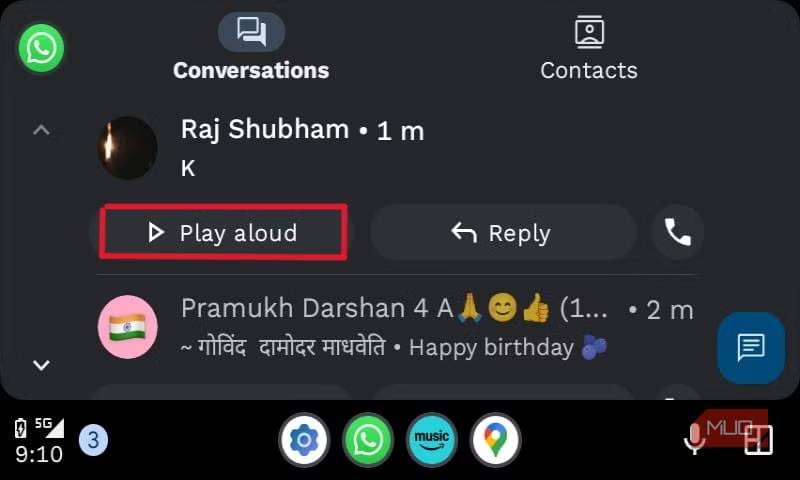
WhatsApp on Android Auto offers a convenient option to read out all text messages, including new notifications and previously received ones. This feature uses Google's advanced text-to-speech technology to not only read out the entire message, but also the sender's name.
Voice Response
Respond quickly without distraction
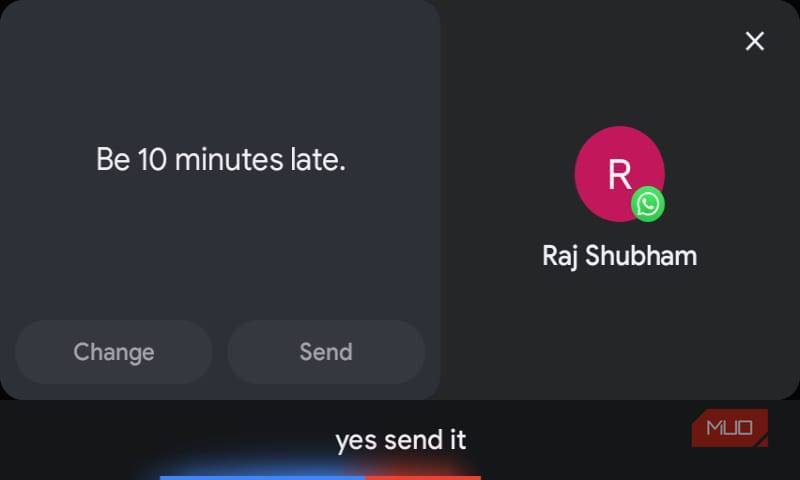
In addition to sending messages using voice commands, you can also conveniently reply to incoming messages using your voice or make quick replies using the multi-modal capabilities of Google's new Gemini AI when using Android Auto on your car's dashboard. When you receive a new message or tap on a received message on WhatsApp, the reminder feature lets you quickly reply or dictate a reply.
FAQ
How do you use WhatsApp to get Android auto messaging: step-by-step guide?
In practical terms, these features have made WhatsApp an irreplaceable app in the list of best Android Auto apps today.
What should you check before getting started?
Review the requirements, compatible device or software version, and any warnings described in the guide before making changes.
What should you do if the steps do not work?
Repeat the steps in order, confirm that your app or system is up to date, and review the troubleshooting details provided above.
Related Articles
 How to Turn Off Automatic Text Correction on WhatsApp: Step-by-Step Guide4 minutes read
 How to Block a User on Whatsapp?4 minutes read
 Download WhatsApp for PC, Phone, Web12 minutes read
 How to Transfer WhatsApp Messages from Android to iPhone8 minutes read
 WhatsApp Has Reached 700 Million Unique Users Every Month4 minutes read
 These Features Make It Easier to Master Whatsapp16 minutes read
Reader Comments 0
Sign in with email or Google to join the discussion.