Table of Contents
Learn how to install aa browser on Android auto with clear steps, practical tips, and troubleshooting guidance for a reliable result.
That's where AA Browser, an open-source browser built specifically for Android Auto, comes in. It lets you browse the web, stream videos, or access online content directly from your car's dashboard.
How to install AA Browser
Installing AA Browser on Android Auto is easy. First, you need to enable Developer mode on Android Auto.
How to enable Developer mode on Android Auto
Enabling Android Auto Developer settings is just a few steps, and once unlocked, you'll have a ton of developer settings that can enhance your experience.
- Open the Settings app.
- Navigate to Connected devices settings.
- Click Connection preferences .
- Here, select Android Auto settings.
- Scroll down to the bottom until you see the Version tab.
- Tap Version once until you see Version and permission info open.
- Once opened, tap the version number 7 times.
- Click OK on the pop-up window to enable developer settings.
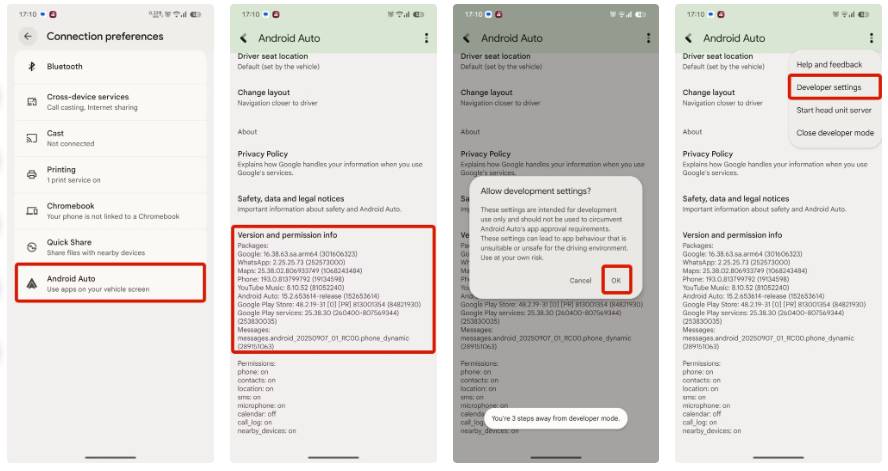
Once you see a pop-up window stating that Developer mode is enabled, you can proceed to install the AA Browser app on your phone.
How to Install AA Browser on Android
Here is an easy way to install AA Browser on your smartphone. First, download the AAAD app from GitHub. Once done, follow these steps:
- Open the AAAD app and skip the welcome setup.
- Navigate to AA Browser in the Others tab.
- Once the app is downloaded, tap Install .
- Go to Android Auto settings.
After installing AA Browser:
- Open Developer settings from the three-dot menu in the top right corner.
- Enable Unknown sources setting in Developer options.
- Go back to the Android Auto settings panel.
- Tap Customize Launcher in Display settings .
- Enable AA Browser app in launcher customization.
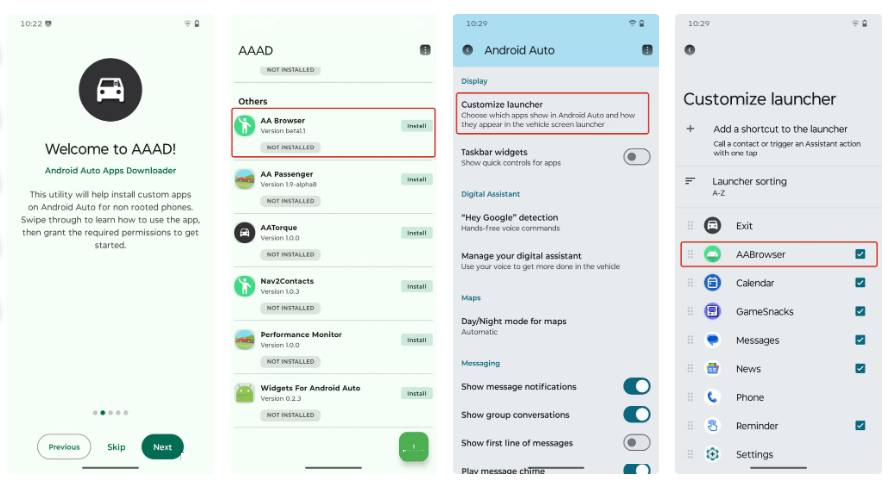
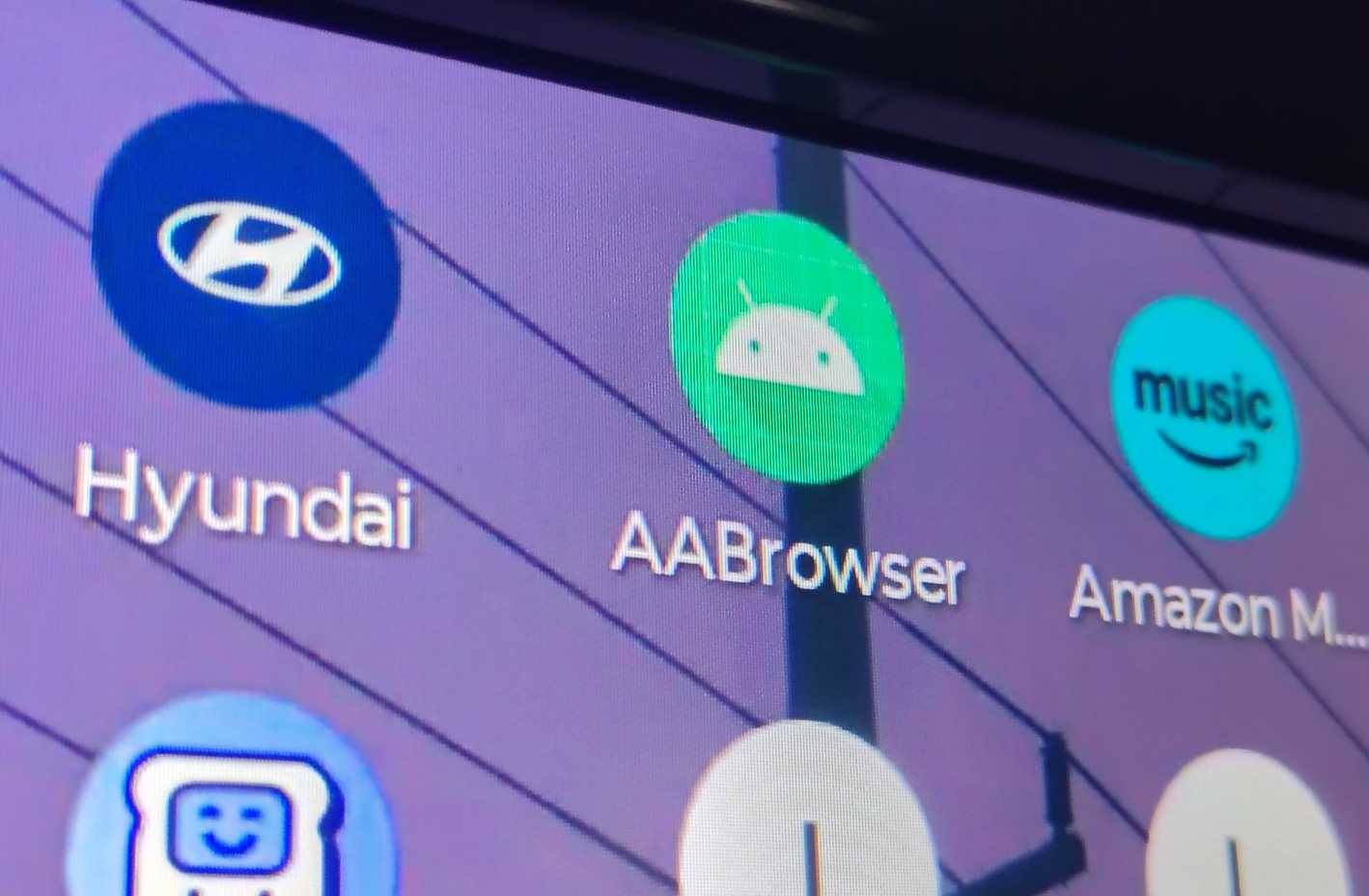
That's it! Once you reconnect your phone to Android Auto, you should be able to find the AA Browser app in the Android Auto launcher list on your car's dashboard.
What makes AA Browser the best Android Auto browser?
It has a lot of features and makes the ride enjoyable
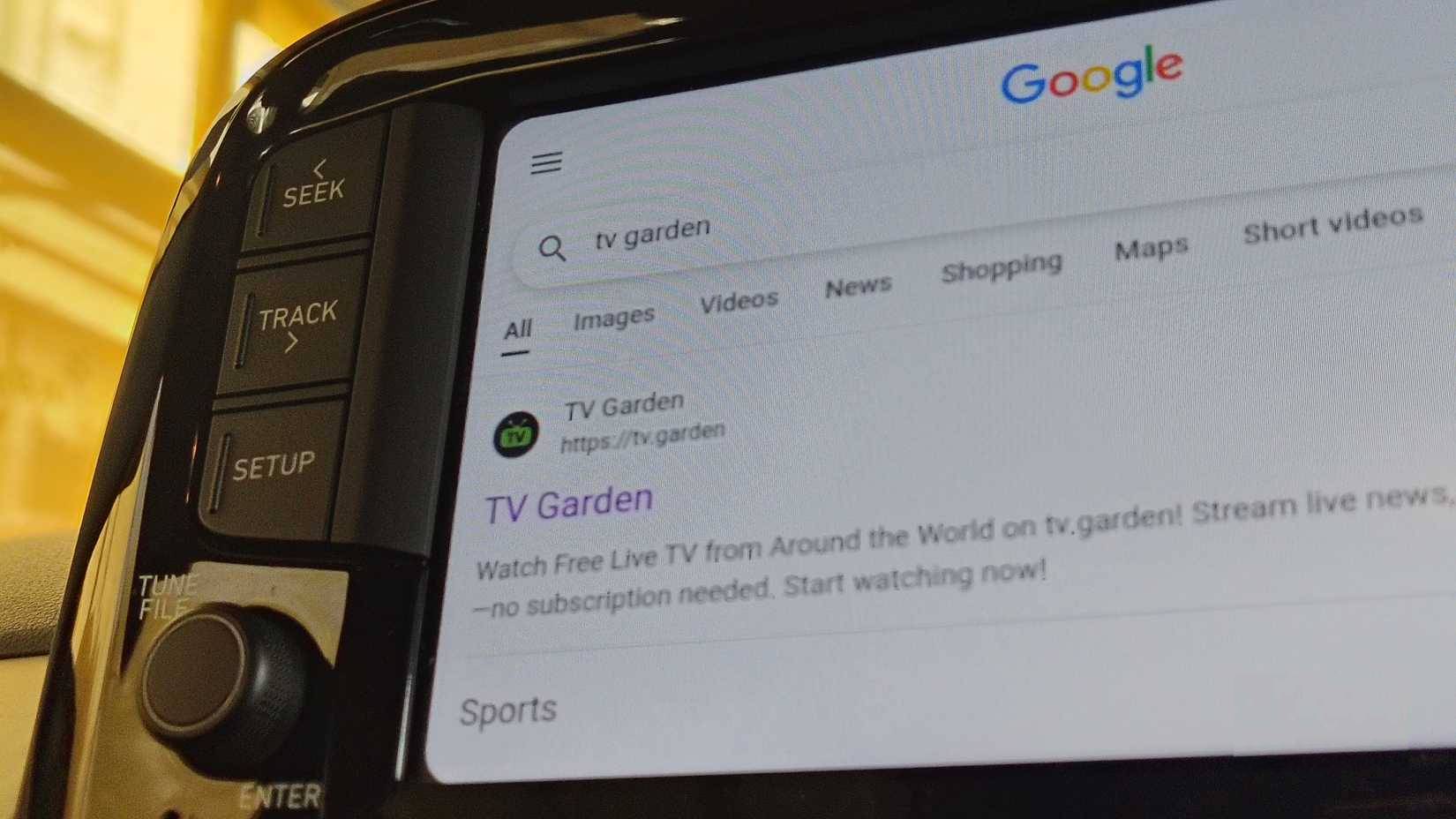
AA Browser is more than just a browser. It's also a media streaming player designed specifically for Android Auto, allowing you to browse the web, stream YouTube, and play other online media—all in one place on your car's dashboard.
It is designed for car screens and touch interfaces, giving it an advantage over traditional mobile browsers. YouTube playback is smooth, and IPTV sites can offer free TV channels to passengers. Multi-tab browsing is also supported, which is useful when waiting in a parking lot.
It works on both wired and wireless Android Auto connections, and — importantly — it disables any web browsing and video streaming while the car is moving.
Final Thoughts
Use this guide as a practical checklist for how to install aa browser on android auto. Work through the steps in order, verify each result, and adjust the options to match your needs.
FAQ
What do you need before following this How to Install AA Browser on Android Auto guide?
Review the required tools, accounts, settings, or materials mentioned in the article. Learn how to install aa browser on Android auto with clear steps, practical tips, and troubleshooting guidance for a reliable result.
What are the main steps for how to install aa browser on android auto?
Follow the sections in order, especially How to install AA Browser, How to enable Developer mode on Android Auto, How to Install AA Browser on Android. Complete each step before continuing and verify the result as you go.
What should you do if the process does not work as expected?
Recheck the prerequisites, update the relevant app or service, review the settings, and repeat the step that caused the issue. Use any troubleshooting notes included in the guide.
Related Articles
 New Features of Android Auto5 minutes read
 How to Install and Use Automatic Tap and Auto Click Android3 minutes read
 How to Download and Install the Latest Android Auto APK4 minutes read
 What Is Android Auto? How to Use Android Auto?11 minutes read
 Top 5 Best Alternatives to Android Auto6 minutes read
 How to Use WhatsApp to Get Android Auto Messaging: Step-by-Step Guide4 minutes read
Reader Comments 0
Sign in with email or Google to join the discussion.