Table of Contents
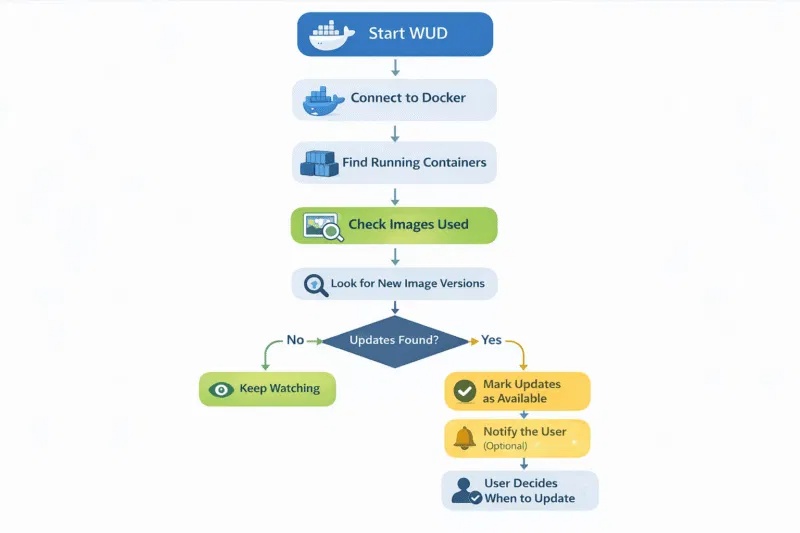
What's Up Docker (WUD) monitors the images used by running Docker containers and reports when matching newer tags or digests are available. It gives you a central dashboard for update checks; it does not require you to update every container automatically.
What WUD monitors
WUD connects to a Docker host, identifies running containers, checks their image registries, and compares the deployed image with versions that match your rules. This is useful when several services have different release schedules and manually checking Docker Hub or GitHub Container Registry becomes impractical.
You can watch every eligible container or restrict monitoring to containers with labels. For a production host, selecting containers explicitly is usually easier to audit.
Install WUD with Docker Compose
Create a working directory and enter it:
mkdir wud && cd wudCreate a file named compose.yaml with the following configuration:
services:
  wud:
    image: getwud/wud:latest
    container_name: wud
    restart: unless-stopped
    read_only: true
    security_opt:
      - no-new-privileges:true
    ports:
      - "127.0.0.1:3000:3000"
    volumes:
      - /var/run/docker.sock:/var/run/docker.sock:ro
      - ./store:/store
    environment:
      WUD_WATCHER_LOCAL_WATCHBYDEFAULT: "false"
Binding the port to 127.0.0.1 keeps the dashboard available only on the Docker host. If you need remote access, place WUD behind an authenticated reverse proxy or another protected network path instead of publishing it openly.
Security note: access to the Docker socket is highly privileged even when the mount is read-only. Run WUD only from a trusted image, protect its web interface, and review configuration changes before deploying them.
Start the service and confirm that it is running:
docker compose up -d
docker compose ps
docker compose logs wud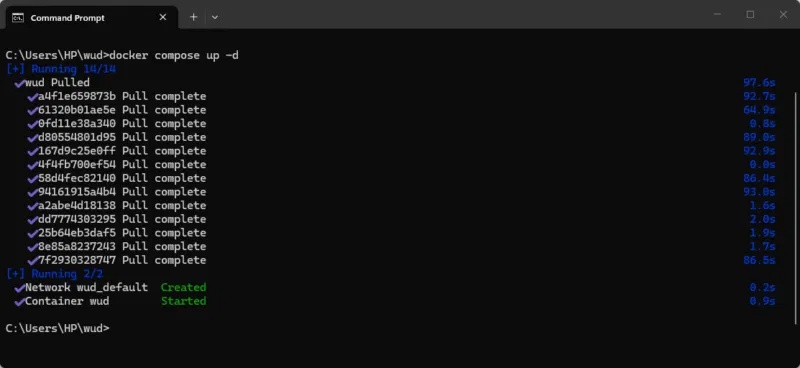
On the same machine, open http://localhost:3000.
Select containers to watch
Because the example sets WUD_WATCHER_LOCAL_WATCHBYDEFAULT to false, add the following label to each service you want WUD to monitor:
services:
  app:
    image: example/app:1.4
    labels:
      wud.watch: "true"
Recreate the target service after changing its Compose labels. WUD can also filter tags and use registry credentials for private images, but the exact rule should match the project's release policy. A newer tag is not necessarily compatible with your configuration or data.
Read the WUD dashboard
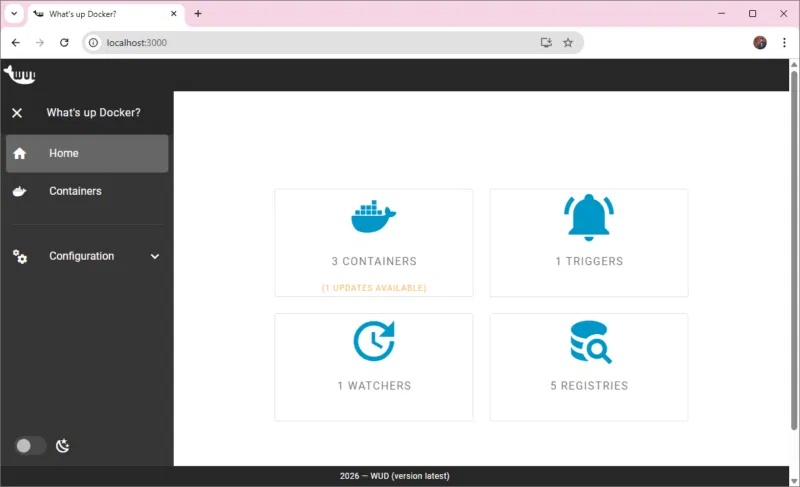
The home screen summarizes the containers, watchers, registries, and triggers configured for the instance.
Containers
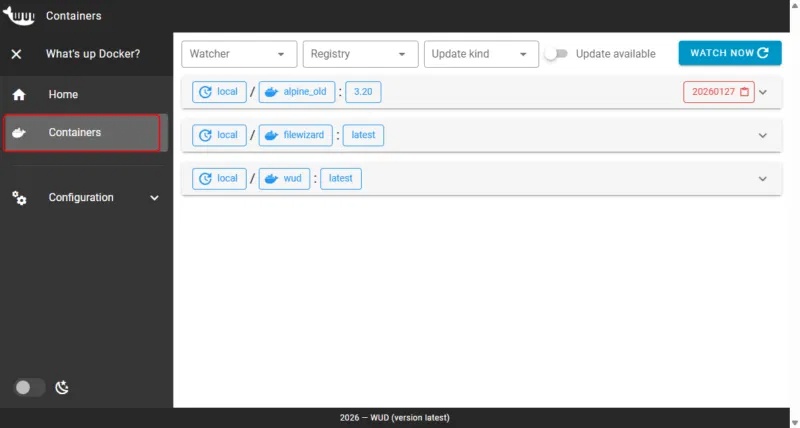
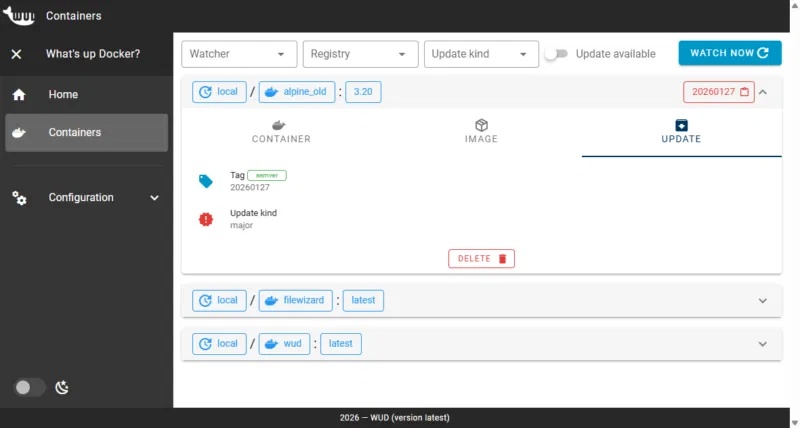
The Containers view lists discovered services, the image currently in use, and whether a matching update was found. Treat an available update as a prompt to read the upstream release notes, check compatibility, and plan a rollback.
Watchers
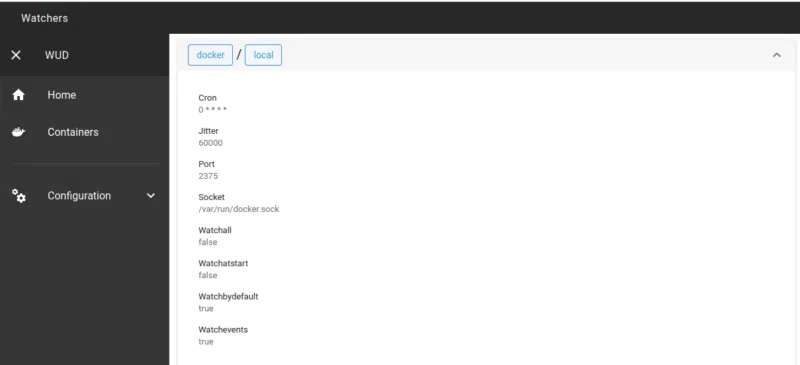
A watcher defines the Docker host WUD checks, including its socket or endpoint and scan schedule. Separate watcher configurations are useful when monitoring more than one Docker environment.
Registries
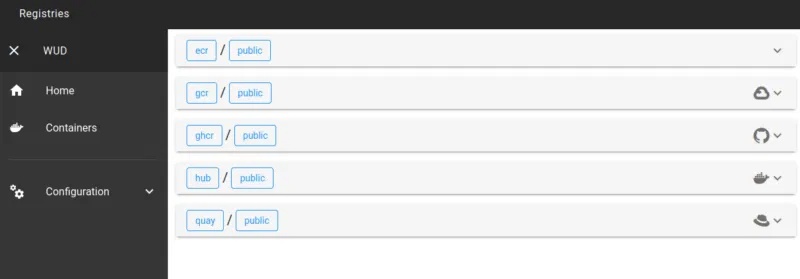
Registry settings tell WUD where and how to query images. Public images may work without additional credentials; private registries require credentials with only the permissions needed to read image metadata.
Triggers
Triggers define what happens after WUD detects an update. Depending on the provider and configuration, a trigger can send a notification, call a webhook, or initiate an update workflow.
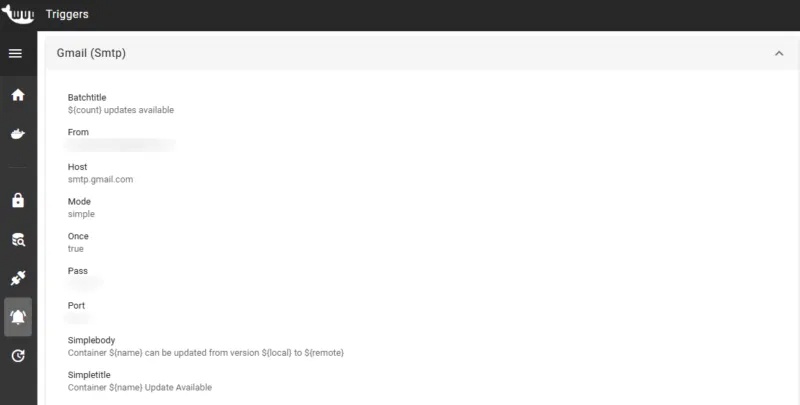
Start with notifications and manual deployment. Automatic triggers can be appropriate for disposable test services, but they should not replace backups, release-note review, health checks, or a tested rollback procedure.
Safe update workflow
- Let WUD report the candidate version.
- Open the image's official release notes and confirm configuration or database changes.
- Back up persistent data and record the currently deployed image tag or digest.
- Update the Compose file deliberately, then run
docker compose pullanddocker compose up -d. - Check container health and logs before removing the previous image.
WUD's current configuration options are documented on the official WUD site. For related container maintenance, see how SlimToolKit reduces Docker image size and compare Docker alternatives when Docker is not the best fit.
Related Articles
 Review the Raspberry Pi V2 Camera7 minutes read
 How to Set up Livestream Raspberry Pi Security Camera9 minutes read
 Raspberry Pi Computer with 5 Megapixel Camera3 minutes read
 Raspberry Pi Platform First Introduces 12 MP Camera Module3 minutes read
 How to Stream Live to Youtube with Raspberry Pi10 minutes read
 How to Add an ADC to Raspberry Pi: What You Need to Know: Clear Instructions11 minutes read
Reader Comments 0
Sign in with email or Google to join the discussion.