Table of Contents
The screen sharing protection feature on Android phones automatically hides sensitive information when sharing the screen.
The screen sharing protection feature on Android phones automatically hides sensitive information, such as messages and passwords, when you share your screen. However, this protection feature sometimes affects you when doing some necessary tasks. Here is a guide to turn off the screen sharing protection feature on Android.
How to turn off screen sharing protection on Android
Step 1:
Go to Settings on your phone, then Tap About Phone As shown below. Tap Software Information if available.
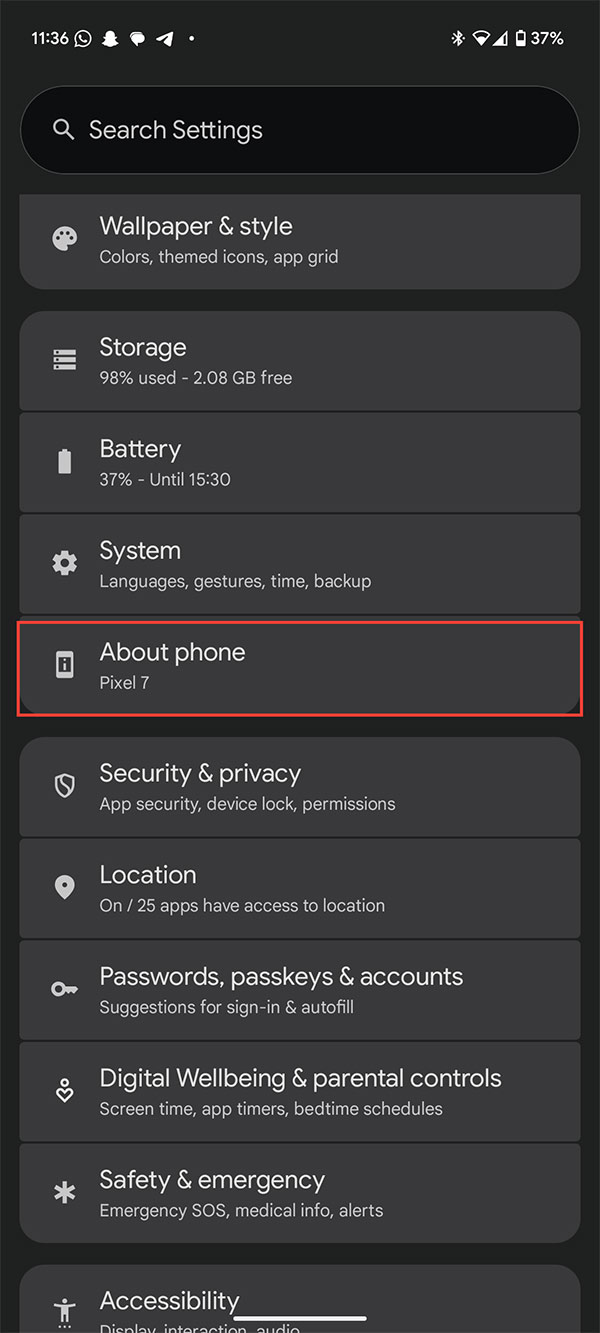
Or you Tap on build number about 7-10 times To enable developer mode on Android phone.
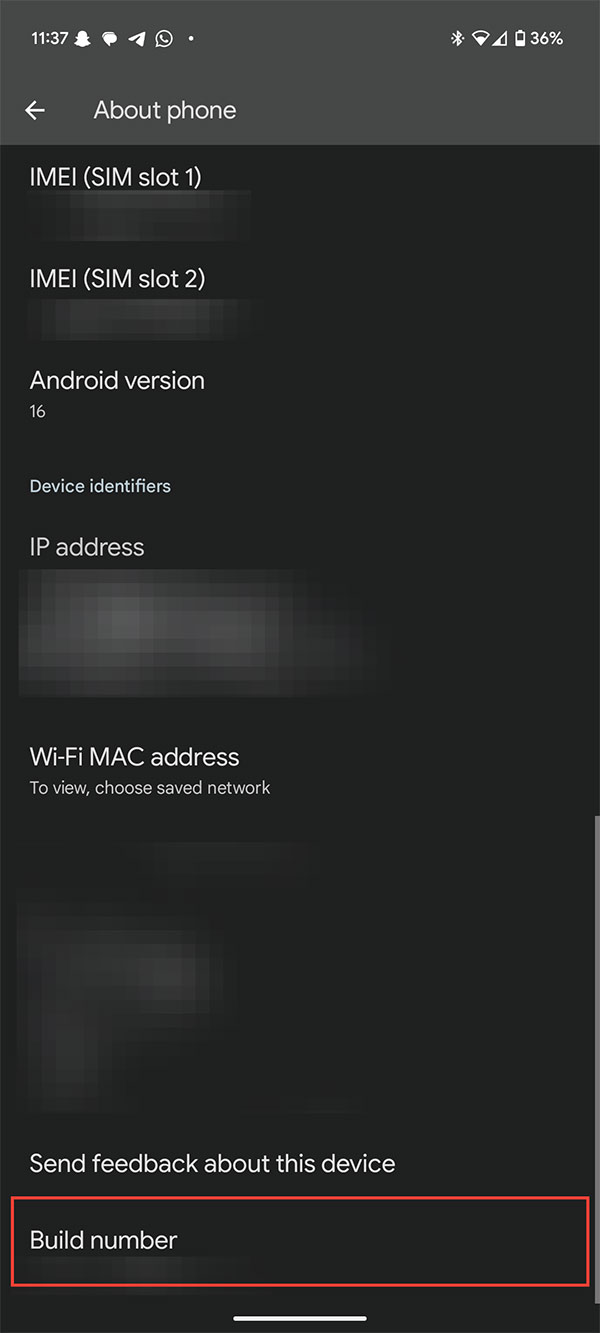
Step 2:
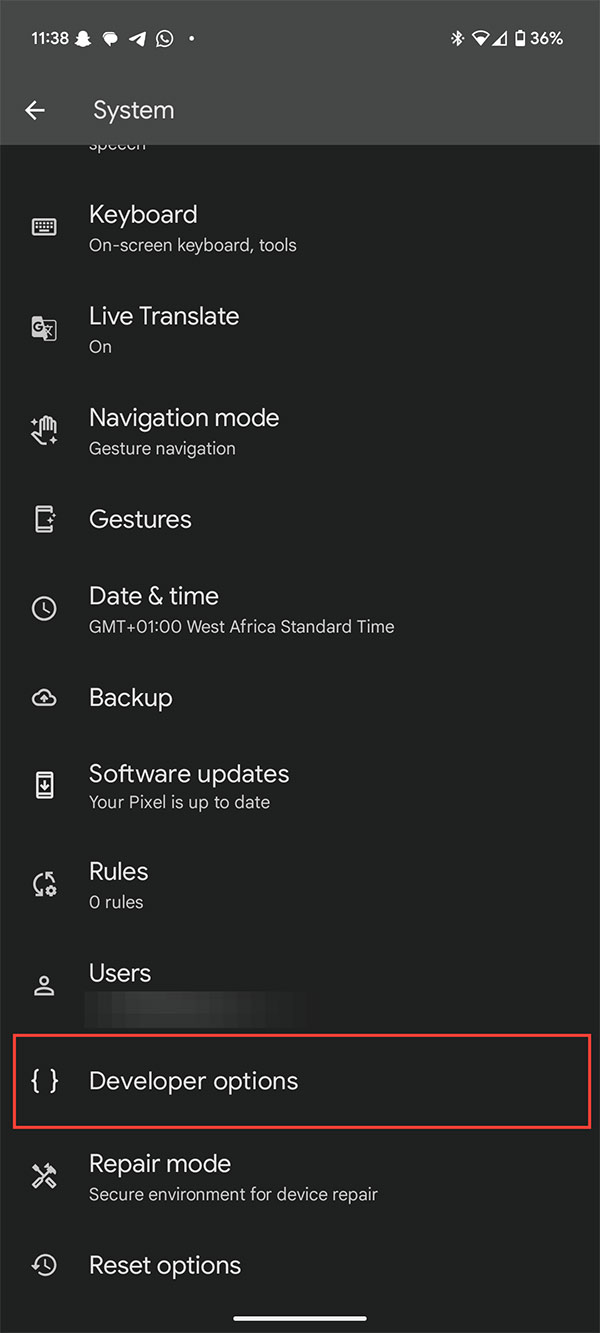
Back to the main menu, we Click on Developer options .
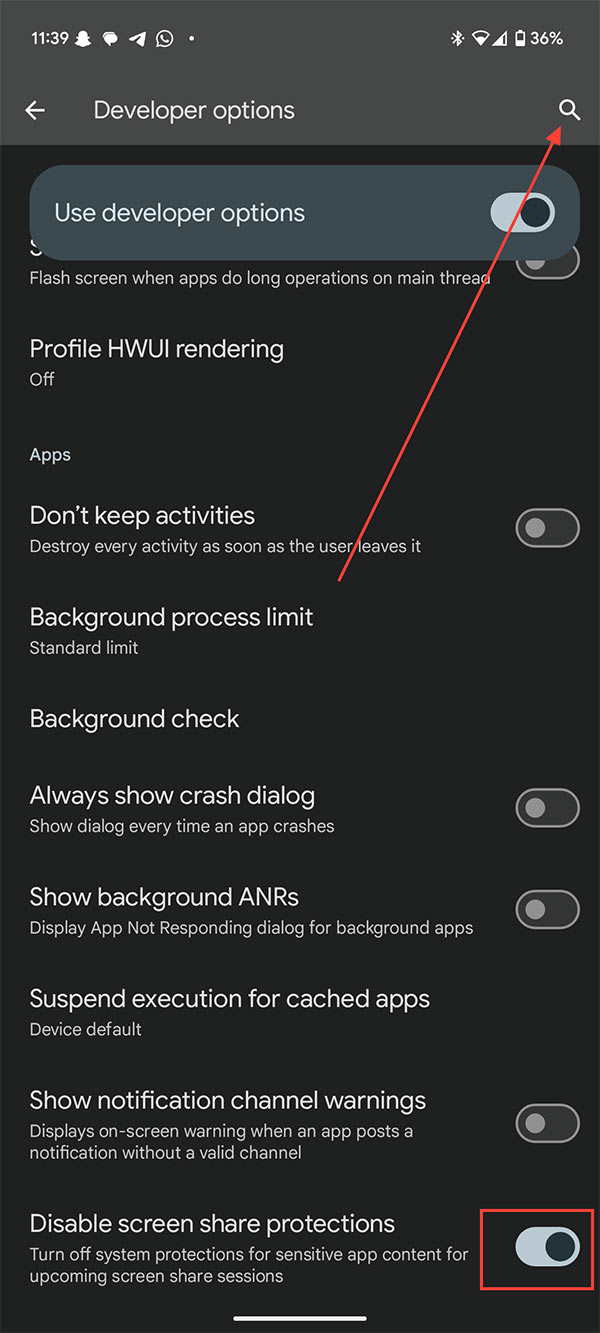
Now you click on the search icon and enter the keyword Disable screen share protections to find this setting. Then just Turn off the Disable screen share protections setting To turn off the screen security feature when sharing on Android.
FAQ
How do you turn off screen sharing protection on Android: step-by-step guide?
In practical terms, the screen sharing protection feature on Android phones automatically hides sensitive information when sharing the screen.
What should you check before getting started?
Review the requirements, compatible device or software version, and any warnings described in the guide before making changes.
What should you do if the steps do not work?
Repeat the steps in order, confirm that your app or system is up to date, and review the troubleshooting details provided above.
Related Articles
 Top 5 Screen Sharing Applications Between Two Android Devices10 minutes read
 How to Share Screen on Google Duo Android3 minutes read
 How to Turn Off Your Android Phone Screen Using the Smart Screen on6 minutes read
 Turn Off Location Sharing on Android: Step-by-Step Guide5 minutes read
 How to Turn Off the Touch Screen on Android Phones for Children7 minutes read
 Automatically Turn on // Off the Phone Screen Without Power Button7 minutes read
Reader Comments 0
Sign in with email or Google to join the discussion.