Table of Contents
To limit this situation from activating wrong calls on iPhone, we should turn off the recent tap to call mode on iPhone according to the instructions below.
One of the updates to the Phone app on iOS 26 is that tapping on a contact or phone number in the Recents list will immediately initiate a call. This can sometimes be problematic if you accidentally trigger a call to someone else. To prevent this from triggering a call on the iPhone, we should turn off the tap to call feature on the iPhone according to the instructions below.
How to turn off recent tap to call on iPhone
This option will only apply to The Unified interface for the Phone app on iPhone .
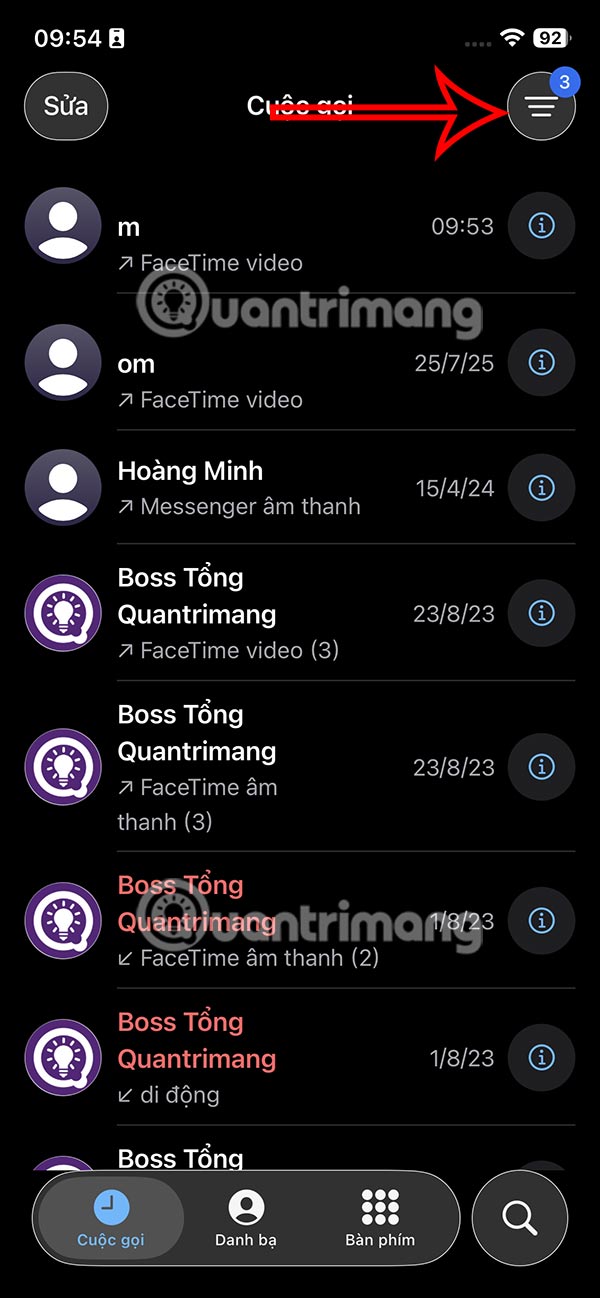
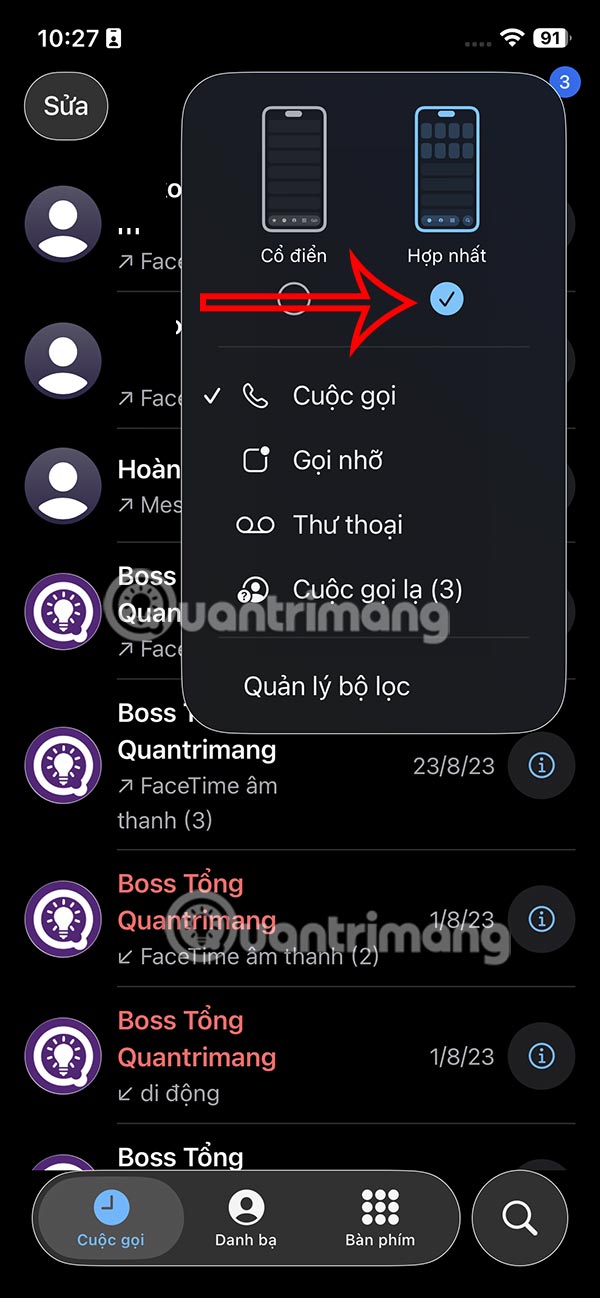
Step 1:
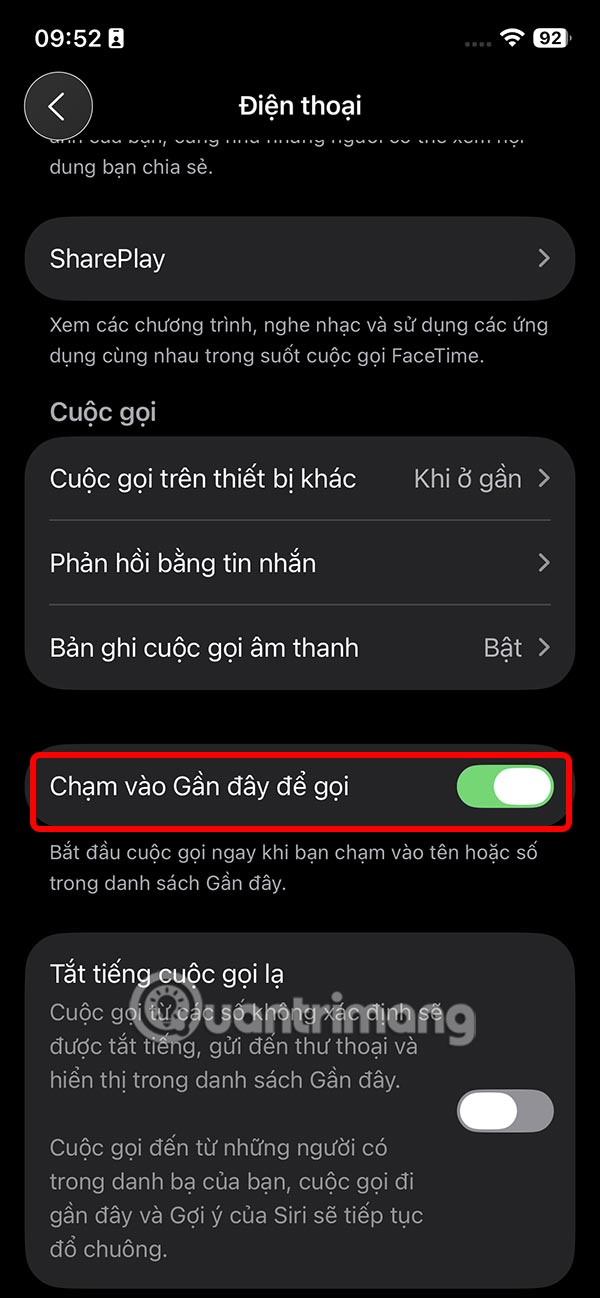
You access Settings on iPhone then Click on Applications . Next we find and click on The Phone application To adjust.
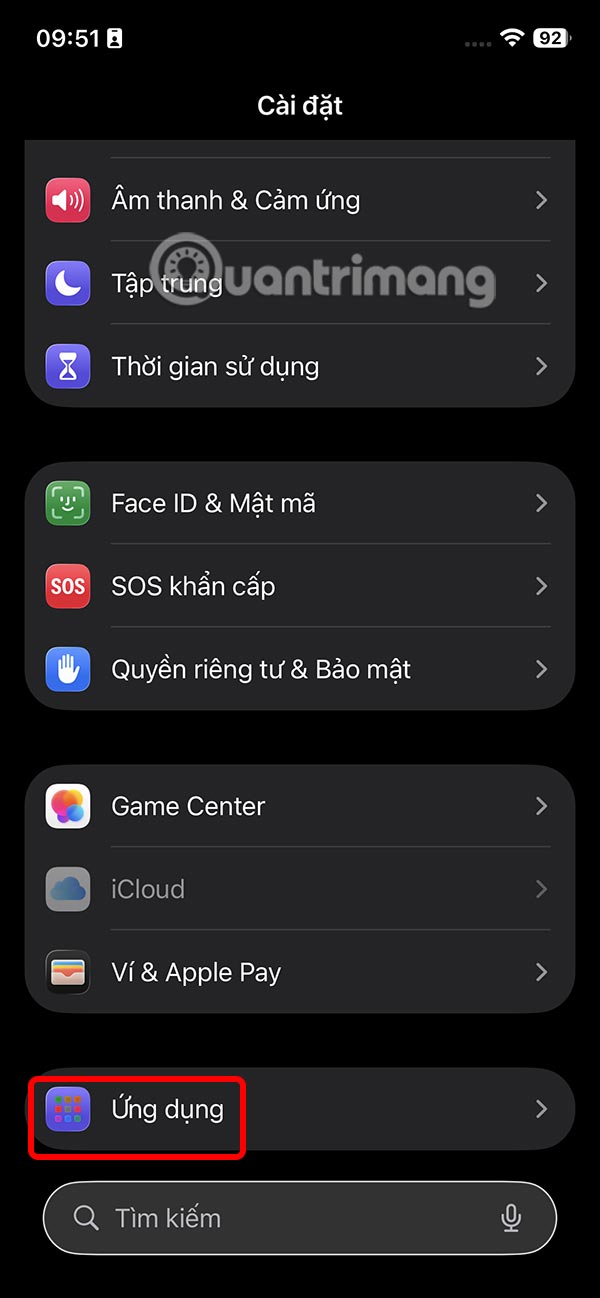
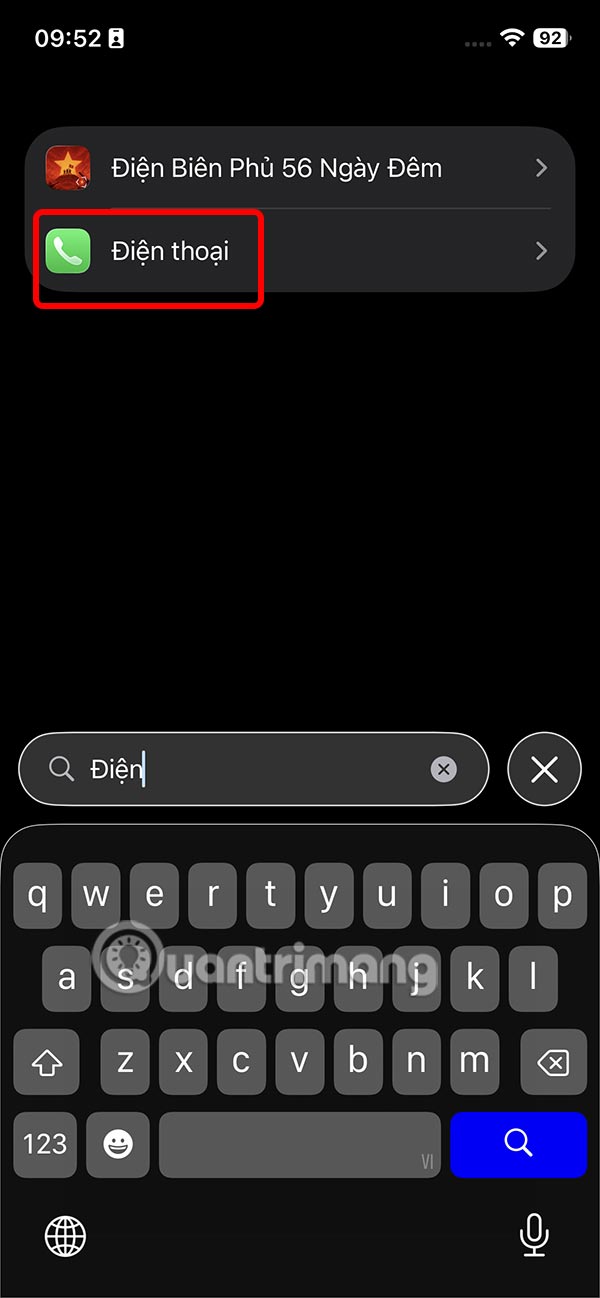
Step 2:
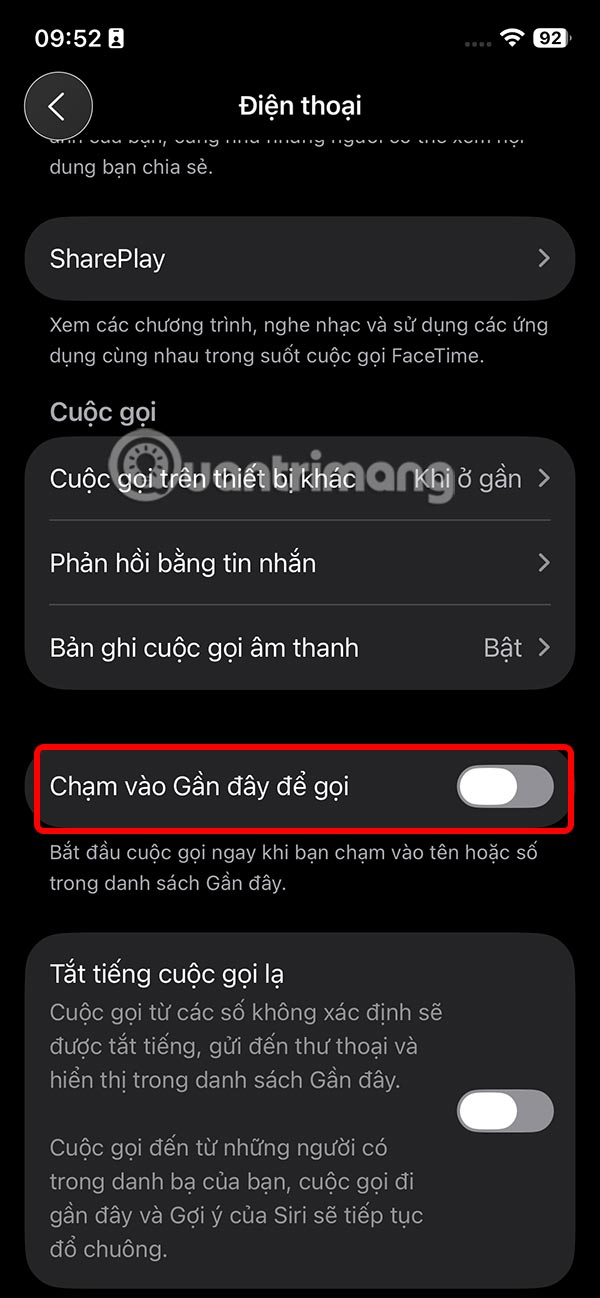
In the Phone settings interface on iPhone you will see The option Tap Recents To Call. You should Turn this setting off To avoid accidental calls when you want to check call details in the Phone section on iPhone.
FAQ
How do you turn off recent tap to call on iPhone: step-by-step guide?
In practical terms, to limit this situation from activating wrong calls on iPhone, we should turn off the recent tap to call mode on iPhone according to the instructions below.
What should you check before getting started?
Review the requirements, compatible device or software version, and any warnings described in the guide before making changes.
What should you do if the steps do not work?
Repeat the steps in order, confirm that your app or system is up to date, and review the troubleshooting details provided above.
Related Articles
 Top App for Recording Iphone Call History4 minutes read
 How to Turn Off All Notifications When Calling on iPhone: Step-by-Step Guide3 minutes read
 How to Turn Off Automatic Reading of Incoming Phone Numbers on iOS4 minutes read
 How to Turn Off Callback Right from iPhone Lock Screen: Step-by-Step Guide3 minutes read
 How to Secure Missed Calls on iPhone Lock Screen: Step-by-Step Guide3 minutes read
 How to Use iPhone Speaker: Clear Instructions5 minutes read
Reader Comments 0
Sign in with email or Google to join the discussion.