Table of Contents
Pinterest provides GenAI interests controls that can tell its recommendation system to show fewer AI-generated or AI-modified image Pins in supported categories. The setting reduces this content; it does not guarantee that every AI image will disappear.
Pinterest also applies an AI modified label to some image Pins it detects as generated or changed with generative AI. Detection is not perfect, so unlabeled AI content and incorrectly labeled images can still appear.
Reduce AI images in the Pinterest mobile app
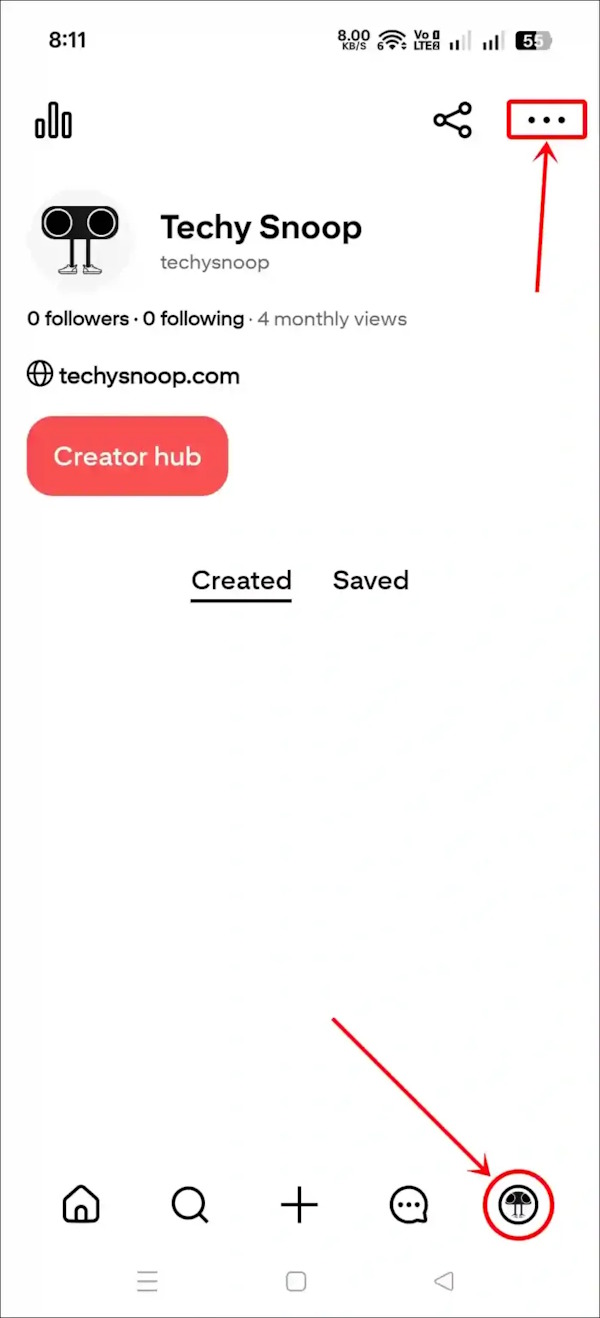
- Open Pinterest and tap your profile picture in the lower-right corner.
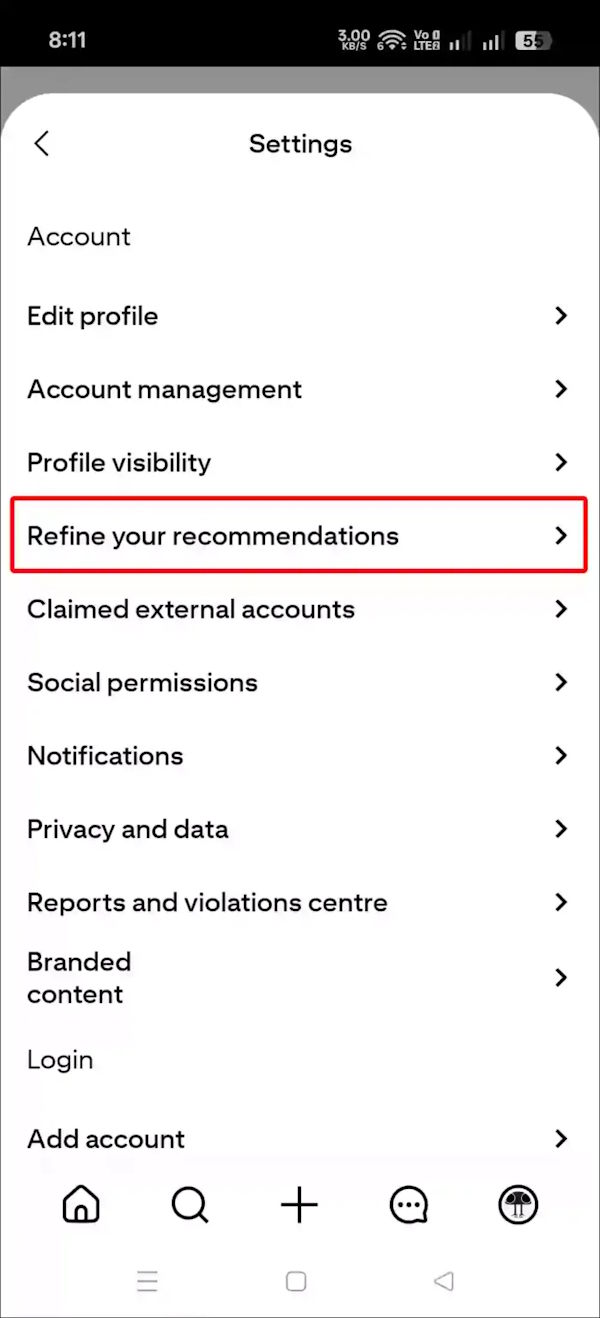
- Open the menu in the upper-right corner, then select Settings.
- Select Refine your recommendations.
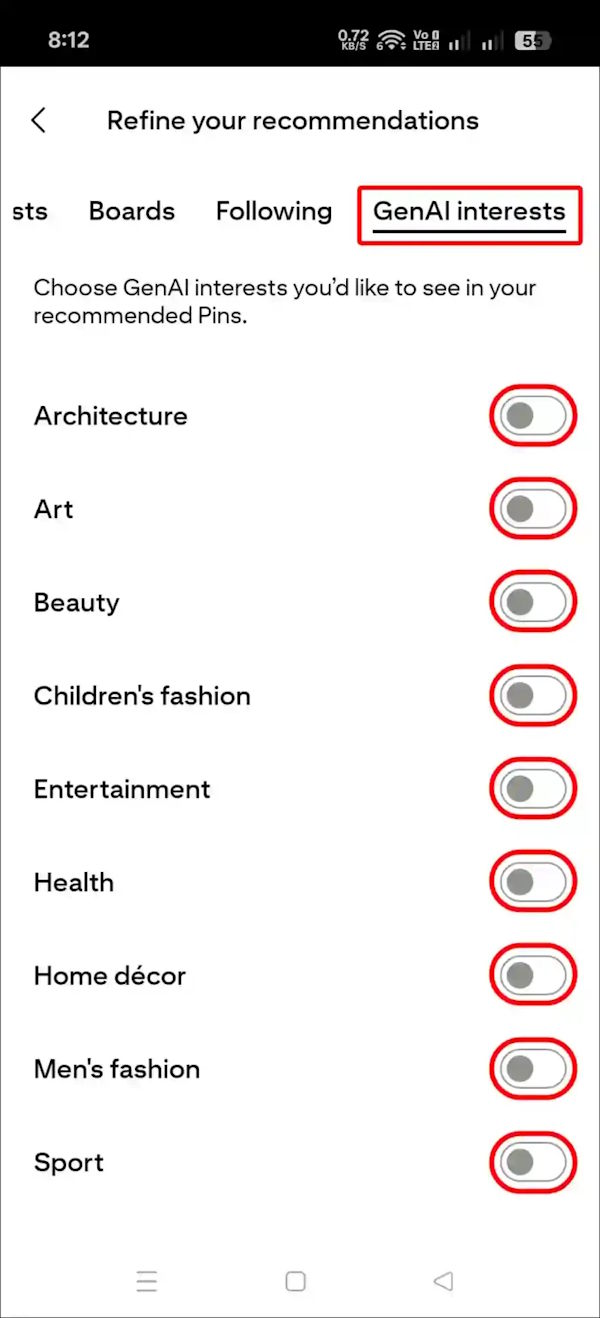
- Open GenAI interests.
- Choose See less or turn off the available GenAI interest categories you do not want emphasized. Pinterest initially focused this control on categories that commonly contain generated or heavily modified imagery, such as art, beauty, fashion, and home decor; the available list can change.
Change GenAI interests on the Pinterest website
- Sign in to Pinterest in a desktop browser.
- Open the account menu in the upper-right corner and select Settings.
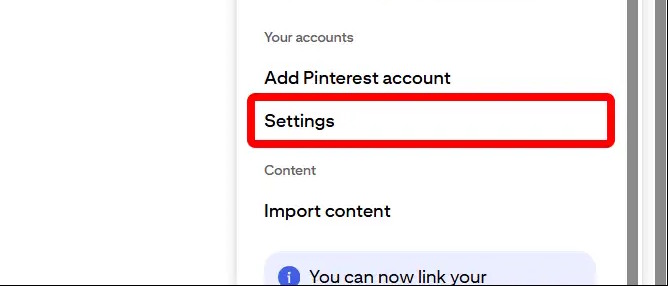
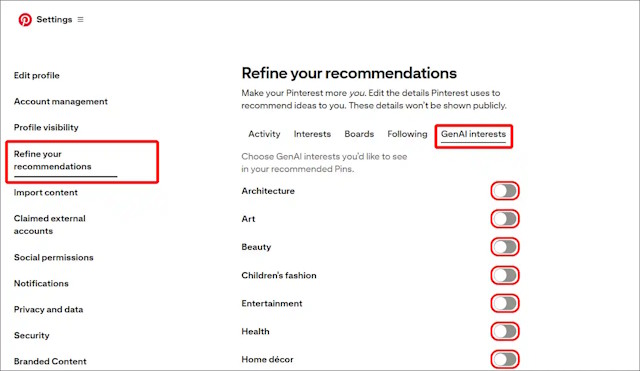
- Select Refine your recommendations.
- Open the GenAI interests tab.
- Adjust each supported category. The preference can be changed again later.
Use “See fewer” on an individual Pin
When an unwanted image appears, open the three-dot menu on the Pin and choose the available option to see fewer Pins like it. Pinterest may ask you to identify the category. This provides an additional recommendation signal even when the image has no visible AI label.
What the setting does—and does not do
- It tunes recommendations in supported categories; it is not a global block.
- It mainly applies to eligible image Pins. Other formats or surfaces may behave differently.
- It relies partly on Pinterest's detection systems, which can make mistakes.
- Search terms, boards, follows, saves, hides, and recent activity can continue to influence the feed.
- Feature availability and menu wording may vary by account, app version, and region.
Pinterest's announcement of the GenAI recommendation controls describes the setting as a way to see less AI content, not eliminate it.
If GenAI interests is missing
- Update the Pinterest app through the official app store.
- Check both the app and the desktop website while signed in to the same account.
- Look under Settings > Refine your recommendations; do not assume it will be under privacy controls.
- Continue using the Pin menu to hide unwanted recommendations.
- Give the recommendation system time to respond and consistently avoid saving or opening similar Pins.
For the cleanest feed, combine GenAI interest settings with careful follows, saves, searches, and individual “see fewer” feedback. That approach gives Pinterest more consistent information about what you actually want to see.
Related Articles
 What Is Pinterest? How to Use It?8 minutes read
 12 Helpful Ways SEO Tips on Pinterest14 minutes read
 How to Register a Pinterest Account5 minutes read
 Tips for Arranging Batteries in Pinterest in a Scientific Way6 minutes read
 How to Use Pinterest on Windows 10: How to Sign up for Pinterest5 minutes read
 Security Guide on Pinterest: Pinterest Security8 minutes read
Reader Comments 0
Sign in with email or Google to join the discussion.