Table of Contents
Family Sharing lets you share your Apple subscriptions, purchases, iCloud storage, and location with up to six people. You can control who can see your location, pause sharing, or turn it off completely whenever you want to protect your privacy. In this guide, you'll learn how to share your location using Family Sharing on iPhone.
Instructions for sharing location in Family Sharing iPhone
Before using the sharing feature, you need to enable location services on your iPhone. Then enable Find My iPhone on your phone.
Step 1:
You open the Settings app then tap Family to access. In this interface, tap Location Sharing then turn on location sharing with any member you want in the family list. You can also turn on Automatically Share Location so that new members can see your location immediately.
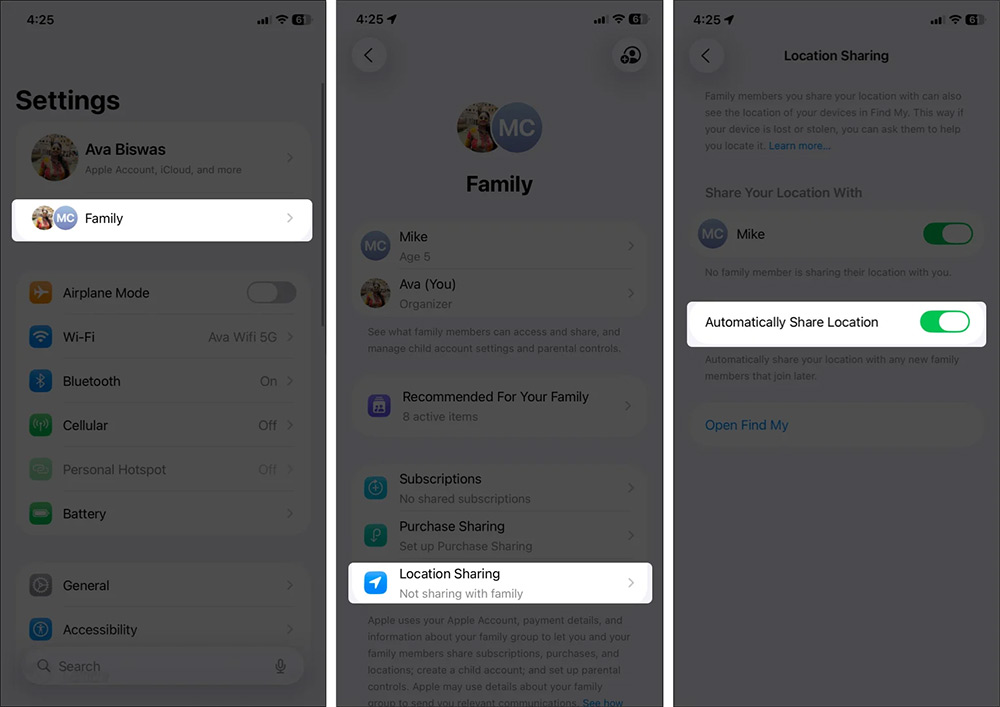
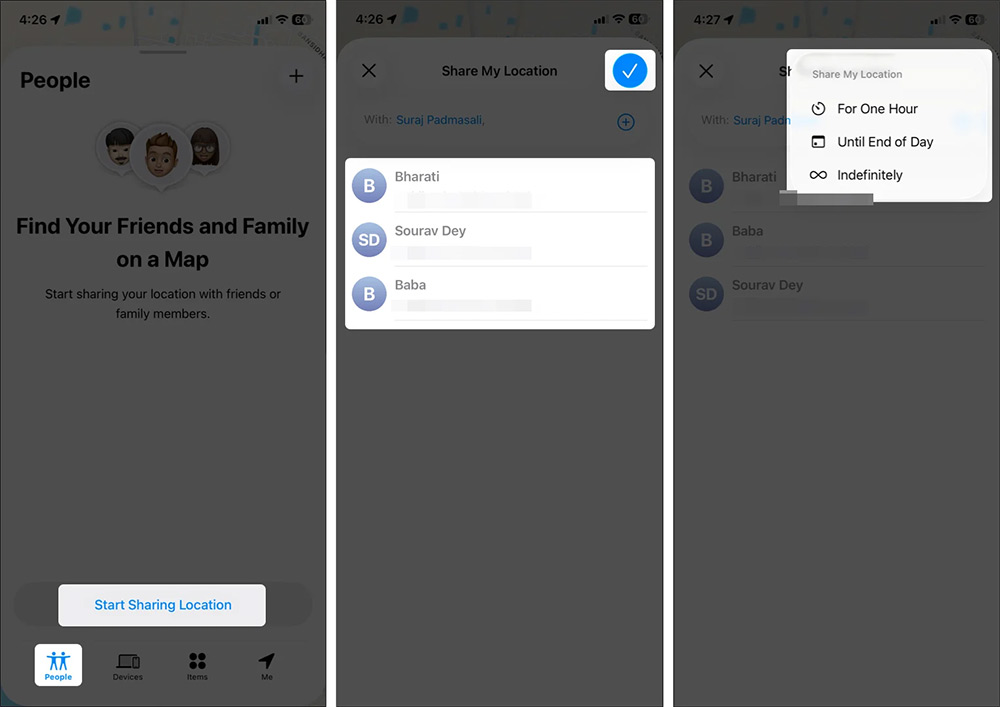
You can also share your location from the Find My app . select the People tab and then select Start Sharing Location to proceed. Then find the person you want to share their location from Find My iPhone and select the sharing time you want.
Step 2:
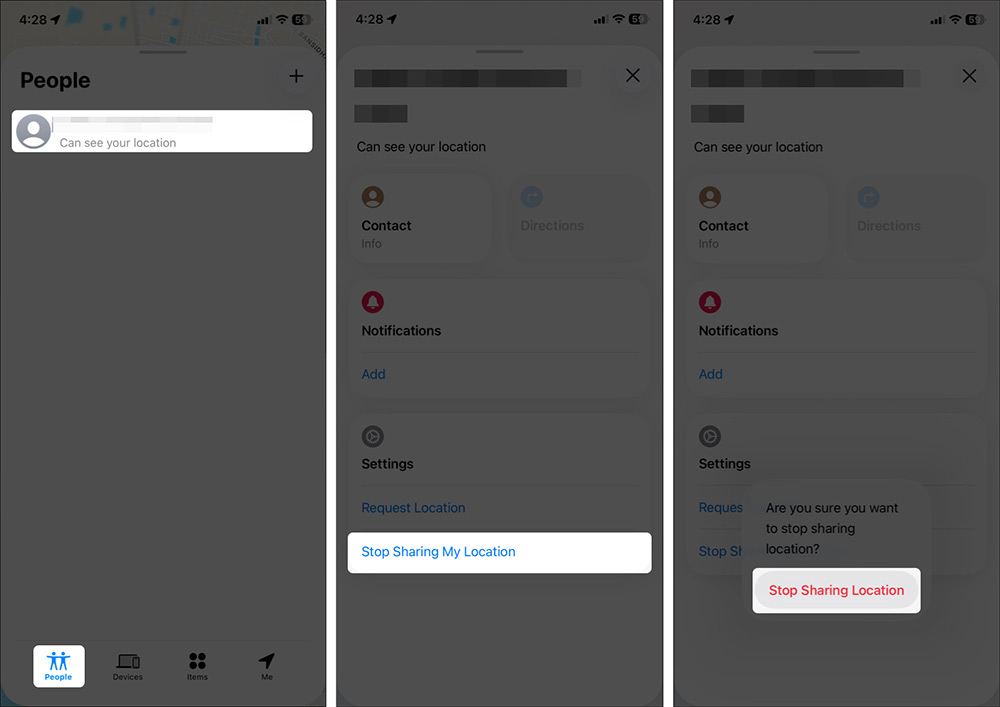
If you want to stop sharing your location , go to the My Find app, then tap the People tab and select Stop Sharing My Location. Finally, tap Stop Sharing Location.
Final Thoughts
Following the steps in order and checking version-specific settings should make it easier to Share Location in Family Sharing iPhone. If an option looks different, verify the device, app, or operating-system version before changing additional settings.
FAQ
What is the best way to Share Location in Family Sharing iPhone?
Start with the requirements described in the article and follow the steps in order. Family Sharing lets you share your Apple subscriptions, purchases, iCloud storage, and location with up to six people. You can control who can see your location, pause sharing, or turn it off completely whenever you want to protect your privacy.
What should you know about Instructions for sharing location in Family Sharing iPhone?
Before using the sharing feature, you need to enable location services on your iPhone. Then enable Find My iPhone on your phone.
What should you do if the instructions do not match your screen?
Check the device, software version, account permissions, and regional settings. Interfaces can change after updates, so use the closest matching option and consult the official support documentation when necessary.
Related Articles
 How to Share Your Location on iPhone3 minutes read
 Instructions for Using Family Sharing Feature for iPhone / iPad6 minutes read
 How to Share Photos on iPhone with Family Sharing4 minutes read
 How to Turn Off Location Positioning on iOS 114 minutes read
 Prevent iOS 11 from Automatically Sharing Your Location with Apple4 minutes read
 5 Easy Location Sharing Apps on Android7 minutes read
Reader Comments 0
Sign in with email or Google to join the discussion.