Table of Contents
OpenClaw is an open-source assistant platform that connects a language model to tools, messaging channels and a persistent workspace. Depending on the integrations and permissions you configure, it can retrieve information, work with files or perform actions through connected services.
The useful starting question is not “How much can it automate?” but “Which small task can I give it with clear inputs, limited access and a result I can verify?” This introduction lays out a learning path without assuming that installation alone makes an agent safe.
How an agent differs from a basic chat interaction
In a simple chat, a model returns text and you carry out the next step. In an agent workflow, the model can request tools, inspect their results and continue toward a goal. A tool call may read a file or cause a real change, such as updating an event.
This is a distinction between capabilities and workflow design, not a permanent dividing line between product names. Modern assistants such as ChatGPT and Claude can also use connected tools. OpenClaw is not the first software ordinary users can run to automate actions.
For example, an assistant might read an approved calendar and draft a list of scheduling conflicts. Moving meetings and notifying attendees are separate actions that require appropriate access and authorization. Do not assume a broad request will be interpreted exactly as you intended.
The main parts of OpenClaw
- Gateway and runtime: the service that coordinates messages, models and tools on the machine or server where you deploy it.
- Model provider: the model that processes requests. Available providers and authentication methods depend on your configuration.
- Interface: a browser-based Control UI or a supported messaging channel, such as Telegram or WhatsApp, after setup.
- Workspace and memory: files and records that can preserve useful context, subject to the system's configuration.
- Tools and skills: capabilities and reusable instructions that extend what the assistant can do.
The official getting-started guide includes the Control UI path, so a messaging account is not the only way to try it. Avoid choosing a setup solely because a screenshot shows a particular chat app.
Local execution does not mean all data stays local
Running the gateway on your computer gives you control over that deployment. If you connect a cloud model, search service or messaging provider, relevant data may still be sent to those services. A local file can become part of a remote model request when the agent reads it.
Before connecting an account, identify which service receives which data, what credentials are stored and what logging or retention applies. A fully local model setup has its own hardware, compatibility and maintenance requirements.
Open-source software also does not imply zero operating cost. Model calls, search APIs, hosting and ongoing maintenance may all contribute. Begin with a budget limit and inspect usage during test runs.
Who should start with it?
OpenClaw may be useful if you want to experiment with an assistant you configure, understand its tool access and can maintain the environment. A narrow workflow with clear success criteria is a better first project than an assistant with unrestricted control of your daily accounts.
You do not need to write every line of code yourself, but you should be comfortable reading setup instructions, managing credentials, checking logs and stopping a process. Docker adds concepts such as images, volumes and networking. If those are unfamiliar, learn them in a disposable environment before exposing personal data.
If your task is only drafting or summarizing text, an ordinary chat session may already be sufficient. For predictable integrations, a fixed workflow can be easier to inspect. Compare the categories in this AI agent framework guide before committing to a platform.
A practical learning sequence
1. Set up a limited test environment
Follow the current official installation instructions for your platform. Use synthetic files or copies of non-sensitive documents in a dedicated workspace. Do not begin with administrator privileges, production credentials or your entire home directory mounted into a container.
Running the gateway in Docker and sandboxing agent tools are separate configuration choices. A container can still access mounted files, supplied credentials and permitted networks. Review the OpenClaw security guide rather than treating Docker as a complete security guarantee.
2. Prove a read-only task works
Ask the agent to summarize a small set of approved documents and cite the file names. Check its output against the originals. Confirm what it read and whether it attempted unnecessary actions. Keep outbound messaging and file modification disabled until you have a reason to enable them.
3. Connect one controlled communication channel
If you want to use a messaging app, configure one supported channel and restrict who can contact the assistant. A dedicated test account or number can reduce the amount of unrelated personal information exposed. Test that an unapproved sender cannot trigger tools.
4. Add a modest scheduled workflow
A morning summary of approved public sources is a useful example. Define the sources, time zone, output destination and behavior when a source is unavailable. Run it manually before scheduling it, and check how to disable both the schedule and the runtime.
An unattended schedule should not quietly expand its permissions. Start by saving a draft for review rather than sending a report to other people.
5. Treat email and downloaded content as untrusted
Email classification can be useful, but messages may contain instructions intended to manipulate the agent. Prompt rules can help identify the task; they do not make a workflow “phishing-free” or prevent every prompt-injection attempt.
Use read-only access or a test mailbox, validate outputs and avoid automatic deletion, forwarding or replies. Treat a proposed category as a result to check, especially when it could hide an important message.
6. Review skills before installation
A skill can contain instructions and executable resources. Inspect its source, dependencies, requested access and network behavior. Test in an isolated workspace before using valuable data. Popularity and a successful security scan are not guarantees of safe behavior.
For the implementation side, see how Agent Skills support works. Understand how a host discovers and loads skills before assuming every downloaded package has the same permissions.
Keep a short operating checklist
Document allowed tasks, approved files and accounts, actions requiring review, update procedures and how to stop the assistant. Include how to revoke credentials and inspect logs if it performs an unexpected action.
OpenClaw provides security-audit commands that can identify configuration risks. Use them alongside manual review and actual access tests. The default personal-assistant trust model should not be assumed to isolate unrelated, untrusted users on a shared deployment.
A useful first milestone is one repeatable workflow with limited access, checked output and a tested stop procedure. Expand only after you understand what the current setup can read, change and send.
Related Articles
 Is OpenClaw Right for You?: What You Need to Know13 minutes read
 Proficient in OpenClaw: What You Need to Know10 minutes read
 5 Things You Need to Know Before Using OpenClaw7 minutes read
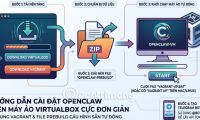 How to Install OpenClaw on a VirtualBox Virtual Machine in a Very Simple Way10 minutes read
 7 Practical Applications of OpenClaw You Should Know6 minutes read
 Install and Run OpenClaw for the First Time on Any Platform3 minutes read
Reader Comments 0
Sign in with email or Google to join the discussion.