Table of Contents
We can use Gemini as a personal newspaper, giving you only the news you care about.
You can use Gemini as a personal newspaper, providing you with only the news that interests you. You just need to tell Gemini your area of interest, save the information about the topic you want to see news as detailed as possible. This can save you many time because you don't have to check multiple apps. Here is a detailed guide on how to do it.
Quick guide to reading news on Gemini
Step 1:
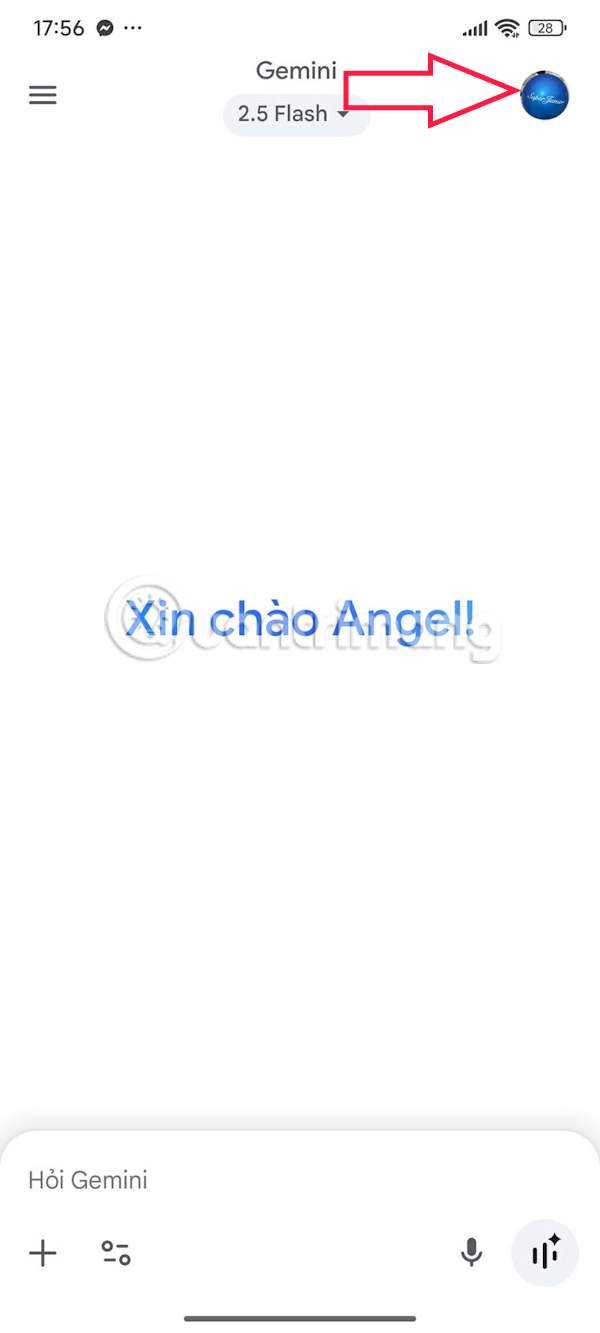
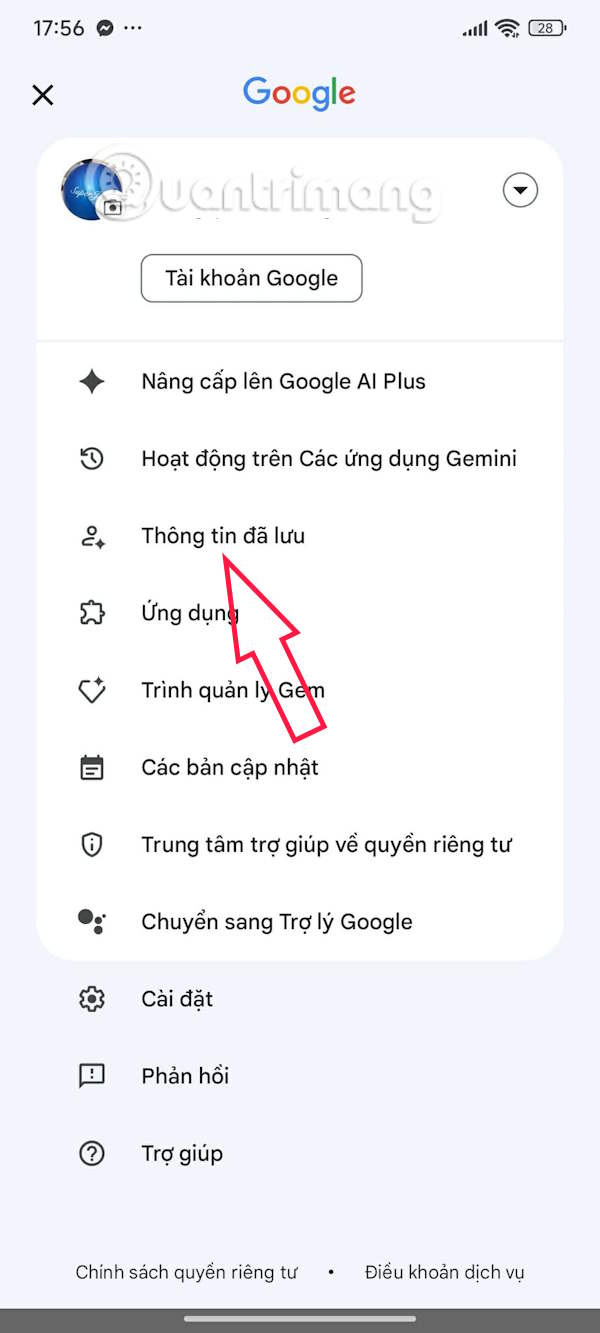
You open the Gemini application on your phone and then Click on the avatar . Next, you select Saved Information .
Step 2:
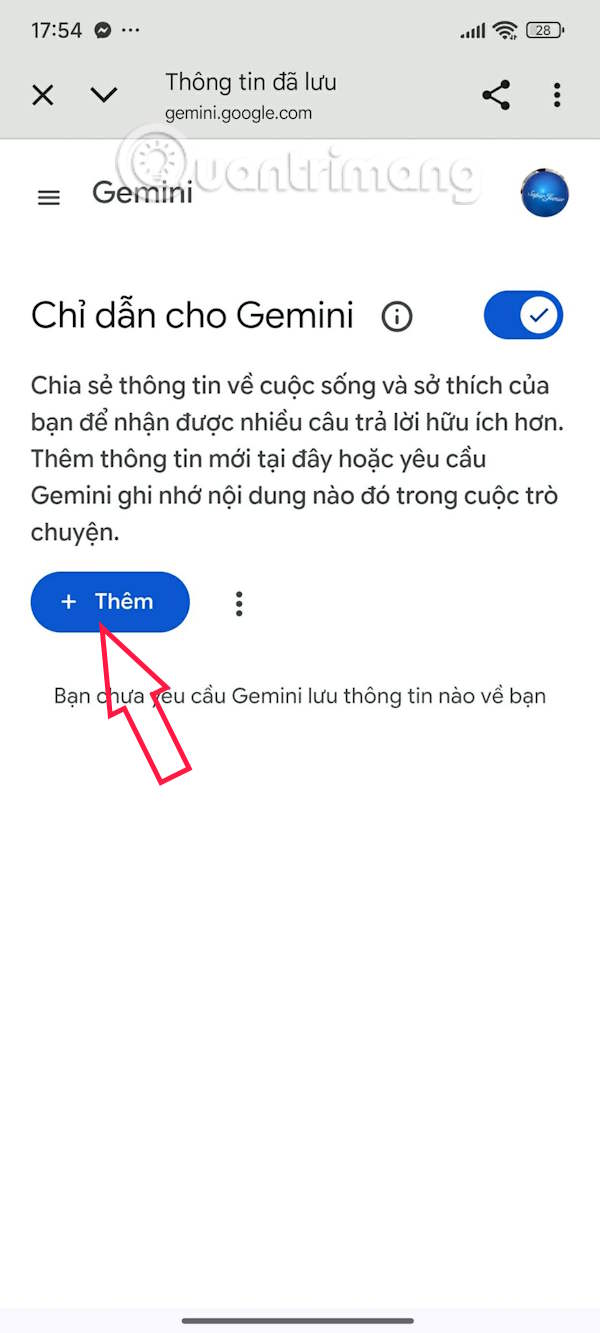
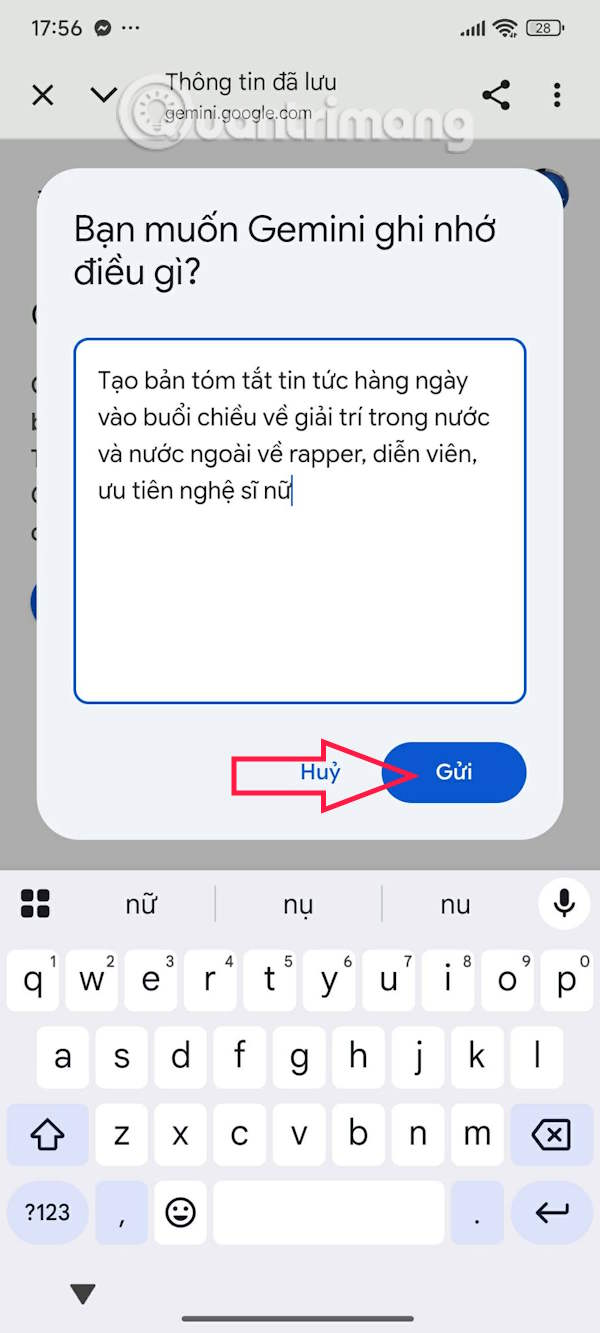
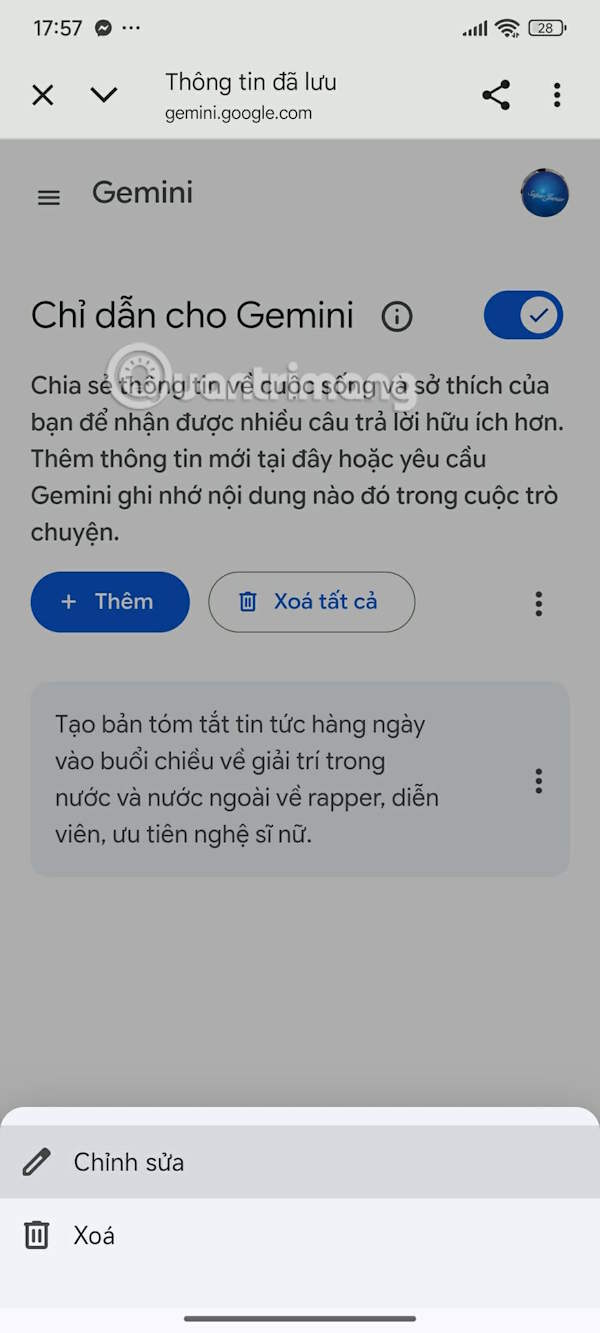
Next, the user Clicks on Add to add information about the news content you want Gemini to summarize. Here, enter The news content you want to update using Gemini. The more detailed the information you enter, the more Gemini will provide the news according to your wishes. After entering, Click Submit Below.
The information you add will be saved. Click on The 3 dots icon To edit or delete the information you added.
Step 3:
Back on the Gemini interface, you Enter your news request And Gemini will provide you with the information that interests you, based on the personal information you have saved.


FAQ
How do you quickly read news on Gemini on demand: step-by-step guide?
In practical terms, we can use Gemini as a personal newspaper, giving you only the news you care about.
What should you check before getting started?
Review the requirements, compatible device or software version, and any warnings described in the guide before making changes.
What should you do if the steps do not work?
Repeat the steps in order, confirm that your app or system is up to date, and review the troubleshooting details provided above.
Related Articles
 Gemini 3.1 Pro or Gemini 3 Pro: Better?8 minutes read
 How to Check Gemini's Answers5 minutes read
 A Guide to Creating Presentation Slides Quickly Using Gemini4 minutes read
 Tips for Quickly Creating Automated Tests on Gemini4 minutes read
 How to Teach Yourself to Read: Step-by-Step Guide14 minutes read
 How to use Gemini API14 minutes read
Reader Comments 0
Sign in with email or Google to join the discussion.