Table of Contents
Here's a simple guide to quickly check which apps can access your photos and how to prevent them from accessing your personal albums.
Your photo library holds the memories of your life, but apps like Facebook could be sneaking a peek at your photos using the latest Meta cloud scanning technology. Here's a quick guide to checking which apps can access your photos and how to stop them from accessing your personal albums.
Check app album access
First You should do a quick check on photo access privacy.
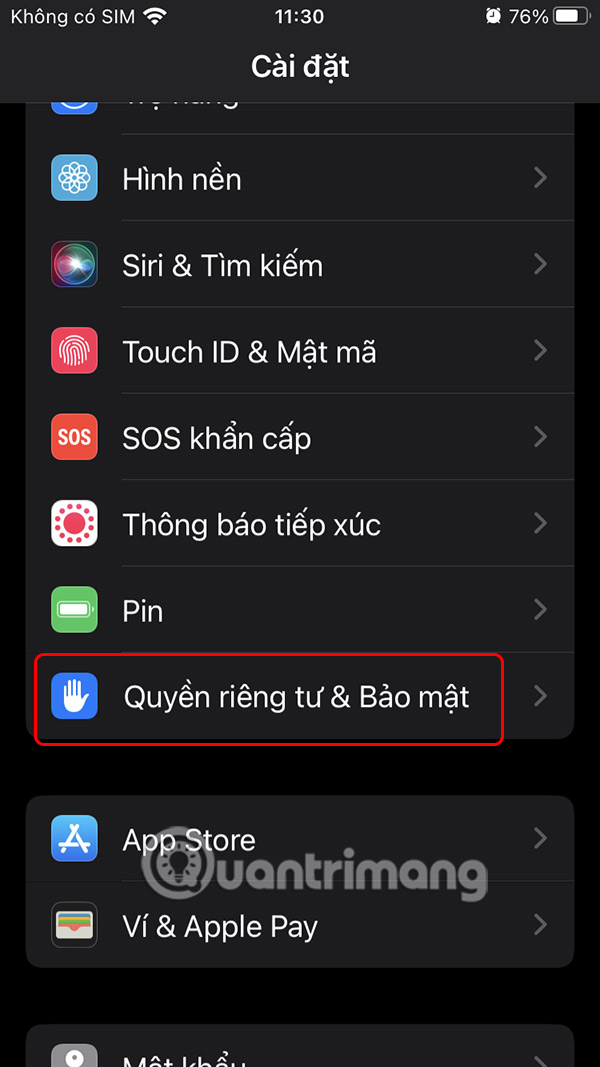
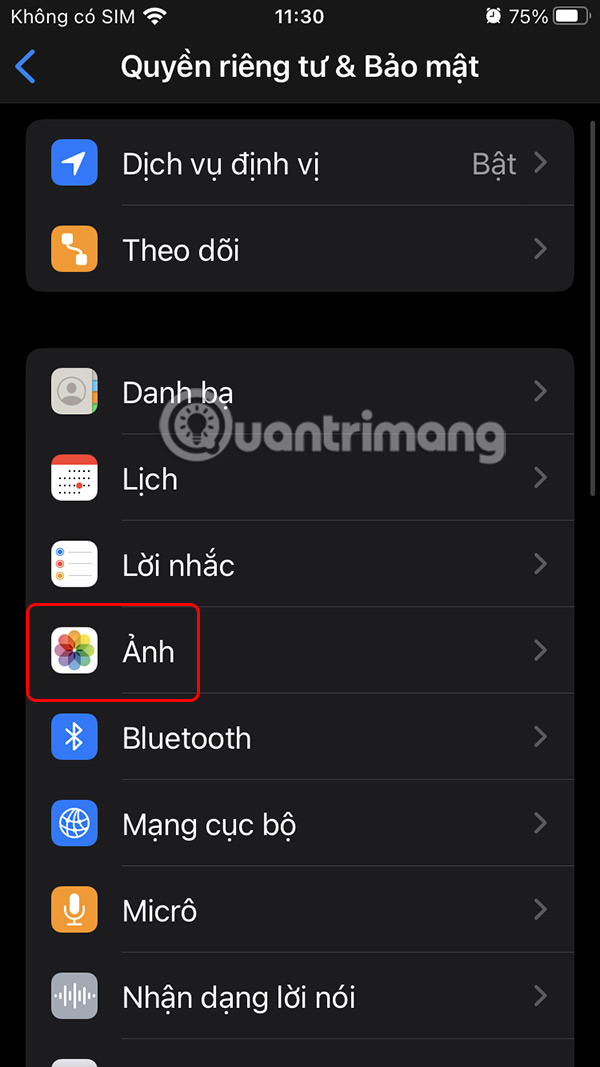
On your phone, go to Settings and select Privacy & Security . Then select Photos To see which apps are accessing your photos.
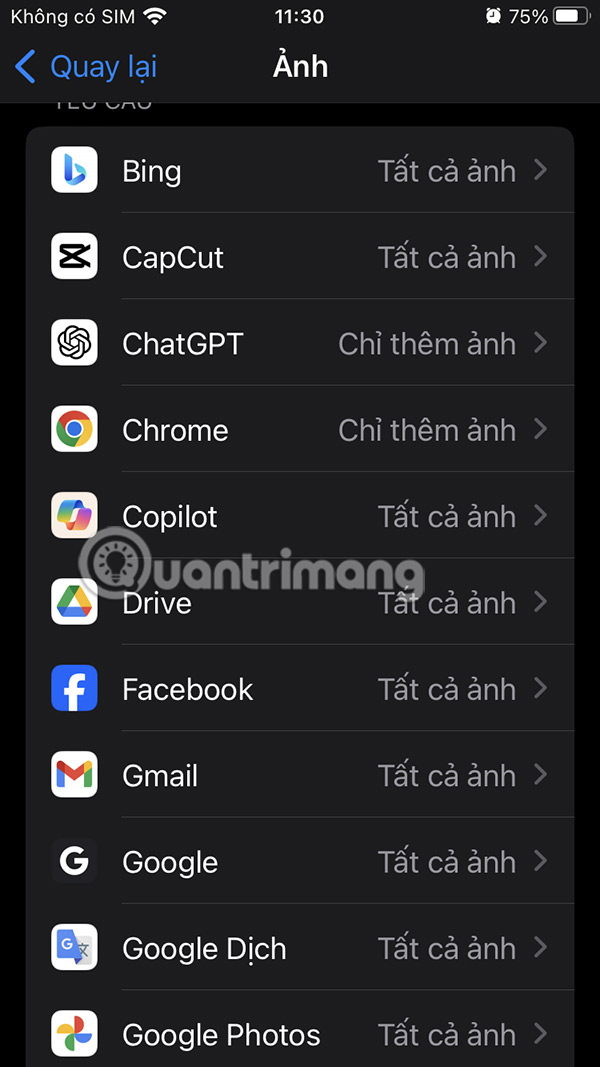
In this list, if you see any suspicious application, select it and change it to None to block access to photos on the phone.

Adjust app photo sharing permissions
Some apps like Facebook, for example, even have the feature of automatically sharing photo albums without specifically notifying you.
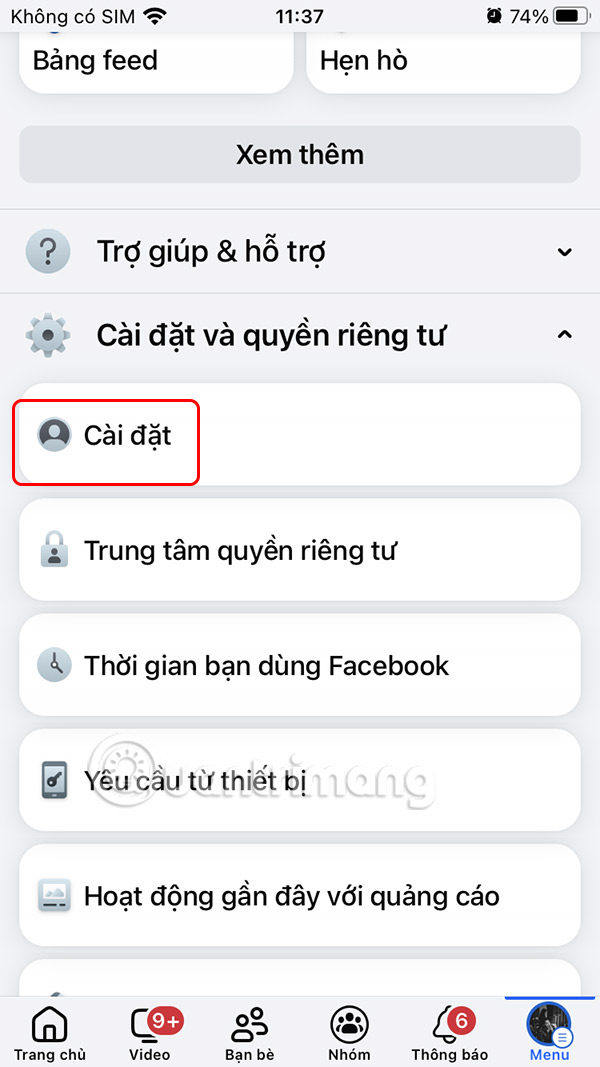
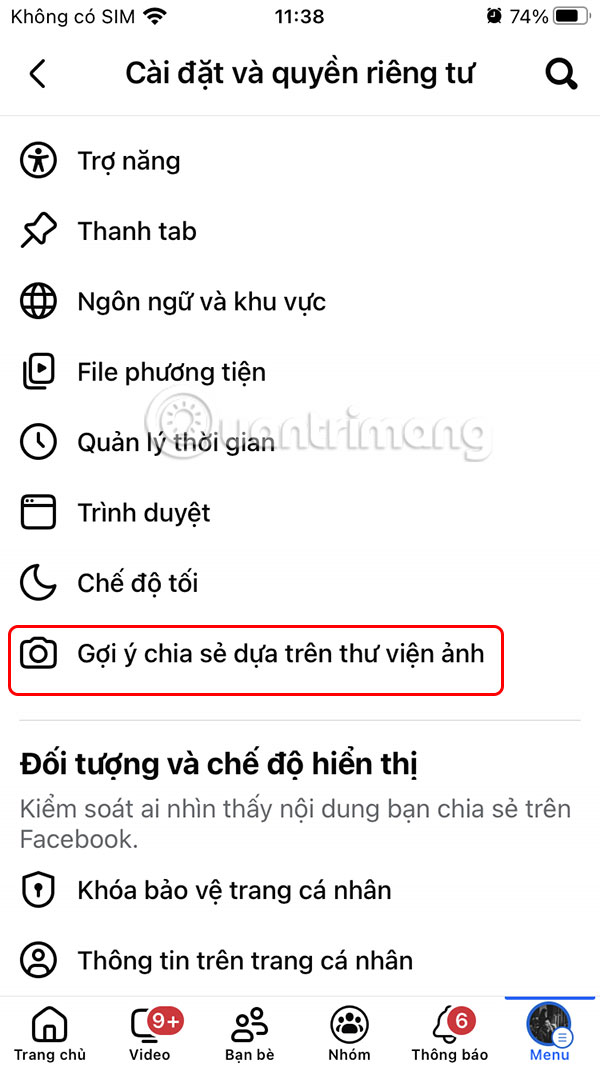
We access Facebook Settings & Privacy And select Settings . Next, select Sharing suggestions based on photo library .
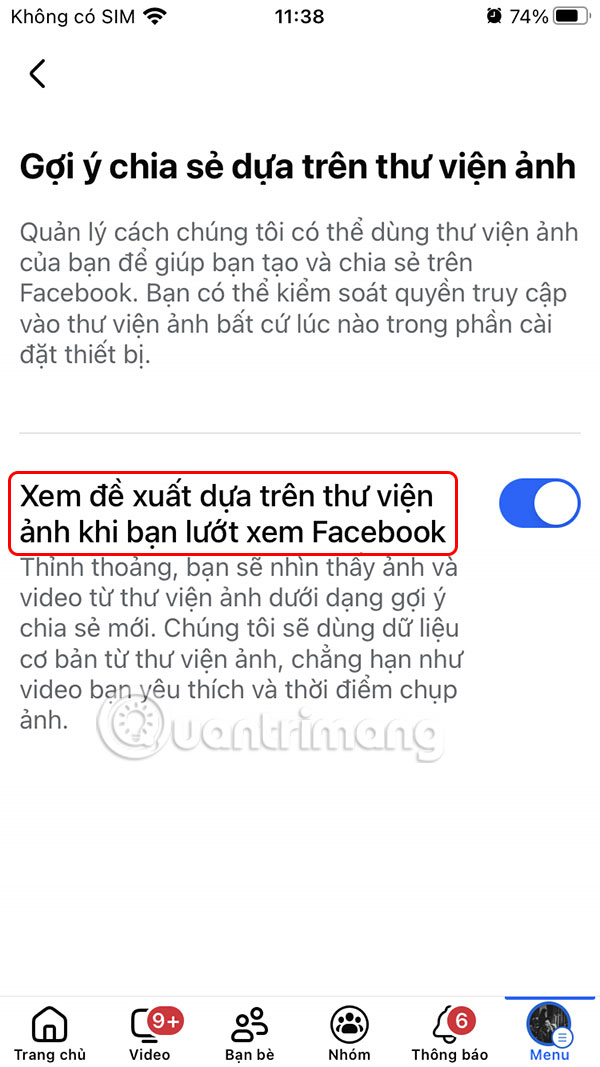
You will now see The option See suggestions based on your photo library As you browse Facebook is turned on by default. You will now need To turn this setting off on Facebook .

Also, with the Google Photos application, you should also turn off automatic backup on Google Photos to limit the application from automatically scanning your personal and private images.
- How to turn off automatic Google Photos sync
Some ways to protect personal photos
Additionally, you can protect your photos with these additional steps:
- Turn off auto-sync in Google Photos or iCloud to save photos locally.
- Use offline editing apps like Snapseed to avoid uploading data to the cloud.
- Remove metadata by taking a screenshot before sharing your sensitive photos.
- Always review permissions monthly or after every update and delete unused apps.
FAQ
How do you prevent apps from accessing private photos: step-by-step guide?
In practical terms, here's a simple guide to quickly check which apps can access your photos and how to prevent them from accessing your personal albums.
What should you check before getting started?
Review the requirements, compatible device or software version, and any warnings described in the guide before making changes.
What should you do if the steps do not work?
Repeat the steps in order, confirm that your app or system is up to date, and review the troubleshooting details provided above.
Related Articles
 How to Hide Private Photos on Android7 minutes read
 How to See Which Apps Are Tracking Your Location on iPhone5 minutes read
 Ways to Prevent Applications from Accessing the Microphone on the7 minutes read
 How to Check Which Apps Are Accessing Your Photo Library on iPhone5 minutes read
 How Is Private Space Used in Android 15?3 minutes read
 How Do Private Network and Public Network on Windows Differ?6 minutes read
Reader Comments 0
Sign in with email or Google to join the discussion.