Table of Contents
This updated guide explains how to Name Zalo with Special Characters through clear steps, practical examples, and important checks that help prevent common errors.

1. How to Name Zalo with Special Characters
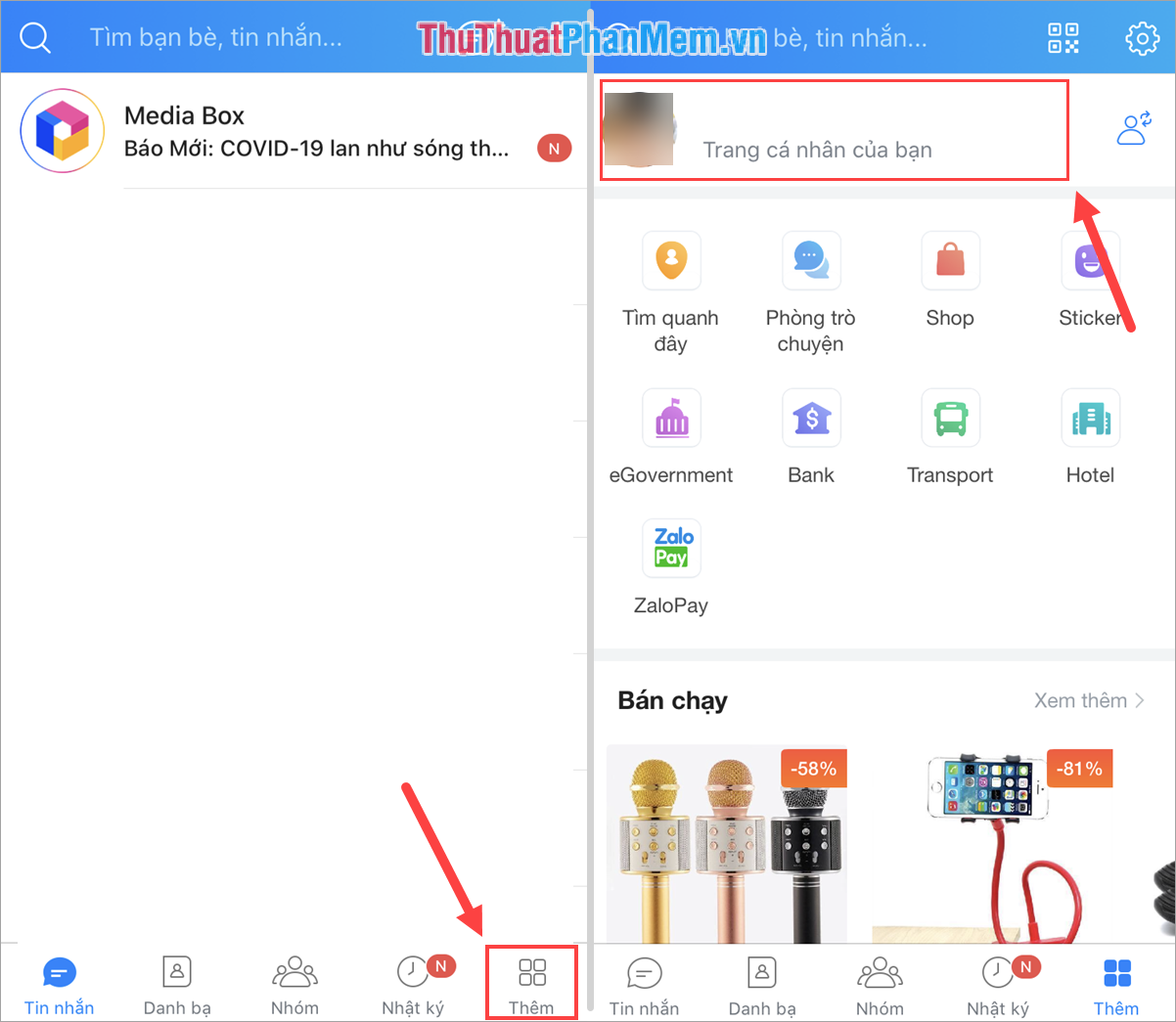
Step 1: You proceed to launch the application Zalo and select Add . Then you click the personal page of you for more information.
Step 2: Next, you select the icon Three horizontal dots to open more options and select Information .

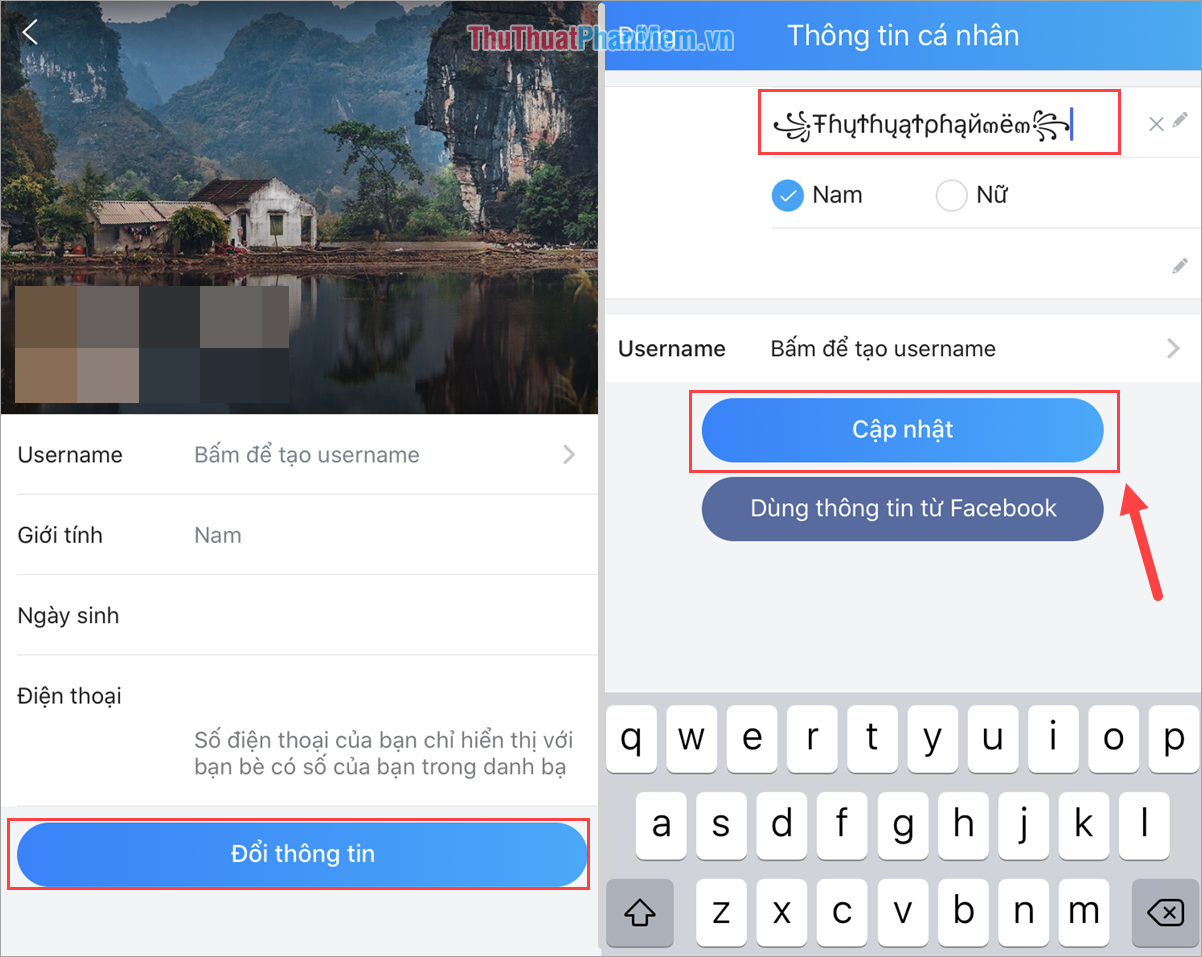
Step 3: Here, you click to change information and proceed to name the new character is complete. After placing the order, you click Update to save.
(The special characters table you can refer to in Part 2 of the article).
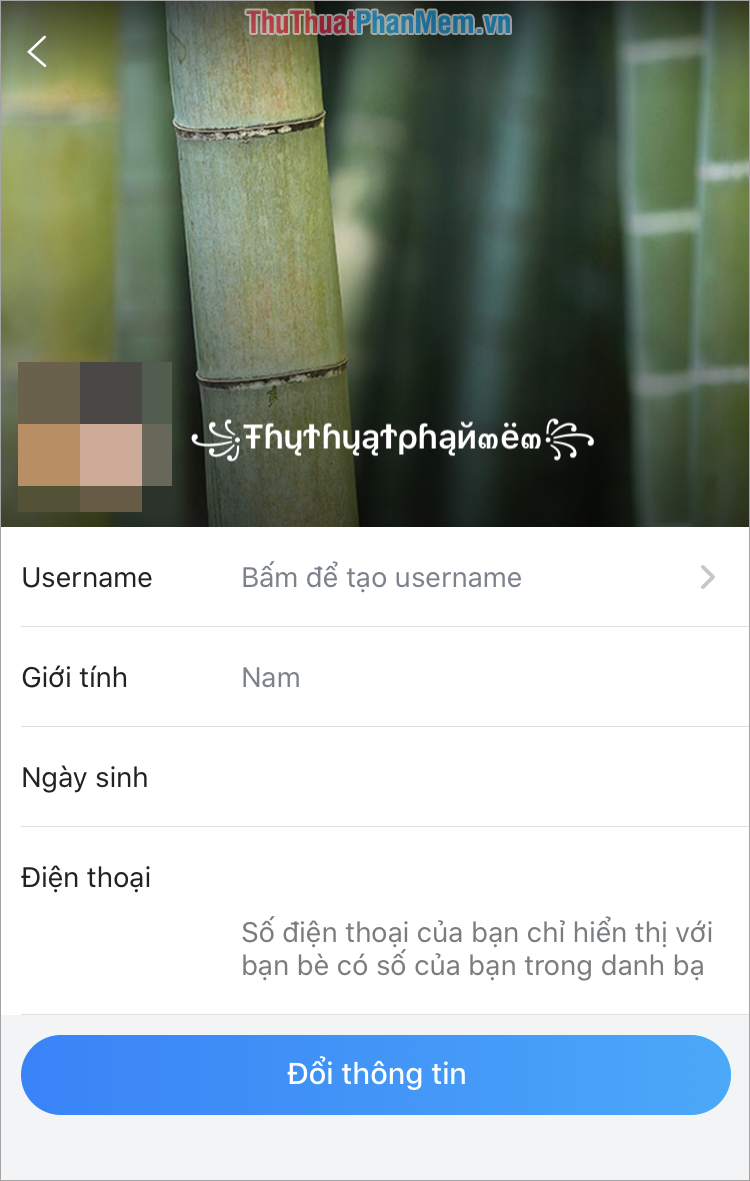
Step 4: In the end, we will get the following result, looking at the names of all the special characters that are really outstanding and cool, right?
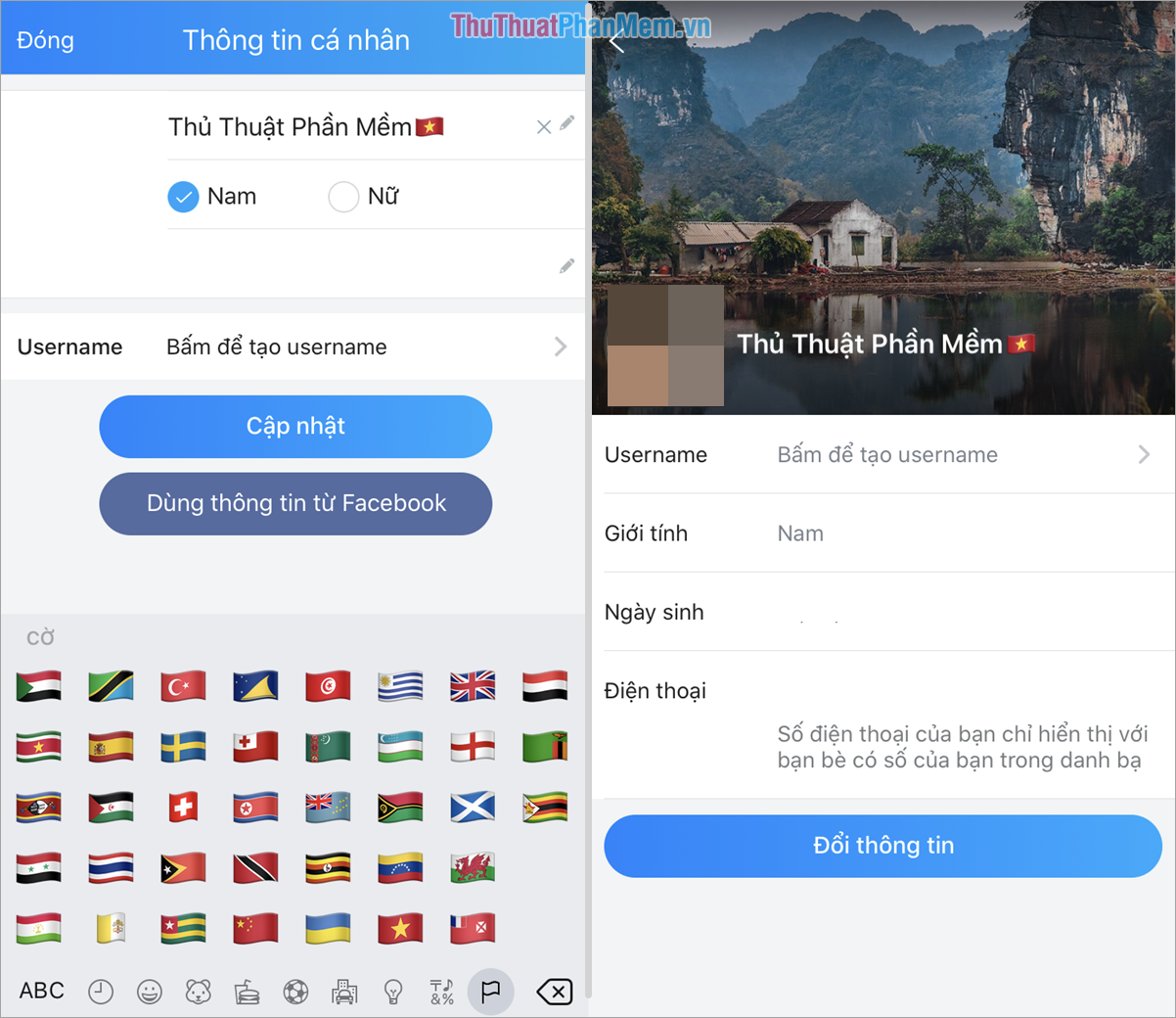
In addition, if you do not like the cumbersome special characters, you can choose the symbols, characters available on the keyboard and use them. A Vietnamese flag symbol to increase patriotism also looks very nice!
2. the Special Characters to Name Zalo
Alphabet of Special Characters by Letter:
Image of Special Characters:
Expressions with Special Characters:
In this article, Software Tips have shown you how to rename Zalo into special and unique characters. Have a nice day!
FAQ
What is the easiest way to Name Zalo with Special Characters?
Start with the requirements in this guide, then follow each step in order. Check the result after every major change so problems are easier to identify.
Can beginners follow these instructions?
Yes. The process is organized into practical steps, and you can repeat any step before moving forward.
What should I check if the method does not work?
Confirm your software or device version, permissions, settings, file format, and internet connection when the task depends on online services.
Related Articles
 Special Character Board for Zalo, More Lively Chat, More Fun5 minutes read
 Summary of Special Characters in Au (Game Audition): Key Facts2 minutes read
 Facebook Icons, Special Facebook Characters and Emoji on Facebook14 minutes read
 How to Insert Special Characters in PowerPoint (Various Versions)5 minutes read
 How to Create Names with Special Characters, Add Special3 minutes read
 How to Insert Special Characters in Excel: Insert Excel Characters4 minutes read
Reader Comments 0
Sign in with email or Google to join the discussion.