Table of Contents
Instructions to quickly fix error 2XKO 2001 'Failed to Log In', helping you enter the game more smoothly.
Riot Games has just opened Early Access for 2XKO, a new fighting game inspired by the League of Legends universe, but along with the excitement of gamers comes a series of login errors that make many people 'unable to enter the game'. Among them, the two most common errors today are:
- 'Failed to log in (2001)'
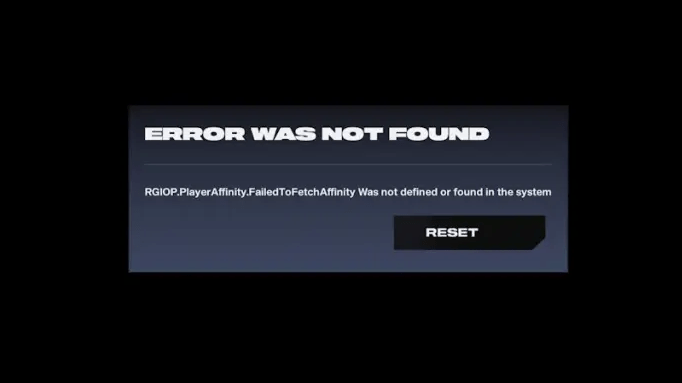
- 'RGIOP.PlayerAffinity.FailedToFetchAffinity was not defined or found in the system'
This is a bug that mainly occurs to people who have participated in the Alpha Lab or Closed Beta of 2XKO before. Luckily, Riot has confirmed this bug and players can completely fix it temporarily with a few simple steps.
Cause of 2XKO 'Failed to Log In' error
When you get this error, you will see a message like:
'RGIOP.PlayerAffinity.FailedToFetchAffinity was not defined or found in the system.'
Simply put, this is an error that occurs when Riot Client cannot identify player data in the old version, resulting in 2XKO not being able to launch. This error is common in people who have installed or played the previous test version.
Riot Games has spoken out
Shortly after the incident spread, Riot Games posted an official announcement on X (Twitter), confirming that they were investigating and rolling out a patch. Post content:
'We have noted the player login issue and are working on a fix.'
That said, while Riot is handling it, players can still temporarily fix the error themselves using the instructions below.
How to fix 2XKO error 'Failed to Log In' and 'Error Was Not Found'
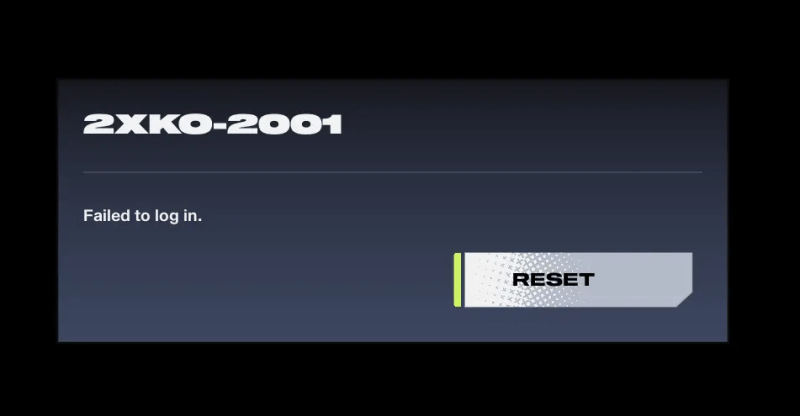
Follow these steps to completely fix the login error:
-
Step 1: Exit Riot Client
-
In the right corner of the Taskbar (System Tray area), right-click on the Riot Client icon → select Exit to completely turn it off.
-
-
Step 2: Uninstall 2XKO
-
Open Windows Settings → Apps
-
Find 2XKO, select Uninstall to completely remove the game.
-
-
Step 3: Reinstall the game
-
Reopen Riot Client, download and install the latest version of 2XKO.
-
-
Step 4: Restart your computer
-
After installation is complete, restart your PC to refresh all data and account links.
-
After completing the above steps, you can re-enter 2XKO without any login errors. If you still encounter error 2001 or the client is not responding, wait for Riot to fix the official server, because part of the reason is that their authentication server is overloaded due to the large number of players accessing it on the day of Early Access opening.
- The 'Failed to Log In (2001)' and 'FailedToFetchAffinity' errors appear mainly to players who participated in the old test.
- Temporary solution: Uninstall the game, exit Riot Client, reinstall 2XKO, then restart your computer.
- Riot Games has confirmed the bug and is working on a fix for the login system.
With a few simple steps, you can continue your 'fighting' journey in 2XKO without worrying about being interrupted by this annoying error.
FAQ
How do you fix error 2XKO 2001 'failed to log in': step-by-step guide?
In practical terms, instructions to quickly fix error 2XKO 2001 'Failed to Log In', helping you enter the game more smoothly.
What should you check before getting started?
Review the requirements, compatible device or software version, and any warnings described in the guide before making changes.
What should you do if the steps do not work?
Repeat the steps in order, confirm that your app or system is up to date, and review the troubleshooting details provided above.
Related Articles
 Update 2XKO Version 1.0.1.1: What to Know6 minutes read
 How to Optimize 2XKO Configuration Most Effectively: Step-by-Step Guide4 minutes read
 Latest 2XKO Character Rankings: Complete Guide5 minutes read
 2XKO Configuration, League of Legends Fighting Game on PC: Complete Guide4 minutes read
 How to Fix LoL PBE, DTCL PBE Access Errors4 minutes read
 Quick Fix Errorlibrary Failed with Error 1114 on Windows 104 minutes read
Reader Comments 0
Sign in with email or Google to join the discussion.