Table of Contents
No official IBM SPSS Statistics app is available for Android, iPhone, or iPad. IBM's current SPSS Statistics 31 installation documentation covers desktop installations, and IBM states that its trial supports 64-bit Windows and macOS rather than a hosted cloud or mobile version. Apps that use “SPSS” in an app-store title may be study guides or unrelated statistical tools; they are not automatically IBM SPSS Statistics.
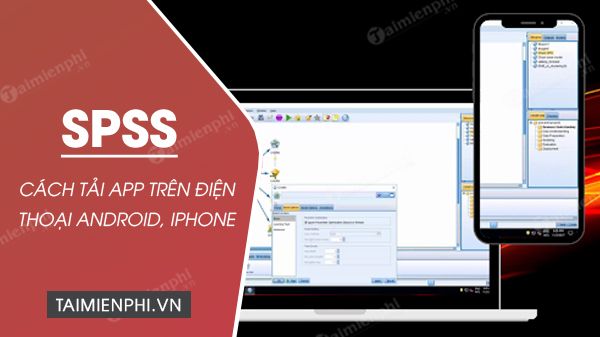 IBM SPSS Statistics is a desktop application, not an Android or iOS download.
Can you install SPSS on a phone or tablet?
You cannot install the official desktop edition of IBM SPSS Statistics directly on Android or iOS. An APK, IPA, or mobile-store listing that claims to be “SPSS for Android” or “SPSS for iPhone” should not be treated as an official IBM release unless IBM itself links to it from the IBM SPSS Statistics product site.
This is not merely a question of phone performance. IBM builds, distributes, supports, and licenses SPSS Statistics for specific desktop environments. A third-party mobile app cannot become the official product simply by opening .sav files or teaching SPSS procedures.
Do not use unofficial “free SPSS” installers
A legitimate SPSS installation does not require you to disconnect from the internet, disable security software, apply a crack, or replace license files. Instructions that include those steps are a strong warning sign. They can expose the computer and research data to malware, violate the software license, and prevent supported updates.
Do not download:
- repacked SPSS archives from file-sharing sites;
- mobile APK files that impersonate IBM branding;
- license bypass tools, key generators, or patched executables;
- installers that ask you to disable antivirus protection.
How to get SPSS Statistics legally
Use one of these authorized routes:
- Purchase or start a trial through IBM.
- Download the installer and authorization details supplied by your university or employer.
- Use an institution-managed computer or virtual lab when the license provides that access.
IBM's SPSS Statistics resources page explains the trial and supported desktop platforms. The trial begins when you register and is not a browser-hosted copy of SPSS, so download and install it on a compatible computer within the evaluation period.
Install or update SPSS on Windows or macOS
- Confirm the exact SPSS version and license type provided by IBM, your school, or your organization.
- Check IBM's current system requirements before downloading. A phone's operating system is not a supported desktop target.
- Back up important
.savdata, syntax files, output, custom dialogs, and extensions. - Download the installer only from IBM or the authorized software portal for your organization.
- On Windows, run the official installer with the required administrator rights. On macOS, open the official package and follow the installer prompts.
- Activate with the IBMid or authorization code assigned to your license. Do not reuse a code that belongs to someone else.
- Open SPSS, confirm the installed version and licensed modules, then test a copy of a dataset before changing production work.
The IBM SPSS Statistics 31 authorized-user installation guide documents the current Windows and macOS package workflow. License options differ, so follow the instructions for your actual entitlement rather than a generic activation tutorial.
Ways to work from a phone without installing SPSS
View exported results
On the desktop, export output to PDF, HTML, Word, Excel, or an image format, then open the exported file on the phone. This is the safest way to review tables and charts without trying to reproduce the analysis on mobile.
Collect or clean simple data in a spreadsheet
A mobile spreadsheet can be suitable for entering observations, checking labels, or reviewing a small table. It is not a substitute for an SPSS analysis pipeline. Keep variable names and coding consistent so the data can be imported later. TipsMake's overview of Google Sheets data-analysis add-ons covers lightweight spreadsheet options.
Use organization-approved remote access
If your institution permits it, a managed remote-desktop or virtual-lab service may provide access to an authorized computer running SPSS. Confirm the SPSS license terms, multi-session restrictions, data-protection policy, and remote-access security with the administrator. A small phone screen is better for checking a result than for configuring a complex statistical model.
Choose another mobile statistics tool deliberately
A third-party app may calculate descriptive statistics or open an SPSS-format file, but compatibility can be incomplete. Test it with non-sensitive copies, verify every calculation independently, and do not assume it supports SPSS syntax, extensions, weighting, missing-value rules, or output exactly. For spreadsheet-centered workflows, TipsMake also lists Excel analysis and chart tools; these are alternatives for selected tasks, not mobile SPSS.
Check whether a mobile listing is official
- Follow download links from IBM's own product or documentation pages.
- Check the developer identity, privacy policy, support domain, and update history.
- Read what the app actually does; many “SPSS” listings are reference guides rather than statistical software.
- Do not upload research data containing personal, medical, financial, or confidential information to an unknown app.
- Keep an untouched backup of the original dataset before testing any converter or viewer.
The practical answer
Use IBM SPSS Statistics on a licensed, supported Windows or macOS computer. Use a phone to view exported results, collect simple data, or connect through an approved institutional service. There is no legitimate “latest SPSS update” to download directly for Android or iOS, and an unofficial mobile package should not be presented as IBM's desktop product.
Related Articles
 How to Download SPSS on Android Phones, iPhone/iPad for Free4 minutes read
 What Is SPSS? What Is SPSS Software Used For?4 minutes read
 How to Install SPSS on a MacBook: a Step-by-Step Guide4 minutes read
 Detailed Instructions on How to Install SPSS on Your Computer for Free3 minutes read
 How to Install SPSS on a Computer4 minutes read
 Android SDK - Download Latest Android SDK4 minutes read
Reader Comments 0
Sign in with email or Google to join the discussion.