Not unlike Age of Empires 1, Age of Empires II received many positive reviews from its release and is currently one of the most popular games in the world. Age of Empires II not only boasts upgraded graphics, but also adds many new architectural structures and features for trading and commerce.
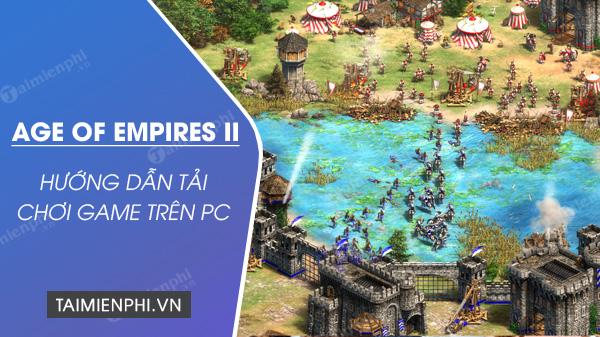
How to install Age of Empires 2 on PC
Before downloading and installing, please check if your computer's specifications meet the game's installation requirements.
Step 1: Download Age of Empires II
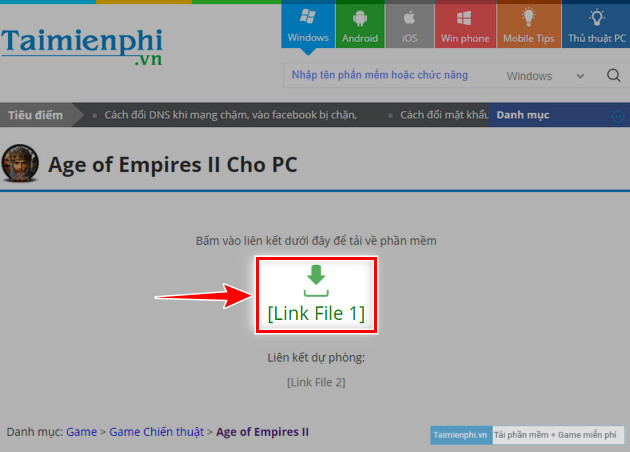
- To begin, click the AOE2 download link below.
- Next, click the blue [Link File 1] button.
Step 2: Extract Age of Empires II
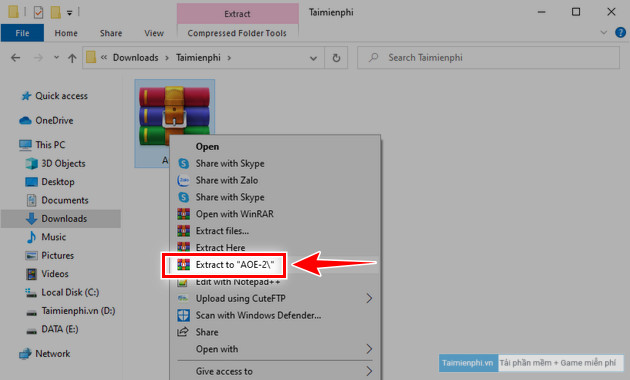
- Open the folder containing the downloaded file, use Winrar software to extract it by right-clicking on the AOE-2 file => select Extract to.
Step 3: Open Age of Empires II and start playing
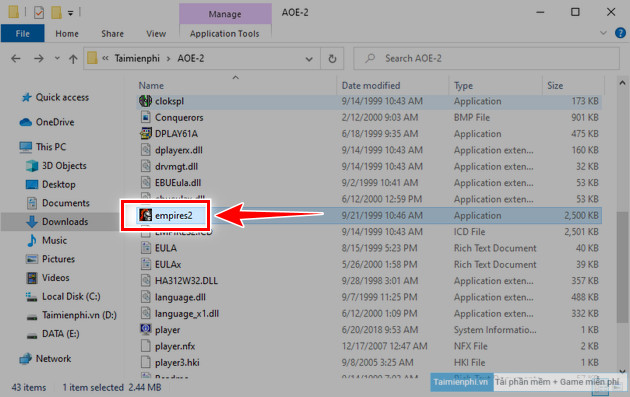
- Go to the folder that just appeared after successful extraction, find and run the empires2.exe file as shown in the image provided by tipsmake below.
Step 4: How to play Age of Empires II, AOE2
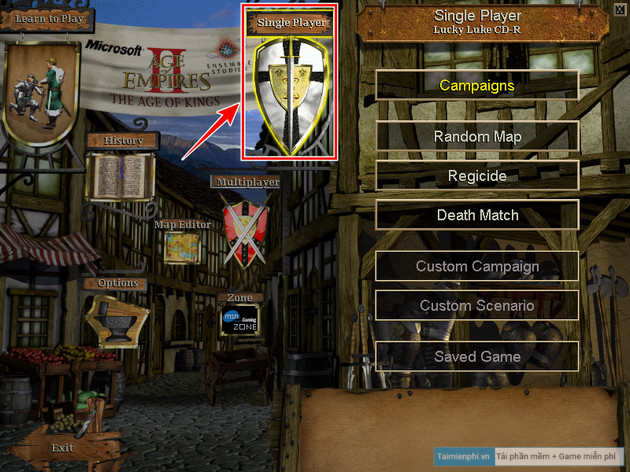
- Similar to AOE 1, you can play alone by selecting Single Player with the available settings:
+ Campaigns: Play through levels, complete missions
+ Random map: Play against the computer on a random map
+ Regicide: Kill the enemy King and defend your town.
+ Death Match: Random map, all players start with a large amount of resources.
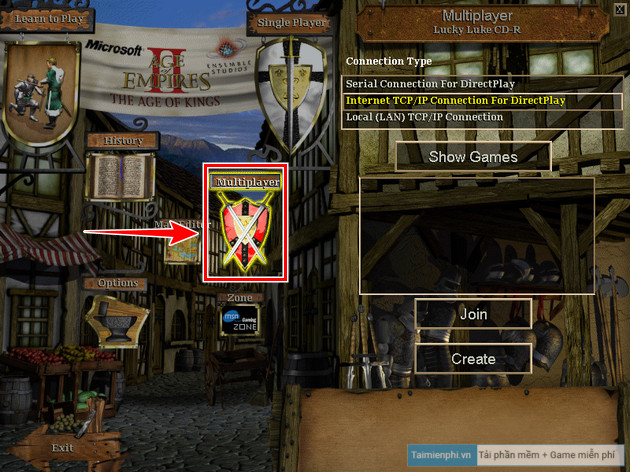
- If you want to play with friends over a LAN, select Multiplayer => click Internet TCP/IP Connection For DirectPlay => Click Show Games
+ Join: Join a friend's game room
+ Create: Create a game room and wait for friends to join.
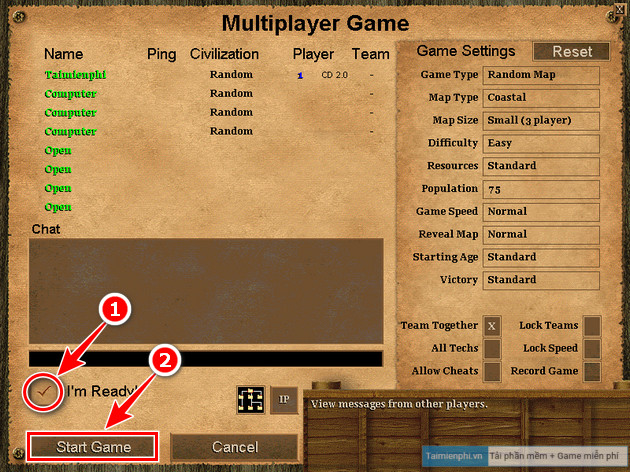
+ After selecting your units and ensuring you're ready, check "I'm Ready!" => " Start Game ". Or, if you're joining someone else's game, select your units => click " I'm Ready!"
Above are the simplest steps to download and play Age of Empires II (AOE2) on your computer. If you encounter any difficulties or errors during the process, please leave a comment below, and tipsmake will assist you as soon as possible.
Related Articles
 Download and Play Age of Empires Mobile on Android, iOS: Step-by-Step Guide5 minutes read
 How to Download and Play Age of Empires IV for Free on PC4 minutes read
 How to Buy Vietnamese Empire Empire 4K Only 115, 000 VND5 minutes read
 Plant Empires - Merge Defense Monsters6 minutes read
 Quickly Register to Play Age of Empires 4K Upgrade Version of the Graphic5 minutes read
 List of Cheat Codes Age of Empires III4 minutes read
Reader Comments 0
Sign in with email or Google to join the discussion.