Previously, Age of Empires Mobile was expected to launch in 2023, but then the company delayed the release date and recently set a release date. So many gamers are eager to download and play Age of Empires Mobile, building a fighting empire to conquer.
How to Download and Play the Official Version of Age of Empires Mobile
Currently, Microsoft is allowing gamers to register to download and play Age of Empires Mobile on AppStore, CHPlay and the official website. Participants will have the opportunity to experience this game first.
Step 1: Access the link to register to play Age of Empires Mobile on the official website of the game publisher HERE . - In addition, you can also access the link to register to play Age of Empires Mobile directly on Google Play and AppStore below. + Link to register to play Age of Empires Mobile for Android here + Link to register to play Age of Empires Mobile for Android here
Step 2: Select Pre-register Now in the middle of the screen.
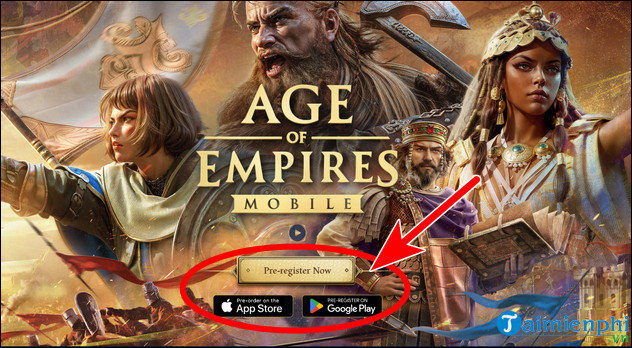
Select the Registration Method to Play AOE Mobile
Step 3: Enter your Email address in the blank box => check I confirm that I have read and acknowledge the Privacy Policy => click Submit .
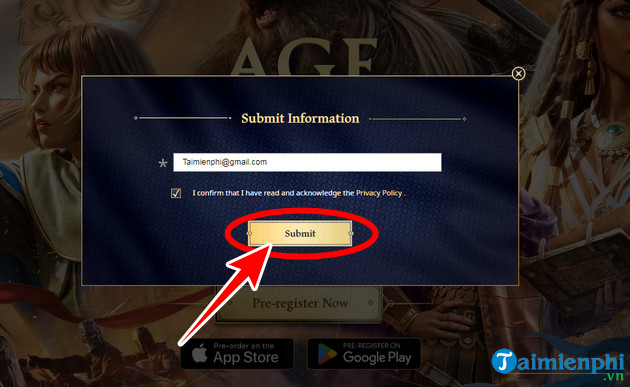
Enter Information and Complete Pre-registration to Play AOE Mobile
- The notification to register to play Age of Empires Mobile appears. When the game releases a test version or is officially launched, your device will automatically download the game and you can play it right away.
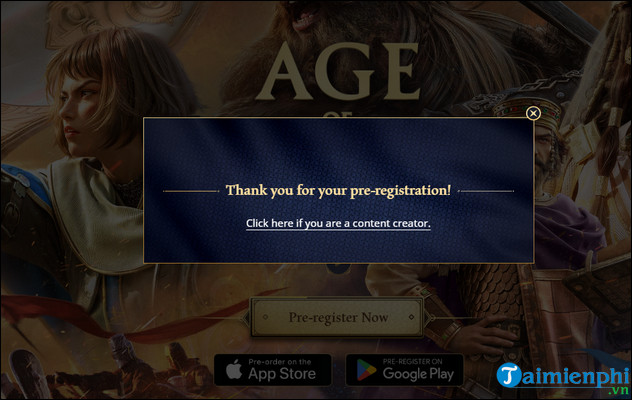
Register Age of Empires Mobile
Age of Empires Mobile Registration Rewards
Similar to most other games, Age of Empires Mobile also offers a set of rewards for achieving each expected milestone. Currently, the game is targeting 3 Million Pre-Registrations. However, here are the detailed rewards for achieving the milestones.
| Registration milestone to play AOE Mobile | Sign up bonus |
| 100k | Wood 150K, Food 150K, Stone 150K, Gold 150K |
| 500k | Building Speed-Up x 1H, Research Speed-Up x 1H, Training Speed-Up x 1H |
| 1M | Legendary Arrival Recruitment Token x 2, Empire Coin x 1K |
| 2M | Special Frame |
| 5M | Hero: Cleopatra VII |
Currently, Age of Empires Mobile has a Chinese version called Return to Empire, a mobile version adapted from Age of Empires Mobile released exclusively by Tencent in China. However, if you want to play, you need to change the AppStore region to China for iOS, or use Fake IP software to change VPN on Android devices.






Reader Comments 0
Sign in with email or Google to join the discussion.