The Samsung Galaxy S20, S20+ , and S20 Ultra all display a toolbar at the bottom of the screen immediately after you take a screenshot . This toolbar allows you to quickly edit, share, and capture scrolling screenshots.
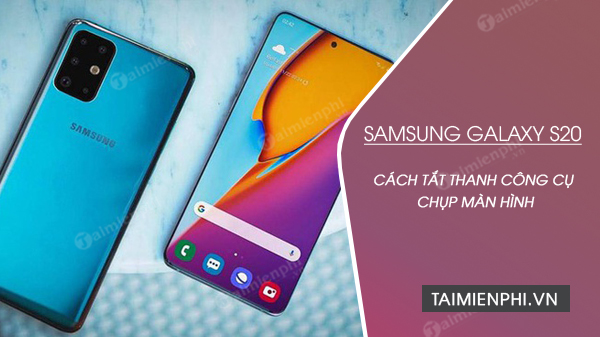
How to disable the screenshot toolbar on Samsung S20
It will disappear after a few seconds, but if you find its appearance bothersome, you can easily disable this feature by following these steps:
Step 1 : Open the Settings app on your phone. The quickest way to access the settings menu is to swipe down from the top of the screen to open Notifications and tap the gear icon next to the power button.
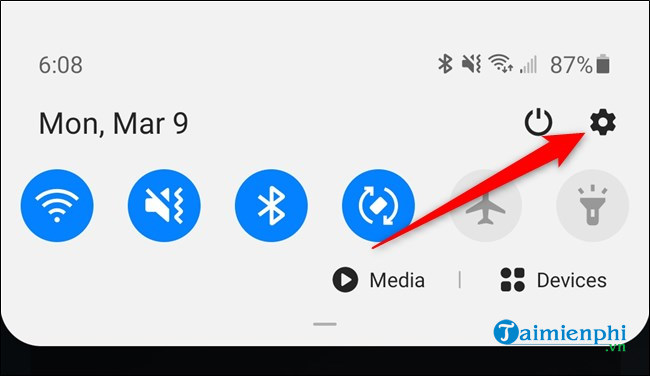
Step 2: Alternatively, you can swipe up from the bottom of the home screen to open the Galaxy S20's App Drawer. There, use the search bar or switch between pages to find the Settings app.
In Settings , scroll down and click on the Advanced Features option.
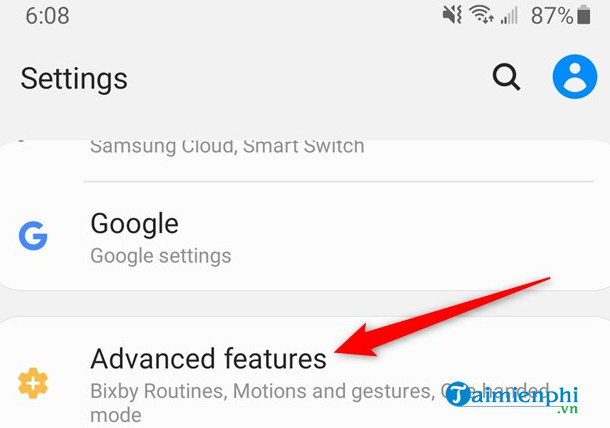
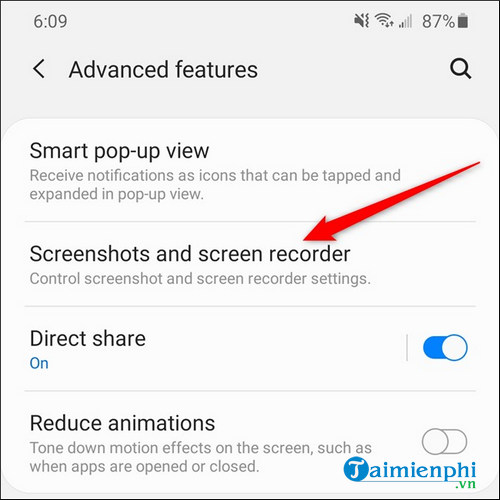
Step 3 : In Advanced Features , find the Screenshots And Screen Recorder menu and tap on it.
Step 4 : Finally, tap the button next to the Screenshot Toolbar option to turn off the screenshot toolbar on your Samsung Galaxy S20. This button will then change from green to gray.
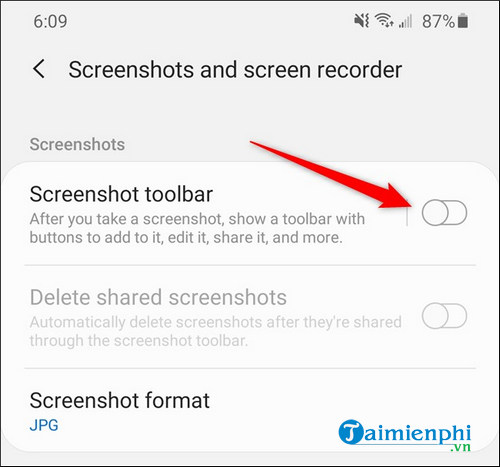
While in the Screenshots menu, you can also change the image format. By default, screenshots are saved as JPG. You can change the format by tapping Screenshot Format and selecting PNG from the pop-up menu.
If you haven't chosen a good selfie app for your Samsung S20 yet, you can check out the top selfie apps for Android here.
Related Articles
 How to Turn Off the Samsung Galaxy S20 Screen Capture Toolbar2 minutes read
 How to Take a Screenshot on Samsung Galaxy S21, S21+, and S21 Ultra Phones5 minutes read
 How to Screenshot on a Galaxy Note 23 minutes read
 3 Ways to Take a Screenshot on Samsung Galaxy A325 minutes read
 How to Take Photos of Samsung Galaxy Note 7 Screen?5 minutes read
 How to Change Samsung Screenshot Format: Step-by-Step Guide2 minutes read
Reader Comments 0
Sign in with email or Google to join the discussion.