Table of Contents
When you are a Samsung Galaxy user, you can customize the screenshot settings to ensure what format the file will be saved in.
If you are a Samsung Galaxy user, you can customize your screenshot settings to ensure that the file is saved in the correct format. Changing the screenshot format can significantly improve image quality and reduce file size. Here is a guide on how to change the Samsung screenshot format.
Instructions for changing Samsung screenshot format
Step 1:
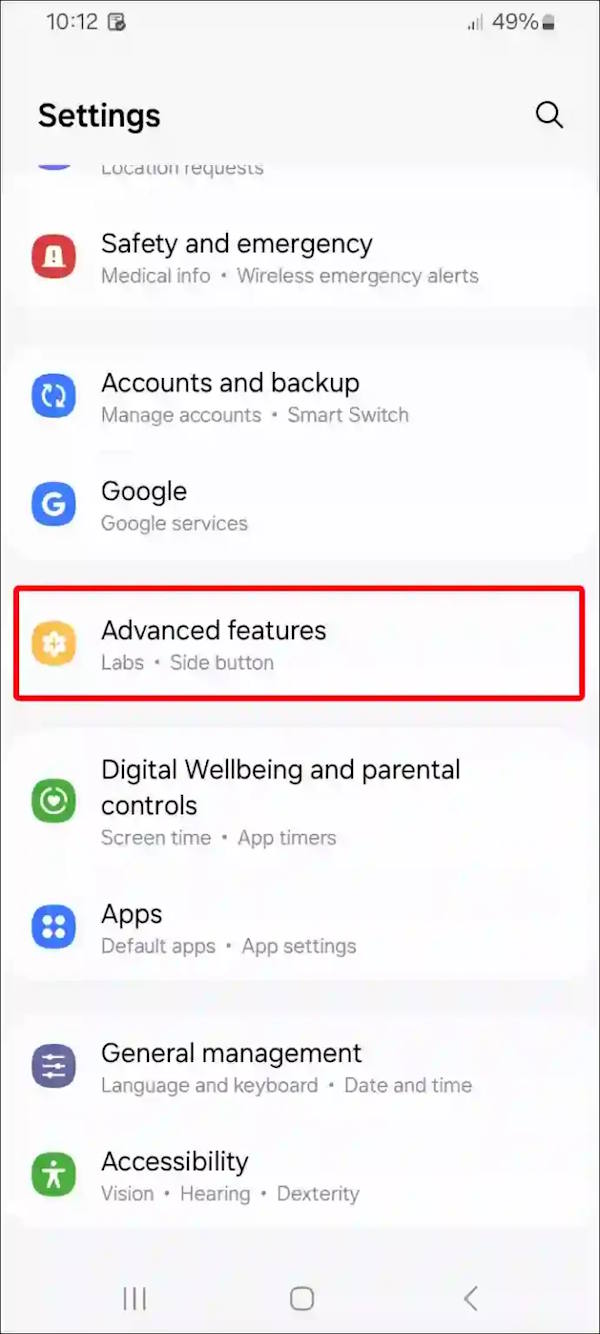
Open Settings on your phone, then scroll down and tap Advanced Features To open advanced features.
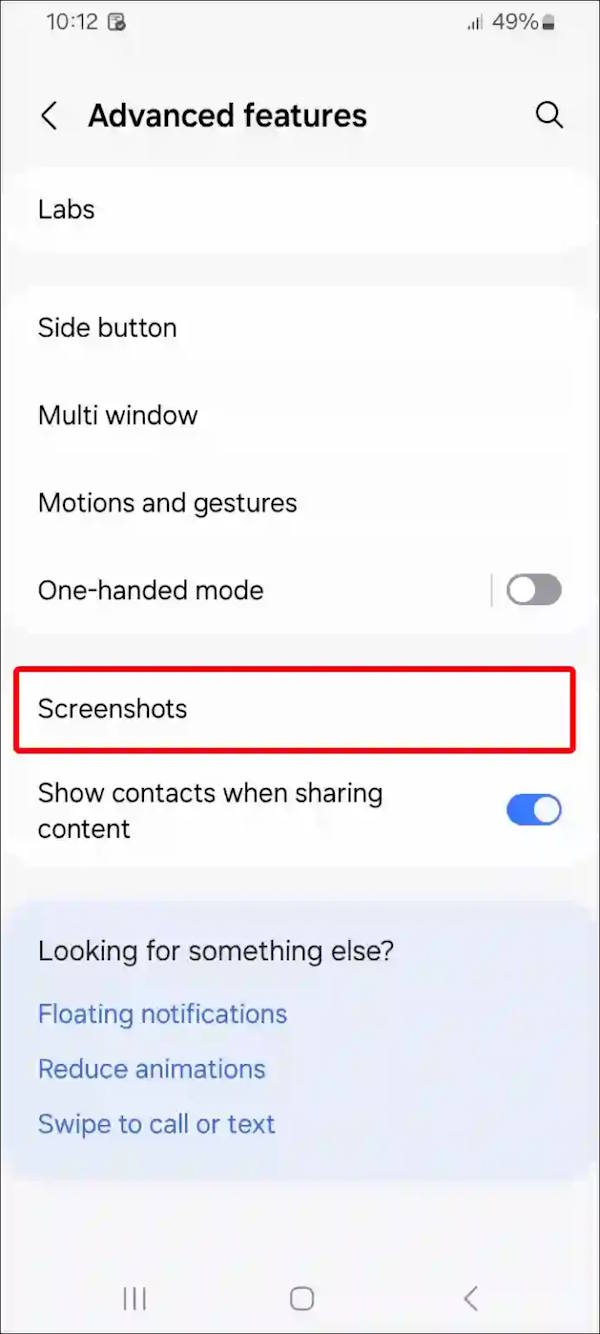
In the new interface, users Click on Screenshots To adjust the screenshot mode on Android phones.
Step 2:
Now you will click on Format To change the screenshot format of Samsung Galaxy phone.
This guide will choose between JPG and PNG format for Samsung phone screenshots.
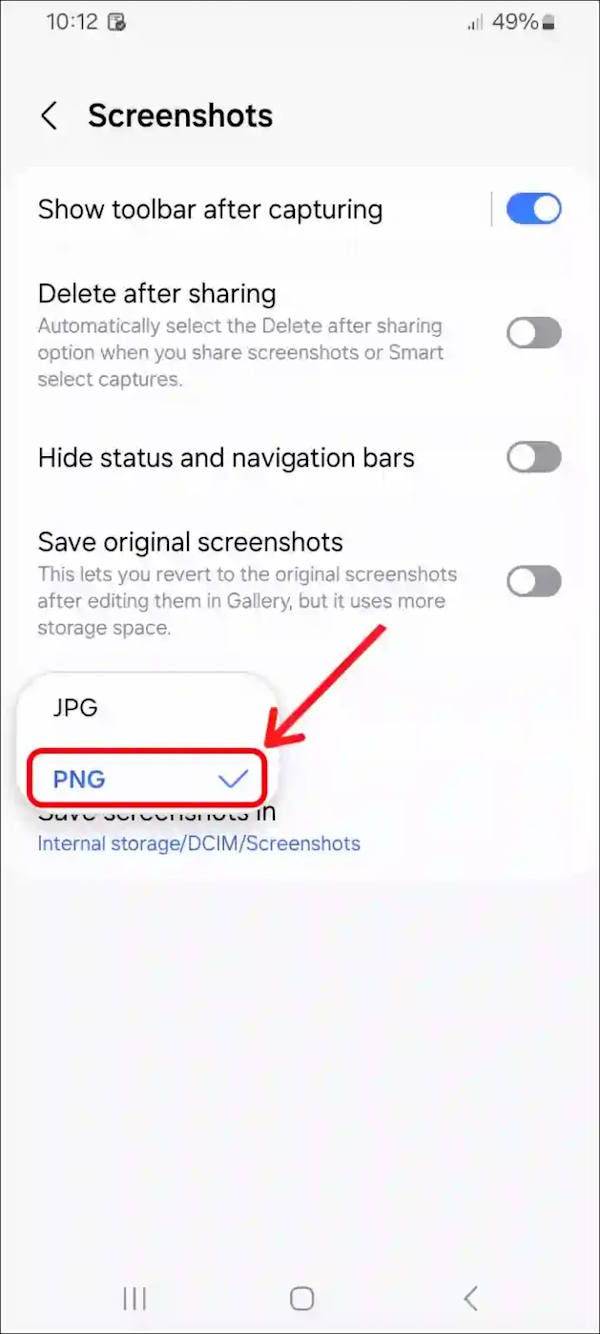
Samsung lets you choose two popular image formats, PNG and JPG (JPEG), to take screenshots. However, on some other Android phones, the default screenshot format is JPG, while others default to PNG and there is no option to change it.
FAQ
How do you change samsung screenshot format: step-by-step guide?
In practical terms, if you are a Samsung Galaxy user, you can customize the screenshot settings to ensure what format the file will be saved in.
What should you check before getting started?
Review the requirements, compatible device or software version, and any warnings described in the guide before making changes.
What should you do if the steps do not work?
Repeat the steps in order, confirm that your app or system is up to date, and review the troubleshooting details provided above.
Related Articles
 How to Take a Screenshot on a Samsung Tablet: Practical Guide9 minutes read
 3 Ways to Take a Screenshot on a Samsung A21s Phone4 minutes read
 How to Quickly Take a Screenshot on Samsung A12, A13, and A235 minutes read
 How to Disable the Screenshot Toolbar on Samsung Galaxy S203 minutes read
 How to Screenshot on a Samsung Tablet8 minutes read
 Click: How to Change the Arrow for a Screenshot (Macs)2 minutes read
Reader Comments 0
Sign in with email or Google to join the discussion.