Table of Contents
Limited inventory space is always a problem for players of Vanilla Minecraft. After some exploration, players will no longer have enough space to store more items.
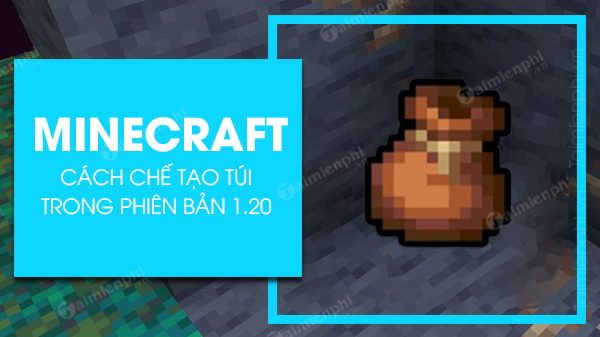
Crafting recipe for bags in Minecraft
Table of contents:
1. Bags in Minecraft .
2. How to Enable Resource Packs with Bags on the Java Version .
3. How to Craft Bags in Minecraft 1.20 .
Guide to crafting a bag in Minecraft 1.20
1. Bags in Minecraft
Currently, the Bag is only available in certain special editions of Minecraft 1.20 Java Snapshots. The mechanism of this item is still being changed after being revealed in Minecraft Live 2020.
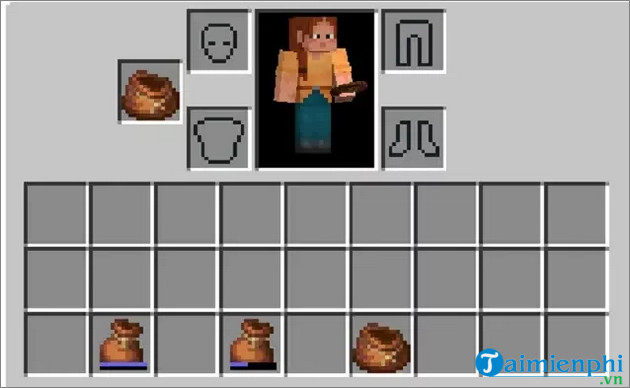
Bags are like chests that players can carry with them. Each bag can hold up to 64 items or a certain stack of items. However, unlike the player's inventory, the mechanics of Bags are slightly different.
1.1. The Inventory Mechanism of the Pocket in Minecraft
A Bag allows players to store 64 stackable items and one slot for non-stackable items. However, items with different stack limits will have different sizes. Specifically, items with a limit of 16 per stack will take up 4 slots, while items with a limit of 64 will only take up 1 slot.
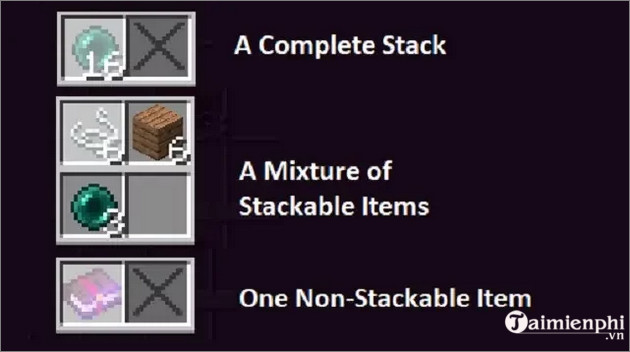
For example:
- If you put a non-stackable item like a tool, weapon, potion, etc., into your Bag, the Bag will be full and you won't be able to put anything else in.
- If you place 32 sticks (items limited to 64 per stack) into your Bag, the Bag will be 50% full, and you can only place 8 more Ender Gems (50% of a stack of 16 items).
This means the Bag is only suitable for storing stackable items. The total number of items you can carry will remain the same, but you can carry a wider variety of items.
1.2. How to Use Bags in Minecraft
The bag functions like a normal item, distinct from the player's chest and inventory.
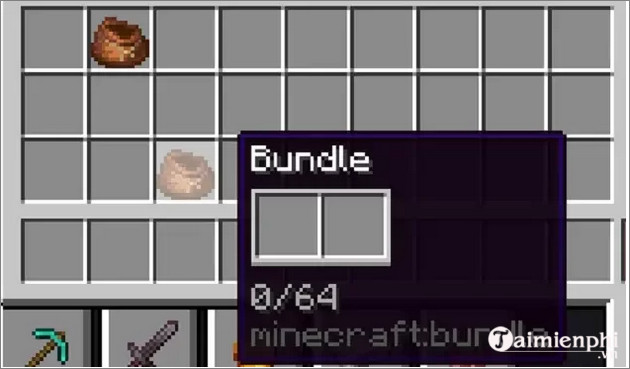
Simply left-click to select the Bag, then right-click on an item to put it in the bag, or right-click on an empty slot to retrieve an item from the bag. The last item added will be retrieved first.
2. How to enable resource packs with Bags on Java
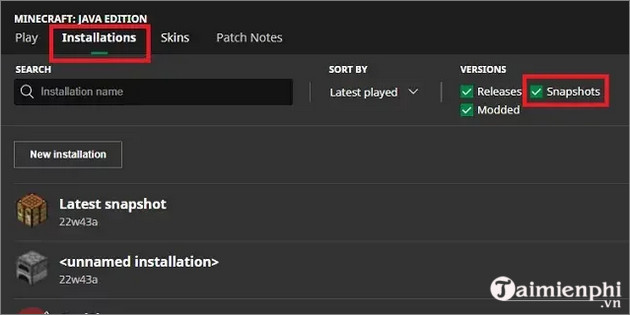
You need to have the game in Snapshots mode to enable this feature.
Step 1: Enable the Snapshots option in the Installation tab .
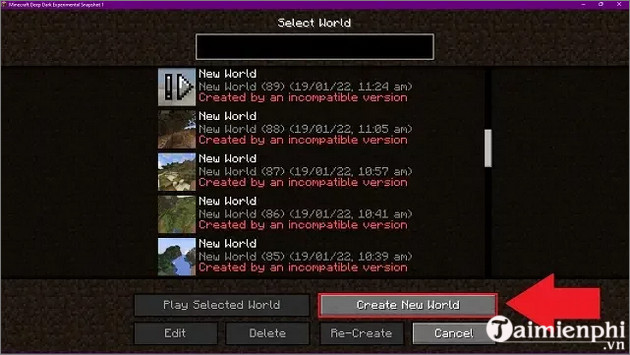
Step 2: Open the Menu and create a new world.
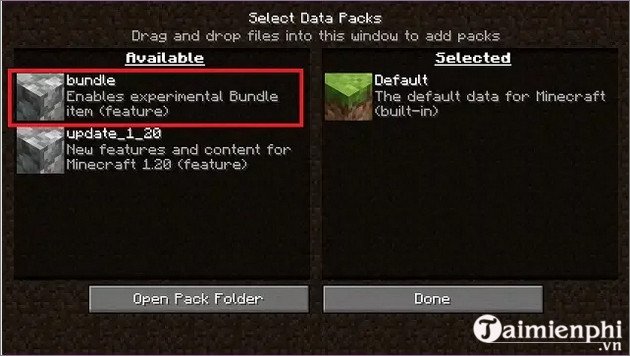
Step 3: Select Data Pack and choose a resource package from the Data Pack.
3. How to Craft a Pouch in Minecraft 1.20
To craft the Bag, you will need 6 rabbit skins, 2 rolls of yarn, and of course, a crafting table.
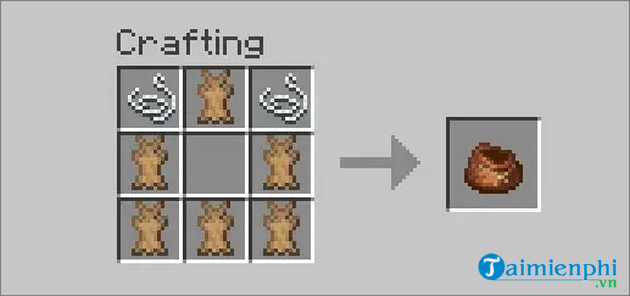
Rabbit skin and rope are arranged as shown in the image above. The rope can be obtained from spiders, while the rabbit skin can be obtained from rabbits in desert, snow, and taiga ecosystems.
Besides learning how to craft bags in Minecraft, if you're interested in learning how to create and build your own village, you can refer to the guide shared below and follow the steps.
The article above from TipsMake has just guided you on how to craft a Pouch in Minecraft 1.20. Additionally, readers can refer to other articles on the site to learn more about how to obtain Shroomlight in Minecraft .
Related Articles
 Crafting Forges in Minecraft 1.20 Is Extremely Simple5 minutes read
 How to Craft Chains in Minecraft 1.204 minutes read
 How to Craft and Use a Name Tag in Minecraft 26.19 minutes read
 How to Craft a Beacon in Minecraft: Practical Guide9 minutes read
 How to Craft Paintings in Minecraft6 minutes read
 Craft and Use Honey Bottles in Minecraft 1.21: Step-by-Step Guide6 minutes read
Reader Comments 0
Sign in with email or Google to join the discussion.