Table of Contents
Buying a laptop isn't just about personal preference; you need to consider many factors like CPU, RAM, graphics card, screen, and your usage needs.
Laptops come in many different types, from office laptops and gaming laptops to professional graphics workstations. In this article, Free Download will share how to choose the right type to optimize your work and entertainment performance.
Criteria for choosing a laptop
1. Affordable prices
This is the first factor influencing laptop buyers because it reflects your current financial situation. You must consider and plan for this if you intend to buy one. Although the purpose of buying a laptop varies, don't waste a few million dong only to end up with a defective product in today's market economy.
2. The brand of laptop we will buy
Currently, the market offers many different types of laptops, including Sony Vaio, Asus, Dell, HP, Mac, Lenovo, and more. You can choose one based on your preferences and work needs.
- Sony Vaio is the most expensive brand because it's so well-known for its quality and long-standing reputation.
- Asus is famous for its long warranty policy, durability, and smooth operation, but its drawback is that it slows down after a period of use.
- Dell is known for its durability and robust performance, but its drawback is its less aesthetically pleasing design.
- HP laptops are excellent for office work, but their drawback is that they generate heat faster during use.
- Mac is Apple's line of machines using the iMac operating system.
- Lenovo is a popular brand; everything about it is excellent, but its drawback is that some applications may have installation errors.
Generally, nothing is perfect, so you should use this information to compare and choose the machine that best suits your work.
If you're looking to choose a Dell laptop but aren't sure which model to select because Dell offers many different types, please read our article " Distinguishing between Dell Inspiron, Vostro, Latitude, XPS, and Alienware Laptops" here.
3. View configuration details
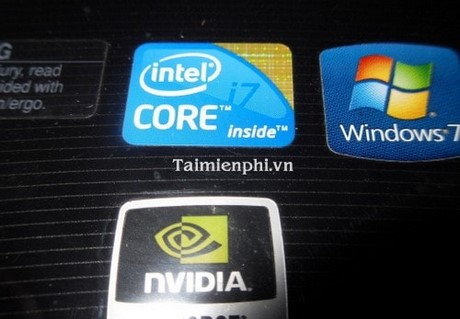
Configuration refers to the parameters of a machine, through which the working process of the machine can be determined. Key configuration parameters to pay attention to include:
- CPU processing speed (GHz): The higher this number, the better.
- The chipset reflects the technology of the machine you're using, which could be a Pentium or Core. This somewhat affects the price of a machine. You need to consider your work purpose when buying a machine. If you'll be using it for typing, browsing the web, entertainment, etc., a Core i3 is sufficient. However, if you're a programmer or a professional, a higher Core processor is better to meet your needs.
- The operating system that can be installed on the machine can be Windows, Linux, or iMac, depending on the purpose we can choose.
- RAM is a parameter that indicates the computer's access capability and temporary storage capacity during operation. With current technology, RAM capacity has improved significantly.
HDD storage capacity reflects the system's storage capability. Remember, the larger the capacity, the slower the processing and loading speed. Therefore, if you want to buy a computer with a high HDD capacity to handle your current work, you need a high-performance CPU, Chip, and RAM; otherwise, you'll waste a lot of time waiting for a larger HDD.
4. Machine type and weight
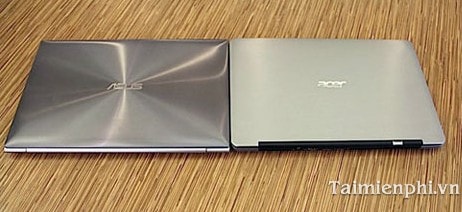
This is an external design feature that affects aesthetics and appeal when buying a machine; everyone wants to buy a machine that is both functional and aesthetically pleasing.
5. Laptop battery
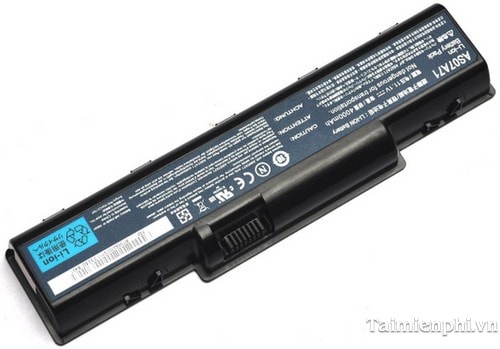
As part of the laptop, the battery provides temporary power to the machine. A good battery is one that provides power for the machine's operation for an extended period. Check the minimum and maximum power delivery time of the battery when purchasing.
6. Dedicated graphics card support
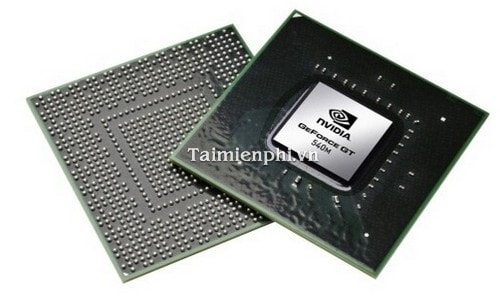
It's not a big deal to be without this, but having it will greatly improve your productivity. However, if you work in graphic design, you'll struggle without it.
7. Keyboard design
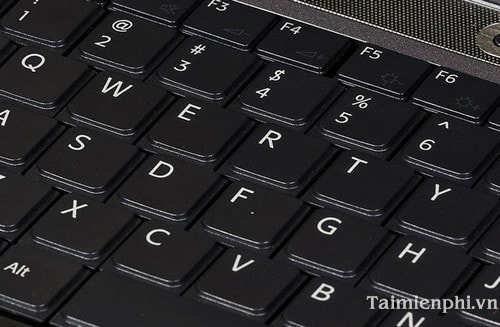
This depends on personal preference and your typing speed later on. It's best to buy a keyboard with slightly spaced-out keys to avoid keys getting stuck.
8. Types of communication ports
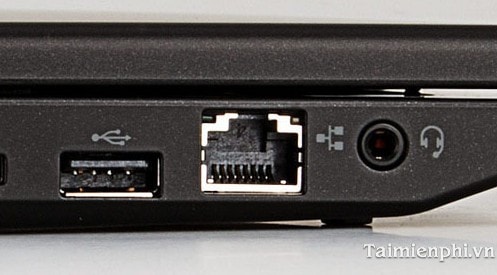
When choosing a laptop, users should carefully consider their needs to select the right device. For office work, a thin, lightweight laptop with long battery life is optimal. Meanwhile, graphic designers or gamers should choose a machine with a dedicated graphics card and ample RAM to ensure optimal performance.
Related Articles
 Notes When Choosing to Buy a Laptop5 minutes read
 This Website Will Help You Find a Laptop That Suits Your Needs3 minutes read
 Laptop Is Suitable for Each Subject4 minutes read
 The Decision to 'Pocket' Before Choosing to Buy a Laptop5 minutes read
 Summary of Good Graphics Laptops Under 15 Million for Designers18 minutes read
 How to Choose a Mattress: Features Worth the Money and the Waste11 minutes read
Reader Comments 0
Sign in with email or Google to join the discussion.