Just like iPhones or any other phone, there are international versions, imported versions, and officially distributed versions, and users are required to check them. However, checking imported Samsung phones is much simpler than checking iPhones or even other Android phones. To help readers better understand imported Samsung products, the following guide will show you how to check an imported Samsung phone.
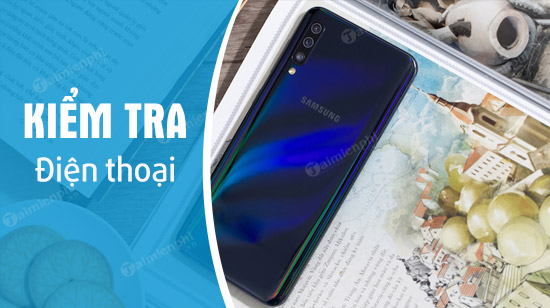
Check out imported Samsung phones.
Currently, Samsung phones can be divided into three categories: officially distributed phones, imported phones, and carrier-branded phones.
- Genuine Samsung phones : These are phones officially distributed in Vietnam and are warranted by Samsung Vietnam.
- International Samsung phones : These are phones imported by retailers, usually only warranted by the retailer, although everything is identical to genuine products.
- Carrier phones : These are also imported phones, but are carrier-specific versions, with many limitations, although they can now be unlocked and used with many networks in Vietnam.
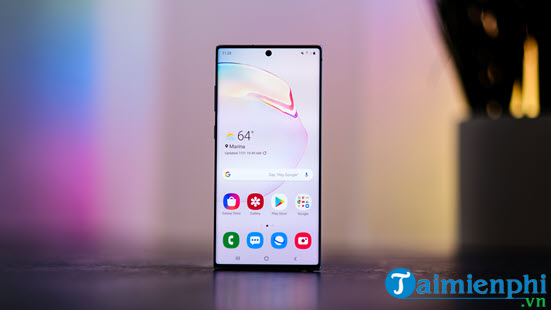
Checking whether a Samsung phone is a grey market import or not is quite simple; we can tell by the distinctions mentioned above. First, you can check if a Samsung phone is a grey market import by checking the warranty, as only genuine phones are eligible for a warranty.
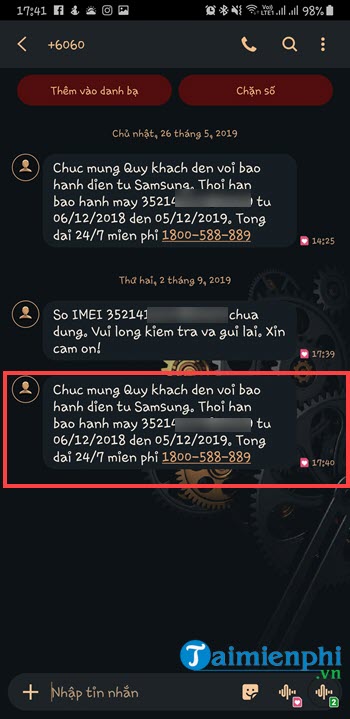
* You just need to compose a text message containing the IMEI number you just saw and send it to 6060 (Note: checking costs 500 VND/message) and then press send.
With just one simple message, the system will send you information about your phone's warranty.
So, we've ruled out the possibility of it being a grey market or genuine product. But how do we check if a grey market Samsung phone is an international version or a carrier-locked version?
- Imported goods from South Korea (SK Telecom, LG Uplus(U+), KT Corporation)
- Imported goods from the USA (AT&T, T-MOBILE, SPRINT PCS, VERIZON,.)
There aren't many differences between imported and carrier-locked Samsung phones. If you want to know how to check if a Samsung phone is imported, you can distinguish them by the carrier logo that appears on the phone or on the startup screen. International versions completely lack this feature, so you can easily tell the difference by looking at it.

Another way to identify and verify a genuine Samsung phone versus a Korean imported version is to look at the front of the device. The Korean version will not have the Samsung logo below the earpiece. The back of the Korean version will only have the Samsung logo, without any additional carrier symbols.
The above is a guide on how to check imported Samsung phones. Hopefully, this article will provide you with more information on how to verify whether an imported Samsung phone is genuine, or if it's a carrier-locked version.
As you can see, checking the IMEI number is essential when verifying a Samsung imported phone. Readers can refer to the methods for checking Samsung IMEI numbers here if they are unsure how to do this.
The screen is always the most expensive part of any phone, so if your Samsung phone screen happens to break, where should you get it replaced to ensure both quality and safety? TipsMake recommends getting it replaced at authorized service centers. For imported Samsung phones, you can check out our Samsung screen replacement service here.
Related Articles
 4 Quick Test Steps for Old Samsung Smart Phone5 minutes read
 Instructions for Checking Genuine Samsung Phones6 minutes read
 Check and View Your Phone Number on Your Samsung Galaxy4 minutes read
 What Are You Missing Out on If You Use Your Phone Without Samsung Flow?6 minutes read
 Should You Buy the Samsung M51 Phone?5 minutes read
 Top Website Check the Most Accurate IMEI Samsung5 minutes read
Reader Comments 0
Sign in with email or Google to join the discussion.