Table of Contents
After a certain period of use, especially after about a year, which is when the warranty expires, it's time to do a general check of your device, and checking the battery health on Samsung devices is essential. However, not all manufacturers allow users to check battery health or interfere too deeply with the device's system. What about Samsung? Is it possible to check the battery health on a Samsung device?
Checking Samsung battery health
How to check the battery health of a Samsung phone.
Step 1
To check the battery health of your Samsung phone, you need to use an application called Phone INFO, which you can download here.
Download Phone INFO for Android here.
Step 2
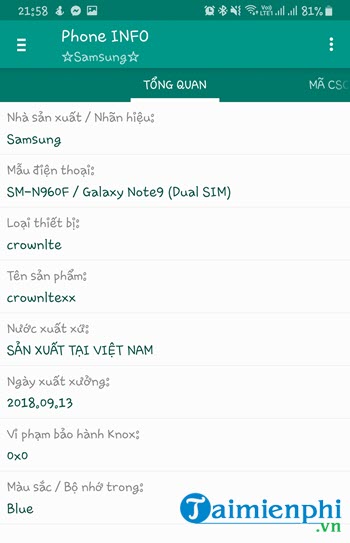
Inside the application, you will see many of the specifications of your Samsung device.
Step 3
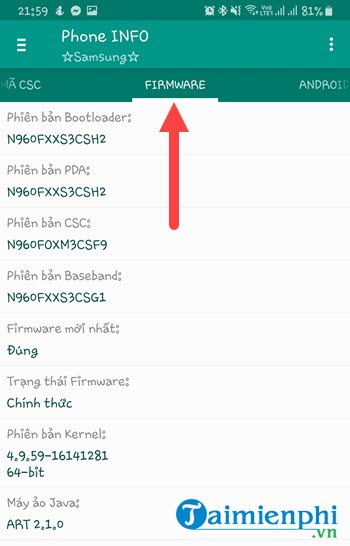
Next, go to the Firmware section to see the specifications your device has; this is just basic information about your phone.
Step 4
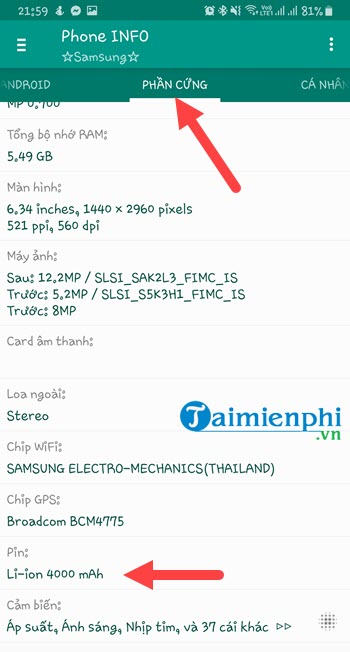
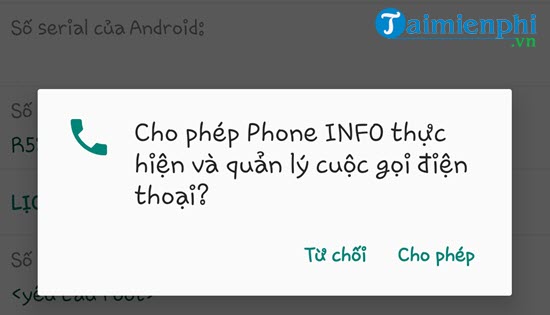
In the next section, the application will ask you to allow access to certain components on your device. Tap "Allow" to continue.

Immediately afterwards, you will see the hardware displayed, and below that, the phone's battery capacity will be shown, in this case, 4000 mAh.
Step 5
However, this is not the Samsung battery health check; the next personal section will also require access to your information, and you must grant permission.
Here you will see the battery capacity at the bottom, currently at 94.8% , meaning it has degraded by 5.2% , which isn't much.
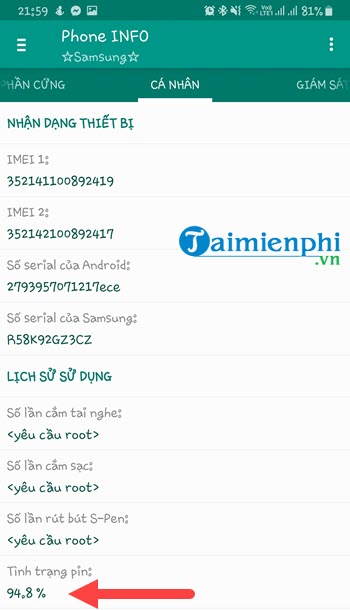
And so we've completed the Samsung battery health test. The result, after 8 months of use (by the person writing this), is a 5.2% battery degradation.
With the app that TipsMake recommends above, you can easily check your Samsung's battery health. However, the system still doesn't allow you to access more information about your Samsung phone. To do that, you have to use Android rooting software; however, using Android rooting software may void your device warranty and disable some other Samsung features.
While rooted Samsung and Android phones are available, what about iPhones? The answer is a very simple and effective way to jailbreak your iPhone using 3uTools. Check out how to jailbreak your iPhone with 3uTools here and follow the instructions.
When buying a used iPhone, in addition to checking the IMEI to verify the iPhone's information, you should also check the iPhone's battery to see if it's still usable. Similarly, when buying a used Xiaomi phone, you need to check the battery's condition .
Related Articles
 The Best Android Battery Bottle Test App5 minutes read
 Learn About the Samsung Health App6 minutes read
 Steps to Check iPad Battery Status Quickly iPad4 minutes read
 Should You Buy the Samsung M51 Phone?5 minutes read
 How to Accurately Check the Battery Health of Windows and MacBook Laptops10 minutes read
 4 Quick Test Steps for Old Samsung Smart Phone5 minutes read
Reader Comments 0
Sign in with email or Google to join the discussion.