Table of Contents
The Google Play app store varies greatly from country to country, largely due to national policies that Google Play must adhere to, and partly due to the app publishers themselves. This is why Android users often want to change their Google Play region or country to suit their needs.

How to change your Play Store region, change your country on Google Play.
Step 1
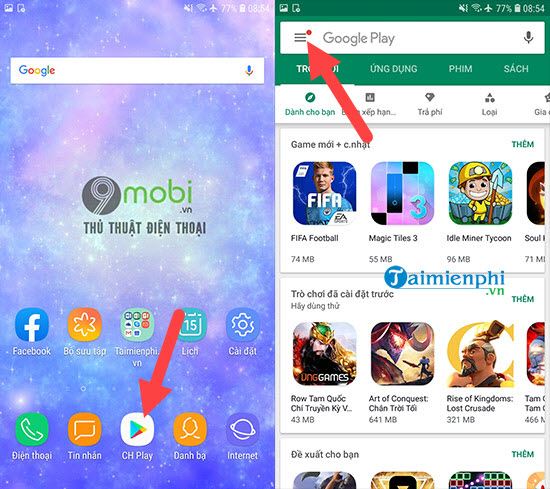
To change the country on Google Play, first access the Google Play Store, then tap the Menu icon in the app store interface.
Step 2
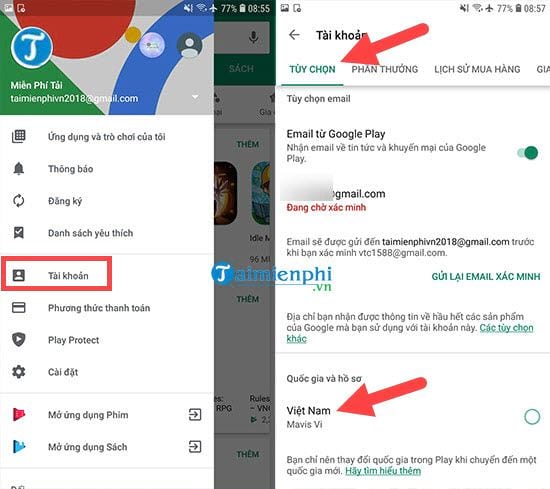
Immediately, your account menu will appear. Here, select "Account " > within the options section, you will see " Country and Profile" . Click on it to change your country on Google Play.
Step 3
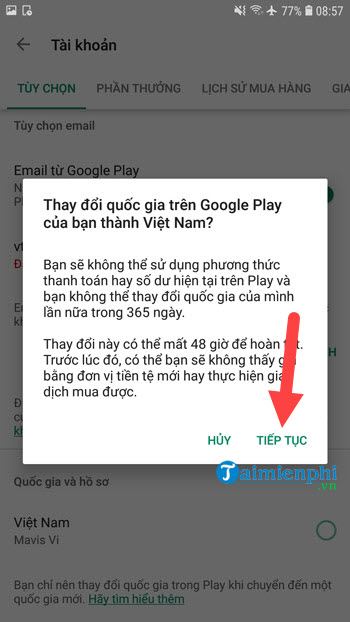
Before proceeding with the country change on Google Play, the system will ask you again about the change, as it can only be done once a year and is reviewed within 48 hours.
Step 4
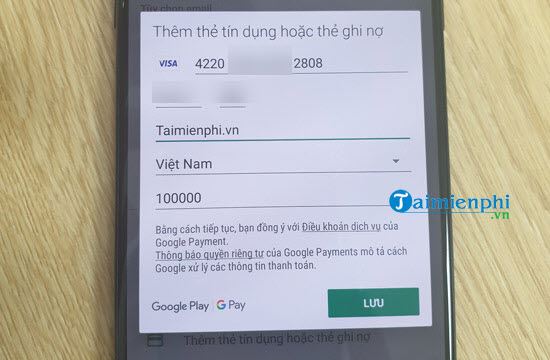
In some countries, you are required to add a credit card to change your country on Google Play. Only a few countries, such as Vietnam, are exempt from this requirement.
Step 5
Remember to select the correct country name, then fill in the cardholder information completely and accurately, and click Confirm. This verification process will take 48 hours and there is no guarantee of successful approval.
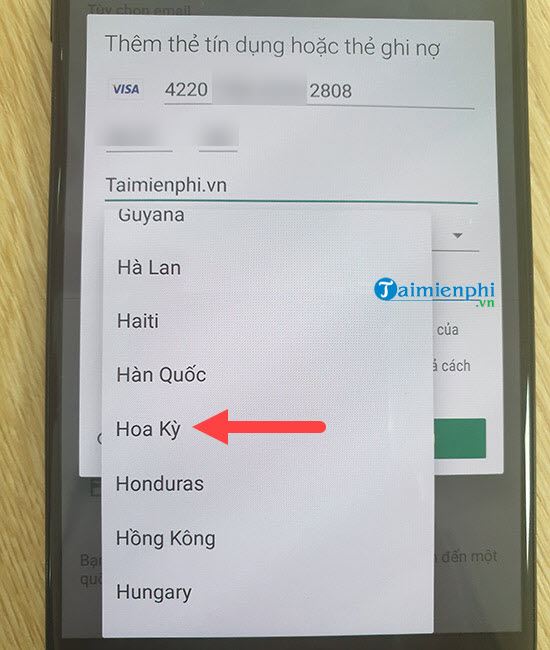
So, TipsMake has finished guiding you on how to change your country on Google Play. To log in to Google Play in a new region, you must meet the requirements and also wait for approval. Of course, if you want to install an app that isn't available on Google Play in your country, there are other ways besides logging into Google Play on your device. Additionally, instead of using the boring default interface, Android users can also apply tricks to change the Google Play store interface to Dark Mode for a fresher, more interesting look.
Yes, there are still many alternatives to changing the country on Google Play that still achieve the desired effect, such as downloading and installing APK files on your Android phone from a third-party source. Currently, there are many sources that help you install APK files on your Android phone quickly and safely. If you don't have Google Play installed, you can download and install the Google Play APK to your device.
Related Articles
 How to Change the Country / Region on Google Play Store6 minutes read
 How to Change Itunes Store Country Region3 minutes read
 What to Do When Google Play Store Is Not Working?10 minutes read
 Google Play Error Codes and Fixes: Part 120 minutes read
 How to Change Countries on Microsoft Store5 minutes read
 Download Google Play 24.2.15-166 minutes read
Reader Comments 0
Sign in with email or Google to join the discussion.