Table of Contents
Some Android phones have an Auto factory reset option that you can set up to automatically protect your data if your phone is stolen. Once enabled, it will automatically erase everything on your device if someone enters the wrong PIN, pattern, or password too many times. In this guide, you'll learn how to enable the factory reset feature to prevent your data from falling into the wrong hands.
Instructions for automatically deleting Android phone data
Step 1:
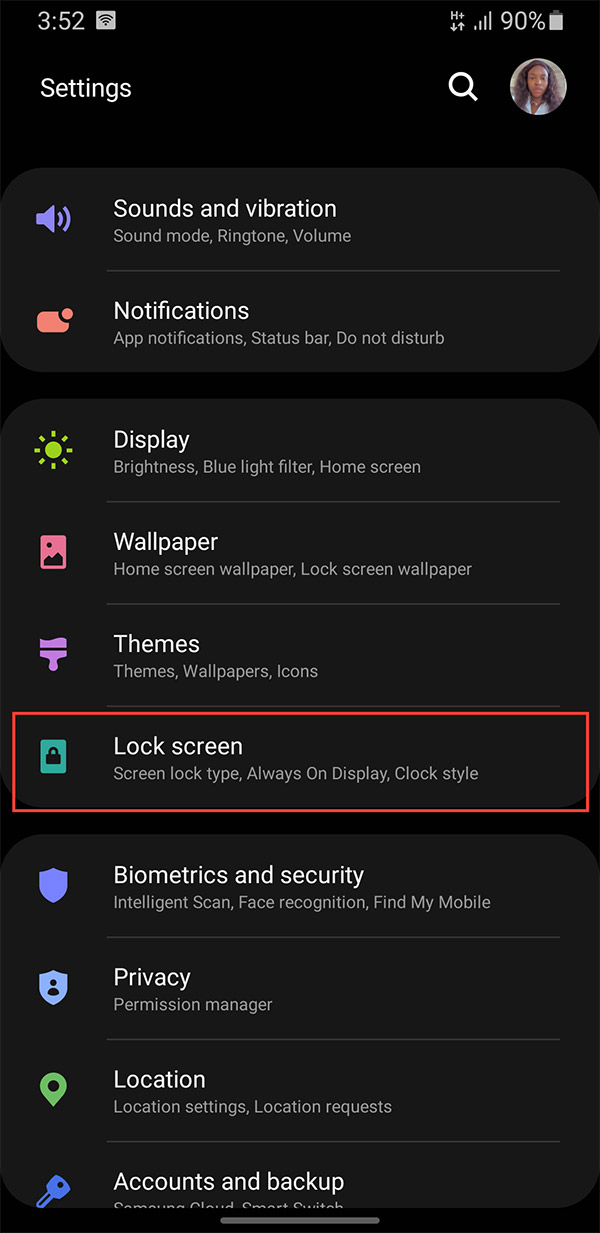
First, select Settings and select Lock screen to adjust the settings for the Android phone lock screen.
Step 2:
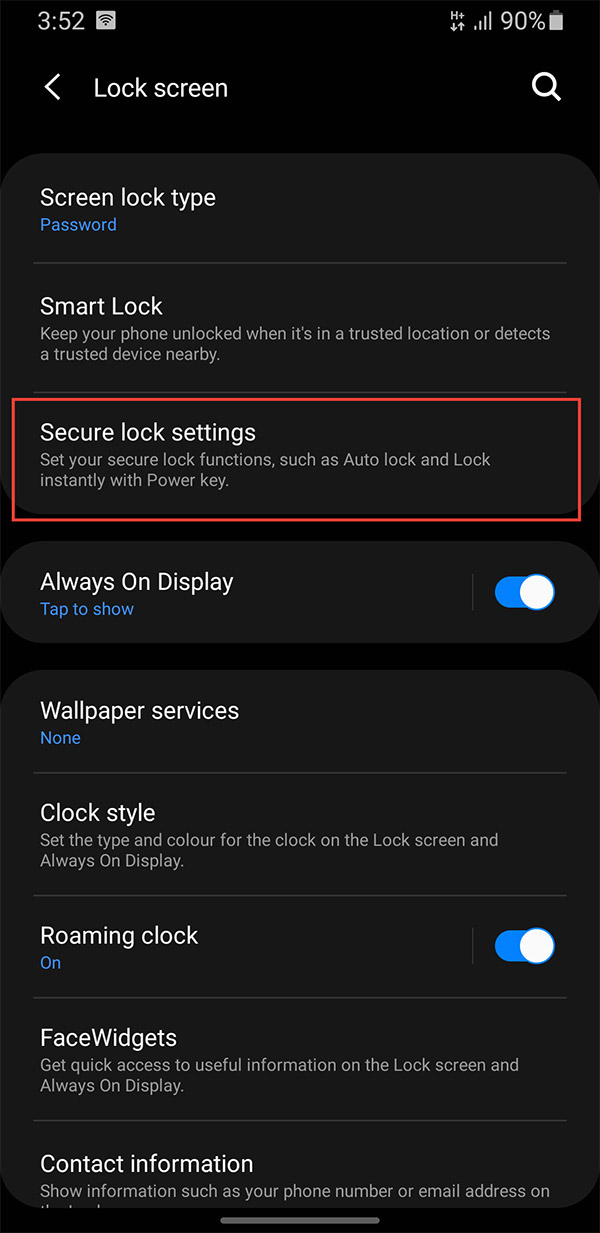
Switch to the new interface, users select Secure lock and enter the phone lock password to access this section.
Step 3:
Finally, you just need to enable the Auto factory reset setting .
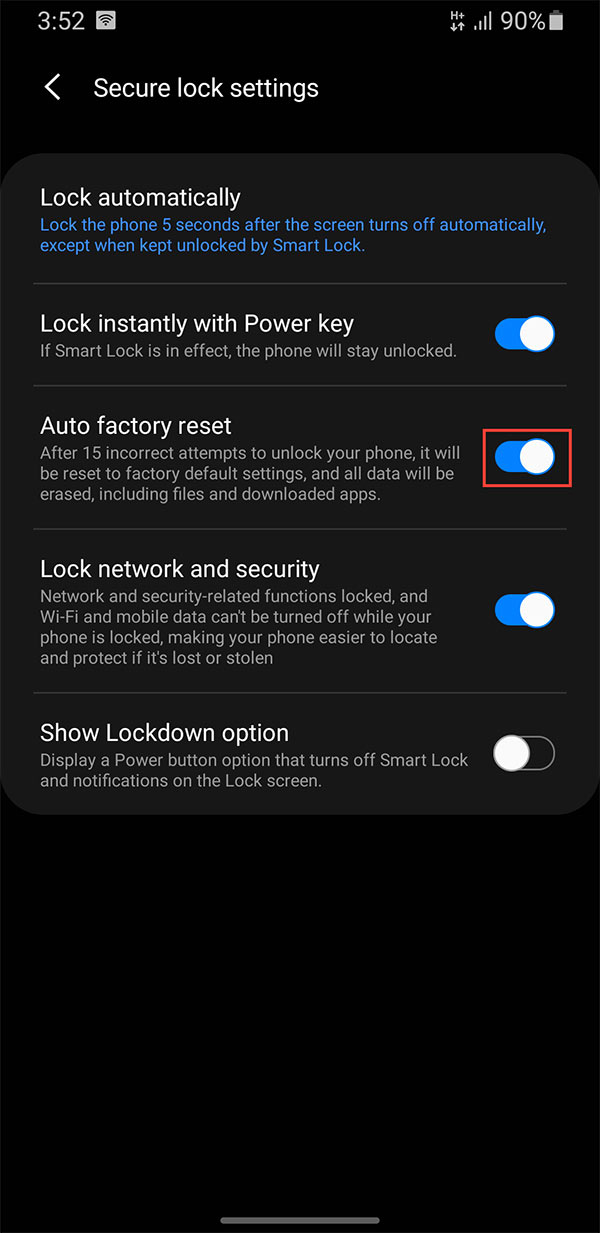
You should note that Auto factory reset on Android is one of the powerful security tools, ensuring that privacy will not be violated if the phone is lost or stolen. However, this feature does not distinguish between thieves and curious children, so it can lead to a situation where all data is lost when children play with the phone.
Final Thoughts
Following the steps in order and checking version-specific settings should make it easier to Automatically Erase Android Phone Data If It's Stolen. If an option looks different, verify the device, app, or operating-system version before changing additional settings.
FAQ
What is the best way to Automatically Erase Android Phone Data If It's Stolen?
Start with the requirements described in the article and follow the steps in order. Some Android phones have an Auto factory reset option that you can set up to automatically protect your data if your phone is stolen.
What should you know about Instructions for automatically deleting Android phone data?
First, select Settings and select Lock screen to adjust the settings for the Android phone lock screen.
What should you do if the instructions do not match your screen?
Check the device, software version, account permissions, and regional settings. Interfaces can change after updates, so use the closest matching option and consult the official support documentation when necessary.
Related Articles
 What Is Secure Erase?5 minutes read
 How to Reformat Android Phone3 minutes read
 How to Automatically Delete Web Data on Edge Chromium3 minutes read
 How to Find a Stolen Phone: Clear Instructions11 minutes read
 What to Do to Get Data Back When Phone Is Stolen?7 minutes read
 Ways to How to Reset Android Without Losing Data: Complete Overview7 minutes read
Reader Comments 0
Sign in with email or Google to join the discussion.