Table of Contents
Google Vids can generate original background music from a text description. Powered by Google's Lyria 3 family of music models, the feature can create a short clip of about 30 seconds or a longer track of up to three minutes. Availability depends on the Google Workspace or Google AI plan attached to your account.
Generate background music in Google Vids
- Open Google Vids, create a new project, or open an existing video.
- In the editor's side panel, select Music.
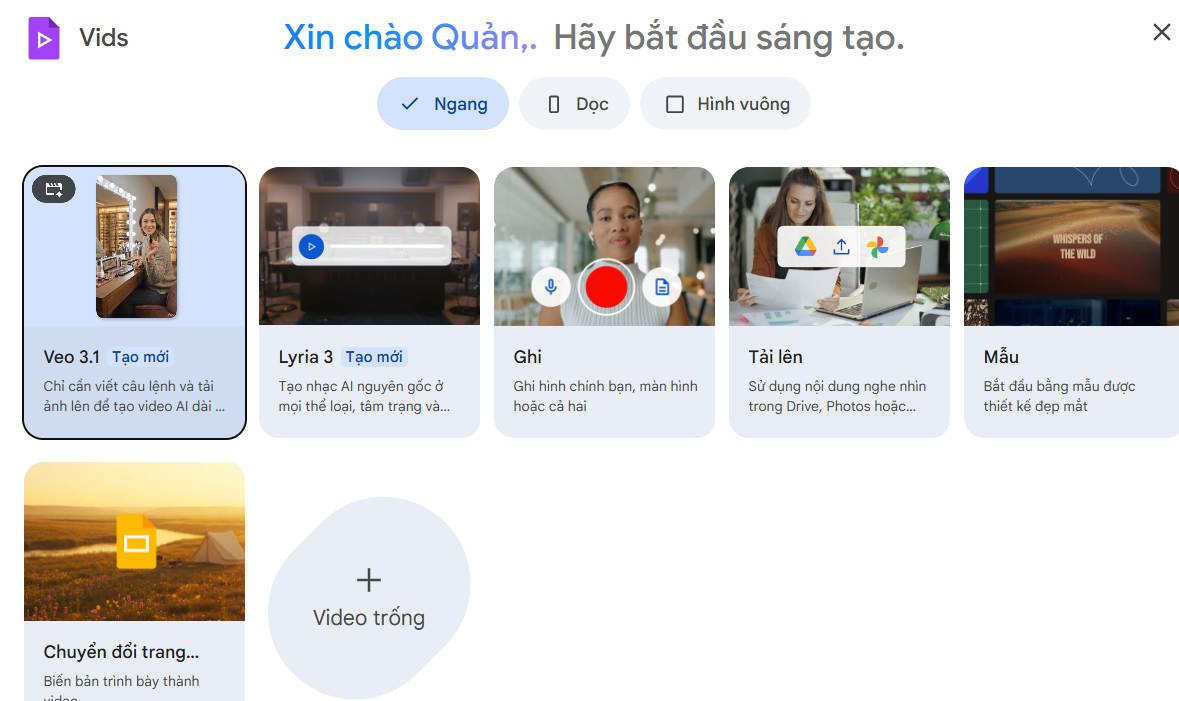
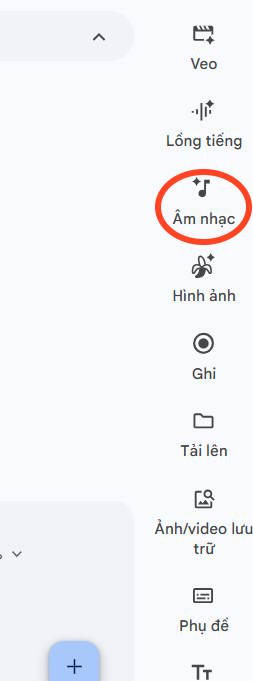
Choose the option to generate music. If the control is missing, the feature may still be rolling out or may not be included with your account.
Describe the track
Select the desired duration, then describe the sound you want. A useful prompt names the mood, genre, instruments, pace, and purpose. Avoid naming a living artist or asking for a direct imitation.
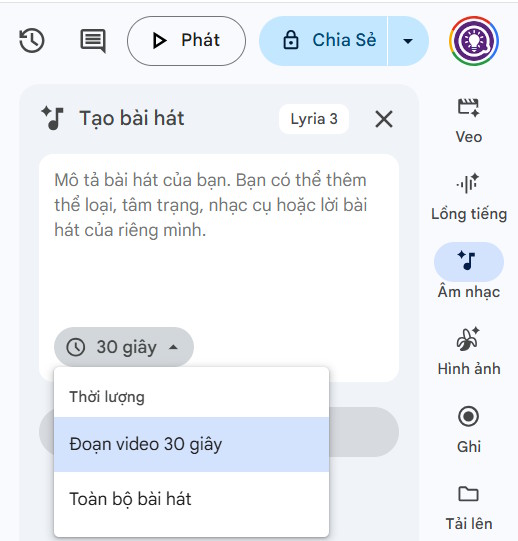
Example prompts include:
- “Warm acoustic guitar and light percussion for a friendly two-minute product tutorial; no vocals.”
- “Calm ambient synth with a slow build for a 30-second presentation intro.”
- “Upbeat electronic background track for a team recap, energetic but not distracting.”
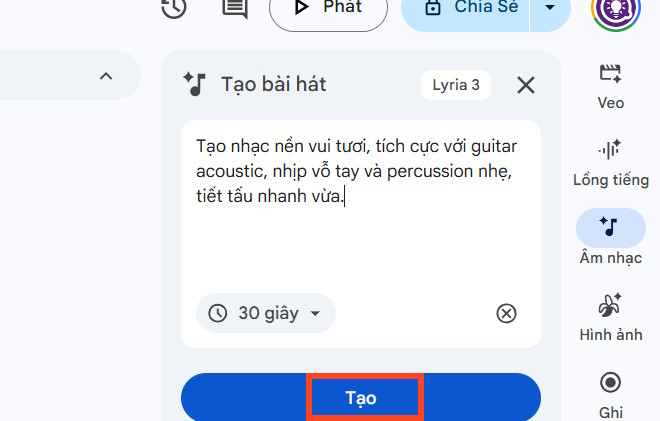
Create and preview the result
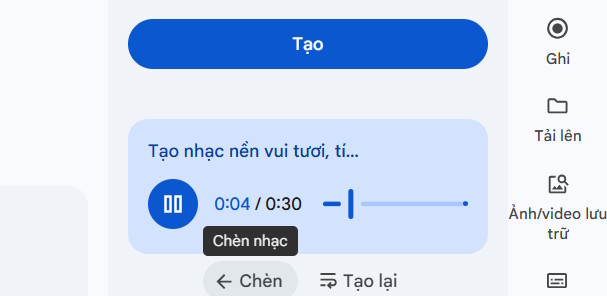
Select Create and wait for Vids to generate the music. Preview the result with your narration and visuals. Choose Insert when it fits, or generate another version with a more precise prompt.
Adjust the soundtrack
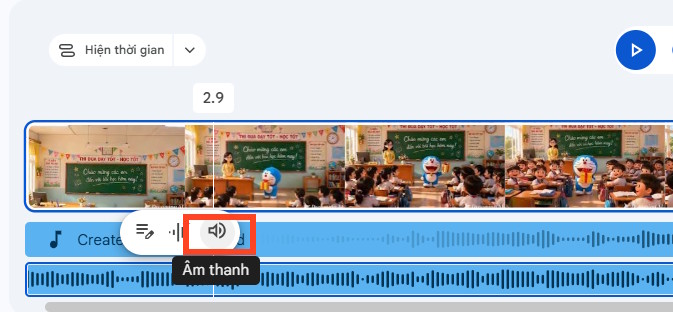
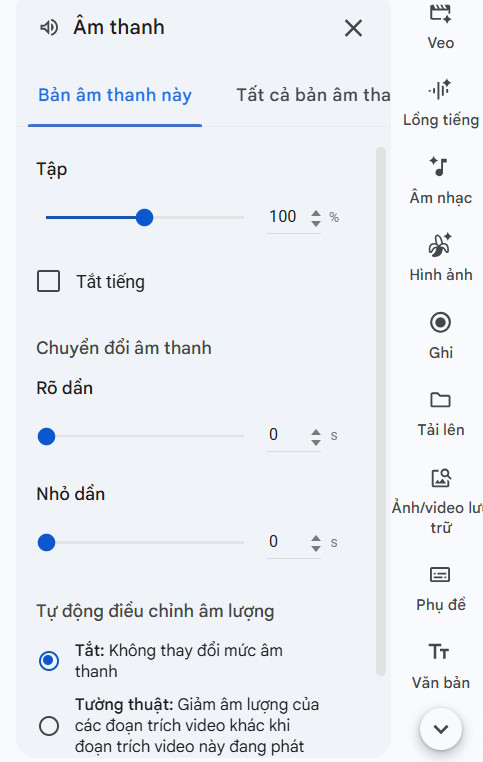
After inserting the track, select its audio controls in the timeline. Lower the volume so speech remains easy to understand, and use any available fade controls to avoid an abrupt start or ending. Play the entire video once, because a level that works for the opening may overpower quieter narration later.
When the mix is ready, use Google Vids' sharing or export options for the finished project. If you want to create the visuals as well as the soundtrack, see this guide to creating videos from PowerPoint or PDF with HeyGen.
What to check before publishing
- Confirm that the track covers the full scene without an awkward loop or cut.
- Listen on headphones and speakers to check narration clarity.
- Review your organization's rules before using generated media in client or public work.
- Check the current Workspace terms for permitted use and feature availability.
Google's Workspace announcement confirms that Lyria 3 and Lyria 3 Pro can generate music in Google Vids. Controls and limits can change as the service is updated.
Related Articles
 Guide to Creating Short AI Videos Using Google Vids5 minutes read
 Guide to Using AI for Voiceovers in Google Videos5 minutes read
 New Feature Allows Editing Videos Directly on Google Drive Right4 minutes read
 How to Create an AI Avatar Video in Google Vids8 minutes read
 Create Presentations with Google Vids8 minutes read
 How to Add Background Music to Instagram Videos8 minutes read
Reader Comments 0
Sign in with email or Google to join the discussion.