Table of Contents
Google Vids can generate a presenter-style clip from an AI avatar and a written script, so you can add narration without recording yourself. You can choose a preset avatar with a built-in voice or create a custom avatar for the current Vids document.
The feature requires an eligible Google Workspace or Google AI plan and may roll out gradually. If AI avatar does not appear, check the account's plan, administrator settings, supported language, and regional availability.
Create a video with a preset AI avatar
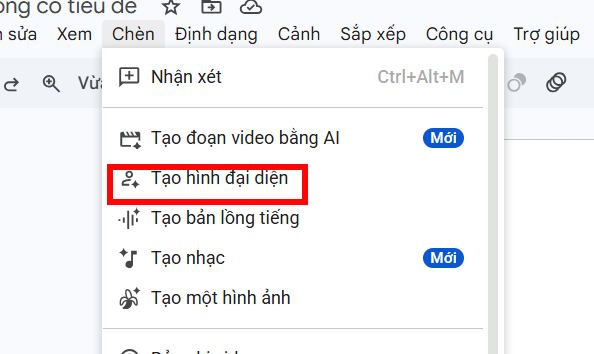
1. Open the AI avatar tool
Open Google Vids on a computer. From the start screen, choose AI avatar. In an existing Vid, select the scene where you want the presenter, then open the AI avatar panel.
2. Choose a presenter and voice
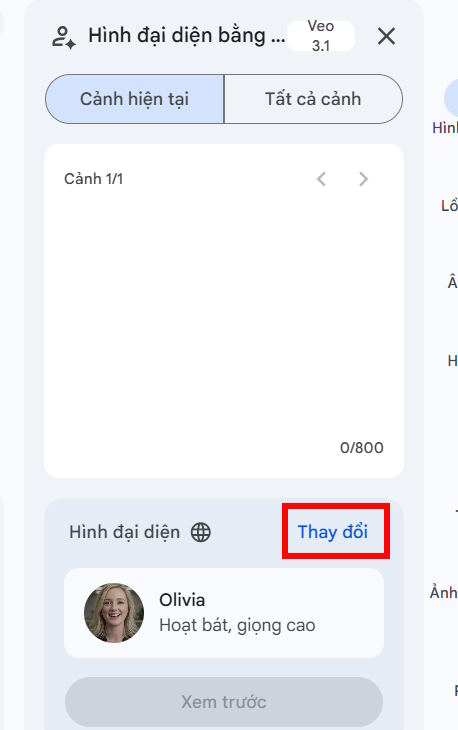
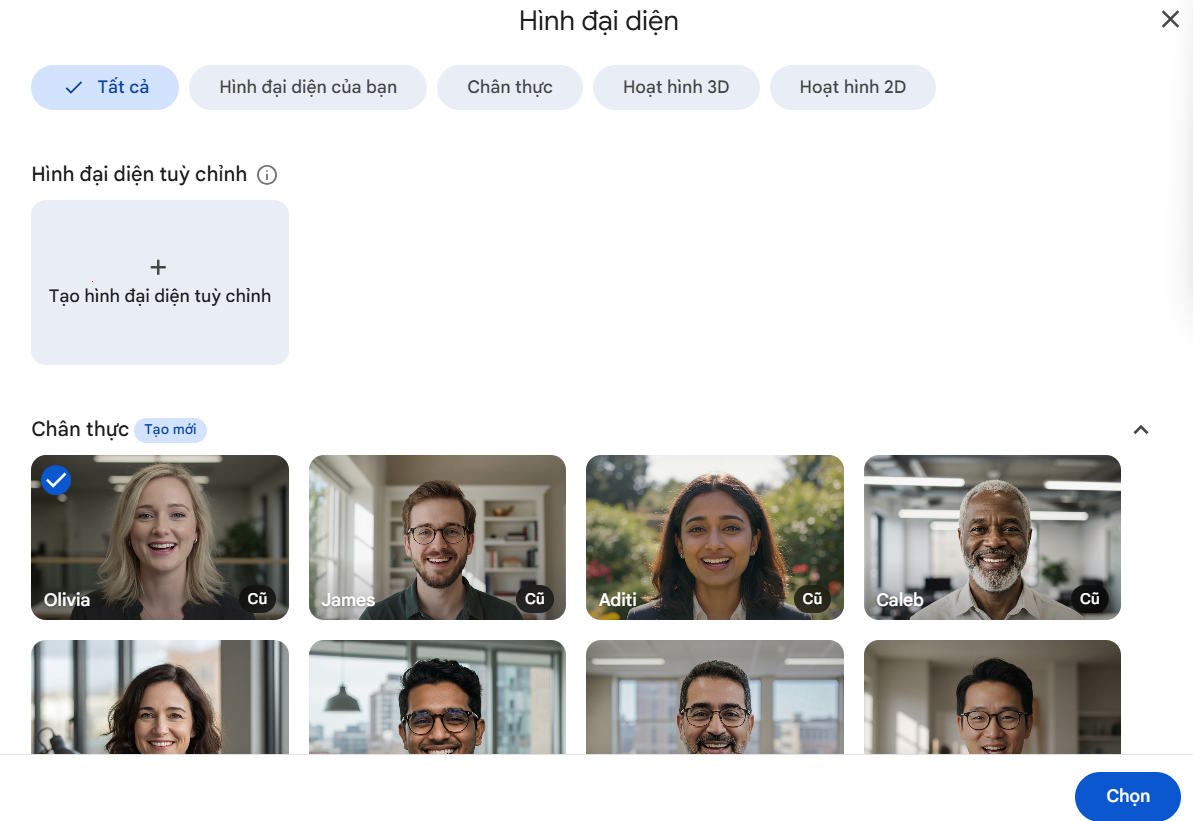
Hover over the preset avatars to preview their voices. Select the avatar whose appearance and delivery fit the audience and purpose of the video.
3. Enter the script
Write the words the avatar should speak. Keep each scene focused on one idea and read the text aloud before generating. Short sentences, explicit pronunciation, and natural punctuation generally produce clearer narration.
Where supported, type [ to open audio tags that adjust pacing, pauses, emotion, style, or sounds. Use tags sparingly and preview the result; too many delivery instructions can make speech feel unnatural.
4. Preview and insert the clip
Select Play preview to check the voice and script. Make corrections before generating. When the result is ready, select Insert to generate the avatar speaking in the current scene. Generation may take several minutes, so keep the Vids tab open.
Create a custom AI avatar
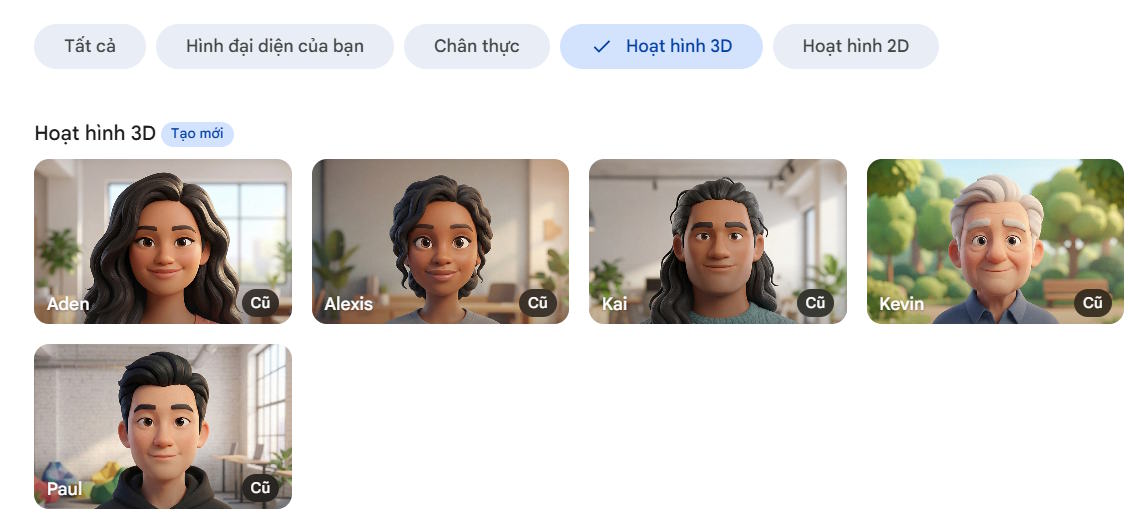
A custom avatar is an AI-generated character, not a recording of a real person. Google Vids lets you start from a preset image or build a character from selectable attributes and a text description.
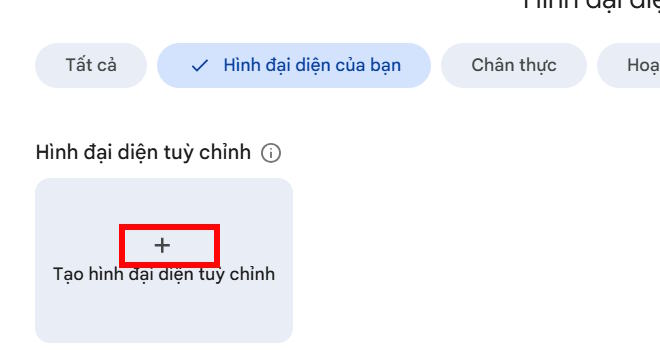
1. Open the custom-avatar builder
In the AI avatar side panel, select Change, then Create custom avatar.
2. Choose a starting method
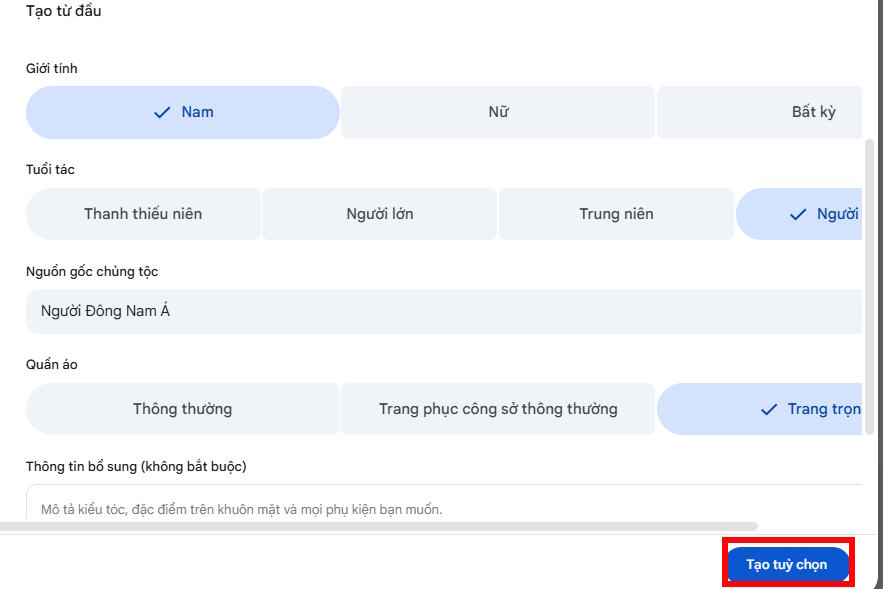
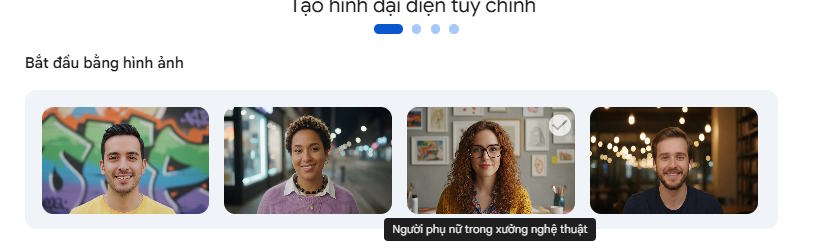
To adapt a preset, select an image and add prompt details. To build from scratch, choose the available appearance and outfit options, then enter any additional visual details.
Some accounts can add a business logo for a spokesperson-style character. Upload only artwork you are authorized to use, and check that the generated result does not distort the mark.
3. Generate and refine the options
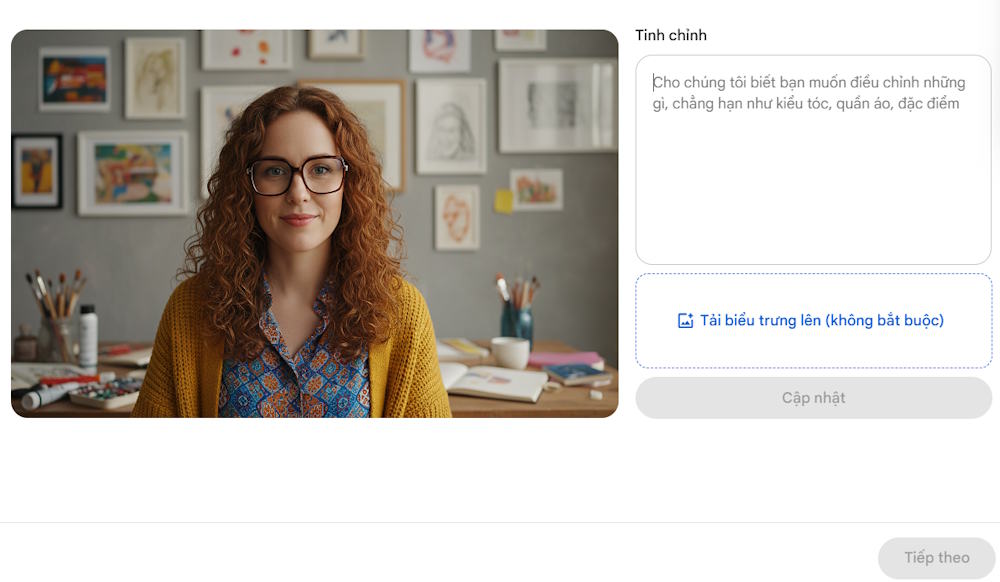
Select Create options or Generate. Review the generated characters, choose one, and select Refine selected. If necessary, add a precise change request and generate again. Avoid combining many conflicting appearance changes in one prompt.
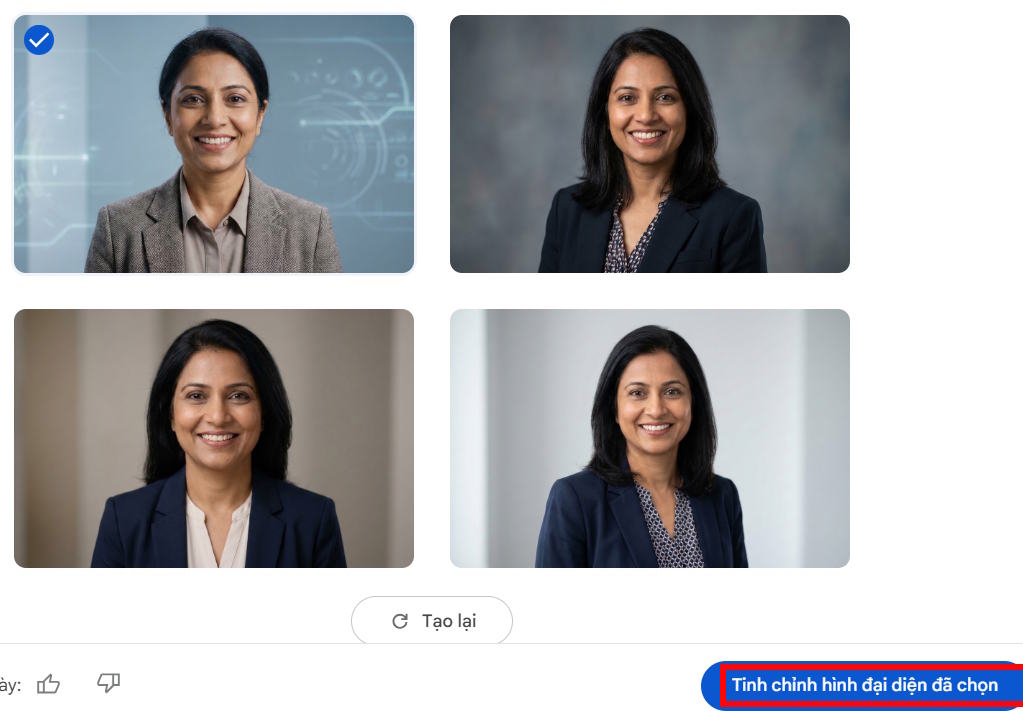
4. Name the avatar and select a voice
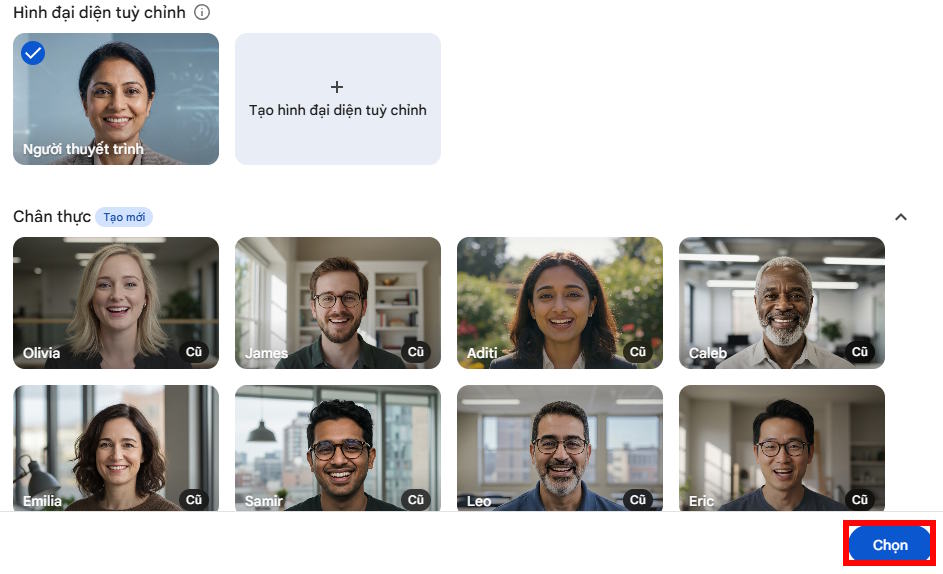
Select Next. In the finalization window, give the avatar a useful name, choose a voice, and play the voice preview. Select Save, choose the saved avatar, and then select Select.
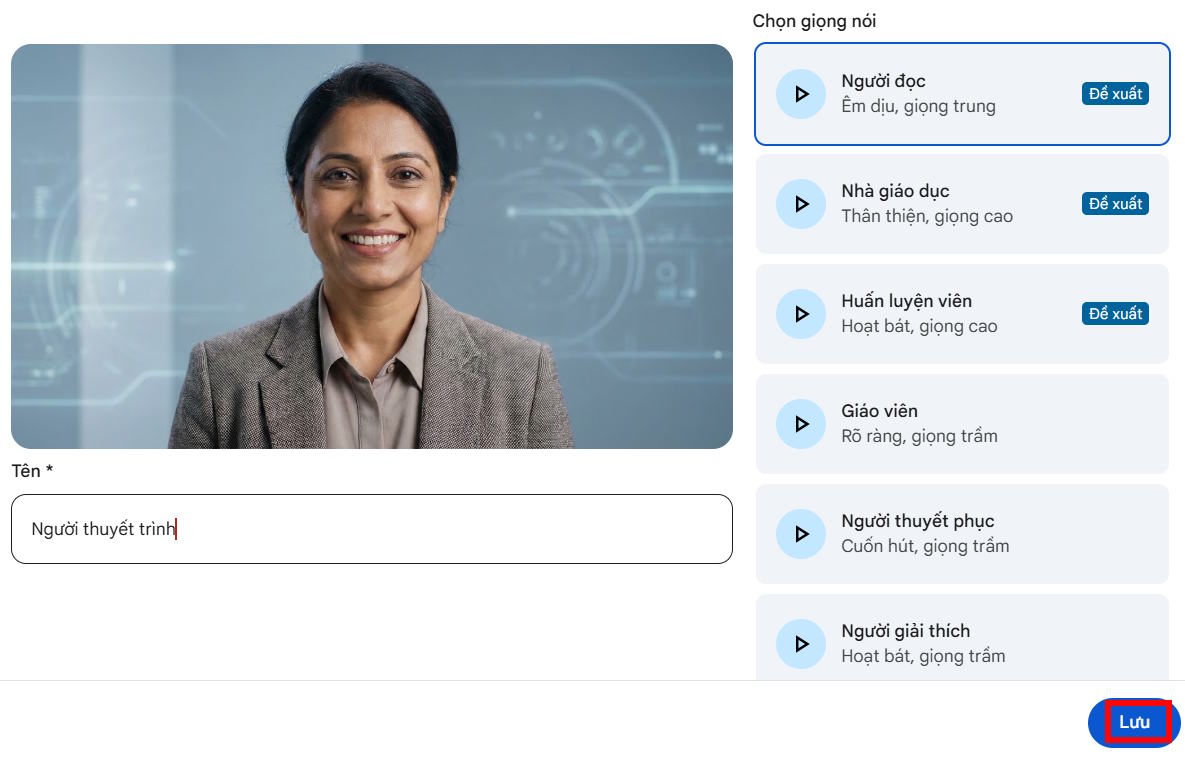
Custom avatars are saved to the current Vids document rather than to a universal avatar library. A copy of the Vid carries its saved custom avatars.
5. Add the presentation script
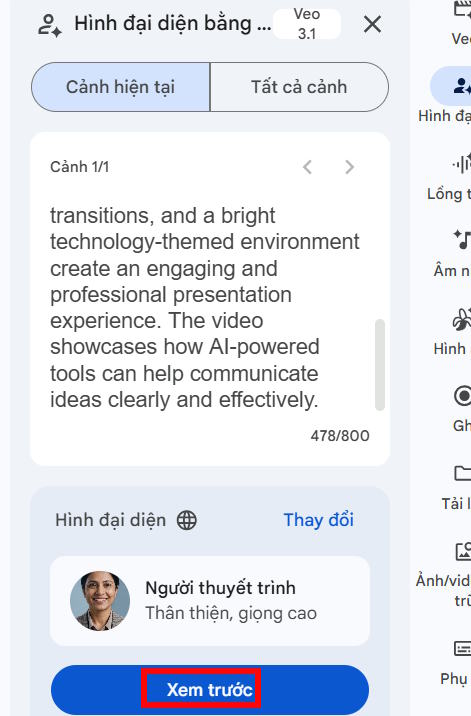
Enter the script, preview the voice, and select Insert when the delivery is correct. The generated clip is added to the selected scene, where it can be positioned with other visual and audio elements.
Plan around the current limits
Generation limits depend on the account. Google's current help page says many users receive up to 25 AI-avatar generations per month, while some plans share a limit with other AI video features. Each generated avatar video can be up to 60 seconds. Limits can change, so check the counter and plan details shown in your account.
AI avatars currently support multiple spoken languages, including English, Vietnamese, Spanish, French, German, Japanese, Korean, and others. The available voices may vary by language. See Google's AI avatar help page for the current plan, language, and generation details.
Write a better avatar script
- Lead with the point: state what the viewer will learn or do in the first sentence.
- Write for speech: replace long clauses, dense lists, and unexplained abbreviations.
- Use scenes: split a long presentation into clips instead of forcing the whole message into one generation.
- Add visual evidence: show the product, chart, or instruction being discussed rather than leaving the avatar on screen continuously.
- Check names and numbers: preview pronunciation and verify every factual claim before publishing.
- Add accessibility: review captions, contrast, reading order, and on-screen text.
Responsible-use checks
Make it clear when a presenter is AI-generated if viewers could reasonably mistake it for a real person. Do not imitate a real person's face or voice without permission, and do not use the feature for deceptive endorsements. Avoid entering confidential, personal, medical, legal, or financial information into prompts or feedback.
Before sharing the final Vid, watch every generated scene from start to finish. Check lip movement, pronunciation, timing, captions, logos, and transitions. AI-generated results can contain visual or spoken errors even when the preview looks convincing.
Video walkthrough
Related Articles
 Guide to Creating Short AI Videos Using Google Vids5 minutes read
 How to Add AI Background Music to Videos on Google Vids3 minutes read
 New Feature Allows Editing Videos Directly on Google Drive Right4 minutes read
 Instructions for Creating Avatars on Whatsapp4 minutes read
 How to Use Video as Avatar Avatar for Facebook4 minutes read
 Creating a Professional Presentation7 minutes read
Reader Comments 0
Sign in with email or Google to join the discussion.