Table of Contents
TeraBox's AI workspace includes tools for research-style reports, essays, and rewriting. The exact labels and account limits may change, but the basic workflow is to choose a writing mode, describe the topic, review the proposed outline, and edit the generated draft before exporting or copying it.
Open the TeraBox AI writing workspace
- Sign in to TeraBox and open its AI workspace.
- Select Write AI. Depending on the version available to your account, the menu may include In-depth Research, AI Essay Writing, and Intelligent Rephrasing.


If you do not see these options, check whether the feature is available for your region and account tier. The supported interface and output languages may also be limited.
Choose a mode and enter the topic
Select the format that matches the task. Research mode is intended for a structured report, essay mode creates a conventional draft, and rephrasing mode revises text you already have. Enter a specific topic and include the intended audience, length, tone, and points that must be covered.
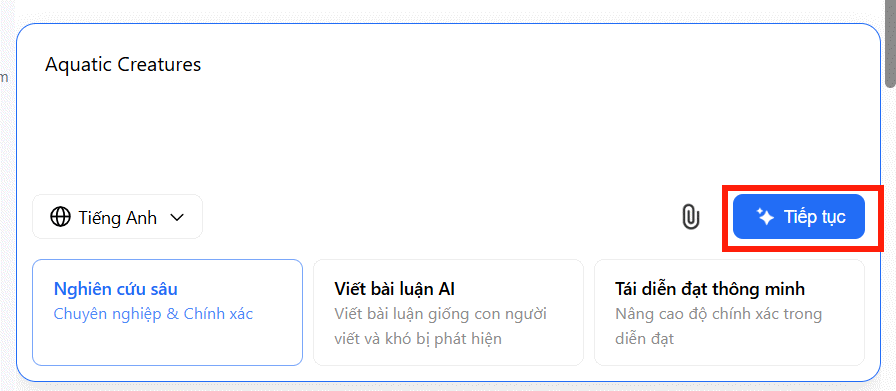
A precise request produces a more useful outline. For example, instead of entering “remote work,” ask for “a 1,000-word comparison of remote and hybrid work for small-business managers, covering cost, communication, and employee wellbeing.”
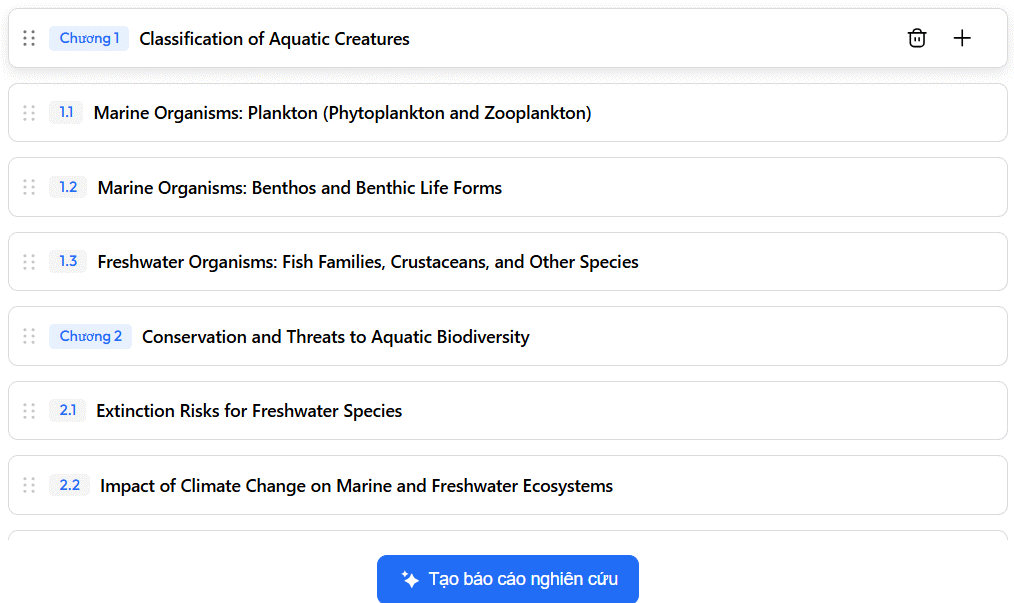
Review the outline before generating the draft
In research mode, TeraBox may propose an outline before writing the full report. Treat this as an editing checkpoint: remove irrelevant sections, add missing questions, and arrange the headings in a logical order. Then choose the option to create the report.
Edit, verify, and export
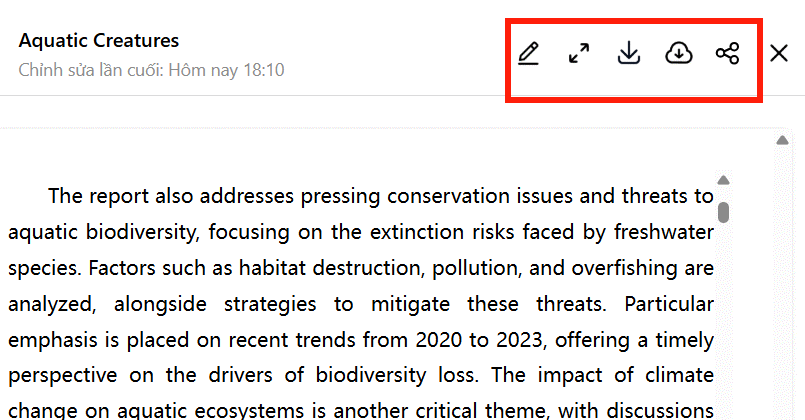
Use the editor to correct the structure, wording, and formatting. Do not assume that names, dates, quotations, citations, or statistics are accurate simply because the draft is fluent. Open the original sources and verify every claim that matters.
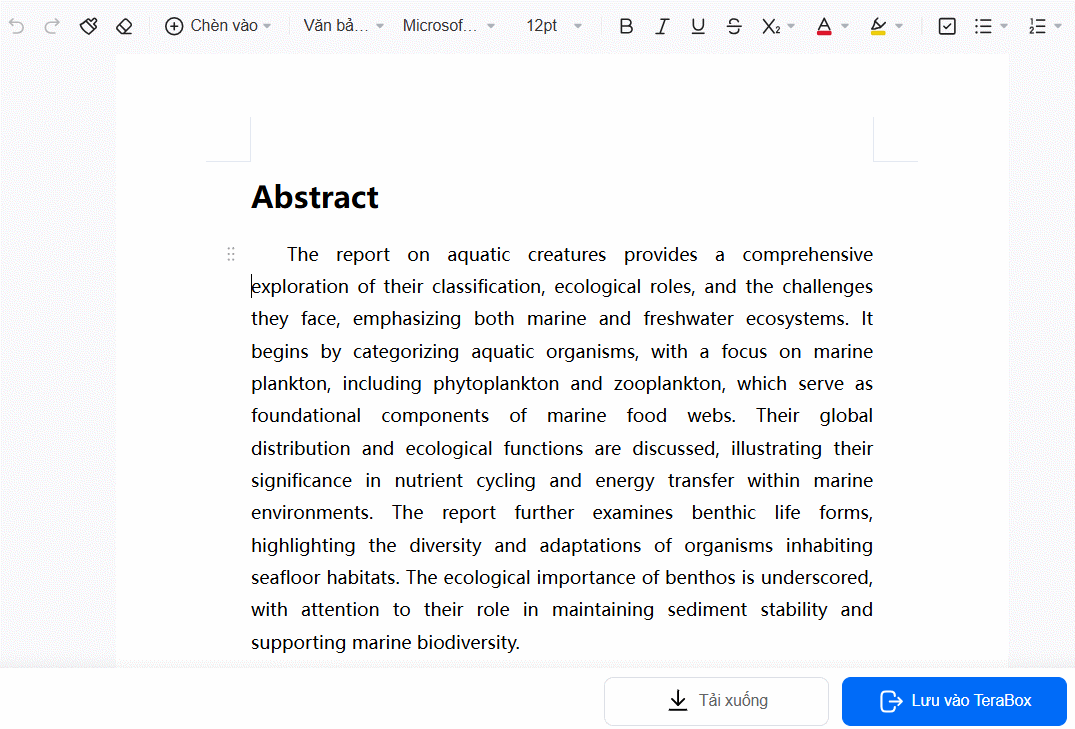
When the article is ready, use the available save or download control. Export features may require a paid plan; if export is unavailable, you may be able to copy the text into your preferred editor. Review TeraBox's current plan terms before subscribing.
Tips for better results
- Give the tool a clear audience and purpose.
- Provide required facts or source material instead of asking it to invent details.
- Generate one section at a time for topics that need careful reasoning.
- Rewrite the final text in your own voice and remove repetitive phrases.
- Do not upload confidential material unless you have reviewed the service's privacy and retention settings.
For alternatives suited to other kinds of work, compare these AI productivity tools. Whichever tool you choose, the final responsibility for accuracy and originality remains with the writer.
Related Articles
 TeraBox - Cloud Storage Service with 1Terabyte of Free Storage5 minutes read
 How to Use Terabox Storage with 1TB for Free: Complete Guide6 minutes read
 Why People Don't Choose TeraBox6 minutes read
 How to Use Terabox, Store Photos, Videos on Your Phone3 minutes read
 How to Create Presentation Slides on TeraBox3 minutes read
 7 Top AI Writing Tools Today: Recommended Choices10 minutes read
Reader Comments 0
Sign in with email or Google to join the discussion.